
Plune CLI — Getting started
The Plune CLI (@plune-ai/cli) is AI-powered assertion testing for LLM apps — a test runner for
model behaviour. You describe the checks in one plune.yaml; Plune calls the model, evaluates each
assertion, caches results, and reports a pass/fail summary with token cost — locally, in CI, or as a
regression diff between two runs. It is the Evaluate step in Plune’s Generate → Evaluate → Gate flow.
v0.17.0MITNode ≥ 20
Install
Section titled “Install”npm install -g @plune-ai/cli # or: pnpm add -g @plune-ai/cliplune --versionOr run it without installing:
npx -y @plune-ai/cli runQuickstart
Section titled “Quickstart”-
Scaffold a
plune.yaml, an example dataset, and.env.example:Terminal window plune init -
Add your provider key — read from the environment /
.env, never written to disk:Terminal window echo 'ANTHROPIC_API_KEY=sk-ant-...' >> .env -
Run the assertions:
Terminal window plune run# → 1/1 passed · 0 failed · 0 errored · $0.0008 -
Re-render the last run, or diff two runs to catch regressions:
Terminal window plune report --format markdownplune diff baseline.json current.json --fail-on-regression
Each run writes its full result to .plune/last-run.json.
Already have a suite?
Section titled “Already have a suite?”Everything above generates checks, which is why it wants a provider key. If your tests already exist, there is nothing to generate — the results exist and only have to arrive, and that road needs no provider key at all:
plune run import ./junit.xml # Vitest, Jest, pytest, PHPUnit, Surefire, Cypress, Playwright…Configuration
Section titled “Configuration”Plune reads a single plune.yaml, discovered by walking up from the working directory (or passed
with -c <path>). This is what plune init scaffolds:
version: 1provider: type: anthropic # anthropic | openai | openrouter model: claude-sonnet-5-5evals: - id: example prompt: "Answer concisely. {{question}}" # {{vars}} come from each dataset row dataset: datasets/example.jsonl # a file path, or an inline `examples:` list assertions: - type: contains value: "Paris"Datasets are JSONL — one row per line, shaped { "vars": { ... }, "expected"?: "..." }.
model is any id the provider serves. plune init starts you on claude-sonnet-5-5 — its wizard
offers OpenAI users gpt-4o-mini. Switch providers has the rest: a model
per eval, temperature, and what a run costs.
Providers & keys
Section titled “Providers & keys”The provider API key is read from the environment based on provider.type — never written to disk:
| Provider | provider.type | Environment variable |
|---|---|---|
| Anthropic | anthropic | ANTHROPIC_API_KEY |
| OpenAI | openai | OPENAI_API_KEY |
| OpenRouter | openrouter | OPENROUTER_API_KEY |
Every command reads its settings the same way: from the environment first — what your shell or CI
job exported — then from a .env beside the config you named with -c, then from a .env in the
current directory. The first place that sets a variable wins, so a .env never overrides what is
already exported. That covers the keys above and every PLUNE_* variable (PLUNE_TOKEN,
PLUNE_API_URL, PLUNE_RUN, …) for run import, sync, login and the rest, not only run and
report — no dotenv wrapper in your scripts (from 0.16.0). The token plune login saved is the
last resort, used only when PLUNE_TOKEN is set nowhere else.
Assertion types
Section titled “Assertion types”Ten built-in assertion types cover plain text, JSON-schema, LLM-as-judge, and RAG metrics:
| Type | Passes when… |
|---|---|
exact-match | output equals value (optional trim, ignore_case) |
contains | output contains value |
contains-any | output contains at least one of values |
contains-all | output contains every one of values |
json-schema | output validates against the JSON schema |
llm-judge | an LLM grades the output against criteria (≥ pass_threshold) |
semantic-similarity | embedding similarity to reference ≥ threshold |
faithfulness | output is grounded in context (RAG) |
answer-relevance | output actually answers the question (RAG) |
context-precision | context is relevant to the question (RAG) |
Commands
Section titled “Commands”| Command | Summary |
|---|---|
plune run | Run the suite. Flags: --dry-run (price the run from the model’s rates — it calls no model, so it needs no provider key; from 0.16.0), --only <id|tag> (repeatable), --bail, --no-cache, --concurrency <n>, --format console|json|markdown, -o, --output <file>. |
plune report | Re-render the most recent run. Flags: --format, -o. |
plune diff <baseline> <current> | Compare two plune run --format json outputs and report pass→fail regressions. Flags: --fail-on-regression, --format, -o. |
plune init | Scaffold plune.yaml, a sample dataset, and .env.example. Flags: --yes (non-interactive), --force. |
plune run import <file> | Turn a JUnit XML or Playwright JSON report into a run — no provider key, nothing generated. Flags: --format, --key <externalKey> to land several jobs in one run, --create to offer unmatched tests for review. |
| plune login / plune logout | Save or remove a platform API token. The token is checked against the API before it is saved. See Platform sync. |
| plune sync | Upload the latest local run to the platform. Flags: --file <path>. |
| plune run start / finish / exec / report | Open, close, wrap and replay a platform run — the group that lets several jobs report into one run. See Import an existing suite. |
| plune run delete <id> | Delete a run and everything it produced: its results and the review-queue entries it raised. Approved test cases and the audit log stay. Recoverable for six months (ask Plune to put it back), then gone for good. No prompt: it is your data, and this command belongs in scripts. |
| plune ingest [dir] | Record a Cairn run in Plune. Omit [dir] for the newest run under ./runs. Generated cases arrive as review proposals — nothing is created until a person approves it. |
| plune pull [file] | Write the project’s test cases as one Markdown document — Testomat’s classical format, plus Plune’s own columns — to plune/cases.md (or [file]). Refuses to overwrite a file git sees as modified; --force overrides, --suite <id> takes one suite or folder and what is under it. See Cases as Markdown. |
| plune push [file] [--dry-run] | Send the document back. Cases are matched by id; a block without one becomes a draft; an unknown id is refused by line; nothing is deleted. Prints the report — created, updated, unchanged, refused, warnings — and with --dry-run writes nothing. |
| plune plan grep <id> | Print a test plan as one --grep pattern — npx playwright test --grep "$(plune plan grep <id>)" or npx vitest run -t "$(…)" runs exactly what the plan collects. Only the pattern reaches stdout; an empty plan prints (?!), which matches nothing. |
Global flags: -c, --config <path> · -v, --verbose · --no-color.
Programmatic API
Section titled “Programmatic API”The same engine that powers plune run is exported for use from your own code. Unlike the CLI, the
library does not parse argv or auto-load .env — set the provider key in process.env yourself.
import { run } from "@plune-ai/cli";import type { RunResult } from "@plune-ai/cli";
const result: RunResult = await run({ dryRun: false, configPath: "plune.yaml" });console.log(result.summary); // { total, passed, failed, errored, ... }
Use in CI
Section titled “Use in CI”Run Plune on every pull request and post a regression diff as a sticky comment with the companion GitHub Action, eval-action:
- uses: plune-ai/eval-action@v1 with: config: plune.yaml fail-on-regression: trueKeep the history (optional)
Section titled “Keep the history (optional)”Runs stay on your machine unless you ask otherwise. plune login saves an API token and plune sync
uploads a run to the Plune platform, where runs accumulate into a pass-rate and cost trend. Everything
above works without an account, and continues to.
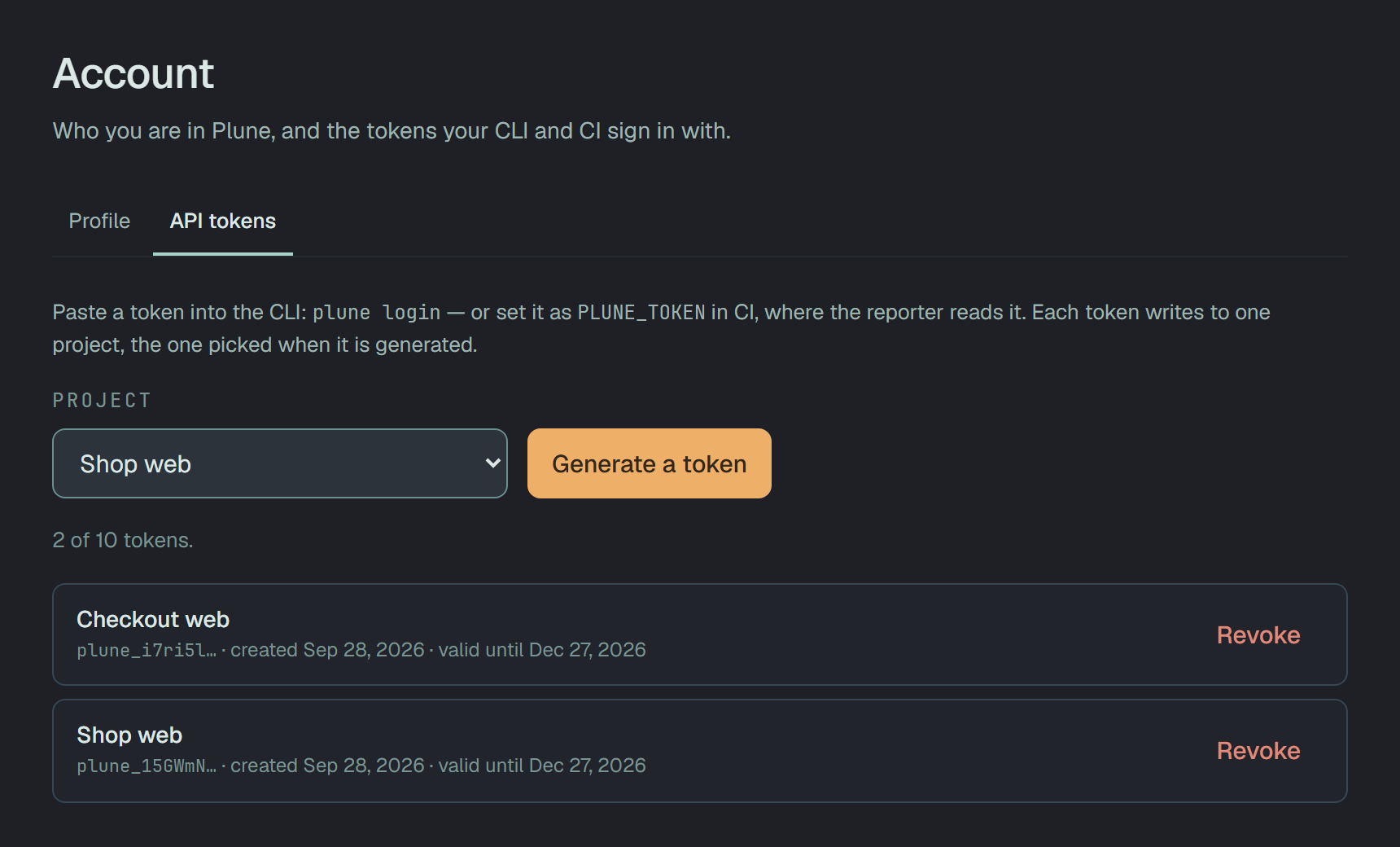
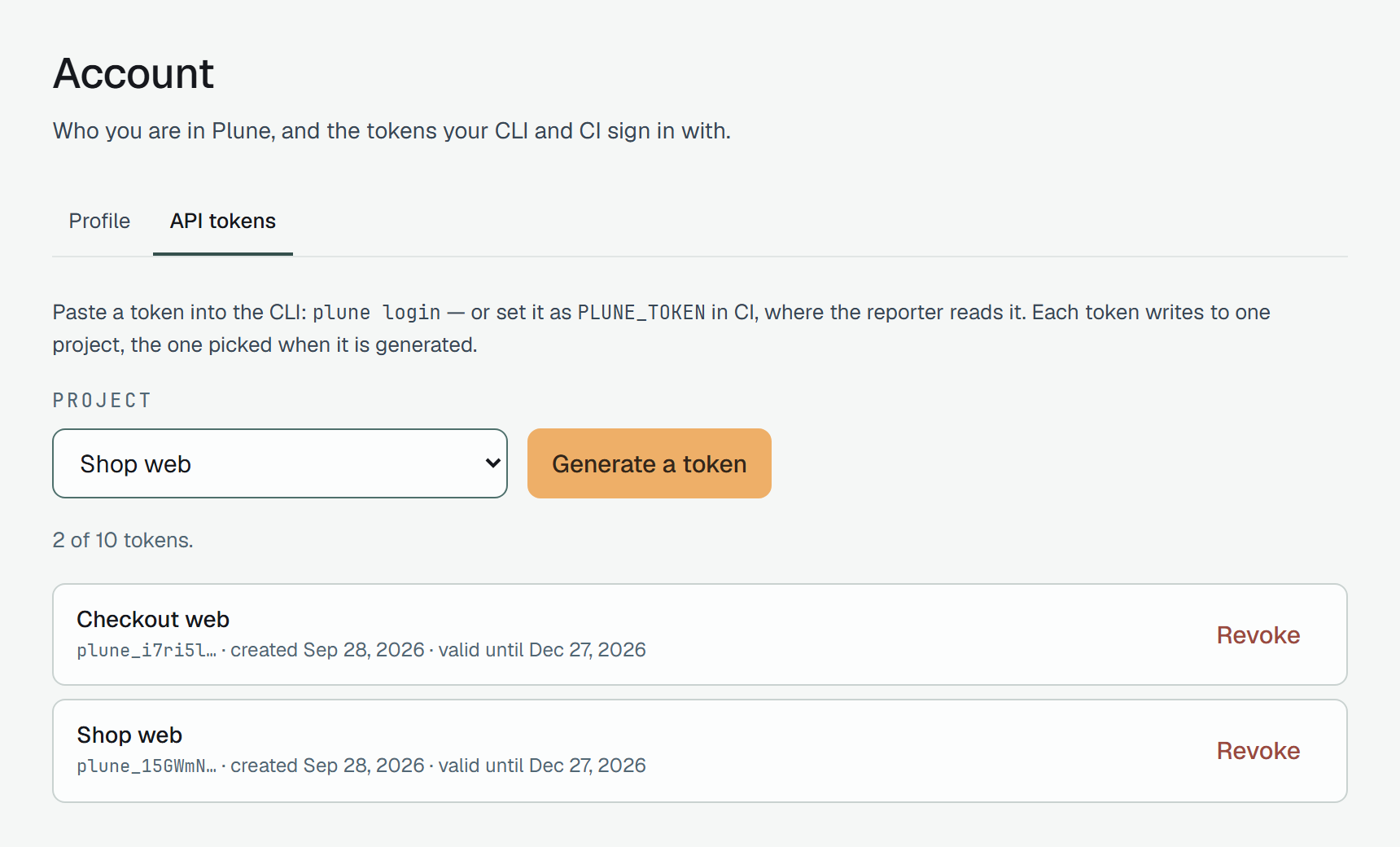
The token comes from the dashboard: the avatar at the top right → Account → API tokens, the
project picked beside Generate a token. It is shown once — paste it into plune login.
License
Section titled “License”MIT © Plune Contributors.