
Account
Account is you, not a project: the avatar at the top right → Account, or beta.plune.ai/account. It has two tabs, Profile and API tokens.
Profile
Section titled “Profile”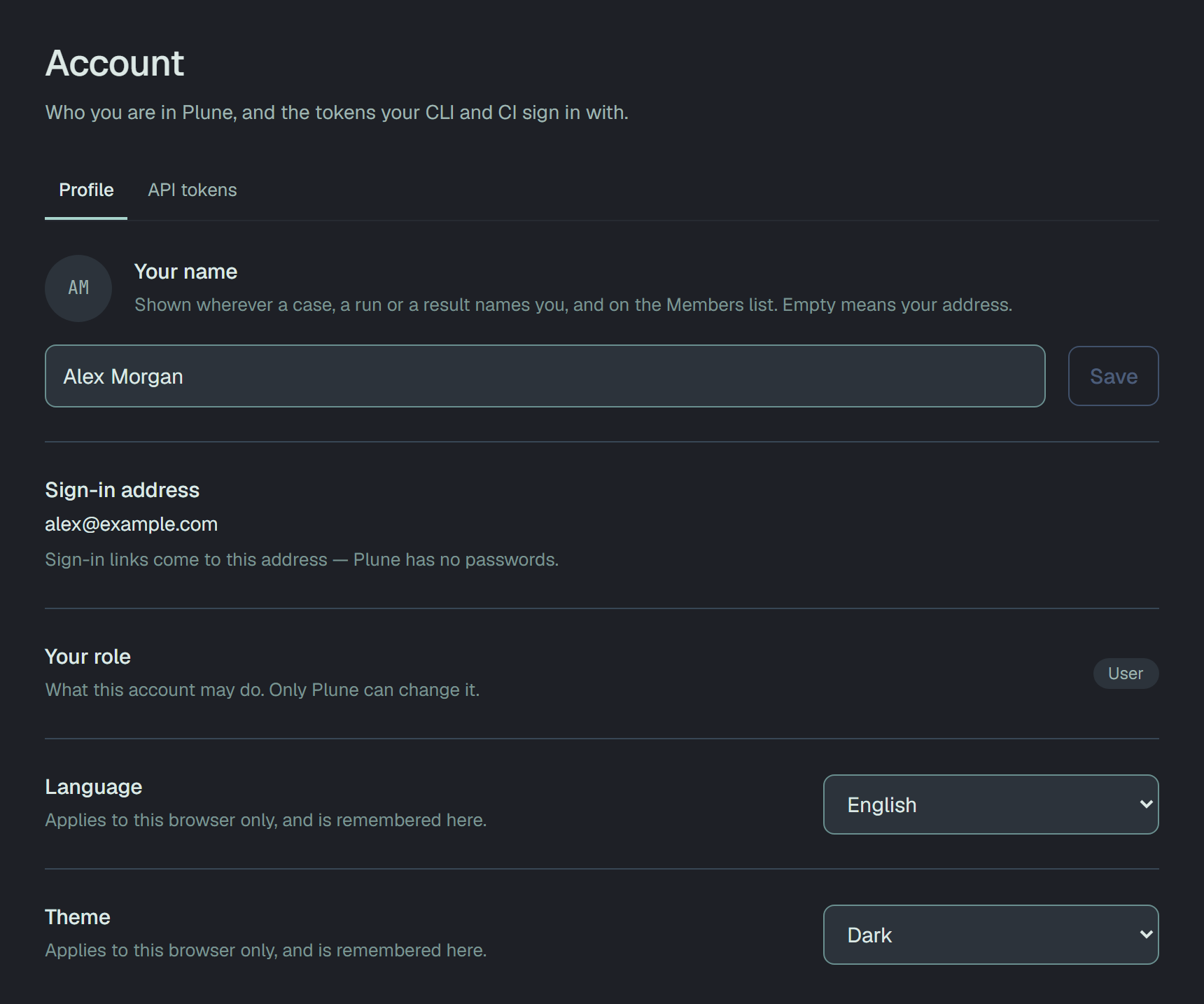
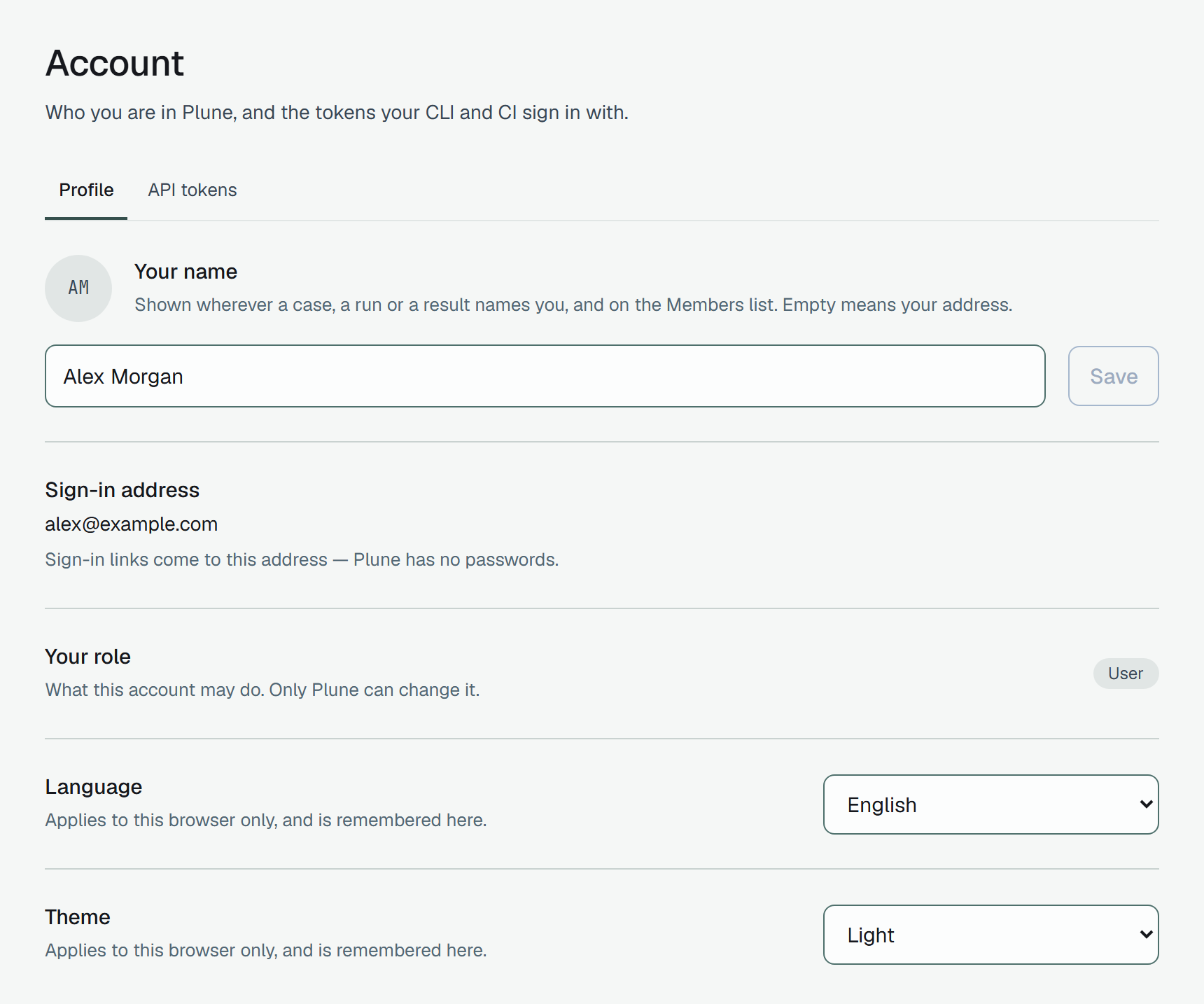
| Your name | Shown wherever a case, a run or a result names you, and on the Members list. Empty means your address. Save wakes up once the name changes, and the initials follow at once. |
| Sign-in address | Where your sign-in links come — Plune has no passwords. It is not changed here. |
| Your role | What this account may do in Plune; only Plune changes it. Your role in a project is a different thing — see Members. |
| Language | English or Українська. It is kept with your account, so signing in on another browser opens in it. Until you choose, Plune speaks your browser’s language if it is English or Українська, and English otherwise. |
| Theme | Dark or Light. Kept with your account the same way. Dark until you choose. |
API tokens
Section titled “API tokens”A token is how the CLI, the Playwright reporter and CI sign in — the web session is only for the dashboard. Tokens are yours, not a project’s: this tab lists every one you hold, from every project, and each writes to the one project picked when it was made.
-
Open API tokens and pick the Project the token should write to. Only projects you can write to are offered: a project you only read cannot take a token.
-
Click Generate a token. It appears once, with copy beside it — copy it now. Plune keeps only a hash of it and cannot show it again.
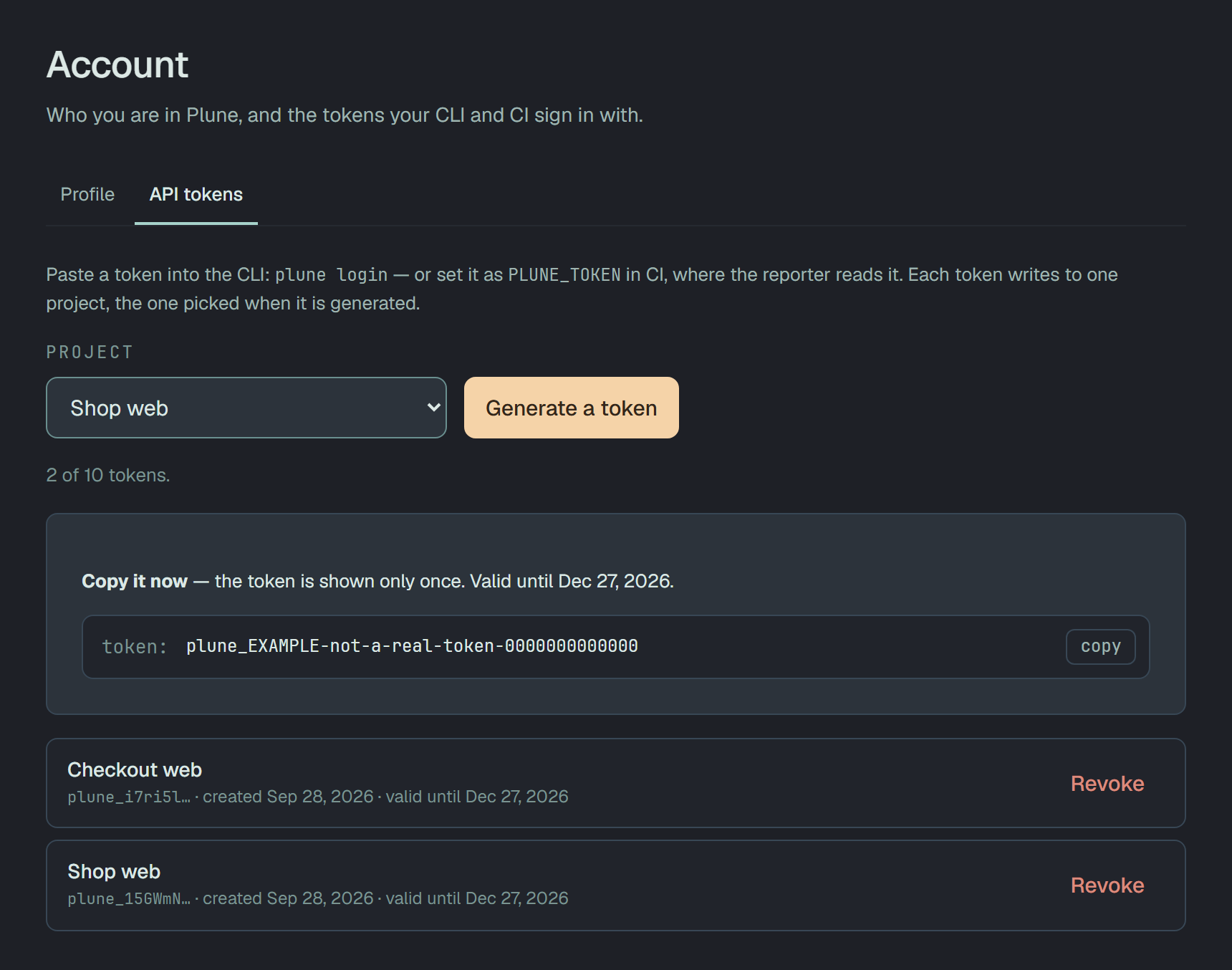
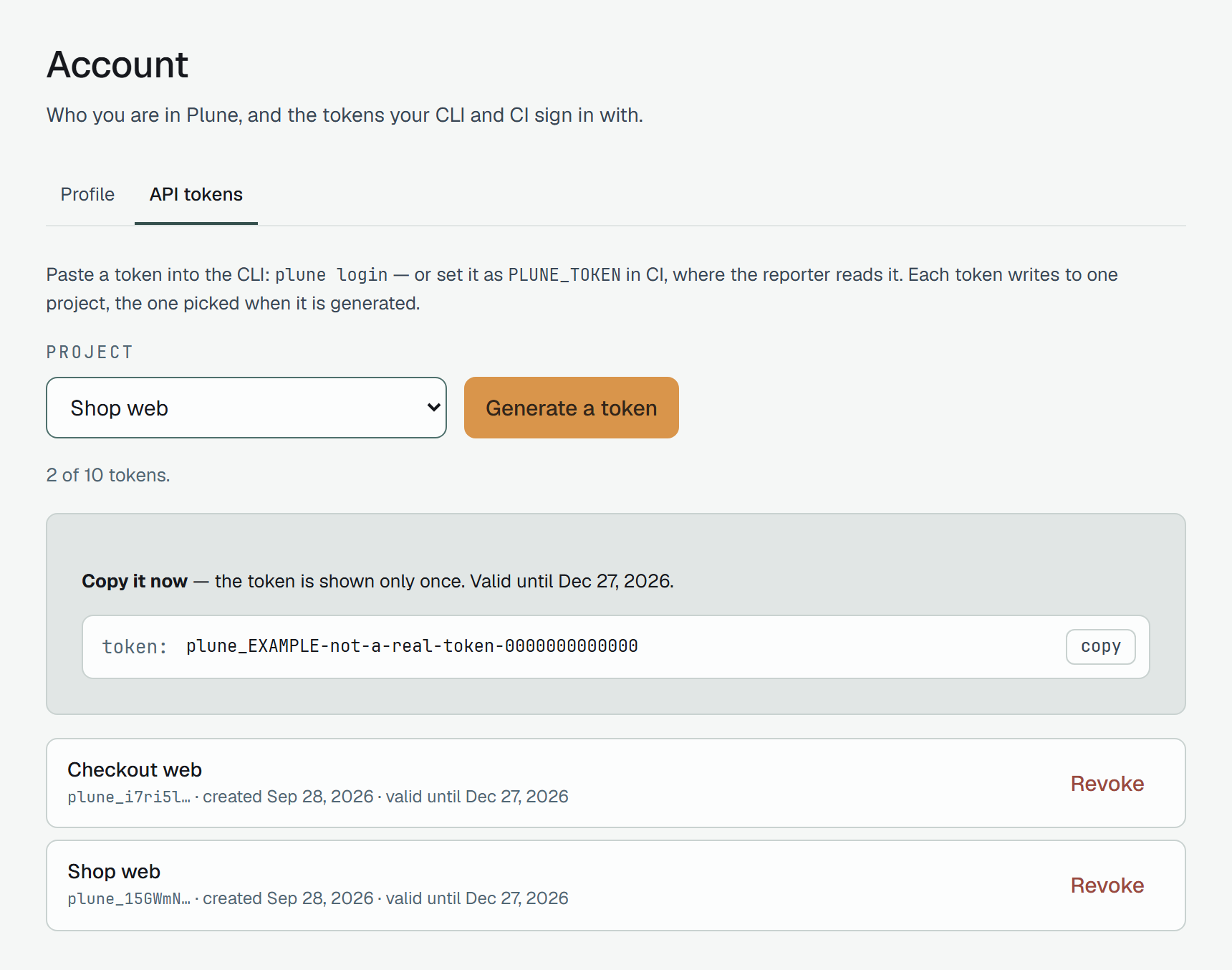
The token shown here is a sample. -
Put it where your tool reads it — below.
A project’s Settings → General, its Getting started and an empty runs list all link here with that project already picked.
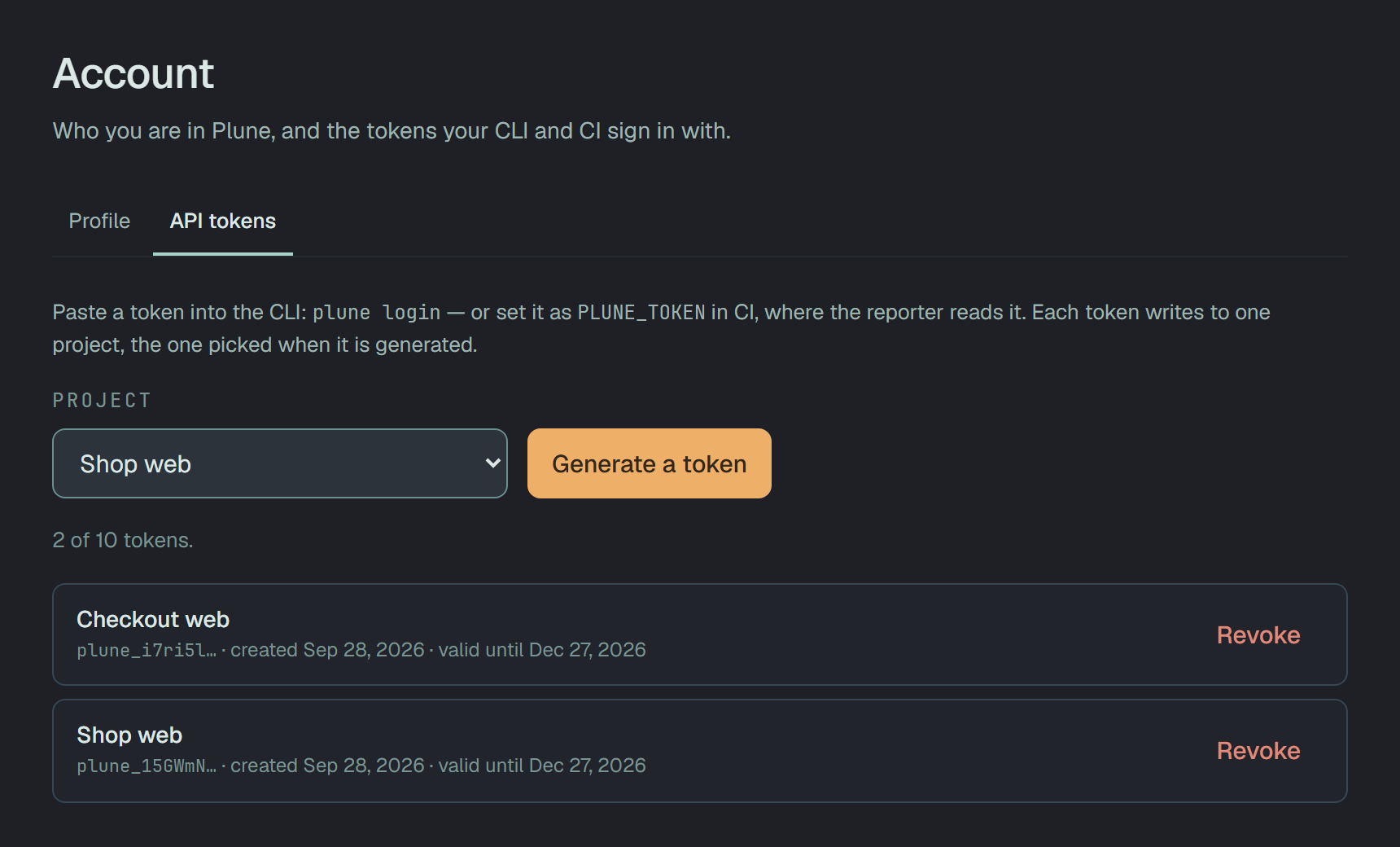
- Each row leads with the project the token writes to, then its first characters, the day it was made and the day it stops.
- A token lives 90 days. Revoke ends it at once, and there is no undo.
- Ten live tokens per account. At ten, Generate a token sleeps, and the count says to revoke one first.
- After a token is made, the button rests for three seconds.
Use the token
Section titled “Use the token”On your machine
Section titled “On your machine”plune login # paste the token when askedplune login --token plune_… # or give it on the lineecho "$PLUNE_TOKEN" | plune login # or pipe it inplune login checks the token against the API before it saves it, so a wrong one fails here rather
than two commands later. More in Sync runs to the platform.
GitHub Actions
Section titled “GitHub Actions”Save the token as a repository secret named PLUNE_TOKEN (Settings → Secrets and variables →
Actions), then report every run — green or red:
name: Teston: [push, pull_request]
jobs:  test:    runs-on: ubuntu-latest    steps:      - uses: actions/checkout@v4      - uses: actions/setup-node@v4        with:          node-version: 22      - run: npm ci      - run: npm test # writes junit.xml
      - name: Report the run to Plune        if: always()        continue-on-error: true        env:          PLUNE_TOKEN: ${{ secrets.PLUNE_TOKEN }}        run: npx -y @plune-ai/cli run import junit.xml --create
if: always() because a failed run is the one worth recording; continue-on-error so a hiccup on our
side never turns your build red.
GitLab CI
Section titled “GitLab CI”Save the token as a masked CI/CD variable named PLUNE_TOKEN (Settings → CI/CD → Variables);
GitLab hands it to every job as an environment variable.
test: image: node:22 script: - npm ci - npm test # writes junit.xml after_script: # runs whether the tests passed or not, and cannot fail the job - npx -y @plune-ai/cli run import junit.xml --createWith the Playwright reporter there is no import step: the same PLUNE_TOKEN in the job’s environment
is all it needs — see Report Playwright results as they run.
The API
Section titled “The API”curl -H "Authorization: Bearer $PLUNE_TOKEN" https://beta-api.plune.ai/v1/runsThe answer is the runs of the token’s project, as JSON. Every endpoint, with examples, is in the API reference.