The fields of a case
Beside its title and its body, a case carries four things about how it matters and one about
what it is tagged. All of them travel through POST /v1/test-cases and PATCH /v1/test-cases/{id},
and every one of them appears in the audit log as “was → became”.
Description and preconditions
Section titled “Description and preconditions”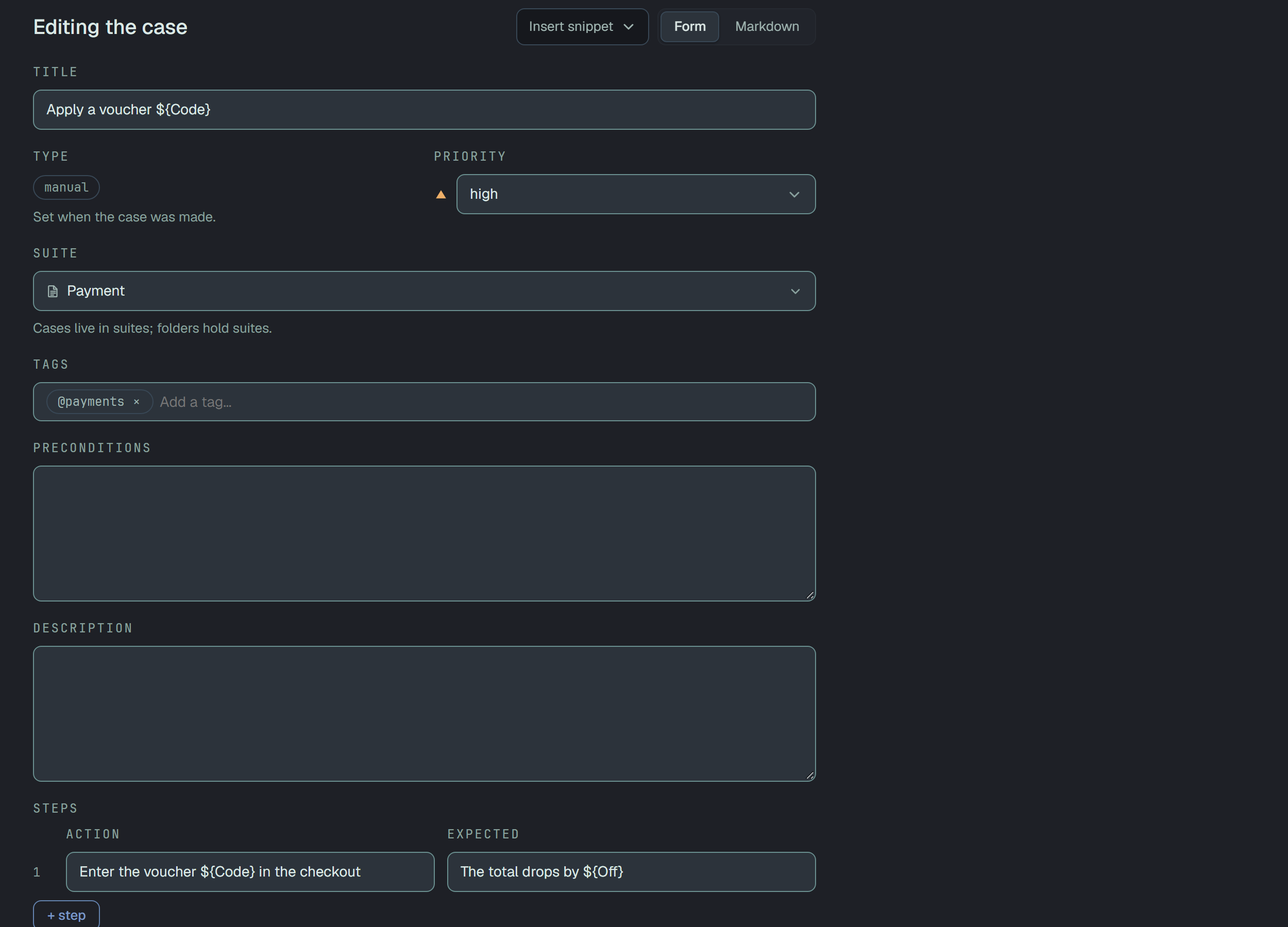
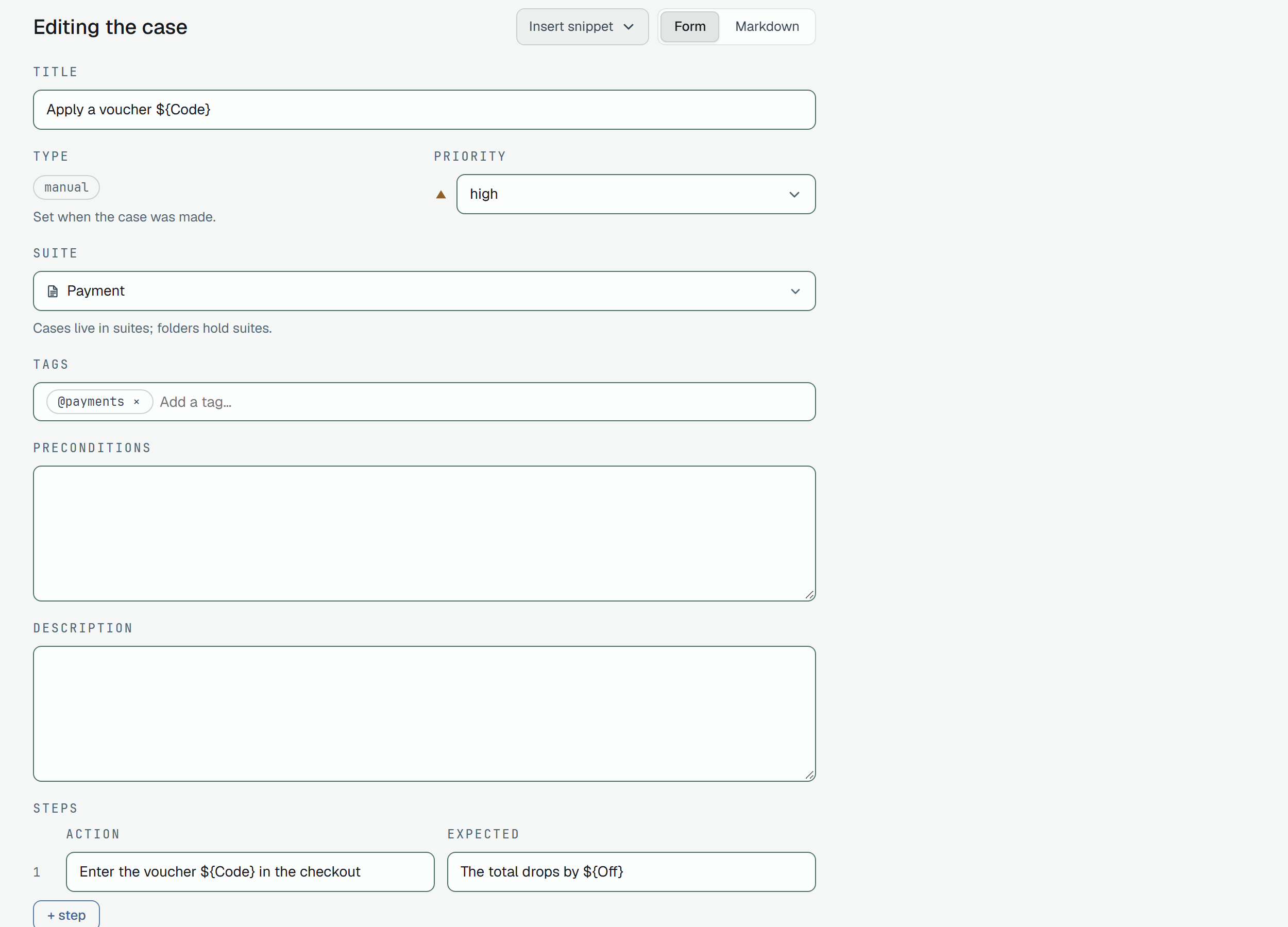
Two free-text fields, description and precondition, up to 16 KiB each. They are shown as written —
line breaks kept, no markup rendered yet — and on the dashboard they sit under their own headings on
the case page and as two text areas on the form. Sending null in a PATCH clears one; leaving it
out keeps it.
These two are the text of the case, so changing either raises the case’s version — a result
that points at version 3 tested what version 3 said. Priority, tags, position and the suite are
metadata: changing them does not move the version.
An automated case’s two texts need not be written by hand: Draft from code proposes them from the test’s code, and a person takes, edits or rejects each.
The steps of a manual case are text too, and each action is also a row of the project’s Steps Database: the form suggests the steps the project already has as you type, and renaming a step there rewrites it in every case that carries it.
Parameters
Section titled “Parameters”A case that should run on several sets of data carries one table — the way Testomat has its
dynamic parameters: params are the column names, every row of rows is one iteration, with
exactly one value per column.
{ "title": "login as ${Username} @smoke", "steps": [{ "action": "Sign in as ${Username}", "expected": "The ${Role} home opens" }], "examples": { "params": ["Username", "Role"], "rows": [["admin", "admin"], ["user", "user"]] }}${Name} — or {{Name}} — in the steps, description, preconditions and prompt stands for that
column’s value; in the title only ${Name}. Names are case-sensitive (Username is not
username) and unique; 1 to 16 of them, up to 64 characters, without $, { or }; 1 to 100
rows; the whole table under 16 KiB. A row of the wrong length, a duplicate name, a table without a
header row — each is refused with its rule:
400 · validation failed — examples.params: parameter names must be uniquenull in a PATCH clears the table; leaving it out keeps it. The table is content, like the
two texts: changing it raises the case’s version. Every row is run and reported on its own — a
result carries the row it ran as params, and the case’s history shows them, so a red line says
which set of data failed. In the Markdown document the table is the
<!-- example --> block at the end of the case.
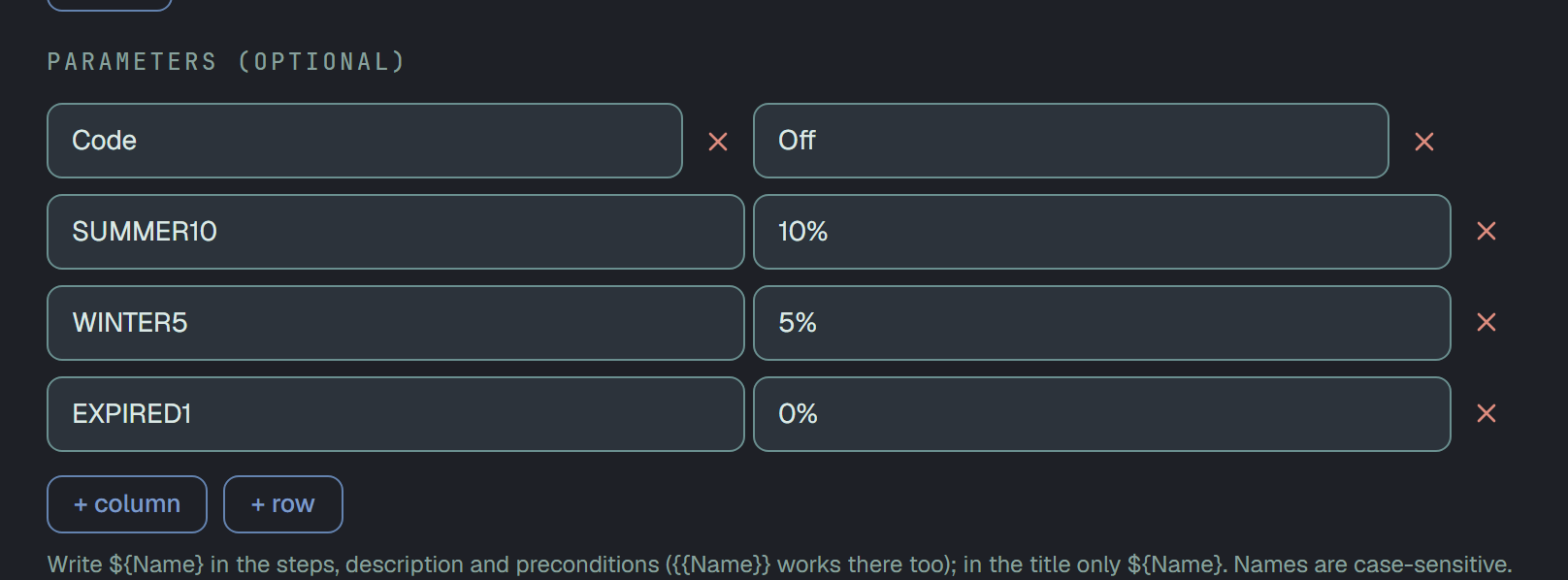
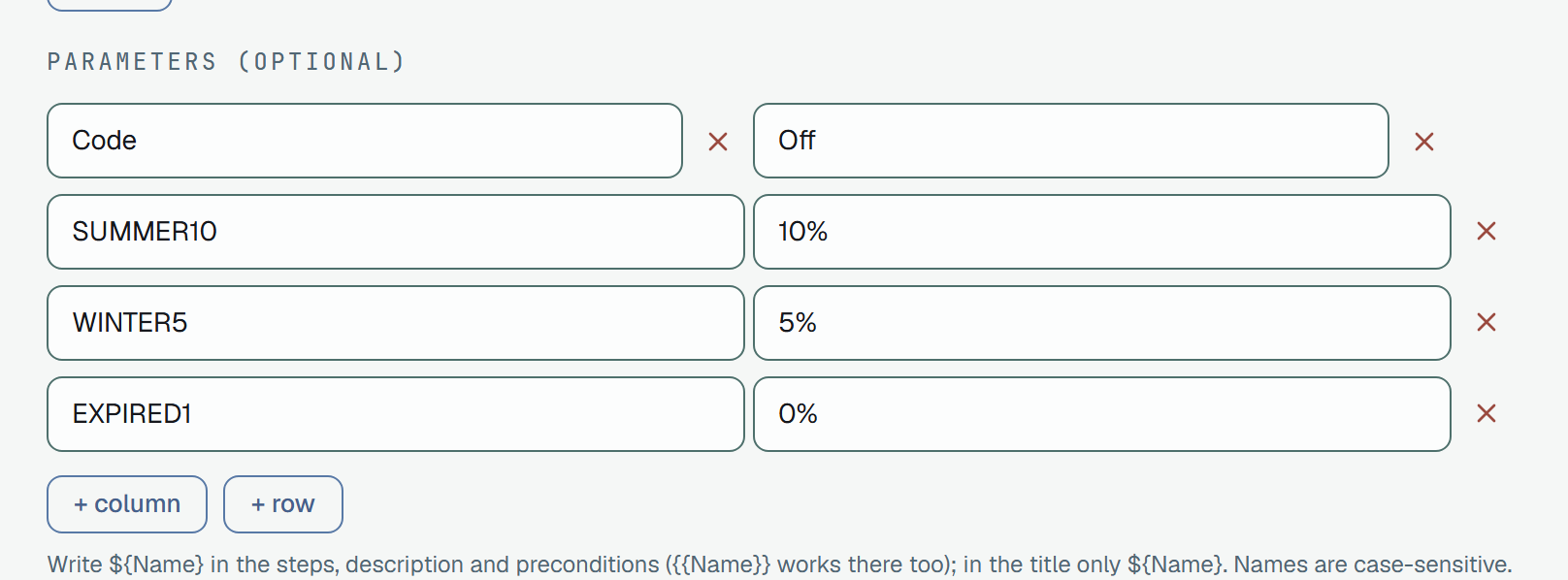
On the dashboard: a Parameters section in the form on every type of case — the table as
fields, + column / + row, ✕ on each; and on the case page the table with a row per iteration
and, when the title has a ${Name}, the title each row runs under.
Priority
Section titled “Priority”Five levels, in rank order:
low · normal · important · high · criticalnormal is the default. The order is not decoration — priorityMin=high on the
list means “high and critical” because the levels are ranked, and the
dashboard shows each as a distinct glyph beside the title so the scale reads without colour.
Anything outside the five is refused with the list:
400 · validation failed — priority: must be one of low, normal, important, high, criticalEstimate
Section titled “Estimate”How long the case takes by hand, written the way you would say it: 30s, 5m, 1h 30m — hours,
minutes and seconds, whole numbers, in that order. A bare number is minutes (15 is 15m), and the
most it takes is 1000h. The form says so under the field: Accepted: 30s · 5m · 1h 30m. A bare number
is minutes. Up to 1000h. A case with no estimate is not a case with a zero estimate: nobody has
estimated it, and every sum that uses estimates, such as Saved time, counts it
apart instead of adding nothing.
- On the case. The Estimate field is on the form of a case, after Type and Priority. Leave it empty for none; clear it to remove one. Text that is not an estimate is refused under the field, and by the API.
- In the list. The cell after the tags shows the estimate as saved, and
—for none. It is hidden on a phone. - For a pick. Set estimate… in the bar of the list gives the same estimate to every picked case; tick Clear the estimate to remove it from all of them (They will count as not estimated, not as 0.).
- To find them. The Estimate filter takes No estimate, Under 5 min, 5–30 min and Over
30 min, any of them together; in the address and the API it is
estimate=none,lt5,5to30orgt30. - From a file. Importing a TestRail or Zephyr sheet maps its Estimate or Estimated Time
column, and understands TestRail’s own spelling (
5min,1hr 30min); the export writes an Estimate column. See Import and export.
Through the API the field is estimate, and a case answers both estimate (the text as saved,
1h 30m) and estimateSeconds; the two are absent while nobody estimated it:
curl -X PATCH -H "Authorization: Bearer $PLUNE_TOKEN" -H "Content-Type: application/json" \ -d '{"estimate": "1h 30m"}' \ "https://beta-api.plune.ai/v1/test-cases/$CASE_ID""estimate": null clears it; an empty text or anything that is not an estimate is a 400 that names
the field. The same on a whole pick: POST /v1/test-cases/bulk with
{"ids": [...], "action": {"kind": "estimate", "estimate": "5m"}}, and "estimate": null to clear. One
text that is not an estimate refuses the whole batch.
Assignee
Section titled “Assignee”Who is to run the case: assigneeId, the userId of a member of the project, or absent while
nobody has been asked. It is set after the fact, never on create:
PATCH /v1/test-cases/{id}{ "assigneeId": "6f1c2b3a-0000-4000-8000-0000000000a2" }null takes the case back; a PATCH that does not name the field keeps whoever holds it. Anyone
who is not in the project is refused with the reason — a real user in another project the same way
as an id nobody holds, because the surface says nothing about who exists elsewhere:
400 · user '…' is not a member of this projectAssigning is metadata, like a priority: the case’s version does not move. Leaving the project, or
being removed from it, takes the person off every case they held there — «the assignee is a member»
stays true, rather than true at the moment of writing.
On the dashboard the case page shows the assignee as a circle with a name and a select behind it, «Unassigned» on top; a row of the tree carries the circle; the filter bar’s Assignee facet is Me · Unassigned · the members; and the selection bar’s Assign… hands out (or takes back) several at once — Many cases at once. A launch with Prefer case assignee copies the assignees into the run — Manual runs.
Flaky and Muted
Section titled “Flaky and Muted”Two flags, isFlaky and isMuted, off until someone sets them, and two different things kept apart
because they answer different questions:
- Flaky is a mark. It says something about the case: this test is unstable by nature. It is a diagnosis, and it changes nothing a run counts.
- Muted is a decision. The case still runs and its results are recorded, but its failures do not
count against a run — a known flaky test that would otherwise fail a release. A muted case’s failure is
counted as
muted, apart fromfailedandbroken: A muted case’s failure.
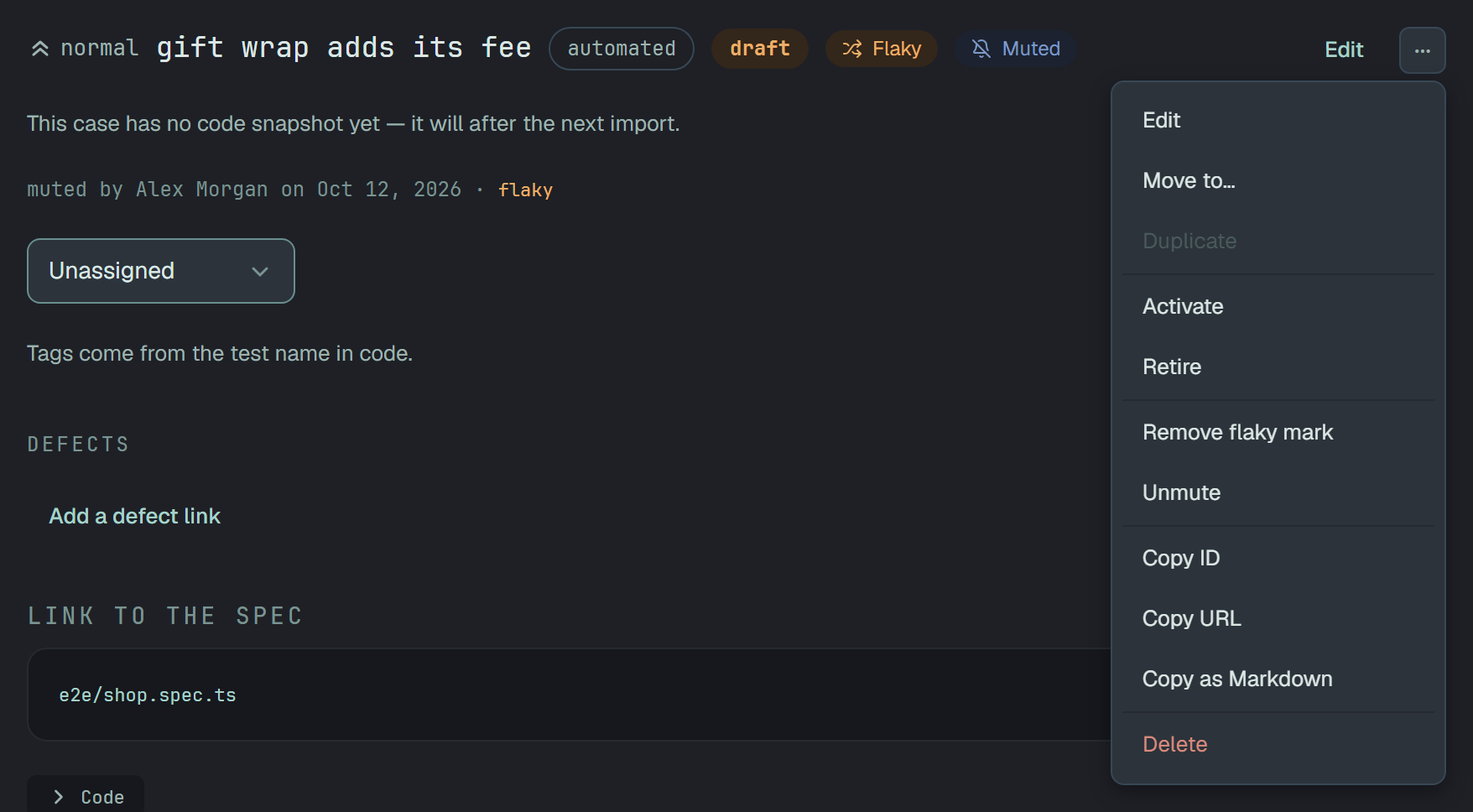
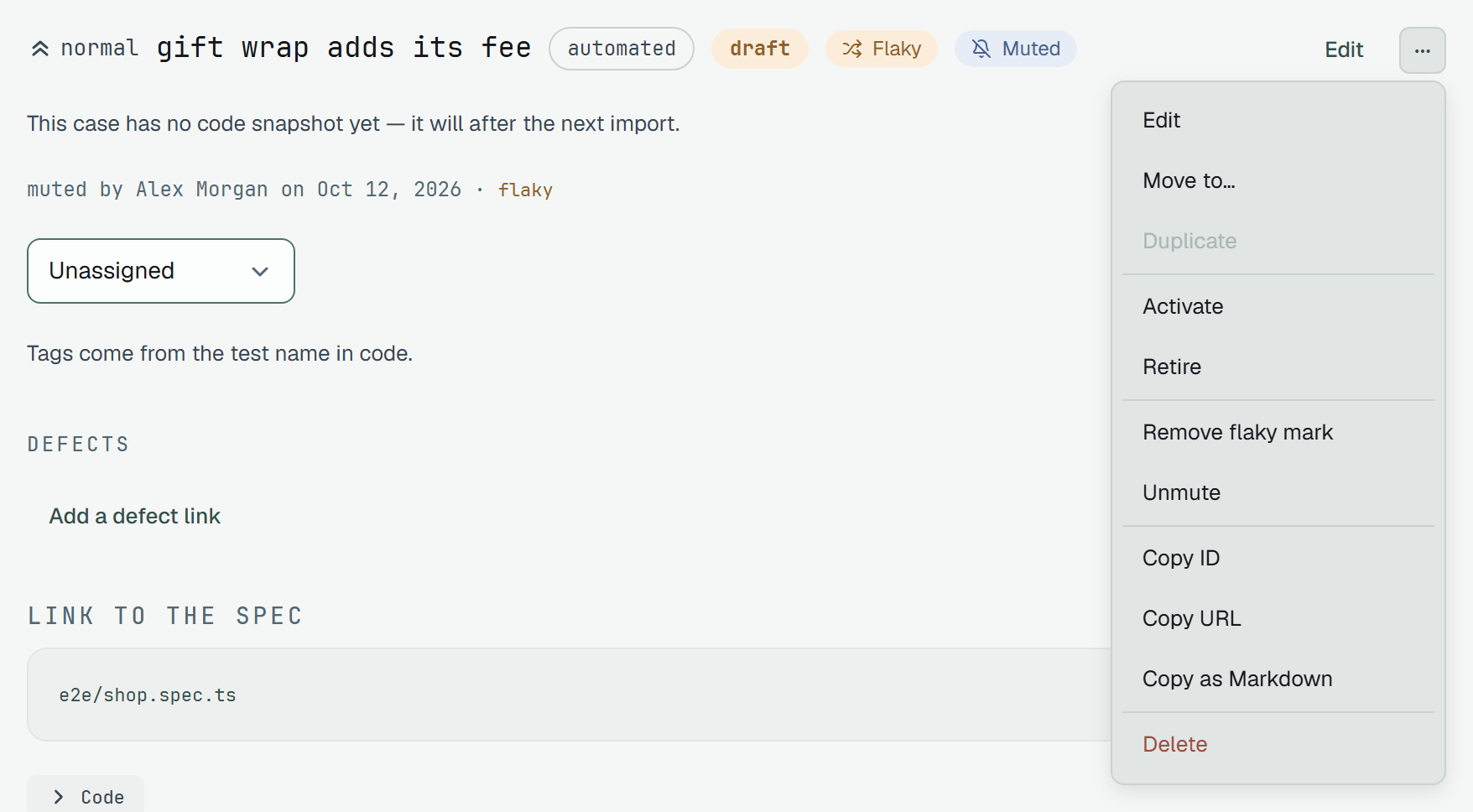
On the dashboard the case page shows Flaky and Muted as badges in its head, after the state — Flaky first — and so do a row of the tree and the case’s panel. Hover Flaky for who marked it and when; the line under the head says «muted by Alex Morgan on Oct 12, 2026». The case’s ⋯ has them in a group of their own:
- Mark as flaky and Remove flaky mark apply at once.
- Mute… asks first. The dialog, «Mute the case», says It still runs and its results are recorded, but its failures no longer count toward a run’s result, and a case with several iterations in its parameters table adds that they are all muted together. Mute applies it. A run still going counts it at once; finished runs keep their result.
- Unmute applies at once.
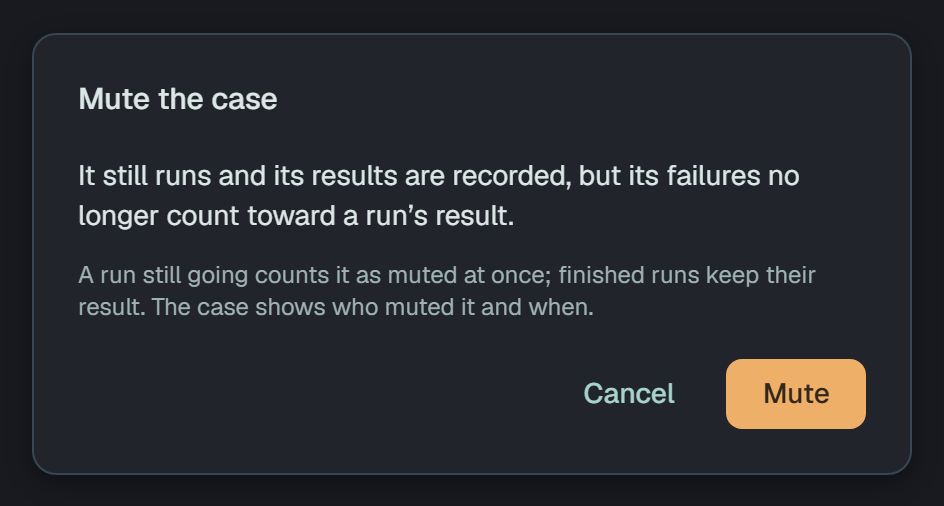
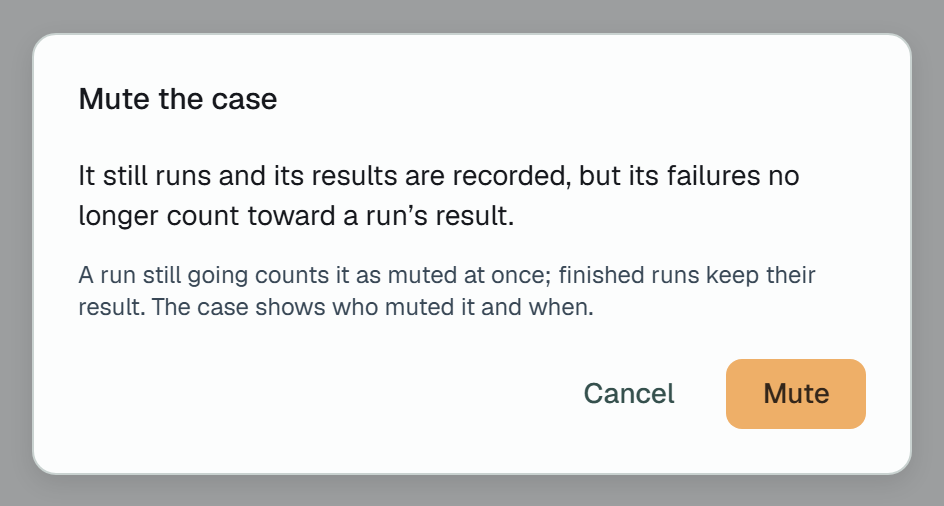
A result of the case also offers Mute… or Unmute in its panel on the run’s page — the same
flag, the same dialog (A result). In the filter bar, Flaky and
Muted each have one option with its icon and how many cases carry it — ?flaky=1, ?muted=1
(Filtering the list).
PATCH /v1/test-cases/{id}{ "isMuted": true }- Always there. Every case carries both,
trueorfalse.POST /v1/test-casesandPATCHtake them, and also asis_flaky/is_muted, the spelling of the CLI’sTestCase; when both spellings come,isFlaky/isMutedwin. APATCHthat does not name a flag keeps it. - Metadata. Like a priority, neither moves the case’s
version. Each change is in the audit log with who made it and when — a person or an API token. - In Markdown a set flag is
flaky: trueormuted: truein the case’s metadata, written only when it is set. A block that does not name a flag keeps the case’s; onlyfalse, written, clears it (Markdown). - Not copied. A copy of a case starts with neither.
- Who. An owner or a member, and an API token. A reader sees the badges, and the ⋯ items are not
there; the API answers
403 read-only member.
What the case needs every time it runs — a price list, test data, a picture of how it should look — kept on the case itself, not on a run. On the case page they stand before the comments as Files · N: a zone to drop files on, Add files to pick several at once, and a screenshot pasted anywhere on the page, named by the moment («Pasted 13.10.2026 10.12.png»). Under it the files, newest first: a thumbnail for a picture, the name, the kind and size, who added it and when.
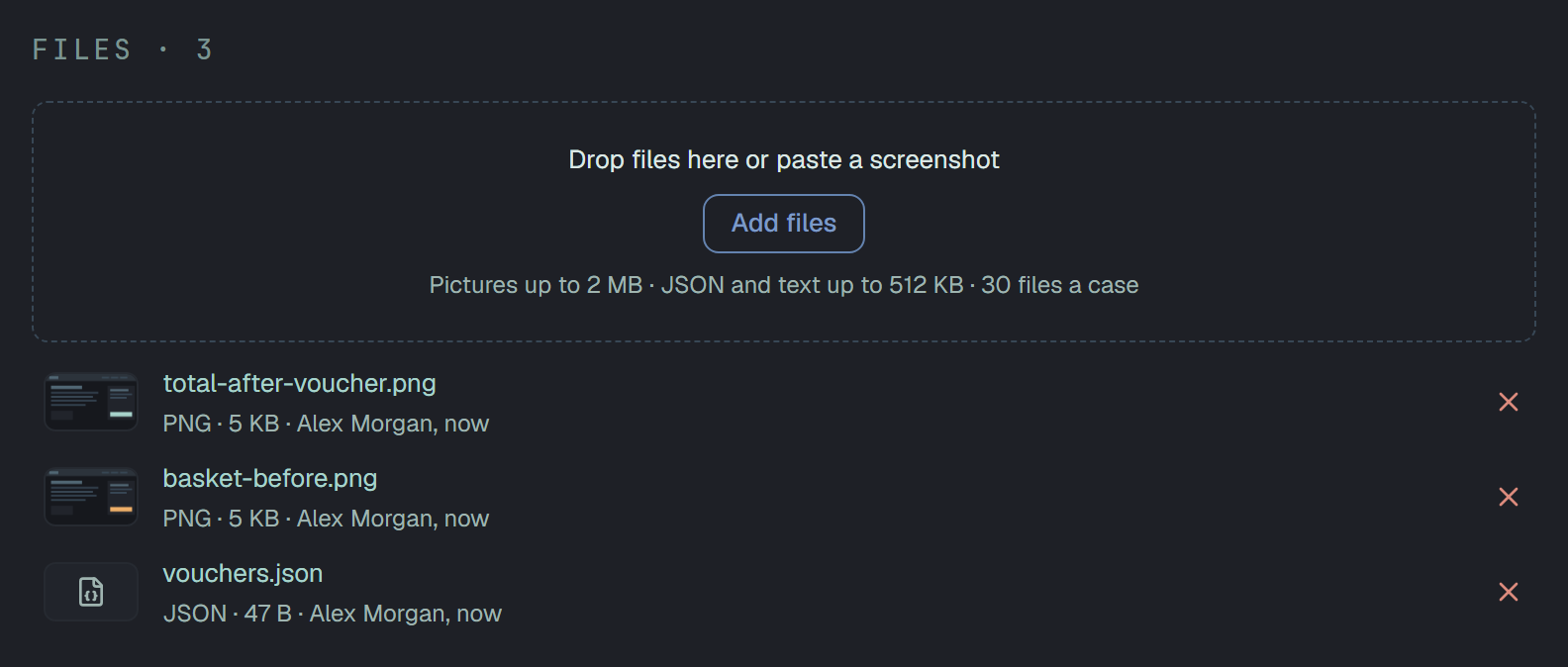
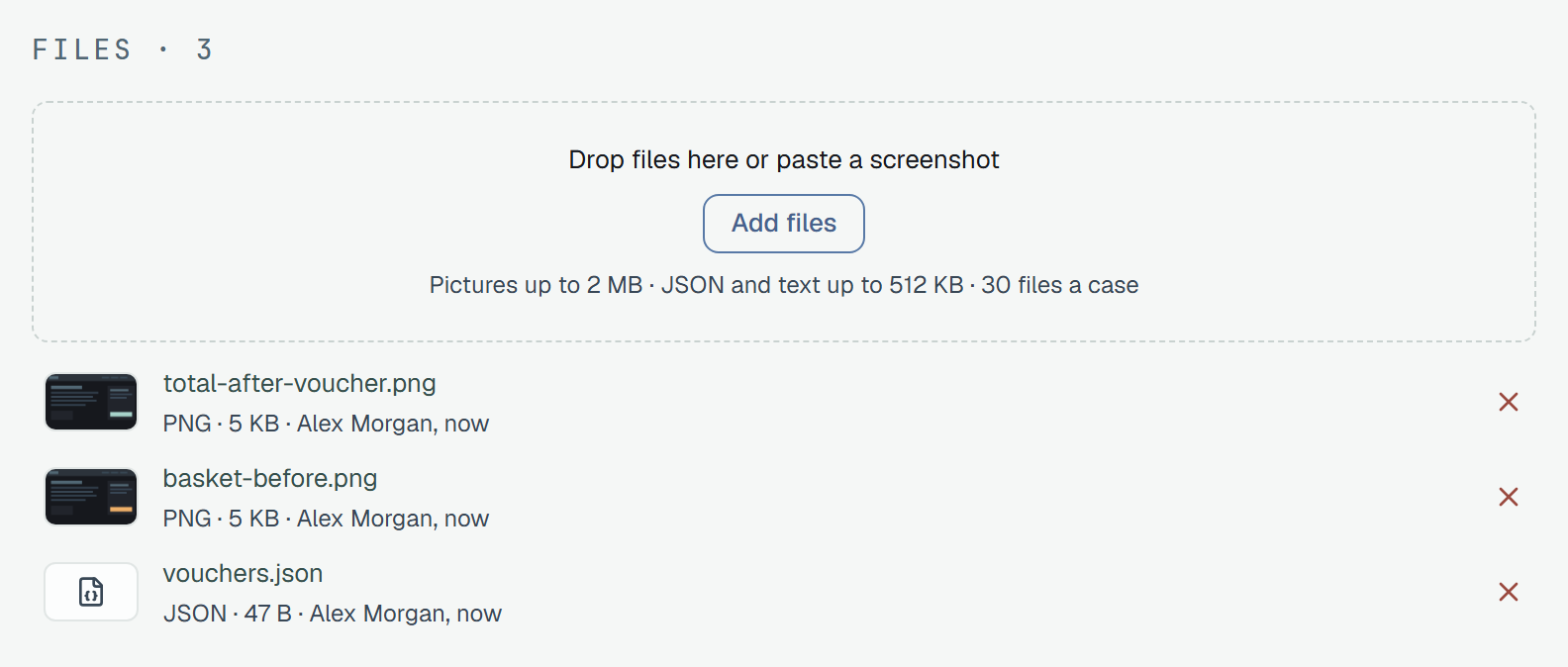
GET /v1/test-cases/{id}/files → { "files": [...], "budget": { ... } }POST /v1/test-cases/{id}/files?name=prices.json (the bytes as the body, with their Content-Type)DELETE /v1/files/{id}- What one may be is what a result may hold: without a bucket, a picture (PNG, JPEG, WebP) up to
2 MB and a JSON or text file up to 512 KB; with one, the bucket’s ceilings.
30 files a case. With a bucket the bytes go to it —
POST …/files/uploads, the browser’sPUT,POST /v1/files/{id}/complete— as a reporter’s do. - A picture opens in the same window as a result’s screenshots, going round the case’s pictures; a text opens in the window of a result’s text files.
- ✕ asks first, and deleting is for good: the file leaves the case for everyone. Results keep the files they were marked with — those are theirs, not the case’s.
- Who. An owner or a member adds and deletes, on anyone’s file of the case; an API token too. A
reader sees the files and opens them, with no zone and no ✕; the API answers
403 read-only member. - With the case into the Bin. «Delete the case» says the files go with it; a restore brings them back, and they are gone for good with the case after 30 days.
- In the audit log each one added or deleted is a
test_case/eventon the case’s feed, the file in the diff. It is not undone from the feed: add it again, or delete it, on the case. - Without a bucket the files count against the project’s built-in storage.
Comments
Section titled “Comments”What people said about the case, beside the case — «step 3 is stale since the checkout redesign» belongs where the next person to run it will read it. Plain text with its line breaks, no Markdown; one author, one moment, no edit — a changed mind is a second comment.
GET /v1/test-cases/{id}/comments → { "comments": [{ "id", "authorId", "body", "createdAt" }] }POST /v1/test-cases/{id}/comments { "body": "Step 3 is stale since the checkout redesign." }DELETE /v1/comments/{id}The list is the live comments, oldest first; the author is a userId, named on the dashboard from
the members list. The body is trimmed, never empty and at most 8 192
bytes — the same cap the column enforces, so it is a 400 with the reason rather than a 500.
Anyone in the project reads them, a reader too. A reader may also write one, recorded under their name;
what a reader cannot do is take one back — DELETE is refused at the boundary, 403 read-only member.
A read API token may not write a comment: 403 read-only token.
Deleting is soft — the row stays for the audit entry that names it, the list stops showing it — and
it is the author’s to do, or an owner’s on anyone’s. Somebody else’s comment answers 404 to
everybody else, the same answer an id nobody has gets, on purpose. A case in the bin, or one in
another project, has no comments to show and takes none: the case’s own 404.
Both writes land on the case’s audit feed as test_case/comment, the text in the diff — written
or taken back. They are not undone from the feed: a comment is deleted on the case.
On the dashboard the case page has Comments · N under its files, above the result history: a row is the person, the time and the text; Delete on your own (an owner: on anyone’s; a reader: none); the box and Comment below the list for every role, a reader too. A comment posted appears in place, a deleted one leaves in place — no reload either way.
Position
Section titled “Position”position is a case’s place among the cases of its suite (or among the unfiled ones), dense and
zero-based. The list comes back in that order, suite by suite; sending a new position in a PATCH
moves the case and renumbers its neighbours. Suites have the same field for the same reason.
Tags live in the title
Section titled “Tags live in the title”A tag is written in the title, as @name, and that is where it is stored:
Checkout keeps the total right @smoke @paymentsThe rules are the ones the wider tool ecosystem already uses: a tag starts the title or follows a
space or a tab, its body is made of \w = - _ ( ) . : & and ends in a word character or ), it is
shorter than 120 characters, and its case is yours — Smoke and smoke are two tags. An e-mail
address or a @ in the middle of a word is not a tag.
The API reads them out for you: every case answers with tags — the @names of its title, without
the @, each once, in order — and the dashboard shows the clean title with the tags as chips.
You can write them back either way:
- put them in the
title—"title": "Checkout keeps the total right @smoke"; - or send
tagsbeside a clean title —"title": "Checkout keeps the total right", "tags": ["smoke"], and the stored title gets the@smoketail written for you.
When both are sent, tags wins over the title’s own tail; "tags": [] strips every tag. Two refusals
guard the field:
| Refusal | When |
|---|---|
400 · validation failed — title: a title cannot consist of tags only | nothing is left once the tags are removed |
400 · validation failed — tags.1: invalid tag 'smoke test' — a tag is 1 to 119 characters from \w = - _ ( ) . : & | a tag breaks the rule — the refusal names it |
Renaming and merging tags
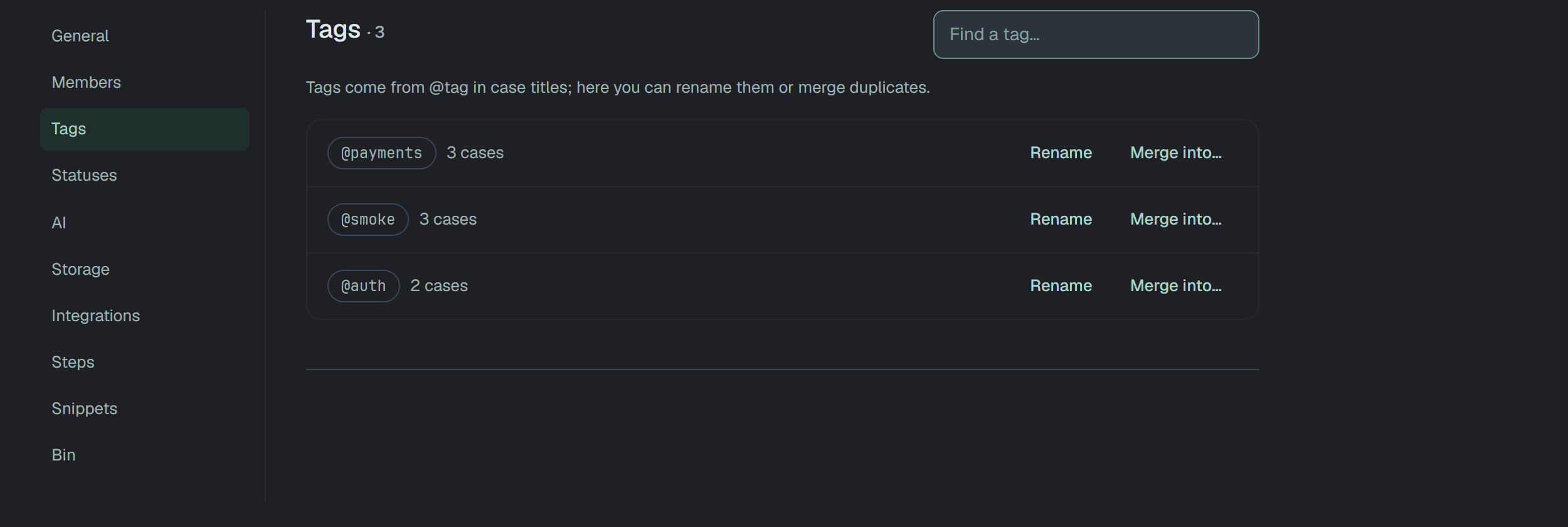
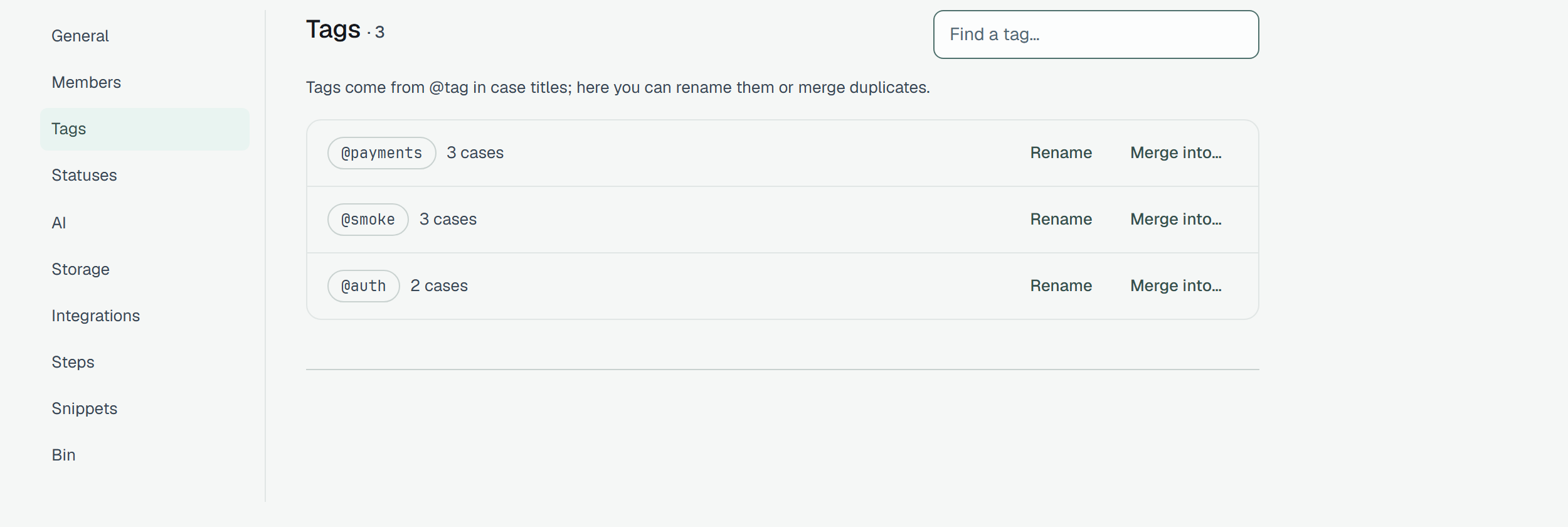
Section titled “Renaming and merging tags”GET /v1/settings/tags lists the project’s tags with how many cases carry each — Smoke beside
smoke, each with its own count. The same list is Settings → Tags on the dashboard, and two
operations act on it:
- Rename —
POST /v1/settings/tags/renamewith{ "from": "smok", "to": "smoke" }rewrites the title of every case that carriesfrom, one audit entry per case. Iftoalready exists the two simply merge;tois checked against the tag rule first. - Merge —
POST /v1/settings/tags/mergewith{ "from": ["Smoke", "smoke-test"], "into": "smoke" }replaces every tag infromwithinto, in every title, in one transaction;intoneed not exist yet, andfrommust not contain it.
Both answer how many cases they touched, and neither moves a case’s version — a tag is metadata.