

Filtering the list
GET /v1/test-cases takes its filter from the query string. Nothing else — no body, no saved
filter object — so a filtered list is a URL you can hand to someone, and the dashboard’s own address
bar carries exactly the query it sent.
GET /v1/test-cases?suiteId=6f1c…f1&tag=smoke&tag=payments&priorityMin=high&type=automatedThe parameters
Section titled “The parameters”| Parameter | Matches | Repeatable |
|---|---|---|
suiteId | the cases of that suite — or, for a folder, the cases of every suite beneath it | yes |
tag | a tag of the title, verbatim — Smoke is not smoke | yes |
priority | exactly this level | yes |
priorityMin | this level and above — high means high and critical | no |
type | manual, automated or eval | yes |
state | draft, in_review, active, detached or deprecated | yes |
assignee | who is to run it — me (whoever asks), none (nobody) or a member’s userId | yes |
q | text found in the title or the description, case-insensitively — text, not a pattern | no |
defects | 1 — only the cases that carry at least one defect link; absent, or 0, is every case | no |
flaky | 1 or true — only the cases marked Flaky; 0 or false — only the others | no |
muted | 1 or true — only the muted cases; 0 or false — only the others | no |
Two rules make the combinations:
- Repeating a parameter is “any of”.
tag=smoke&tag=paymentsis a case carrying either tag. - Different parameters are “all of”.
tag=smoke&type=automatedis an automated case tagged smoke.
Absent means everything: with no query at all you get every case of the project. The answer is in
tree order — suite by suite, cases by their position, unfiled cases last — whatever the filter,
so a filtered list reads like the tree with rows taken out, not like a search result.
A folder widens to its descendants
Section titled “A folder widens to its descendants”suiteId with a folder’s id does not answer “nothing — a folder holds no cases”. It answers the
cases of every suite under it, at any depth, which is what “everything in checkout” means when
checkout is a folder of four suites. The Suite or folder section of the Filters drawer lists the
tree, indented, for that reason: pick a folder to see a branch, pick a suite to see one leaf.
A value outside the vocabulary is refused, not ignored
Section titled “A value outside the vocabulary is refused, not ignored”A priority, type or state that does not exist — or a flaky or muted that is not one of its four
words — answers 400, and the message lists what does:
unknown priority "urgent" — priorities are low, normal, important, high, criticalunknown type "e2e" — types are manual, automated, evalunknown state "gone" — states are draft, in_review, active, detached, deprecatedunknown flaky "yes" — the values of flaky are 1, true, 0, falseRefused rather than ignored on purpose: a mistyped value that silently matched nothing would look
like an empty project. A tag, a suiteId or an assignee id nobody has is simply a filter with no
matches — the vocabulary of those is yours, not the platform’s.
assignee=me is resolved on the server from whoever sends the request, so a link with it in — or a
plan collection saved with it — means “mine” for each person who opens it.
The dashboard’s URL is the query
Section titled “The dashboard’s URL is the query”The filter on Test cases writes what you pick into the page’s URL with the same names —
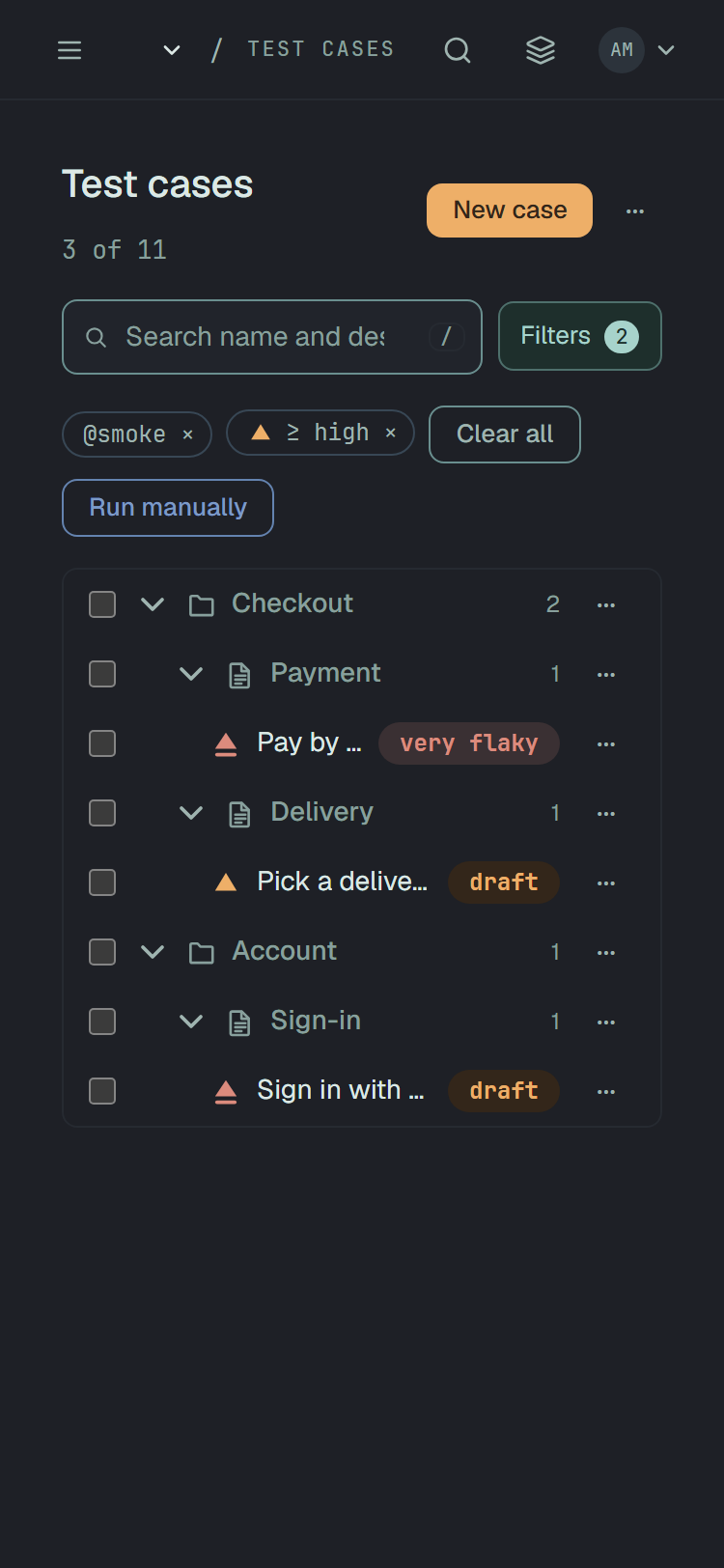
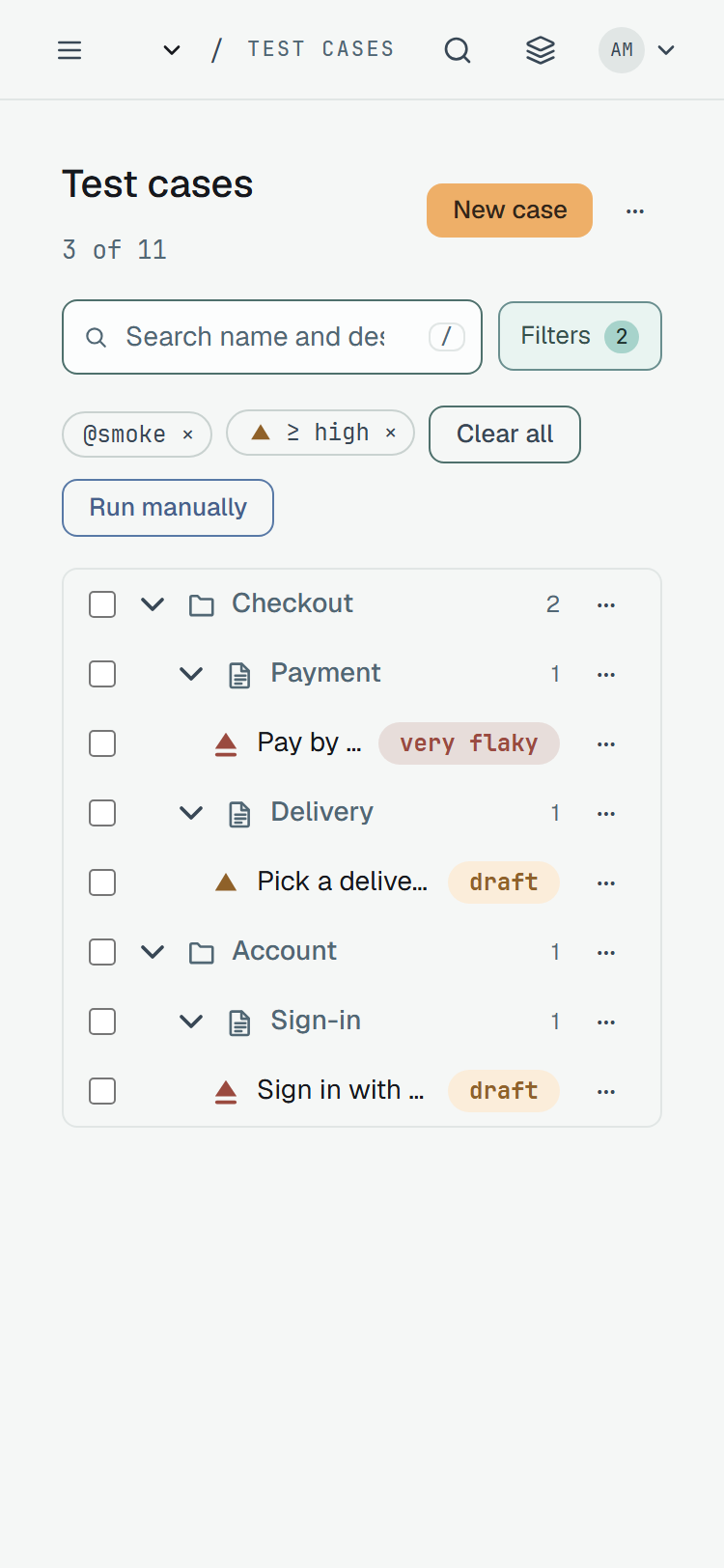
/cases?tag=smoke&priorityMin=high — and reads it back on load. So a link is a filter:
- a link to a filtered view restores the controls, the chips and the tree in another window;
- Back is a filter change;
- a link that carries a value outside the vocabulary shows the API’s refusal verbatim, as a notice, with Check the link — it may have been edited by hand. and a Clear filters button beside it, and the bar still usable.
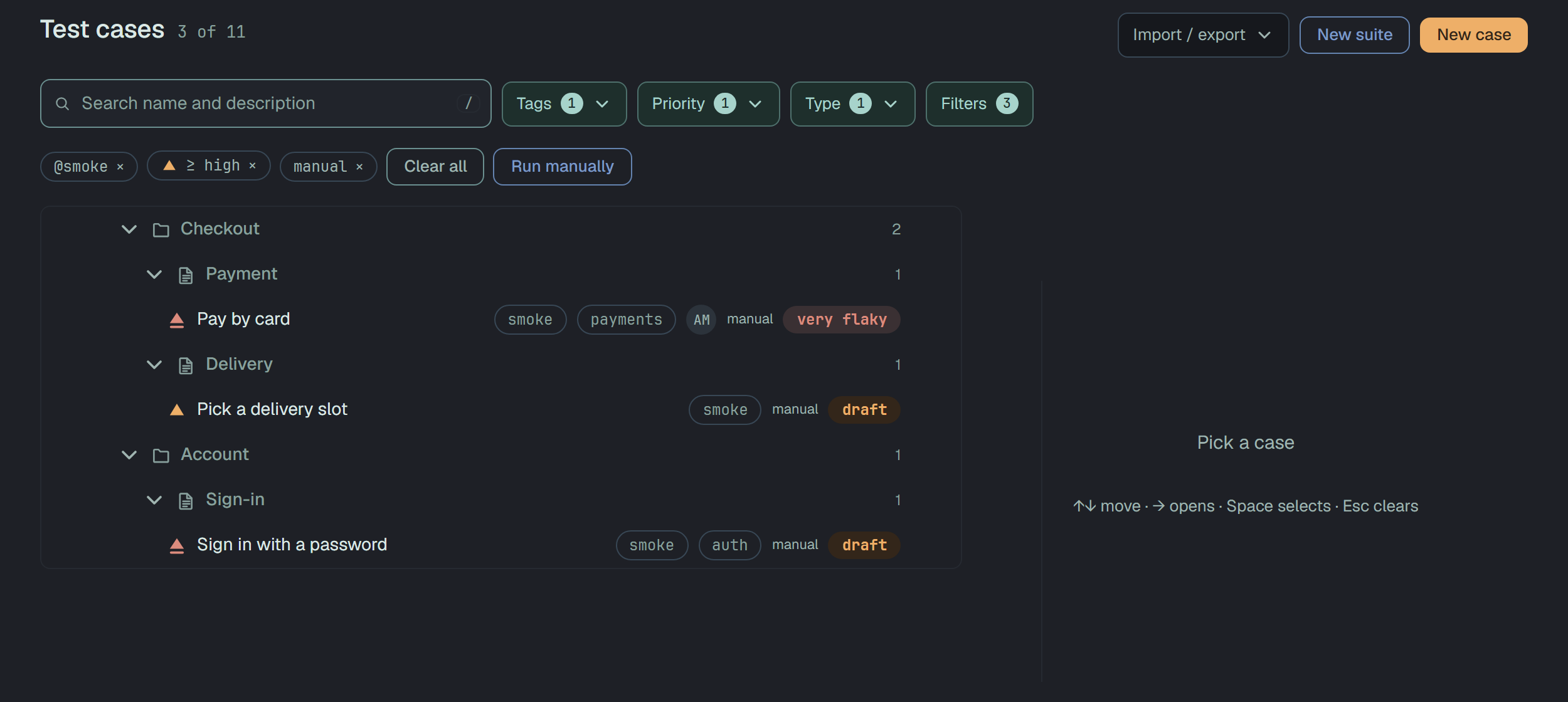
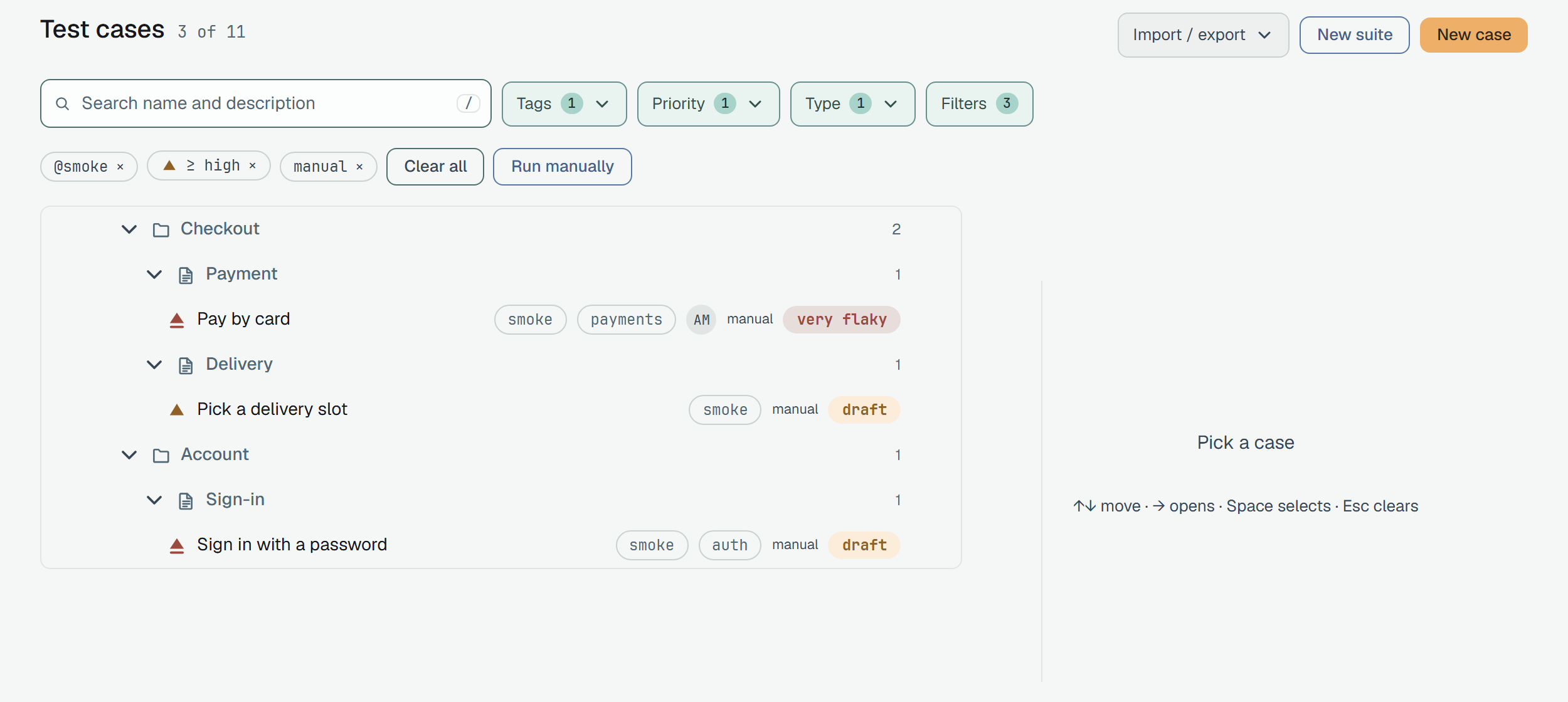
For example, /cases?type=manual&priorityMin=high&tag=smoke opens the tree narrowed to the manual
cases tagged smoke of priority high and above — high and critical. The page head says
3 of 11: how many cases match, of how many the project has.
The bar and the drawer
Section titled “The bar and the drawer”At every width the bar has a search field — name and description, / focuses it — and Filters, with
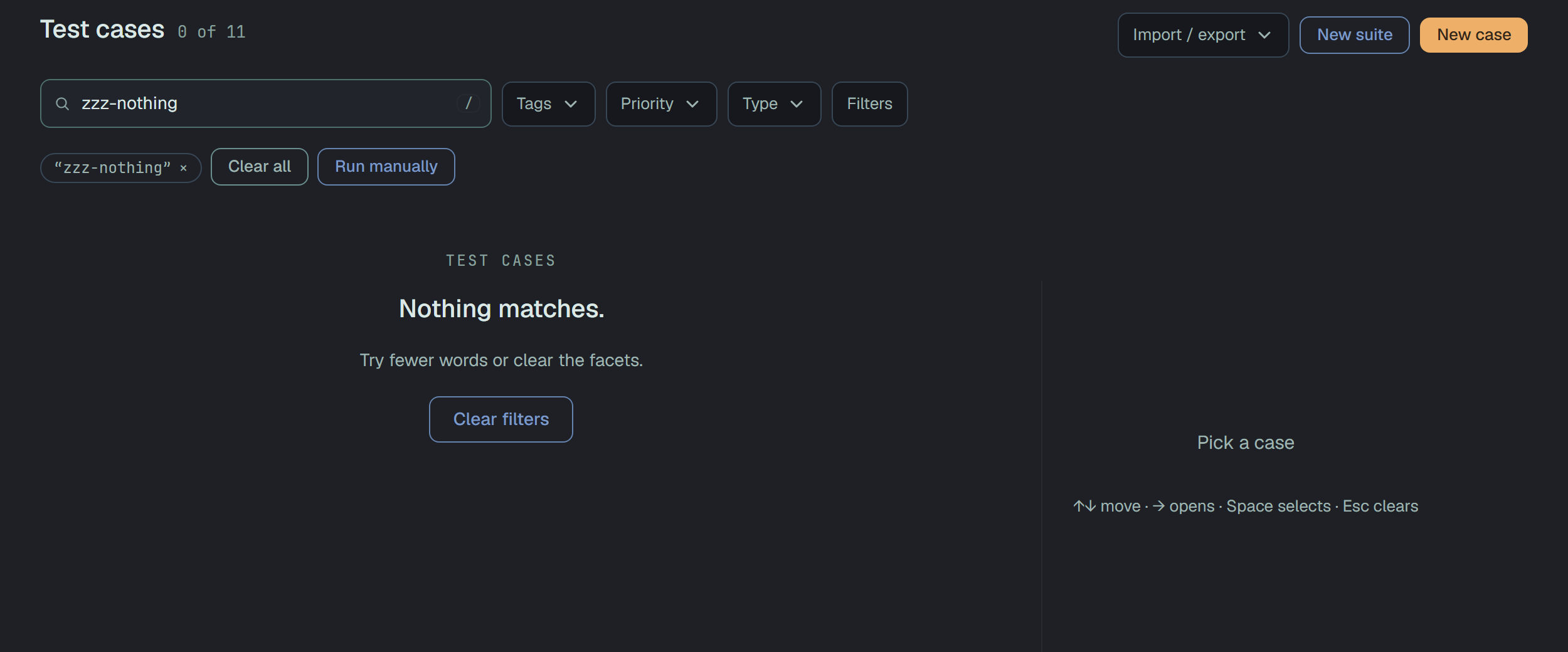
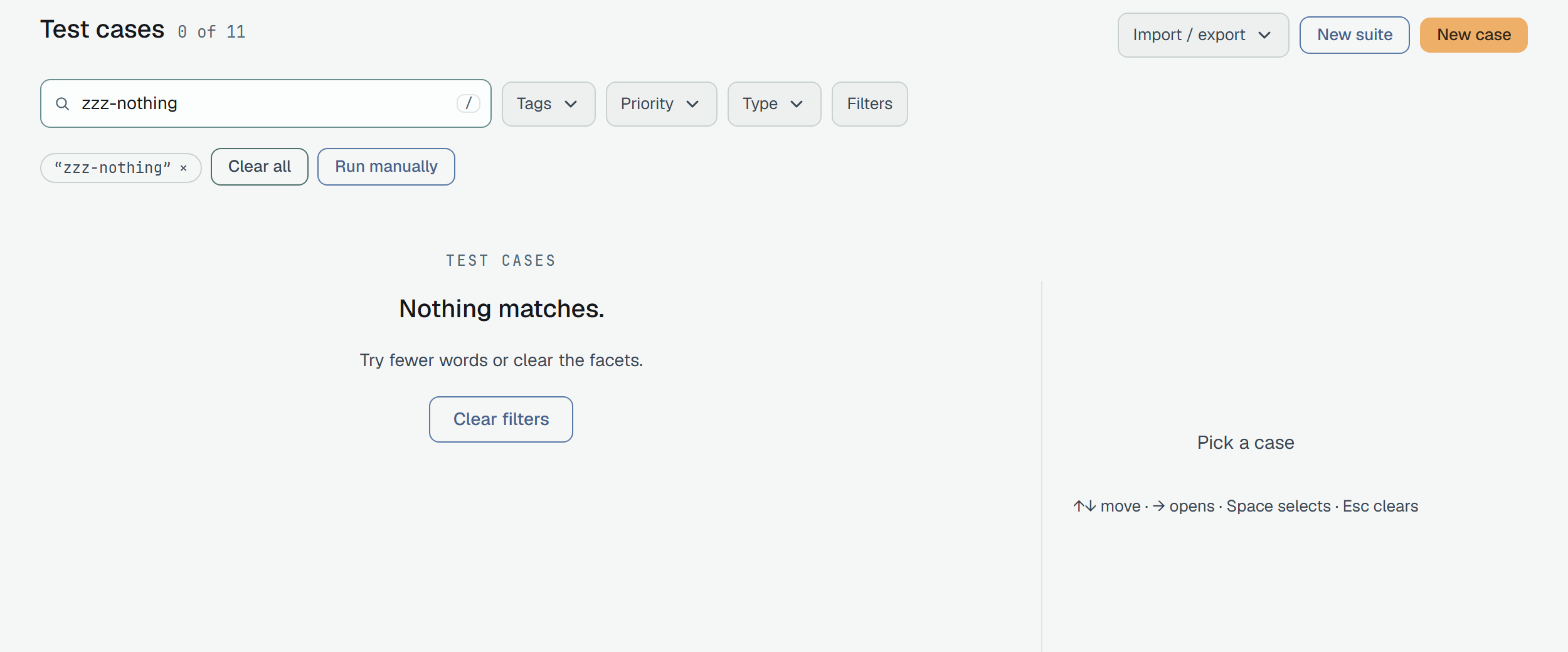
the number of dimensions that narrow (the search is not counted). From 1024 px the three facets people
use most, Tags, Priority and Type, stand beside them and apply as you tick. Under the bar
each applied value is a chip with a ×; Clear all drops them, and Esc clears the whole filter.
Filters opens a drawer with all nine sections — Suite or folder, Tags, Priority,
Type, State, Assignee, Defects, Flaky and Muted. It edits a draft that leaves
only with Apply (n); Cancel and Esc close it and change nothing. Each section says what it
holds — @smoke, ≥ high, Any — and clears on its own. Priority has one more control, and
above, which is the priorityMin parameter; Defects, Flaky and Muted are one option each
with the number of cases that carry them.
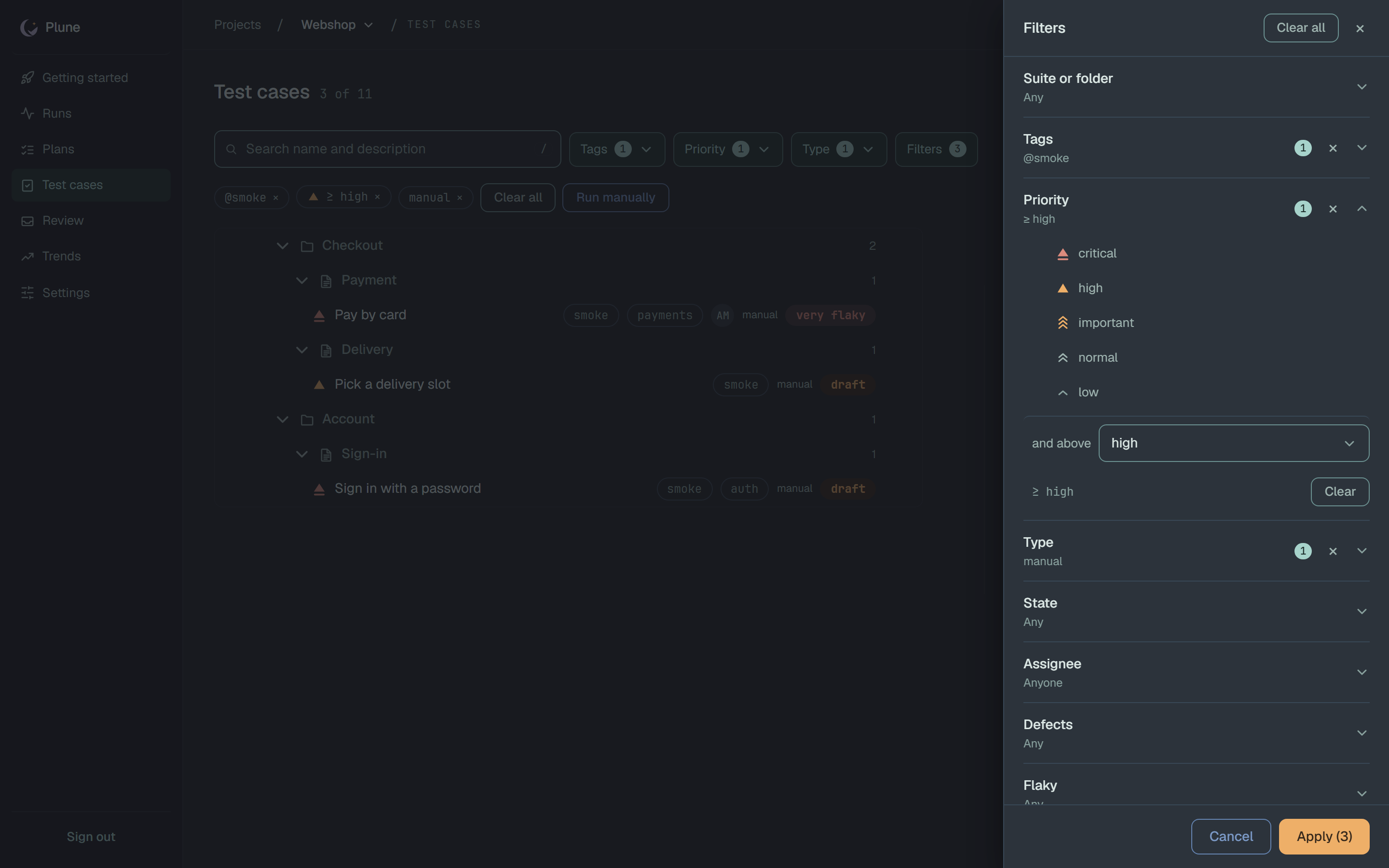
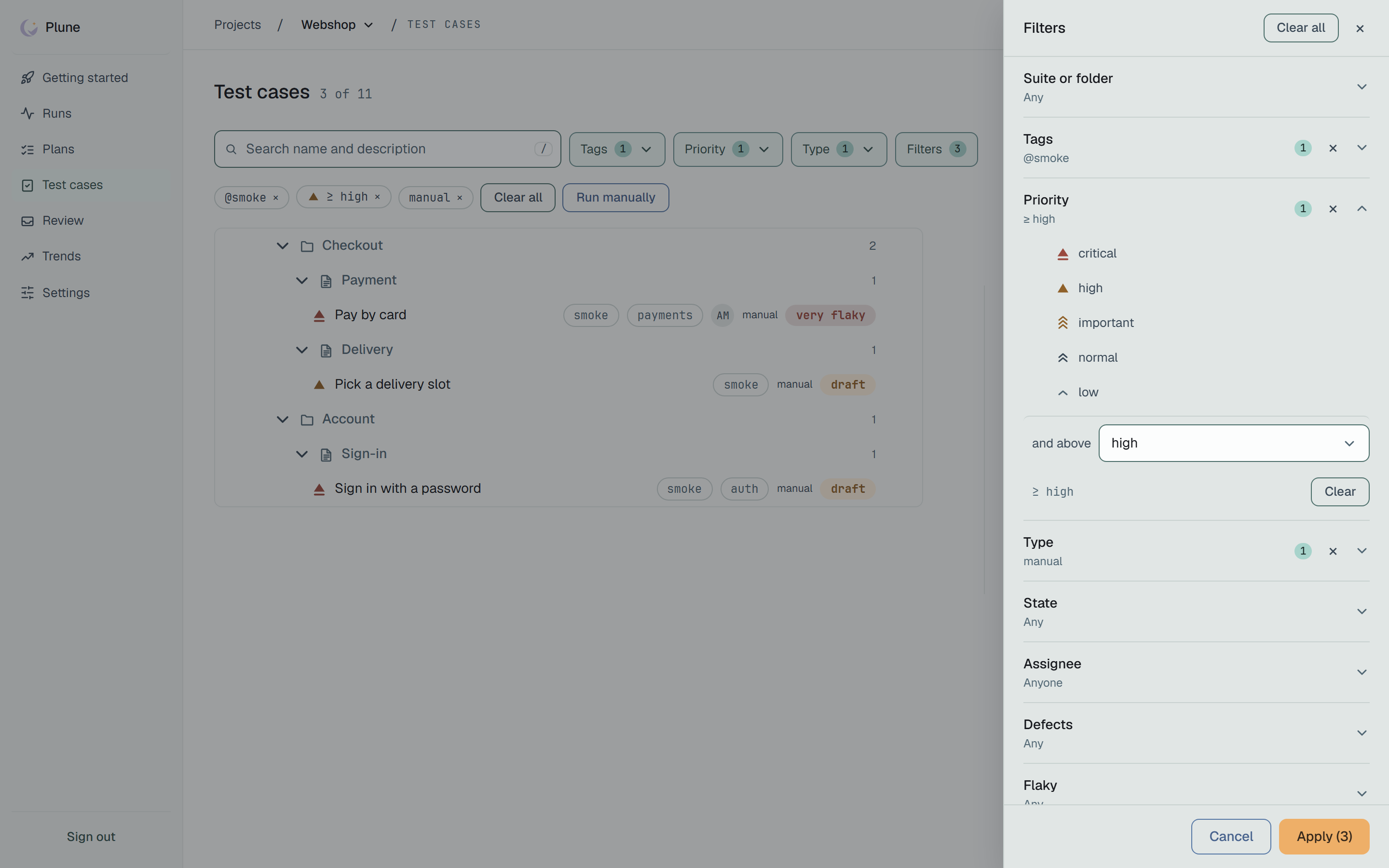
Below 1024 px the three facets leave the bar and the drawer carries them all; the chips stay.
A filtered view that finds nothing is its own screen — Nothing matches. with Try fewer words or clear the facets. and Clear filters — not the empty-project screen, which offers to create the first case.
The same filter on the API, for a script:
curl -H "Authorization: Bearer $PLUNE_TOKEN" "$PLUNE_API_URL/v1/test-cases?tag=smoke"