

Organizing cases
The tree of suites follows one rule, and it is the rule your repository already follows: a folder holds folders and suites, a suite holds test cases. Nothing holds both. The rule is enforced on every write, not suggested by a screen — a case cannot be created in a folder, a suite cannot be nested in a suite, and a node cannot change kind while it holds what the other kind cannot.
One tree, the case beside it
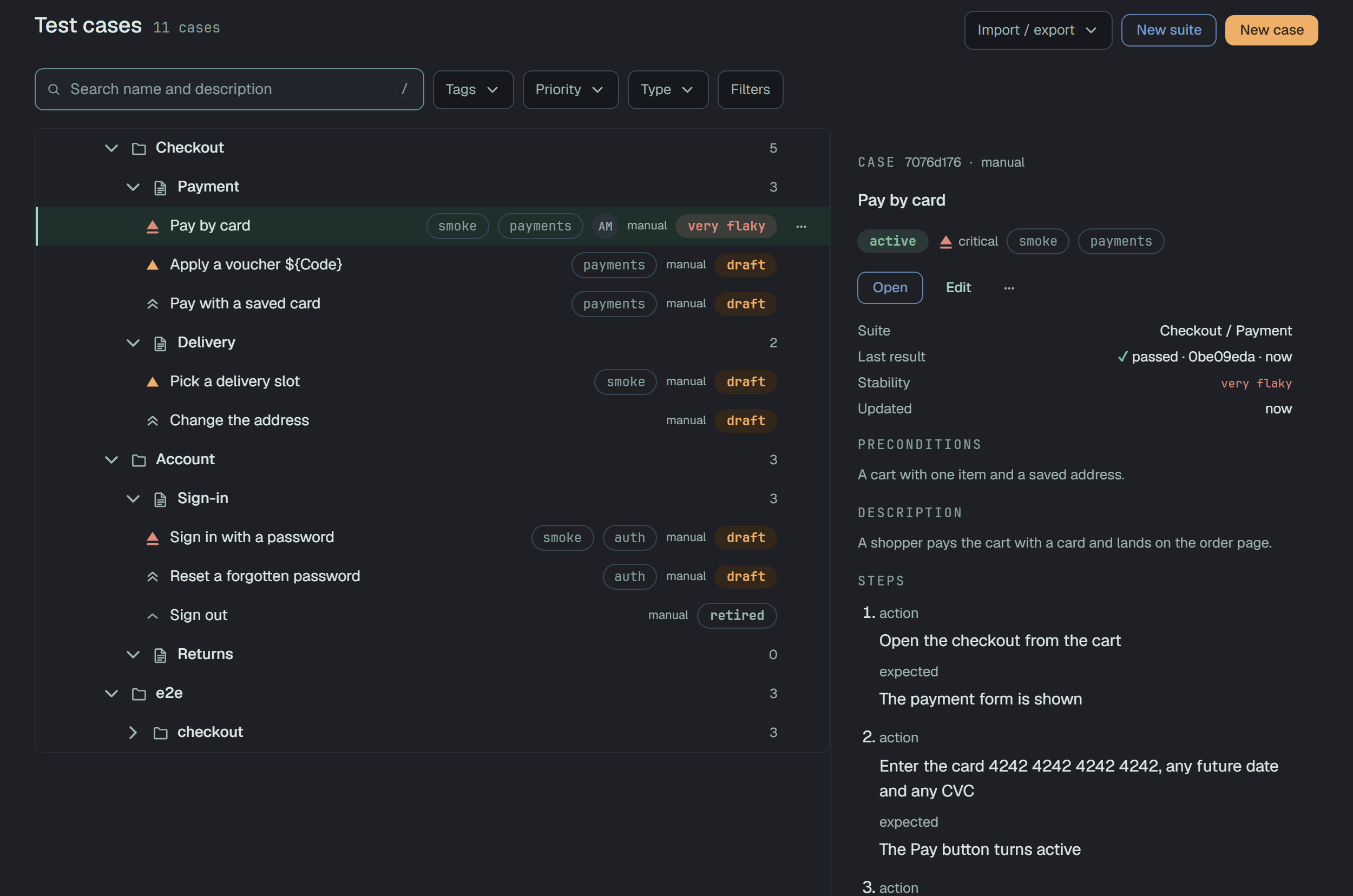
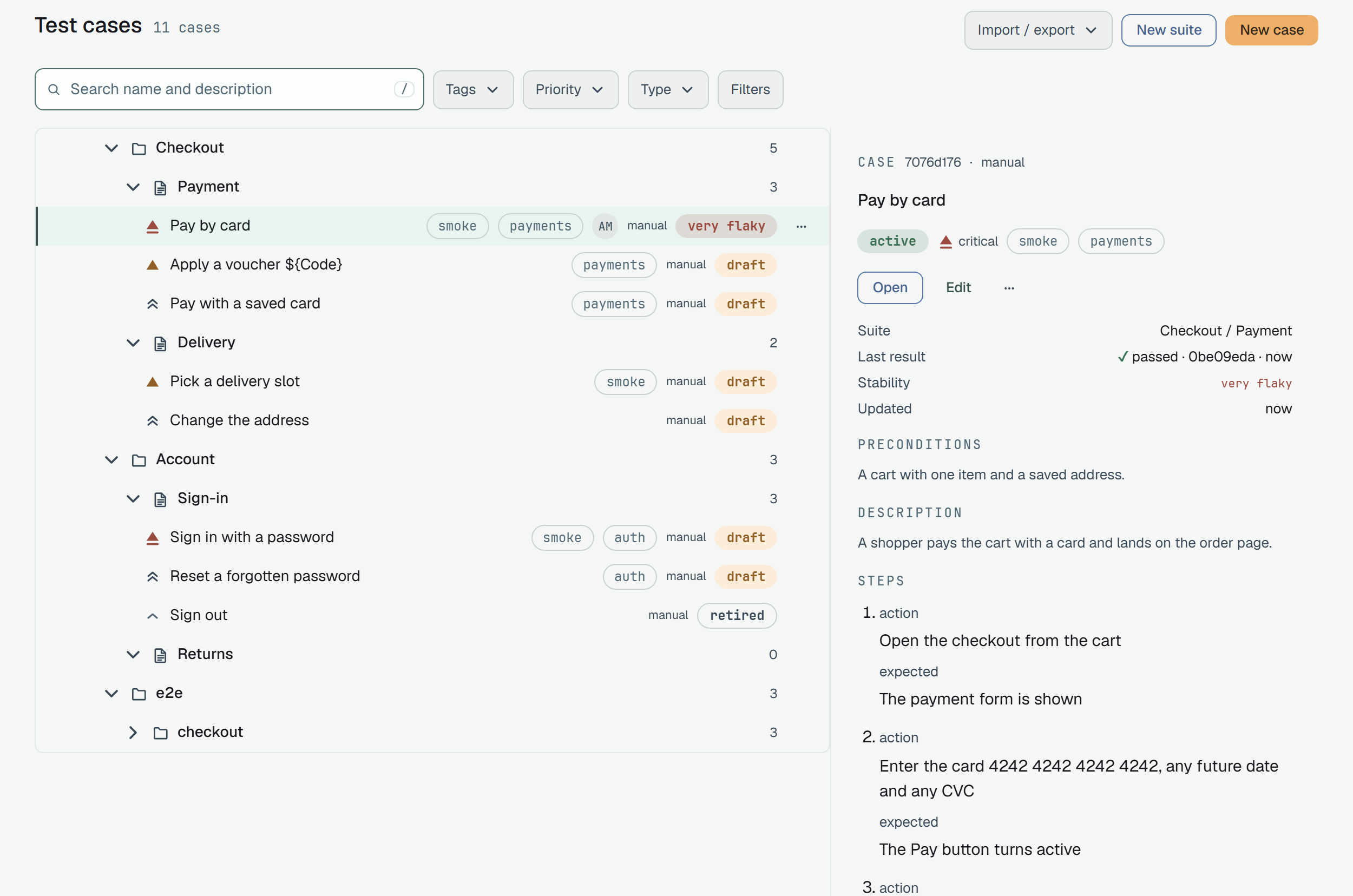
Section titled “One tree, the case beside it”Test cases on the dashboard is that tree — folders › suites › cases, top to bottom — with a
panel to the right that shows the case you click: its state, priority and tags, Open for the
case page, Edit, the same ⋯ the row has, the facts (suite, spec, stability, updated) and the
body. There is no separate suites screen any more; /suites forwards here, and a link to a node
(/cases?open=<id>) unfolds the path to it and puts the cursor on it. Folders below the first
level start folded; a suite’s row shows how many cases it holds.
The keys walk it: ↑ ↓ over the rows you see, → unfolds a node or opens a case in the panel,
← folds or climbs to the parent, Home / End, Space picks, Enter unfolds or opens, Esc
drops the selection — then, below 1024 px, closes the panel, which is a drawer over the tree there.
Cases that belong to no suite sit at the project root — a manual case written before any suite existed, or a case you unfiled on purpose — and the tree shows them last, under a heading of their own, “No suite”.
Folders and suites
Section titled “Folders and suites”Every node in GET /v1/suites carries a kind, a position among its siblings, an optional
description, and caseCount — the number of cases in it, or, for a folder, beneath it. The tree
comes back in tree order: siblings by position, the order a person set — Move up / Move
down in a node’s or a case’s ⋯, or a drag — not the alphabet.
{ "id": "6f1c…f1", "name": "checkout", "kind": "folder", "position": 0, "description": "Everything past the cart", "caseCount": 41, "children": [ { "id": "…", "name": "payment.spec.ts", "kind": "suite", "position": 0, "caseCount": 41, "children": [] } ]}Each of the six ways to put something somewhere refuses the wrong place with the same words:
| You try | Answer |
|---|---|
| create or move a case into a folder | 400 · suite '<id>' is a folder — cases go in suites |
| create or move a suite under a suite | 400 · parent '<id>' is a suite — suites go in folders |
| turn a suite that still holds cases into a folder | 409 · suite '<id>' still holds test cases — POST /v1/suites/<id>/convert-to-folder moves them into a child suite |
| turn a folder that still holds suites into a suite | 409 · folder '<id>' still holds child suites — move or delete them first |
The 409 answers name the way out, which for a suite with cases is the next section.
Converting a suite into a folder
Section titled “Converting a suite into a folder”A suite that has grown a second level cannot simply become a folder — its cases have to go somewhere.
POST /v1/suites/{id}/convert-to-folder does the whole move in one transaction:
- the node keeps its
idand its place and becomes a folder; - a child suite of the same name appears inside it at
position: 0, and every case moves there — and so does the suite’sfile, if the suite was made by filing (below), so later imports keep landing in it; - both steps are written to the audit log under one session, so the restore of one is the restore of both.
The answer is both nodes:
{ "folder": { "id": "6f1c…f1", "kind": "folder", "…": "…" }, "child": { "id": "…", "name": "checkout", "kind": "suite", "position": 0, "…": "…" } }Converting a folder answers 409 · suite '<id>' is already a folder. On the dashboard the same
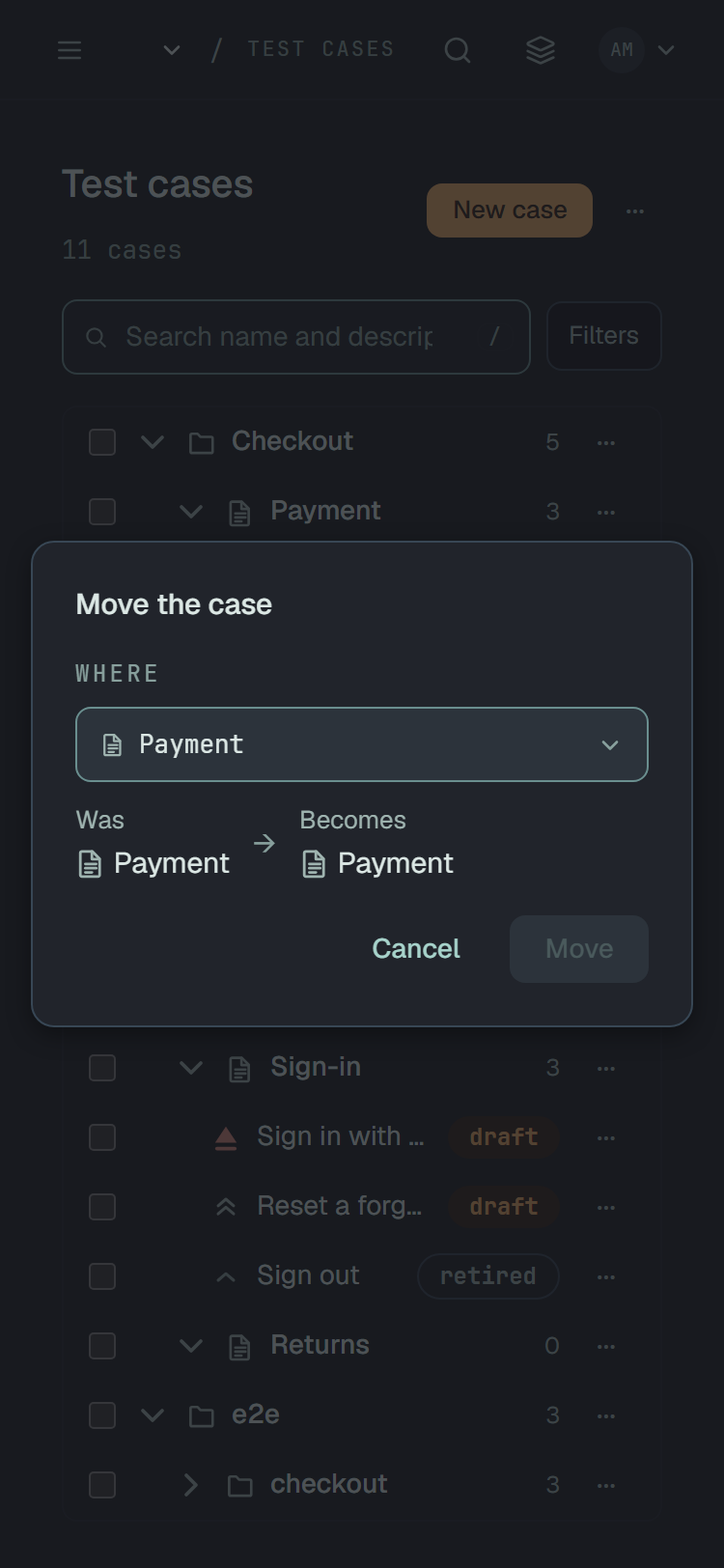
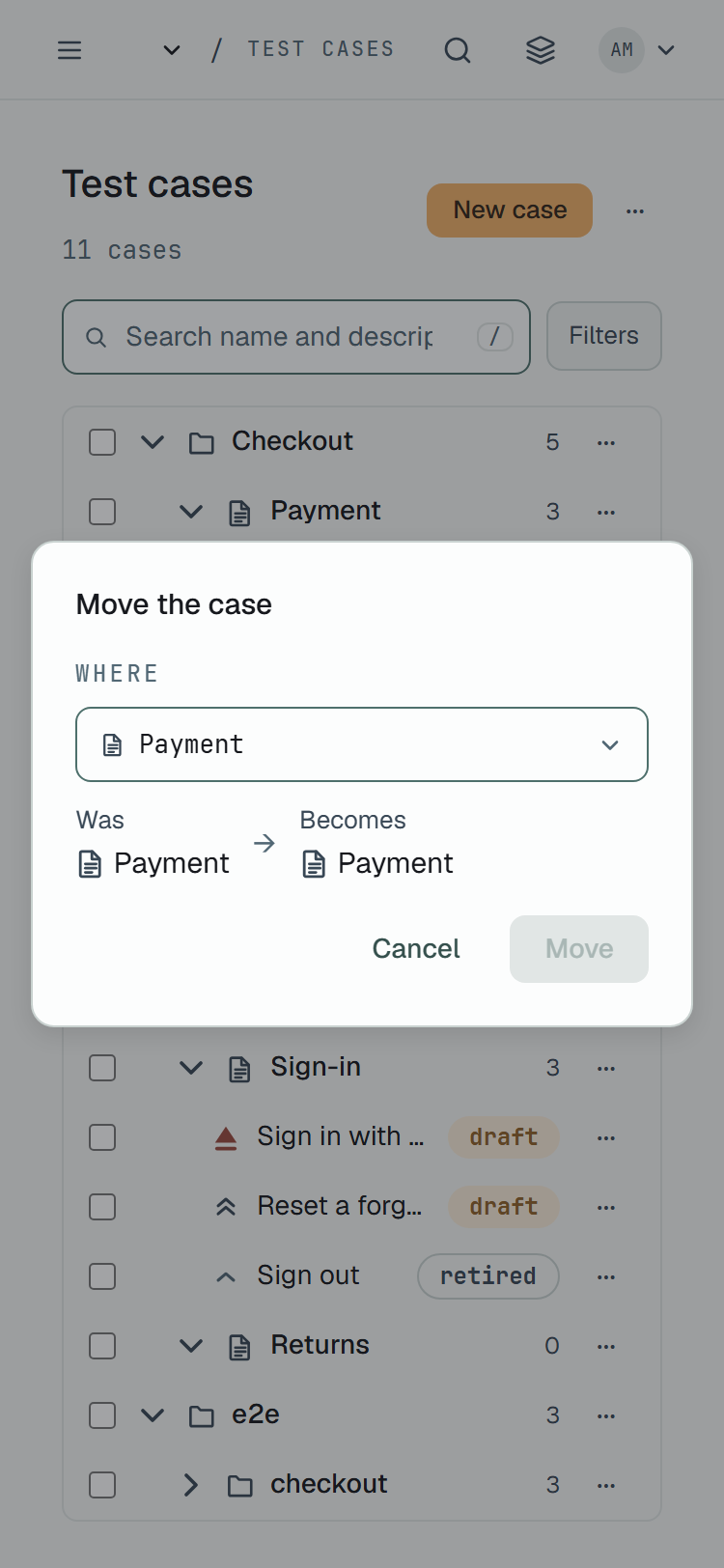
action sits in the node’s ⋯ menu and asks first, showing what the node is and what it becomes.
Where an automated case lands
Section titled “Where an automated case lands”An automated case knows where its test lives: its specRef is a path such as
apps/web/e2e/catalog/search.spec.ts:9. Plune reads that path and files the case by it, on every
road a case can arrive by — POST /v1/test-cases, an approval in the review queue, a trusted source:
- each directory becomes a folder —
apps›web›e2e›catalog; - the file becomes a suite, named by its basename with the extension —
search.spec.ts; - the
:lineor#anchortail is not part of the place.
Folders and suites are found or created as needed, and a suite made this way remembers its file, so
renaming the suite on the dashboard does not stop the next import from finding it. Send a suiteId
yourself and the case goes where you said instead; a manual case with no suiteId stays at the root.
Many cases at once
Section titled “Many cases at once”Every row of the tree has a checkbox — cases and nodes alike. Tick a few, or tick one and
Shift+click another to take everything between them in the order you see. While anything is
picked, a toolbar pinned to the bottom edge of the window — the filter bar keeps its place at the
top — counts what is picked («3 selected», «2 cases · 1 suite selected») and offers Run manually,
Move to…, Assign…, Priority, Retire, Delete and, under ⋯, Copy IDs and
Duplicate — each opening the usual dialog once, for all of them: one target, one person, one
priority, one reason for the retirement. Run manually starts
a manual run of what is picked. Esc drops the selection.
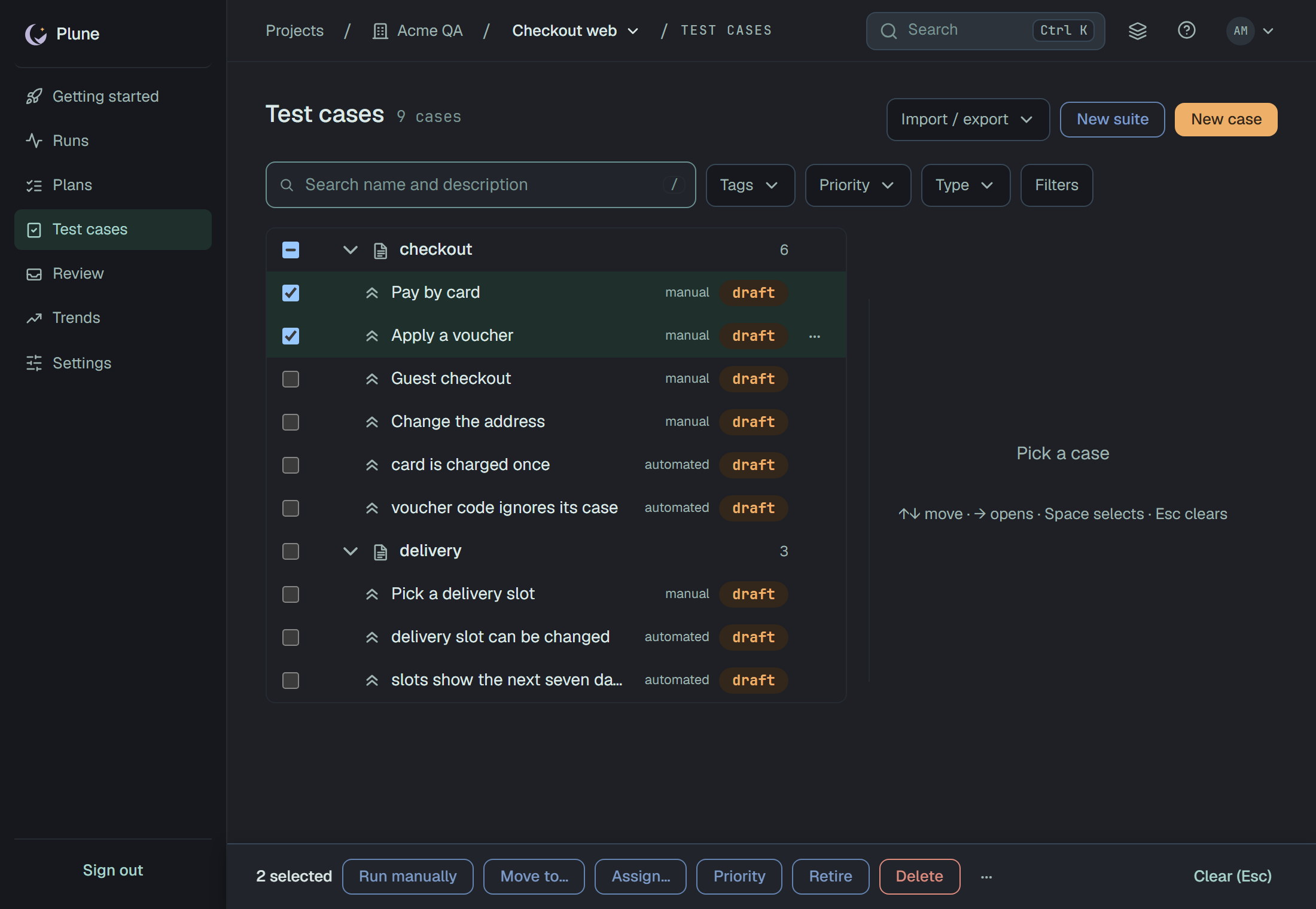
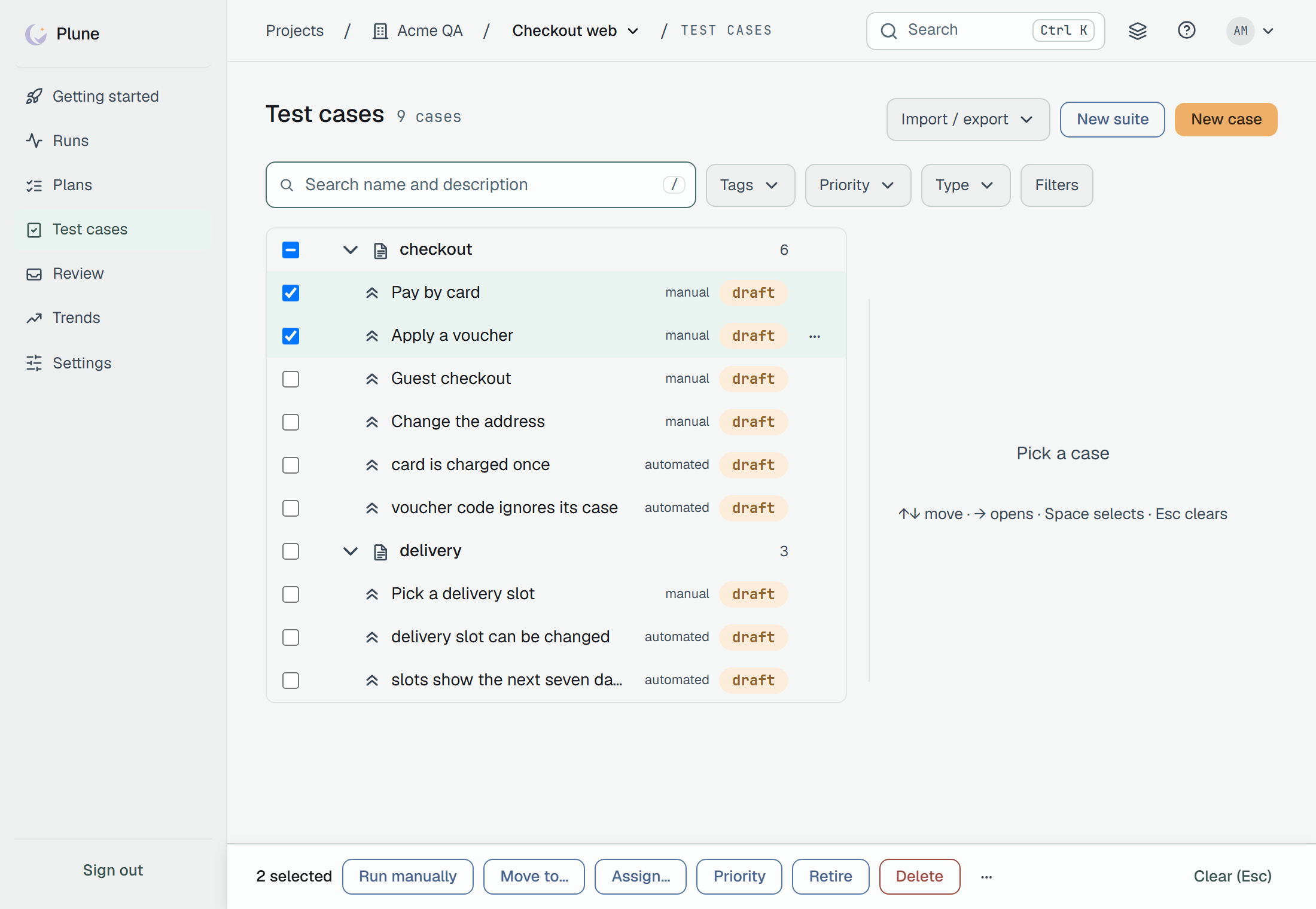
A suite’s or folder’s checkbox picks it as a node: what sits beneath it goes along and is not counted twice — its rows grey out with their checkboxes off — and the ancestors above a pick show a dash. Assign, Priority and Retire are for cases, so they grey out with the reason while a node is picked. Move to… over a mixed pick sorts itself by the target’s kind: the cases go into a suite, the nodes under a folder, and the other kind is refused by name in the same answer.
The dialog does not close by itself. It stays with the answer — how many were done and, by name, which were refused and why — because a change that did two of three is something to read, not a toast to miss. The tree re-reads underneath, and the selection is spent.
The same call is on the API, for a batch of your own:
POST /v1/test-cases/bulk{ "ids": ["…", "…", "…"], "action": { "kind": "state", "state": "deprecated", "stateReason": "the old checkout flow is gone" } }action.kind is one of move (suiteId, or null for the root, and an optional position —
below), assign (assigneeId — a member, or null to take the cases back), priority, state
(with an optional stateReason) and delete; up to 200 ids per call.
Every id walks the same road as the single PATCH/DELETE — the same actor rule for states (a
token is an agent, a session a person), the same suite rule, the same words when refused — so the
answer is always 200 with two lists:
{ "done": ["…", "…"], "refused": [{ "id": "…", "error": "an agent cannot move a case from active to deprecated — allowed: in_review, detached" }] }A refusal of one case is a result, not an error of the call. The call is sequential and not atomic:
what was done before a refusal stays done, and each case gets its own audit entry — under one
session hash when the agent sends X-Plune-Session, which is what makes forty rows read as one
change on the feed. A move target that would refuse every case — a folder, a suite that is not
yours — or an assign to somebody who is not in the project is answered 400 before anything moves. Each picked node walks the single node’s road —
PATCH or DELETE /v1/suites/{id} — once per picked root.
Drag and drop
Section titled “Drag and drop”Rows drag. Lift any row of the selection and the whole selection travels with it, in its order, under a ghost of the row with a count badge; a row outside the selection travels alone. Where it goes is drawn before you let go:
- between two cases — a 4 px slot above or below the row under the pointer; the cases land there in their order;
- into a suite or a folder — a frame around its row; cases go last in the suite, nodes last in the folder;
- nowhere — a red frame and the rule beside it:
cases go in suitesover a folder,suites go in foldersover a suite,a folder cannot hold itselfover its own subtree. Such a row takes no drop at all; nothing is sent.
The originals stay where they are until the server answers. Then the tree re-reads, a line for screen readers says what happened — «Moved 3 cases to payment.spec.ts» — the moved rows light up for a moment, and whatever was refused is named at the top of the page.
Hold Alt while dropping and the cases are copied there instead, each right after the
previous copy (the marker shows a «+»). Nodes have no copy — a suite or folder in the pick moves as
usual. Drag needs a mouse; on a touch screen, Move to… and the ⋯ menu’s Move up / Move
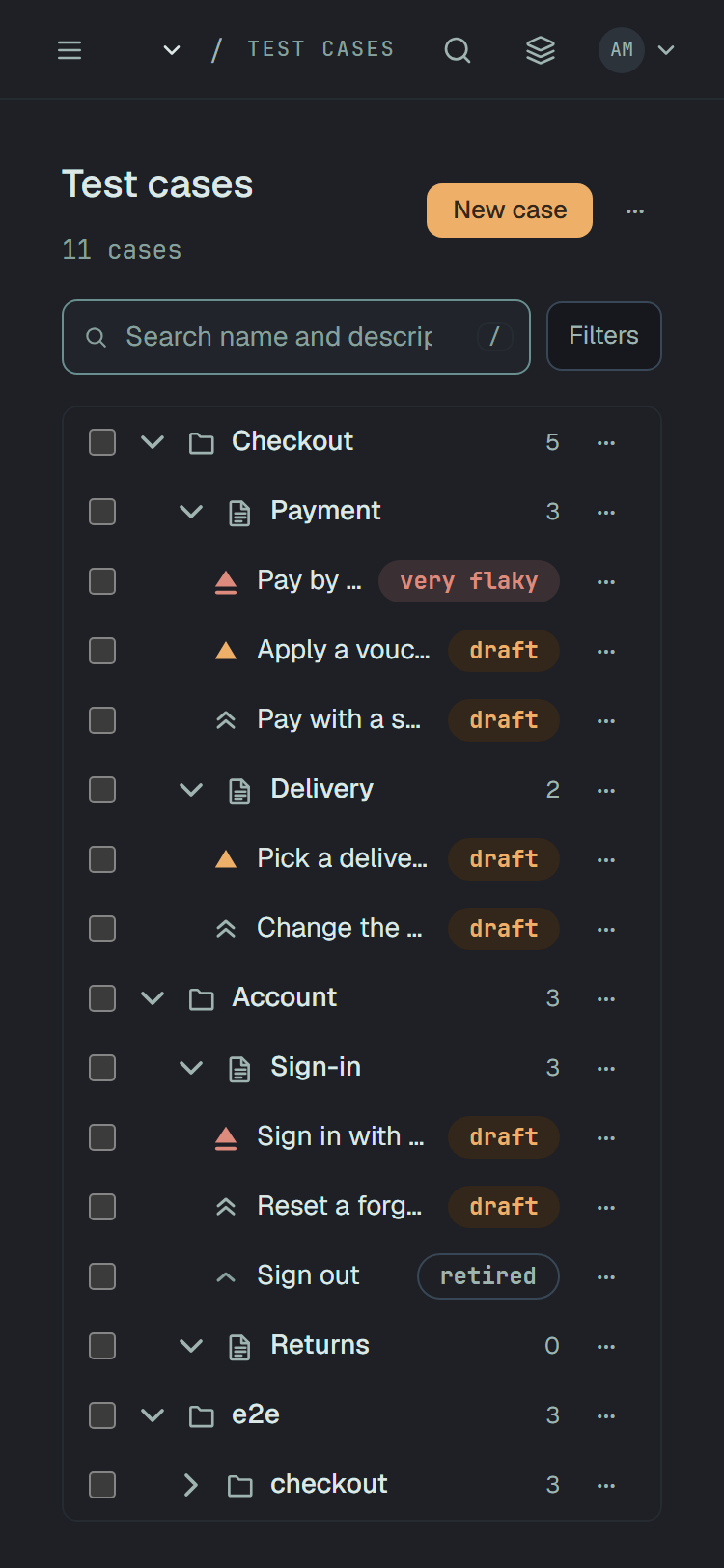
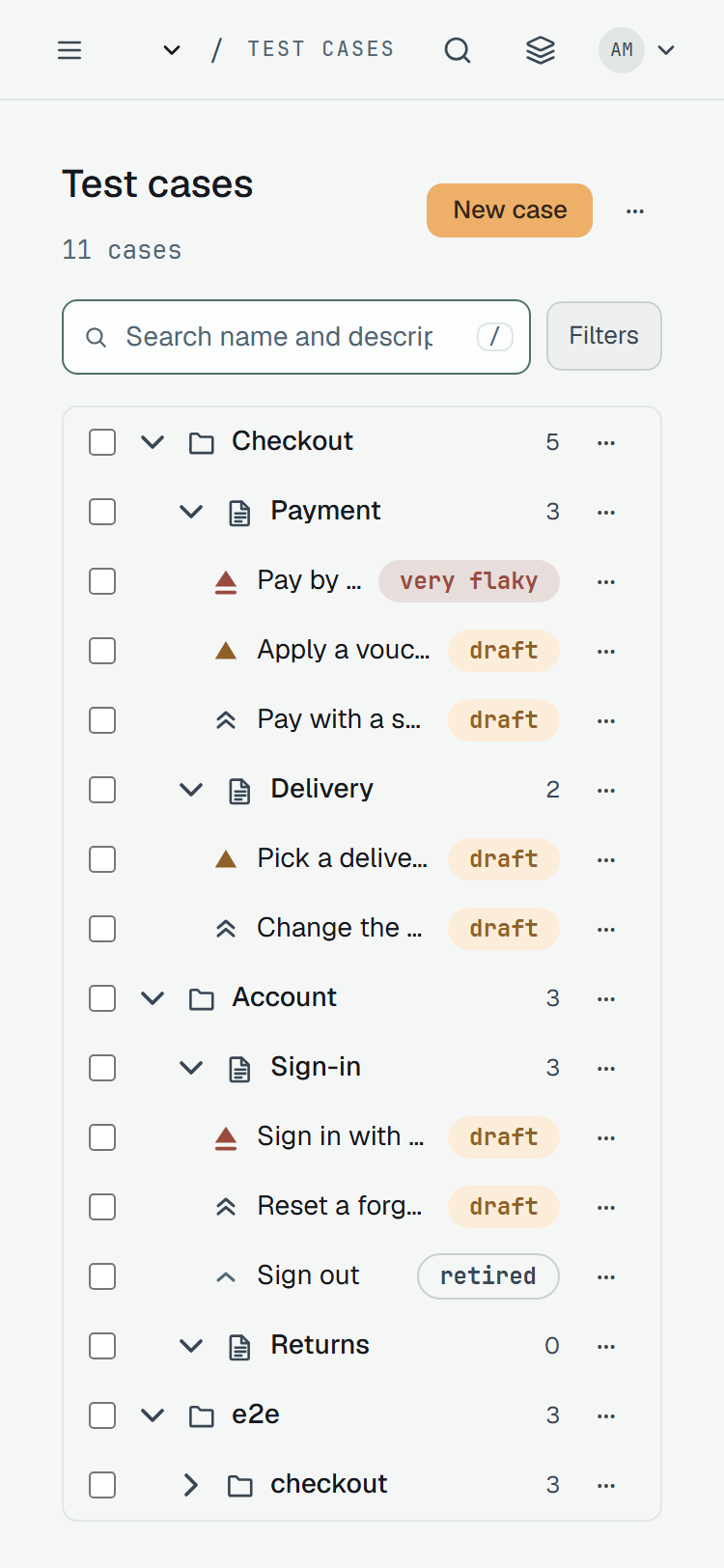
down are the same road. On a phone every row has a checkbox and its own ⋯, and the panel is a drawer
over the tree:
On the API a drop is the bulk move with a position:
POST /v1/test-cases/bulk{ "ids": ["…", "…"], "action": { "kind": "move", "suiteId": "6f1c…f1", "position": 2 } }position is the slot counted among the target suite’s cases that are not in ids; the first
id takes it and the rest follow in order, past the end meaning last. Without position each case
goes last, as a PATCH with suiteId alone does. A single case reorders with
PATCH /v1/test-cases/{id} and position — see the fields.
A copy of a case
Section titled “A copy of a case”Duplicate, in the ⋯ menu of a row, of the toolbar and of the case page
(POST /v1/test-cases/{id}/duplicate), makes a new case right under the original: the same texts,
priority and suite, titled «Copy of …», as a draft. On the dashboard the copy opens in the panel
with its name selected — type the real one and press Enter, or Esc to keep «Copy of …». What
makes a case itself stays with the original — its external keys and its eval id — so the copy is
for the texts a person wrote. An automated case has no copy (409): its identity is the spec, so
the test is duplicated in code and the next run brings the case.
The call takes an optional body that says where the copy goes instead:
POST /v1/test-cases/{id}/duplicate{ "suiteId": "6f1c…f1", "position": 0 }suiteId alone puts the copy last in that suite (null — out of any suite); position is the
slot among that suite’s cases. A folder answers 400 with the placement rule, as any filing does.
The tree as a file
Section titled “The tree as a file”The whole tree — or a node, or one case — is also one Markdown document in Testomat’s classical
format, and the same document goes back: Import / export ▾ › Export .md / Import .md… over the tree,
Copy as Markdown in the ⋯ of a case or node, the form’s Markdown tab, and the API’s
GET/POST /v1/test-cases/markdown. What the format is and what a push does — matched by id,
never deletes, reported before it writes — is on Cases as Markdown.
Filing what is already there
Section titled “Filing what is already there”Cases that existed before this rule did — imported earlier, approved earlier — may still sit at the
root with a specRef that would place them. POST /v1/admin/file-unfiled walks every project and
files each such case through the same seam, reporting what it did per project:
{ "projects": [ { "projectId": "…", "filed": 118, "skipped": [{ "caseId": "…", "reason": "filing skipped: 'e2e' exists as a suite, expected a folder" }] } ]}It is idempotent — a second run reports filed: 0 everywhere and the same skipped — and it is an
operator’s call: the route answers only the owner of the deployment, and 404 to everyone else.