

Draft from code
An automated case is a test in your repository, and it usually has a title and nothing else. Draft from code reads that test’s code and proposes two texts for the case — a description and the preconditions — which you take, edit or throw away. Nothing is written until you decide, and the model never touches a case itself: it answers a question, and a person writes the answer.
The feature is off until an owner of the project connects a provider with a key of their own, and it is off for manual and eval cases, which have no test code.
Connect a provider: Settings → AI
Section titled “Connect a provider: Settings → AI”Only an owner of the project changes this page. A member reads the status, the provider, the model and the language under one line that says Only an owner of the project can change AI. The form, before anything is connected:
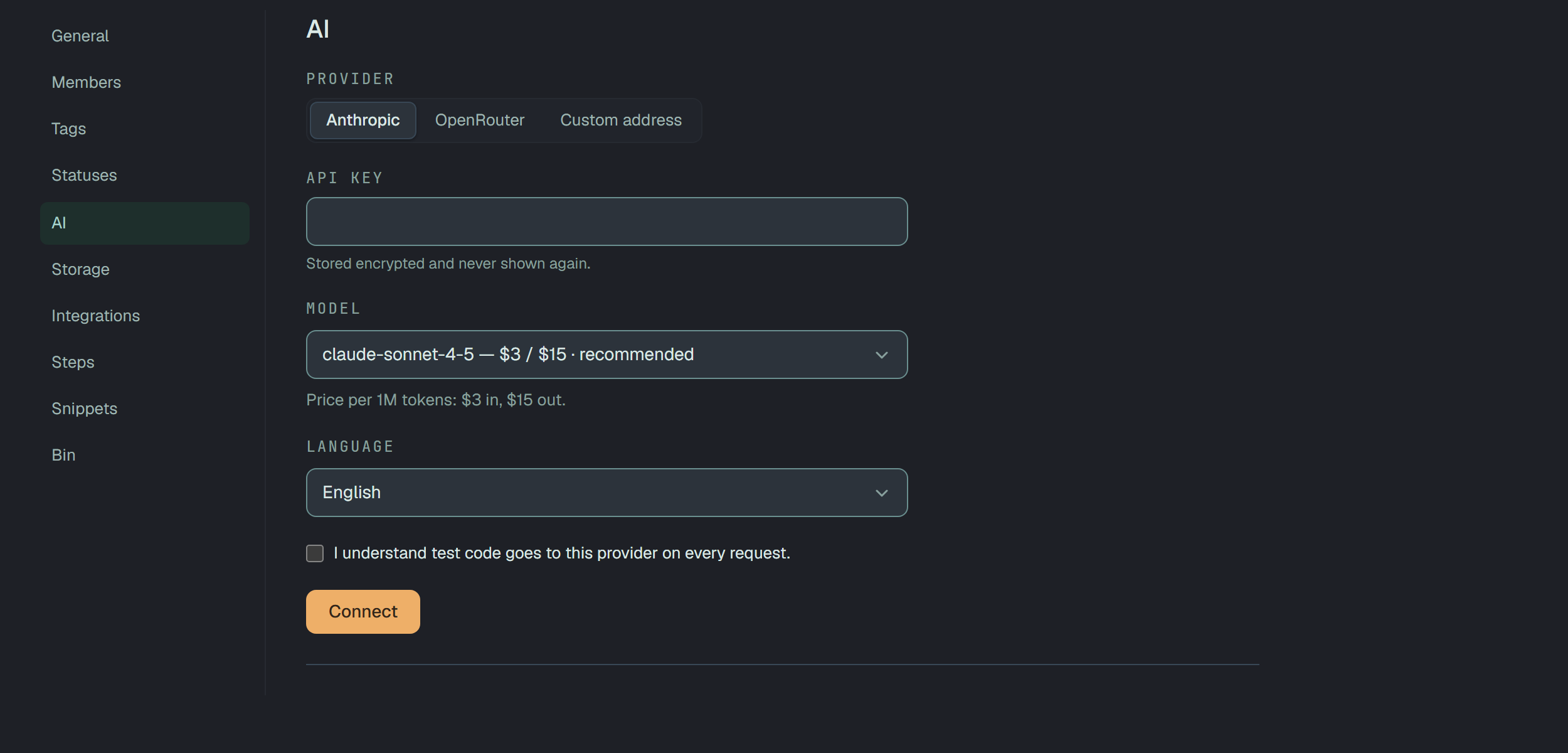
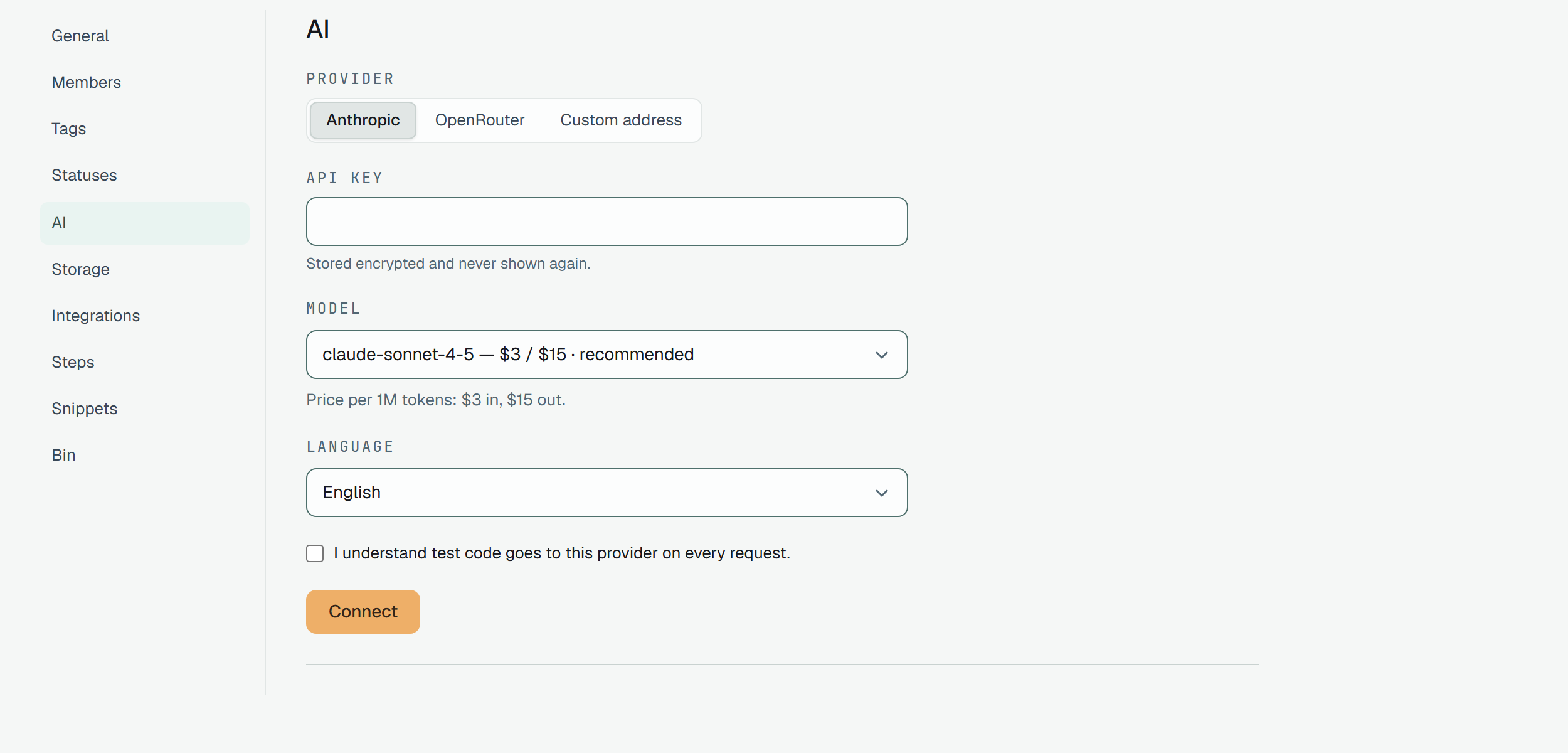
- Provider — Anthropic, OpenRouter or Custom address. A custom address is any
OpenAI-compatible endpoint; it must be an
https://address that resolves to a public one, and a refusal names the reason (the scheme, or an internal address) and never the address it resolved to. - API key — written once, never shown again: it is stored encrypted, and the page afterwards says only who saved it and when. There is no way to read it back; to change it you replace it.
- Model — a list of the models Plune knows the price of, each with its price per million tokens in
and out, the recommended one first (for Anthropic,
claude-sonnet-4-5). Other model… lets you type a name — letters, digits and. _ : / @ + -, no spaces, 200 characters at most — and Calls of a model outside the list may show an unknown price.. A custom address has no list: you name the model. - Language — the language the draft is written in: English, Українська, Polski, Deutsch, Français or Español.
- Consent — the box I understand test code goes to this provider on every request. must be ticked before Connect works. It is meant literally, and the next section says exactly what goes.
Connect with a gap and each field that lacks something is marked, says why, and takes the focus in the order of the form. Once connected, the page shows what the owner can do about it:
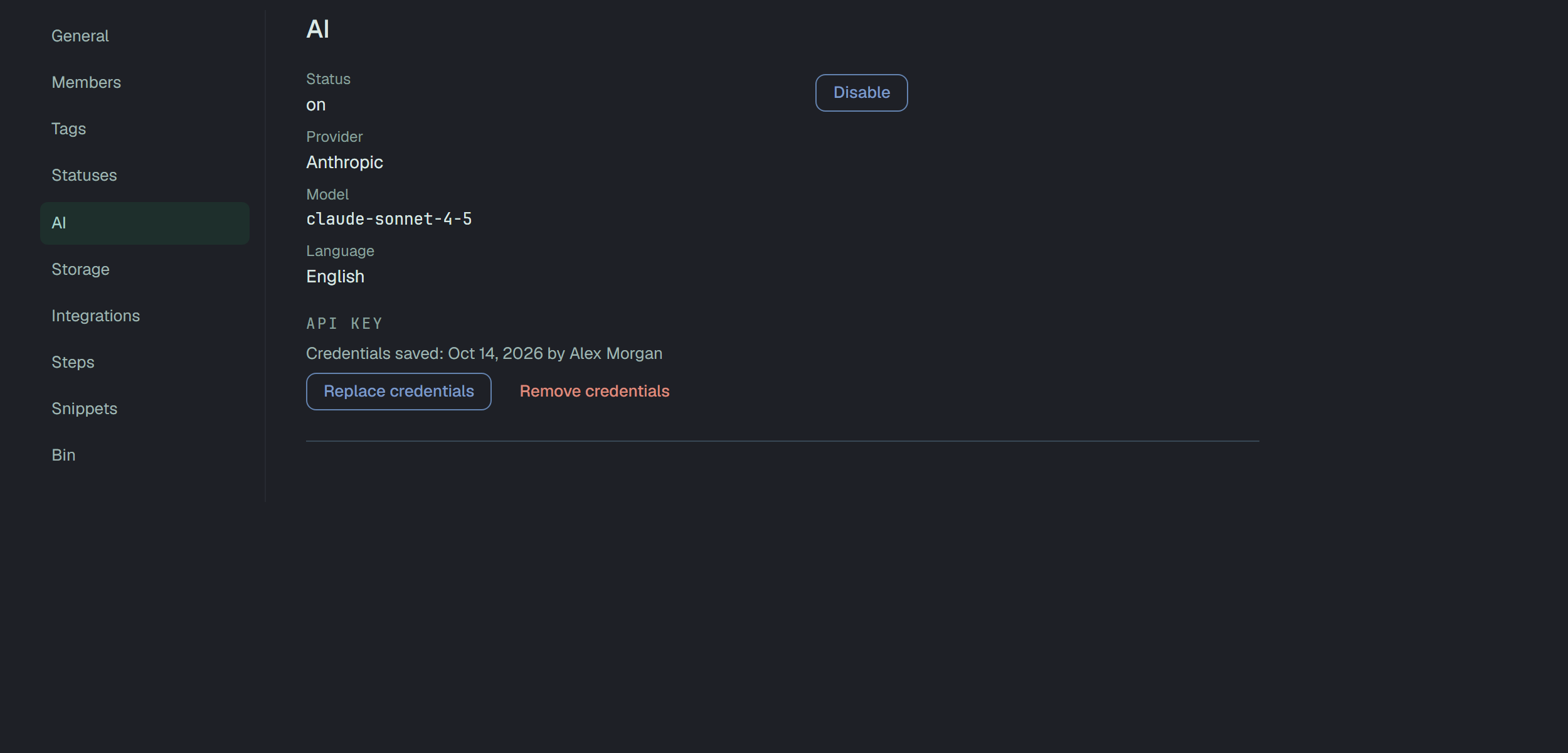
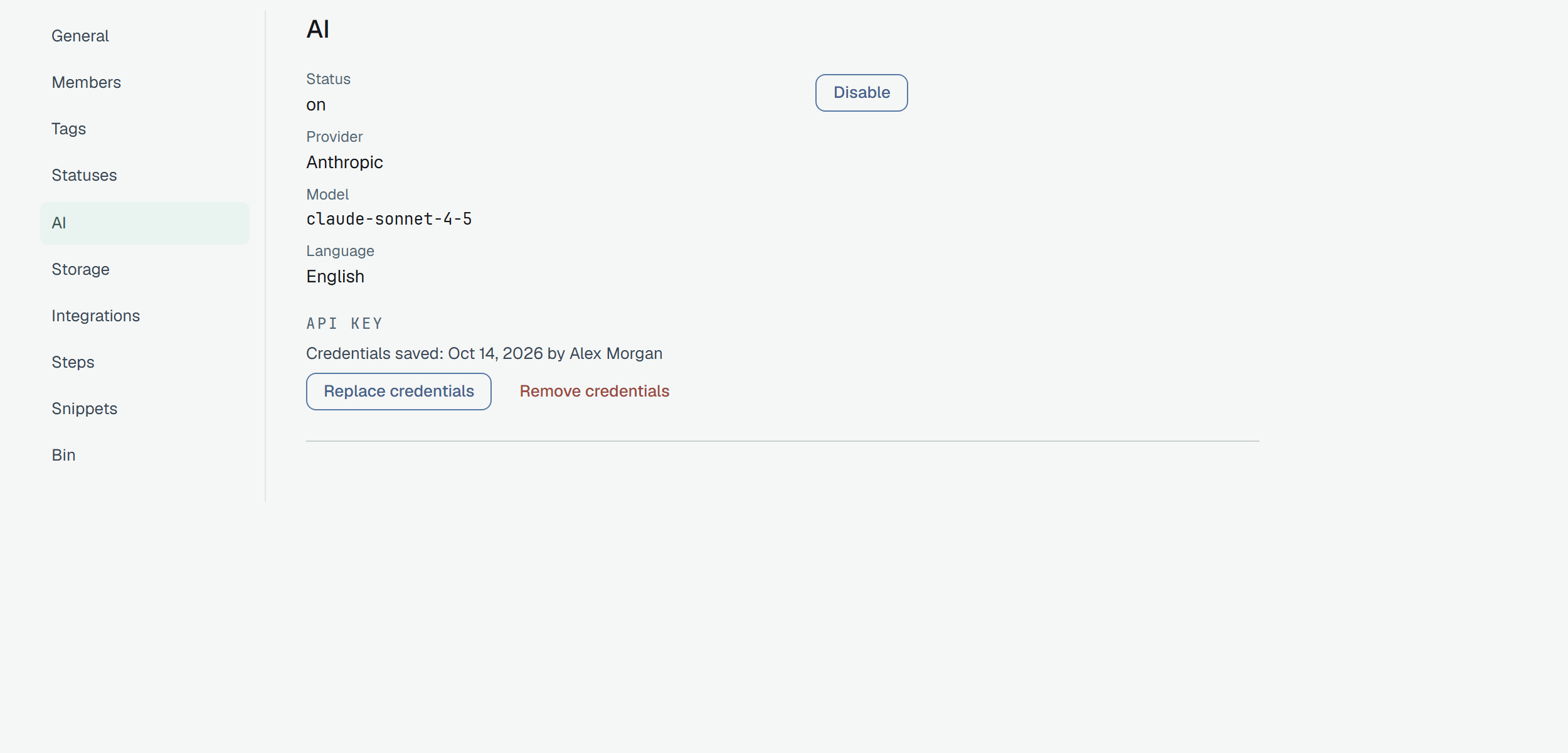
Disable and Enable switch drafts for the whole project without losing the key; a project that is off says AI is off for this project. Replace credentials asks for a new key alone — the provider, model and language stay, and the key saved keeps working until the new one is saved. Remove credentials asks first and takes the provider, the model and the language with the key: drafts stop till AI is connected again. A deployment where the operator has not set AI up says AI is not available on this platform instead of the form.
A fallback provider
Section titled “A fallback provider”An owner can connect one fallback provider on the same page, under Fallback provider. It is optional, and it is tried only when the primary provider fails for a reason on the provider’s side (see when it is tried). The section is empty until the primary is connected: When the primary provider does not answer, the draft is tried with a fallback.
- Connect fallback asks for the same things as the primary — provider, model, a key of its own (Fallback API key, stored encrypted and never shown again) — and for its own box, I understand test code goes to this provider only when the primary fails. It must be ticked before Save fallback works.
- The fallback cannot be the primary: the same provider, address and model is refused with The fallback matches the primary. Choose another provider or model. The same provider with another model is allowed.
- Once connected, the owner sees the provider, the model and who saved the key and when, with Replace credentials (a new key alone), Change model and Remove fallback. Removing asks first, erases the fallback’s key and keeps the costs already recorded. Switching AI off for the project switches off both providers.
- A member sees one line, Fallback: provider · model, and nothing if there is none — never a key or an address. Only an owner in a session changes the fallback; a token cannot.
- The last problem of the fallback is shown to the owner on its own line, with its date, apart from the primary’s; a fallback that saved a draft does not clear the primary’s last problem.
The code sent to the fallback is masked exactly as for the primary, and a custom address of the fallback goes through the same check.
Privacy. The code goes to a second company only if an owner connected a fallback and ticked its own box, and only after the primary failed. Plune has no provider of its own. The privacy page lists what else is held and who handles it.
Ask for a draft
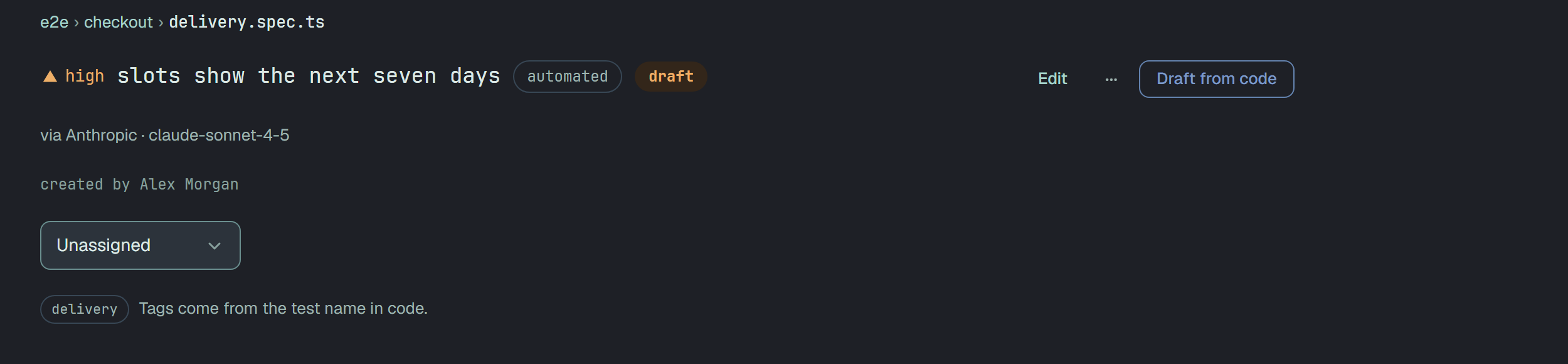
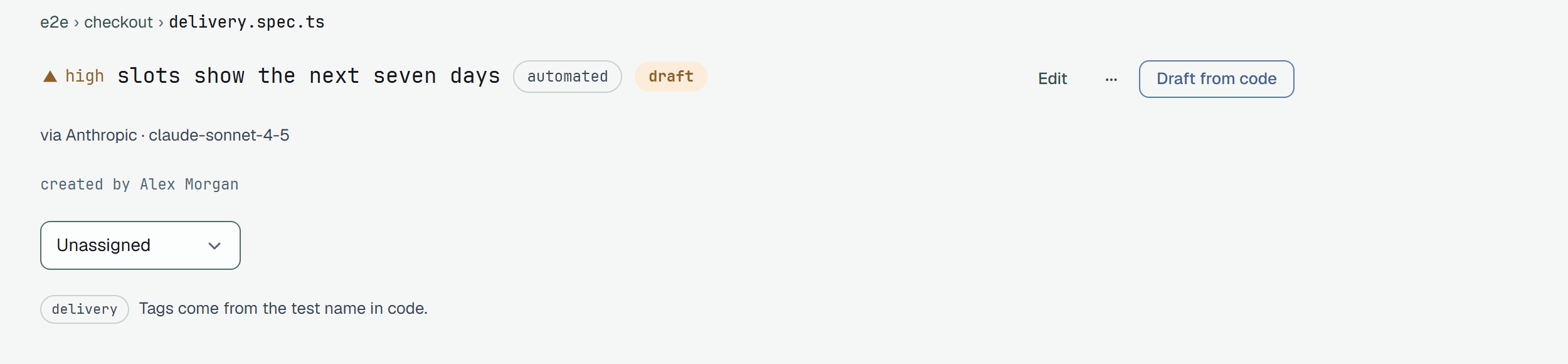
Section titled “Ask for a draft”On an automated case that has a code snapshot, Draft from code stands in the head, with the provider and the model under it.
When it is not available, the case page says why in that place:
| You read | Because |
|---|---|
| AI drafts are off for this project — ask an owner to turn them on. (with an AI settings link for an owner) | nothing is connected, the project is switched off, or the platform has no AI |
| This case has no code snapshot yet — it will after the next import. | the case came without the code of its test |
| Drafts from code don’t exist for this kind of case — it has no test code. | a manual or eval case |
| nothing at all | you are a reader of the project |
With a fallback connected, the line under the button reads Primary: provider · model. If it fails — fallback: provider · model.
Pressing the button asks the provider and takes you to the draft’s page, which says it can take up to 2 minutes: the primary gets 60 s, and then the fallback, if it is tried, gets its own 60 s. Leaving it is safe: while a draft waits for you, the case page shows Your draft is waiting for your decision. with Open, to the member who asked.
What the model sees, and what it does not
Section titled “What the model sees, and what it does not”One request carries five things: the code of that one test, the name of the case without its tags, its tags, the model and the language. That is all. Not the other tests of the file, not its imports, helpers or fixtures, not the case’s existing description or preconditions, not any run or result.
Before it leaves Plune the code is masked twice:
- by form — what looks like a secret wherever it sits (a bearer token, a private key, and the other patterns the platform already masks in failure text);
- by place — a string that looks ordinary but stands where a credential belongs: assigned to a
name containing
password,token,secretorapi key, passed to a call of such a name, typed withfillinto a field named like one, or the user and password of a URL. Each becomes a marker such as‹password›.
The model’s answer is checked the same way on the way back: it must be exactly a description and a
precondition of at most 16 384 bytes each, and anything else — a missing field, an extra one, text
that does not parse, a field too long — is an unusable answer and no draft.
What the model could not see is said under the draft, in plain words, from the code itself: the names
the test only uses — a fixture or helper it does not declare itself and that is not one of Playwright’s
built-in fixtures (page, context, request, browser, browserName) or one of the language and
test-runner globals every snapshot may call (test, expect, String, JSON, console and the like) — and whether the test is
skipped.
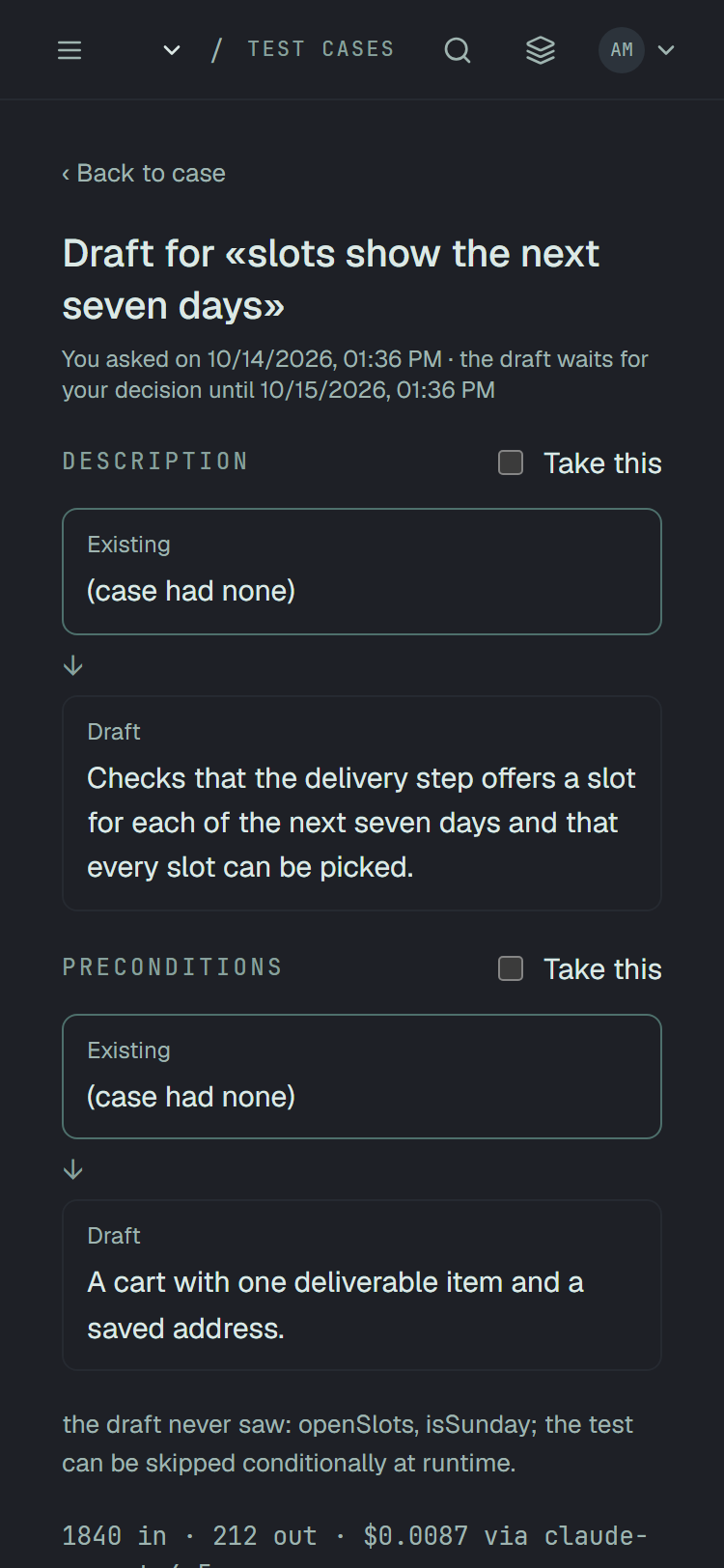
the draft never saw: openSlots, isSunday; the test can be skipped conditionally at runtime.
or the draft saw everything it uses directly. when there is nothing to name, with the test is
skipped unconditionally. added for a test.skip or test.fixme at the top. A draft written without
sight of openSlots is a guess about what it does, and this line is where you learn to check it.
When the fallback is tried
Section titled “When the fallback is tried”The fallback is tried once, in the same request, only after the primary failed for one of these:
| The primary | Fallback tried |
|---|---|
| was rate-limited by its provider | yes |
| was unavailable | yes |
| sent an answer that could not be used | yes |
| gave no answer in 60 s | yes |
| rejected the credentials | no |
| had its custom address rejected | no |
A rejected key or address is a fault of the setup, not of the provider, and a fallback that quietly covered it would hide a broken primary. The page then says The primary provider rejected the credentials. The fallback was not tried: this is a setup failure, not the provider’s., and the owner sees the problem on Settings → AI. With no fallback connected nothing changes: one refusal, no second attempt.
When the fallback made the draft, the page says so before you accept: Drafted by the fallback provider: provider · model. The primary (provider · model) failed: reason. When both failed, one refusal names both: The draft failed. Primary — provider · model: reason. Fallback — provider · model: reason. The case was not changed. Try again in a few minutes. A member’s refusal carries no addresses. The reasons are rate limit reached, unavailable, an answer we could not use, no answer within 60 seconds, credentials rejected and address rejected.
Decide, field by field
Section titled “Decide, field by field”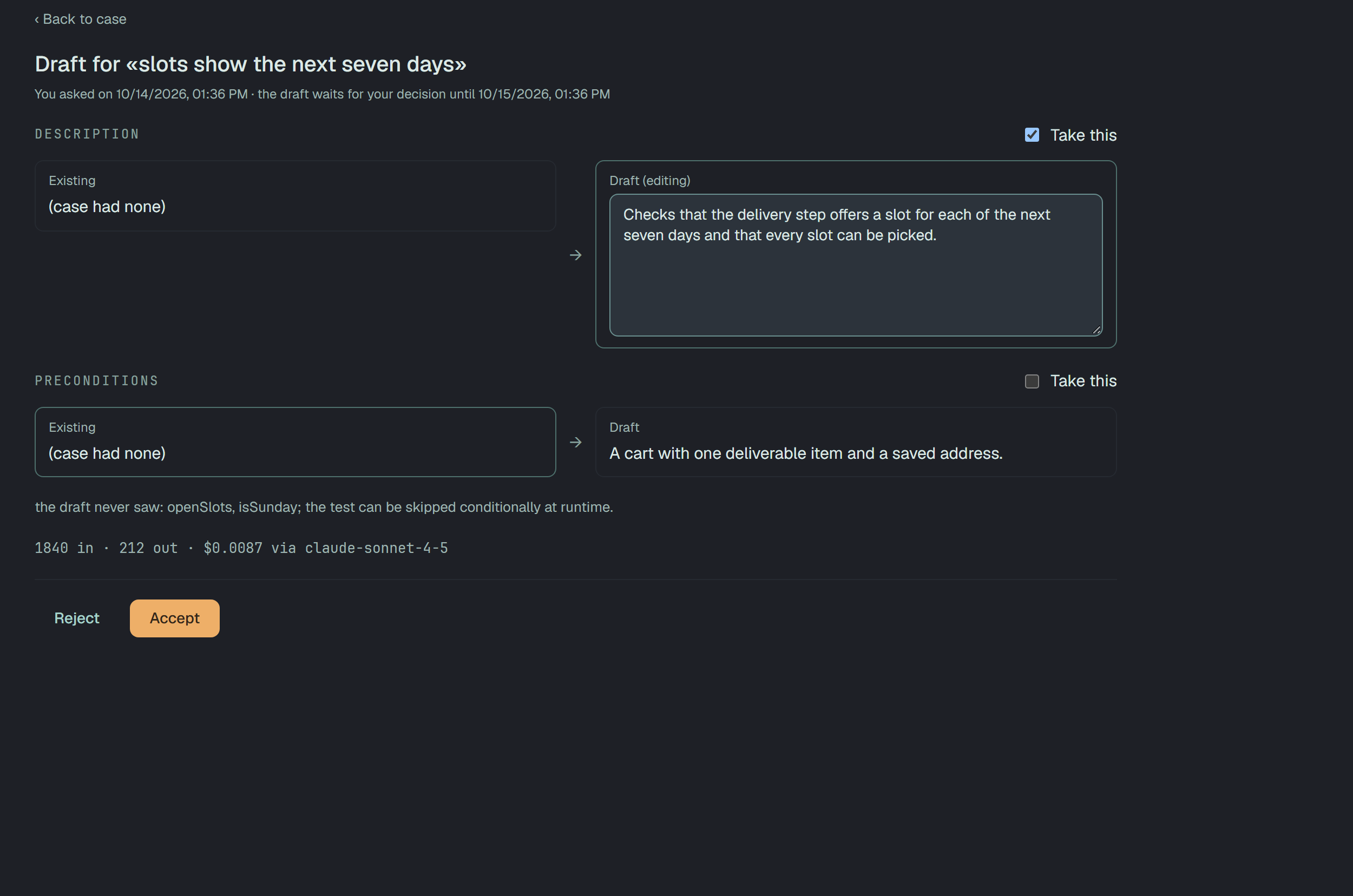
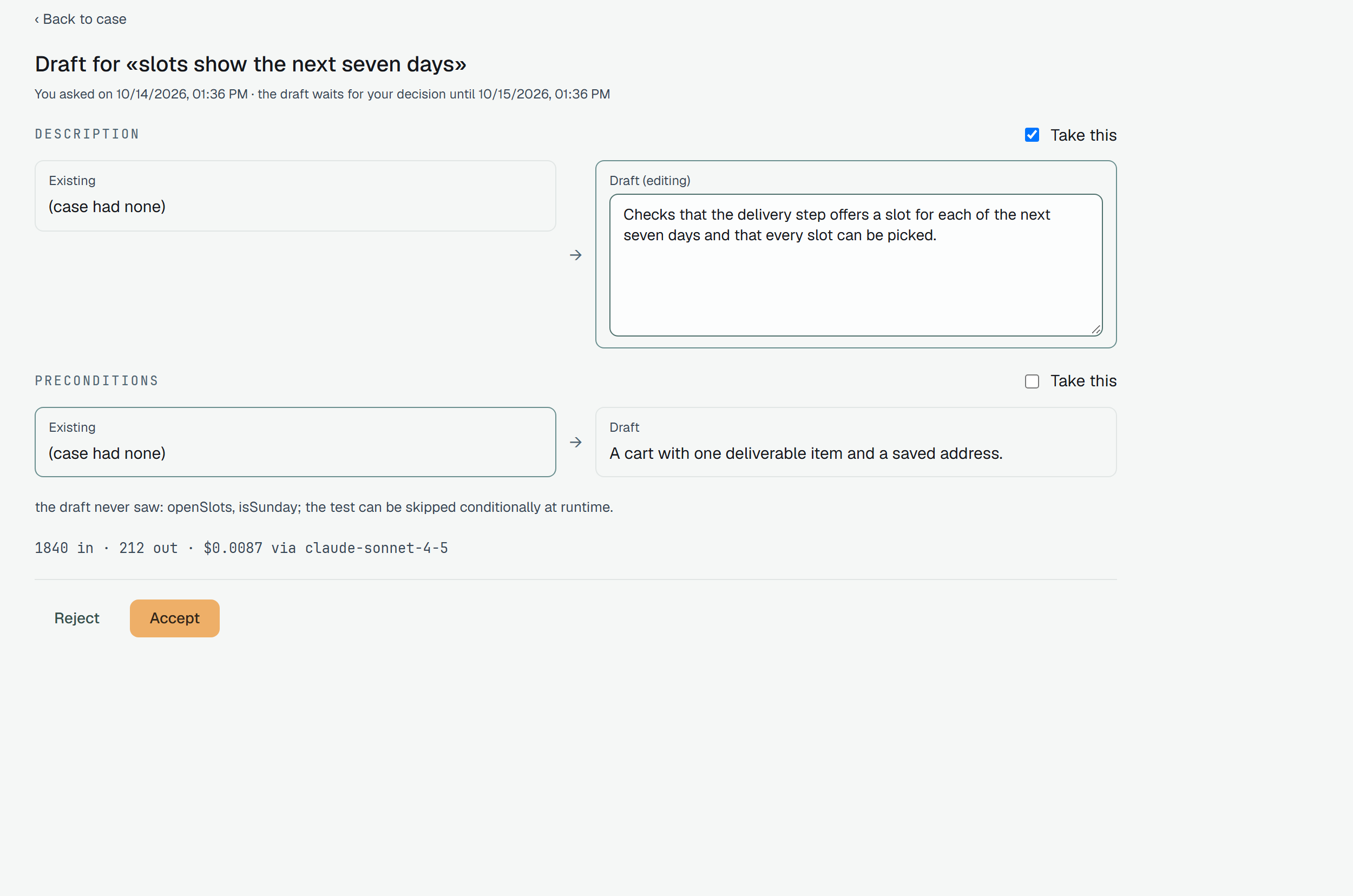
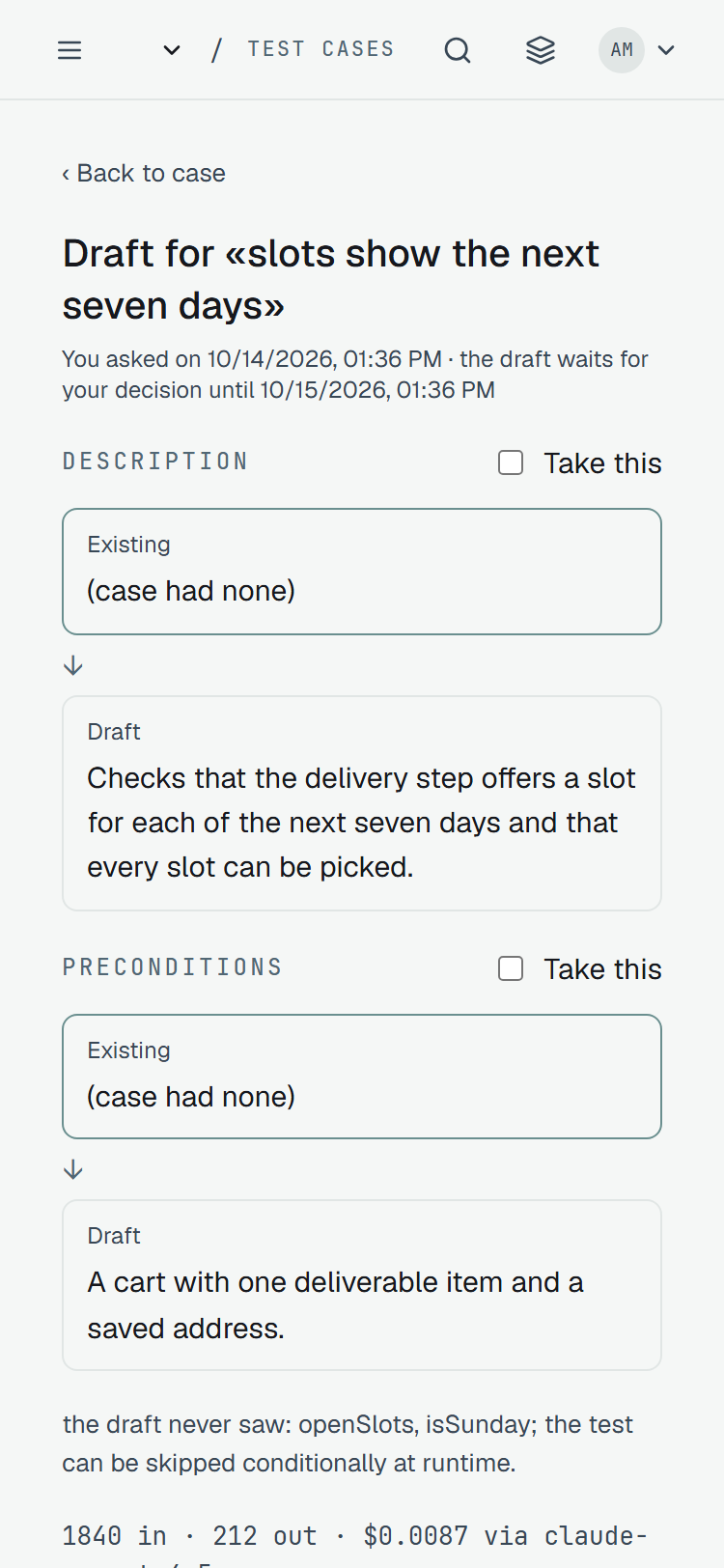
For each field the draft proposed, Existing stands on the left ((case had none) when it was empty) and the Draft on the right, with a Take this box. The frame stands on the side that will be kept.
- Take this ticked turns the draft into a text box — Draft (editing) — and what you leave in it is what is written. Unticked, the case keeps its own text for that field.
- A box you tick and then clear takes nothing: an empty text is not a decision to erase.
- A text over 16 384 bytes is refused before anything is sent: Too long to save — 16384 bytes is the most a field can hold. Accept waits.
- Accept writes only the ticked fields, with the text each box holds at that moment, and returns you to the case. Reject writes nothing: the case is not touched, and no version of it is made.
- Only the member who asked decides. Anybody else who opens the page reads Someone else is deciding a draft for this case. — none of the draft’s text is sent to them.
After an accept the case remembers where the text came from, and the page says it under the field:
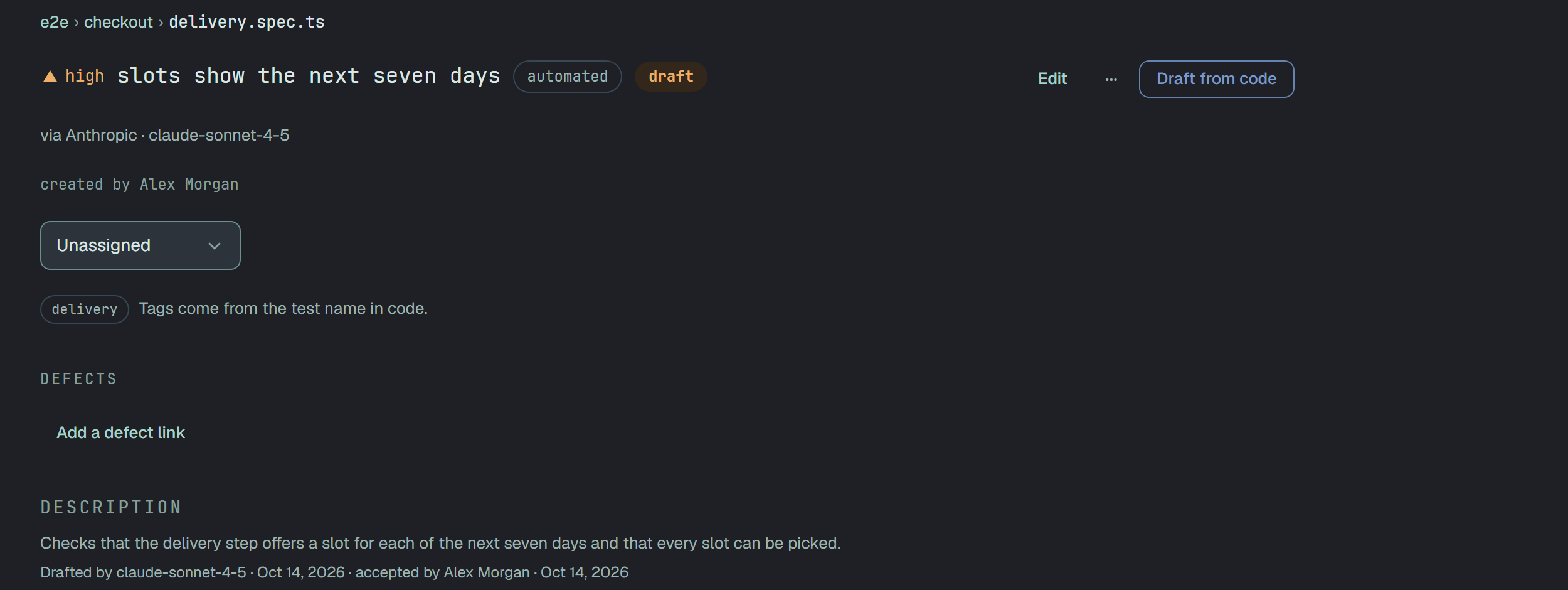
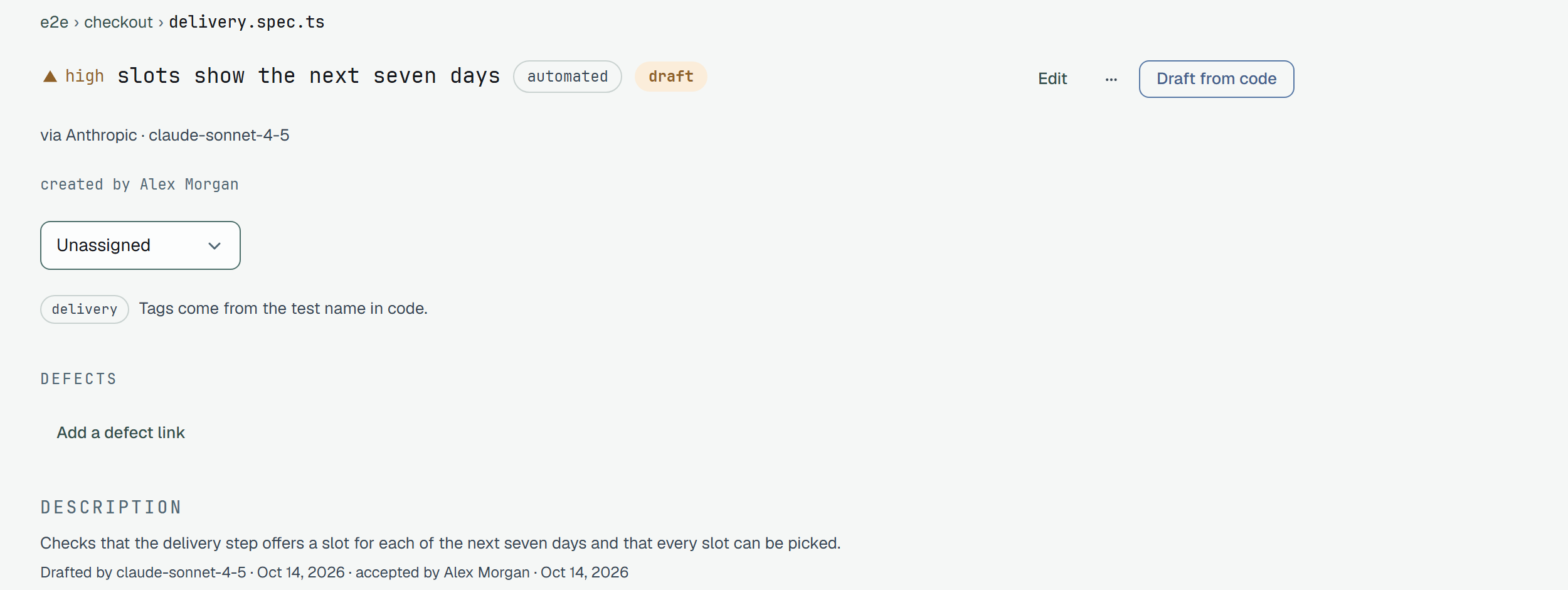
The line ends with · drafted from a previous version of the code when the test has changed since, and with · edited by … · date once a person edits the field. When the fallback wrote the draft, the line says · by the fallback provider, provider and names its model. Markdown export is unchanged.
When something moved meanwhile
Section titled “When something moved meanwhile”- The code changed since you asked: a notice, The code changed since this draft was requested., above the comparison. It warns and does not refuse.
- A field changed after the draft was requested — somebody edited the description while you read it: Accept is refused for the whole accept, nothing is written, the Existing side shows the text as it is now with This field changed after this draft was requested., and you accept again, seeing it.
- The case kept being saved by someone else while yours was written, three attempts in a row: The case was saved by someone else again and again while the draft was being accepted. Nothing was written and the draft is still waiting: check the text below, then accept again.
- A day passes. A draft nobody decided on within 24 hours expires and its text is deleted; the page then says This draft is no longer available. Asking again replaces any draft of that case that was waiting, whoever asked for it.
Limits
Section titled “Limits”| Limit | Window | |
|---|---|---|
| One person | 30 requests | the last hour, in one project |
| One project | 200 requests | the last 24 hours |
| One case | 1 at a time | until it answers, or after 90 s |
| One request | waits 60 s for the provider | then it is recorded as aborted (with a fallback, another 60 s for it: up to 2 minutes) |
Every request counts, whether it succeeded, failed or was aborted. A request that used the fallback
still counts once for the person and the project: the second attempt is not a second request. The window is a sliding one: the
wait named in a refusal is the real time until enough requests have left it, rounded up — minutes up to
an hour, then hours — and the API sends the same number in Retry-After.
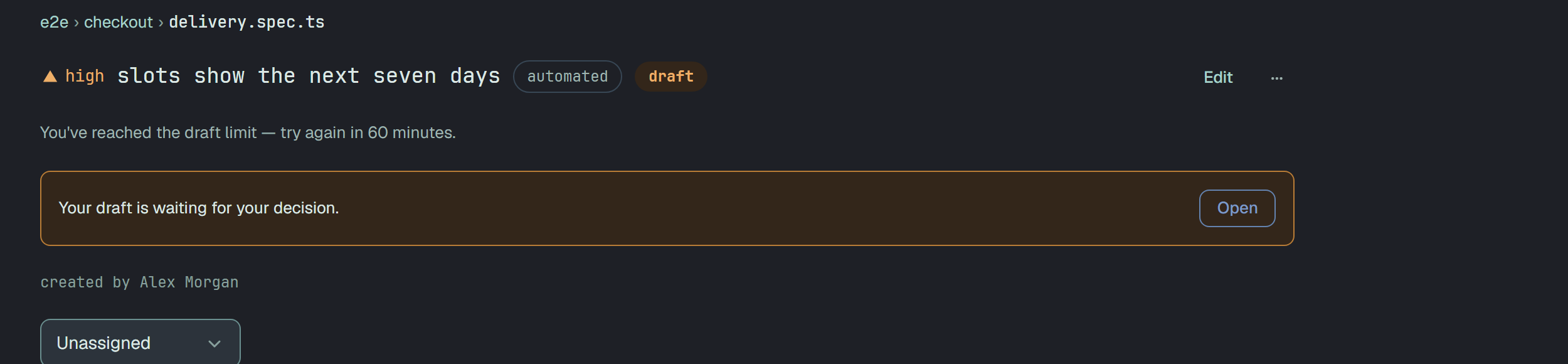
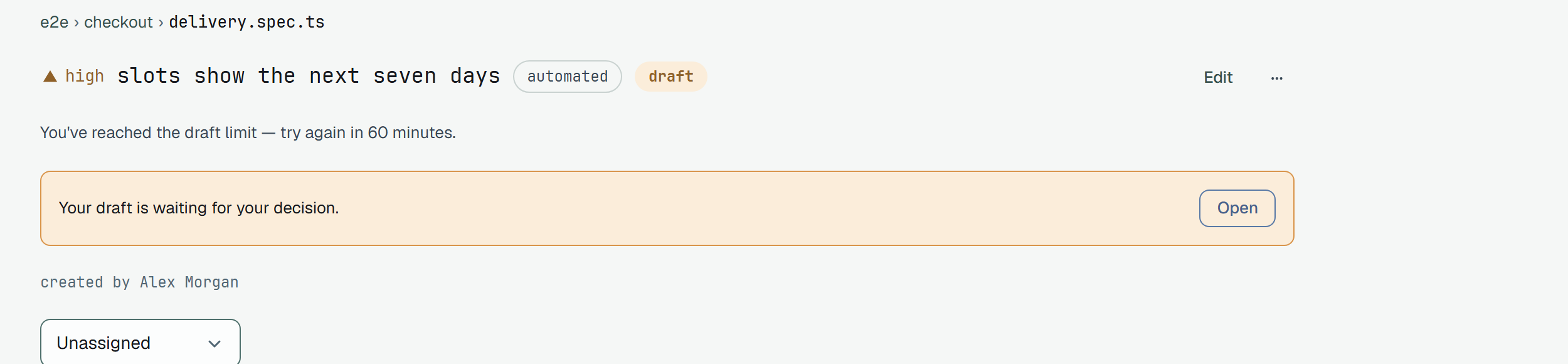
You read You’ve reached the draft limit — try again in 60 minutes. for your own window and This project
has reached its draft limit — try again in … for the project’s. The API answers 429 with
code: member_limit or project_limit.
What it costs
Section titled “What it costs”Under every draft stands the price of the call, as the provider counted it:
| Line | Means |
|---|---|
1840 in · 212 out · $0.0087 via claude-sonnet-4-5 | tokens in and out, and the cost — the model’s price per million tokens, applied to this call |
1840 in · 212 out · price unknown · via <model> | the provider reported the tokens, and Plune has no price for this model: a model outside the list, or any model of a custom address |
tokens not reported · price unknown · via <model> | the provider said nothing about the tokens |
With a fallback, each attempt is its own recorded call, priced by its own model: a request that used both pays for both, and the tokens the primary counted before it failed are not lost. Under a draft the fallback made, the line shows both attempts.
An unknown price is never shown as zero: a call with no price is not a free call. A failed call whose answer arrived and could not be used was billed by the provider, and is counted like a draft.
The month’s use, for an owner, is on Settings → AI under the key:
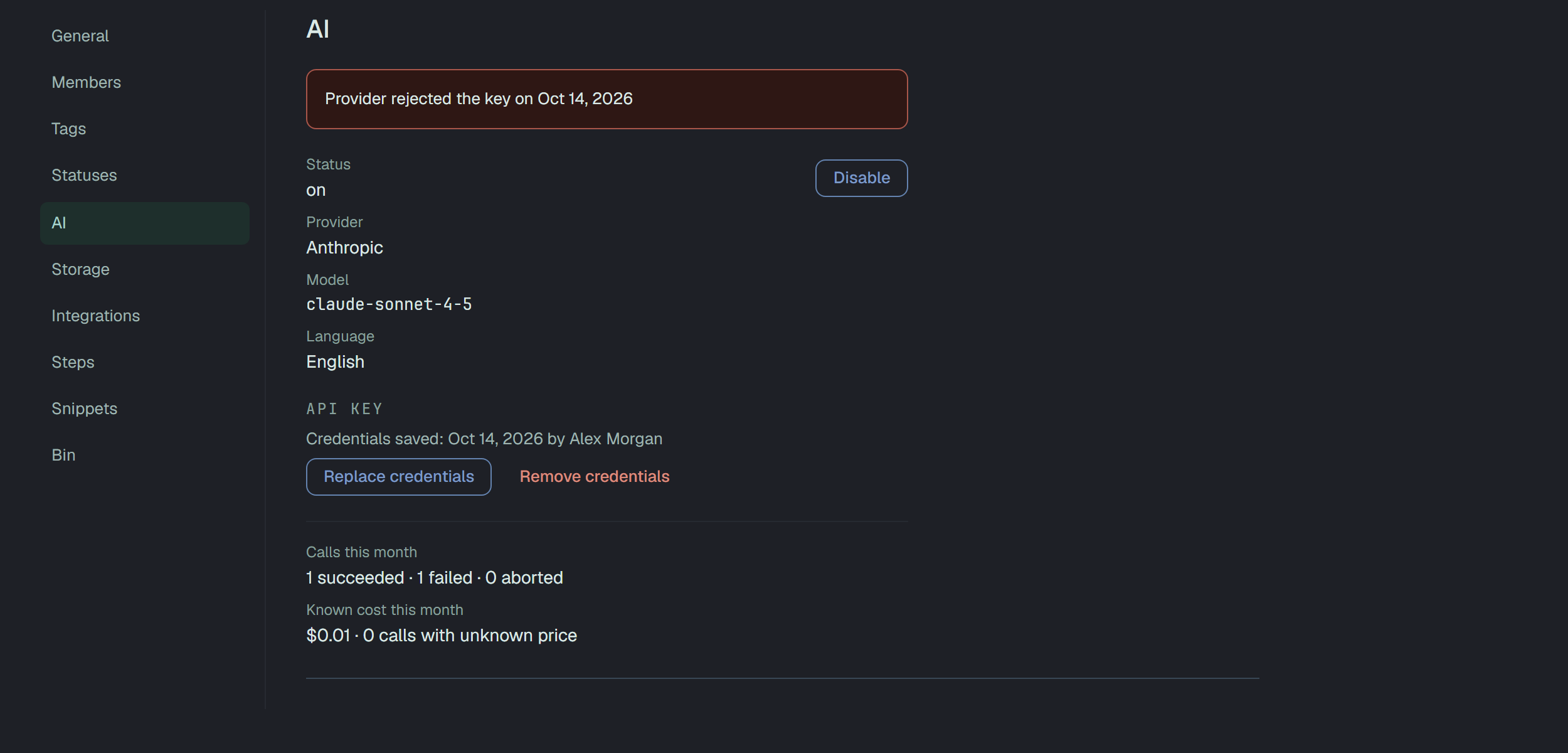
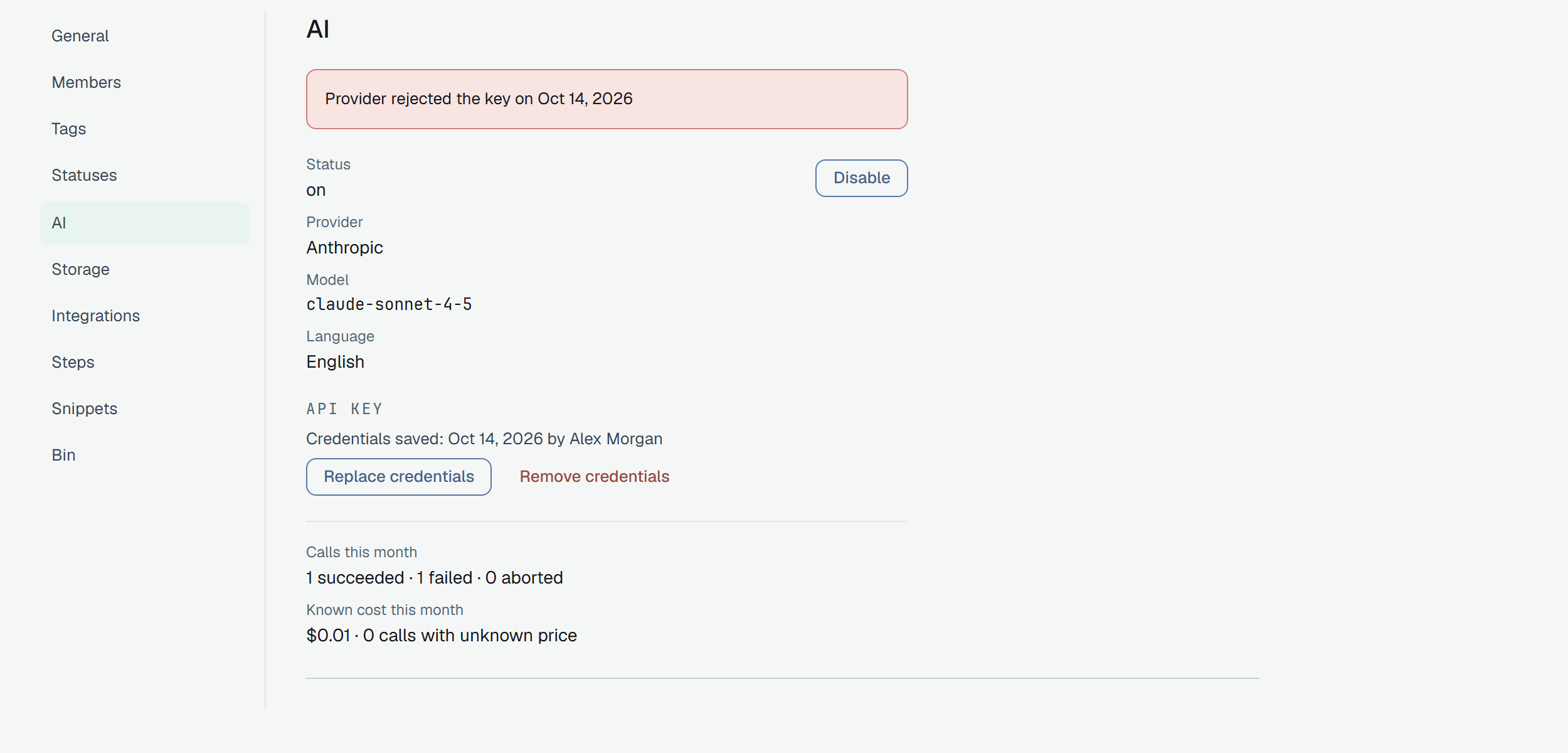
Calls this month counts succeeded, failed and aborted calls. Known cost this month is the sum of the calls with a price, and beside it, as its own number, how many calls had tokens and no price — the two are never folded into one. A line Of them by the fallback says how many of the month’s calls were attempts of the fallback.
When the provider says no
Section titled “When the provider says no”A call that ends badly takes you to the draft’s page with one sentence and Ask again. The same reason goes to the owner on Settings → AI, with its date, above the facts — a rejected key in red, the others as a notice. The primary and the fallback each keep their own last problem, so one does not hide the other. A timeout is the one that is not reported there: it is not the provider’s fault.


| You read | What it means | What to do |
|---|---|---|
| The provider rejected the saved credentials. | the provider answered that the key is not accepted, or is not allowed to use this model | an owner: Replace credentials in Settings → AI; then Ask again |
| The provider is rate-limiting this project right now. | the provider’s own limit, not Plune’s | wait, then Ask again |
| The provider was unavailable — try again shortly. | an outage or a network error on the provider’s side | Ask again shortly |
| The provider sent back something we could not use. | the answer was not the two fields, was too long, or was cut off | Ask again; the tokens are counted |
| The custom address was rejected. | a custom address that now resolves to an internal address | an owner: remove the credentials and connect again with a public https:// address |
| The draft timed out — the manual path still works. | no answer in 60 s; the call is recorded as aborted | Ask again, or write the texts by hand |
A saved key the server can no longer decrypt is answered 409 — the saved AI provider key cannot be
read — the project owner has to save it again — and goes to the owner as a rejected key.
Through the API
Section titled “Through the API”Drafts are asked for and decided by a person — a token gets 403 — but any token reads.
GET /v1/test-cases/{id}/draft → { "available": true, "provider": "anthropic", "model": "claude-sonnet-4-5", "pending": { … } | null }POST /v1/test-cases/{id}/draft → the call: its state, the two texts, tokens, costPATCH /v1/test-cases/{id}/draft { "state": "accepted", "fields": { "description": "…" } } or { "state": "rejected" }available is false with a reason: ai_disabled, provider_not_connected, platform_not_configured,
wrong_case_type or no_code_snapshot. A call is in_progress, awaiting_decision, accepted,
rejected, expired, failed (with its failureKind) or aborted; the texts of a draft nobody took
are cleared when it ends, and the tokens and the cost stay.