

CircleCI
Plune starts a run’s automated tests in CircleCI by triggering a pipeline of one project on a branch,
with two pipeline parameters: plune_run (the run’s key) and grep (the tests to run). Prepare
the config, the token and PLUNE_TOKEN as an environment variable of the
project, then connect them in Settings → Integrations → CircleCI.
The config
Section titled “The config”The config declares the two parameters and runs its workflow only when plune_run is given. This is
the template the form offers, with Copy:
version: 2.1parameters: plune_run: type: string default: "" grep: type: string default: ""jobs: plune: docker: - image: mcr.microsoft.com/playwright:v1.48.2-noble environment: PLUNE_RUN: << pipeline.parameters.plune_run >> PLUNE_GREP: << pipeline.parameters.grep >> # Plune closes the run when the pipeline ends; the reporter leaves it open. PLUNE_SHARED_RUN: "1" steps: - checkout - run: npm ci - run: npx playwright test --grep "$PLUNE_GREP"workflows: plune: when: << pipeline.parameters.plune_run >> jobs: - plune- Pipeline parameters need
version: 2.1. The defaults are empty, so a push still compiles the config, andwhen:keeps thepluneworkflow out of every pipeline but Plune’s. - The project’s Playwright config uses the Plune reporter
(Playwright reporter). It joins the run by
PLUNE_RUN. - Save
PLUNE_TOKENin the project’s environment variables: Project Settings → Environment Variables. Plune passes onlyplune_runandgrep, never the token. - The file is always
.circleci/config.yml; the form does not ask for it.
The token
Section titled “The token”CircleCI has no token narrower than a personal API token that can trigger a pipeline, and a personal token acts as its user, everywhere that user can. So make it for a machine user — an account of its own, with write access to this one repository — not for a person.
- Signed in to CircleCI as the machine user: User Settings → Personal API Tokens → Create New Token.
- Name it and copy the token — CircleCI shows it once. It starts with
CCIPAT_.
A project API token (CCIPRJ_…) cannot trigger pipelines, and the form refuses it. A personal token
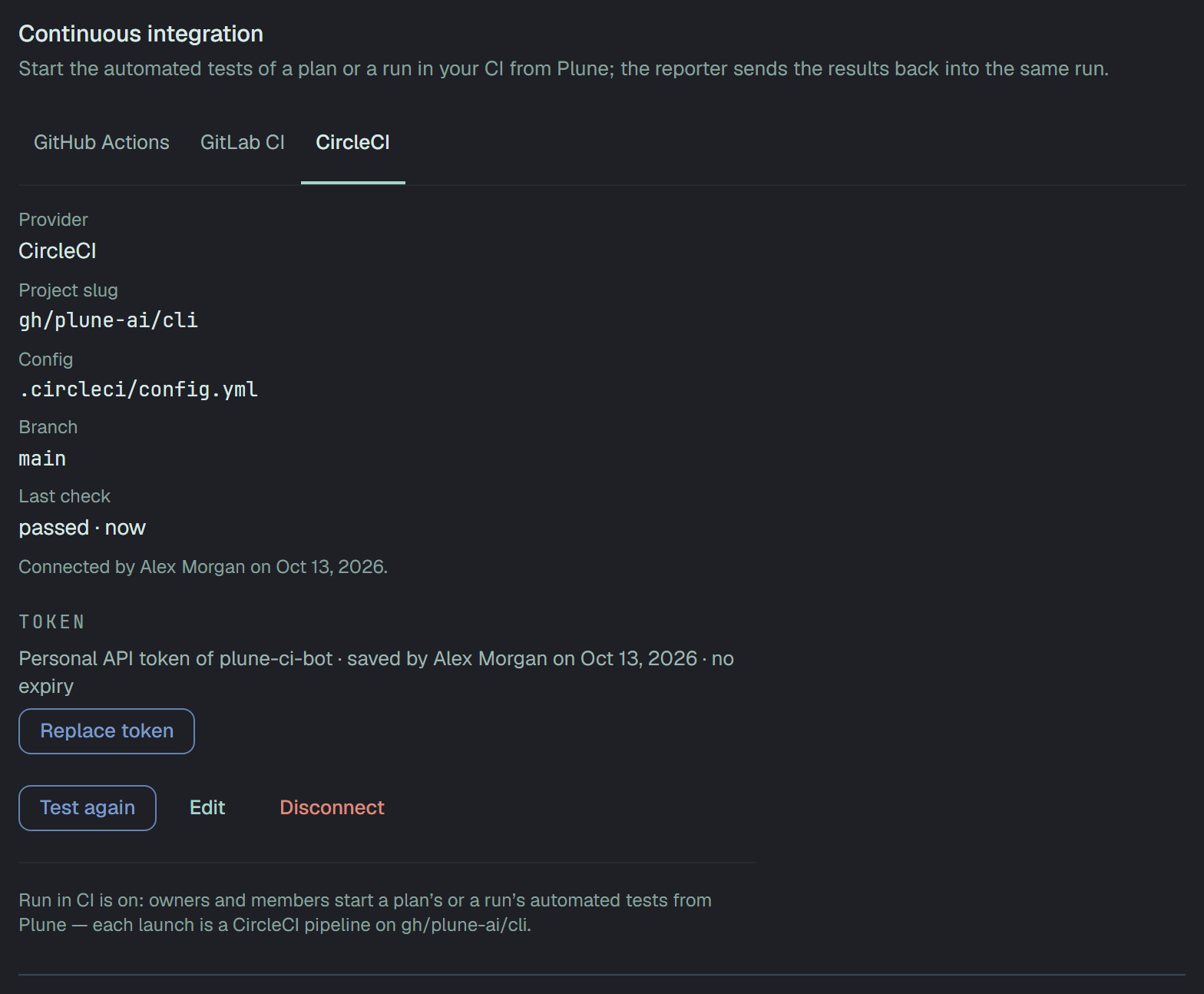
does not expire: Settings → Integrations says no expiry, and names the user it belongs to.
Connect
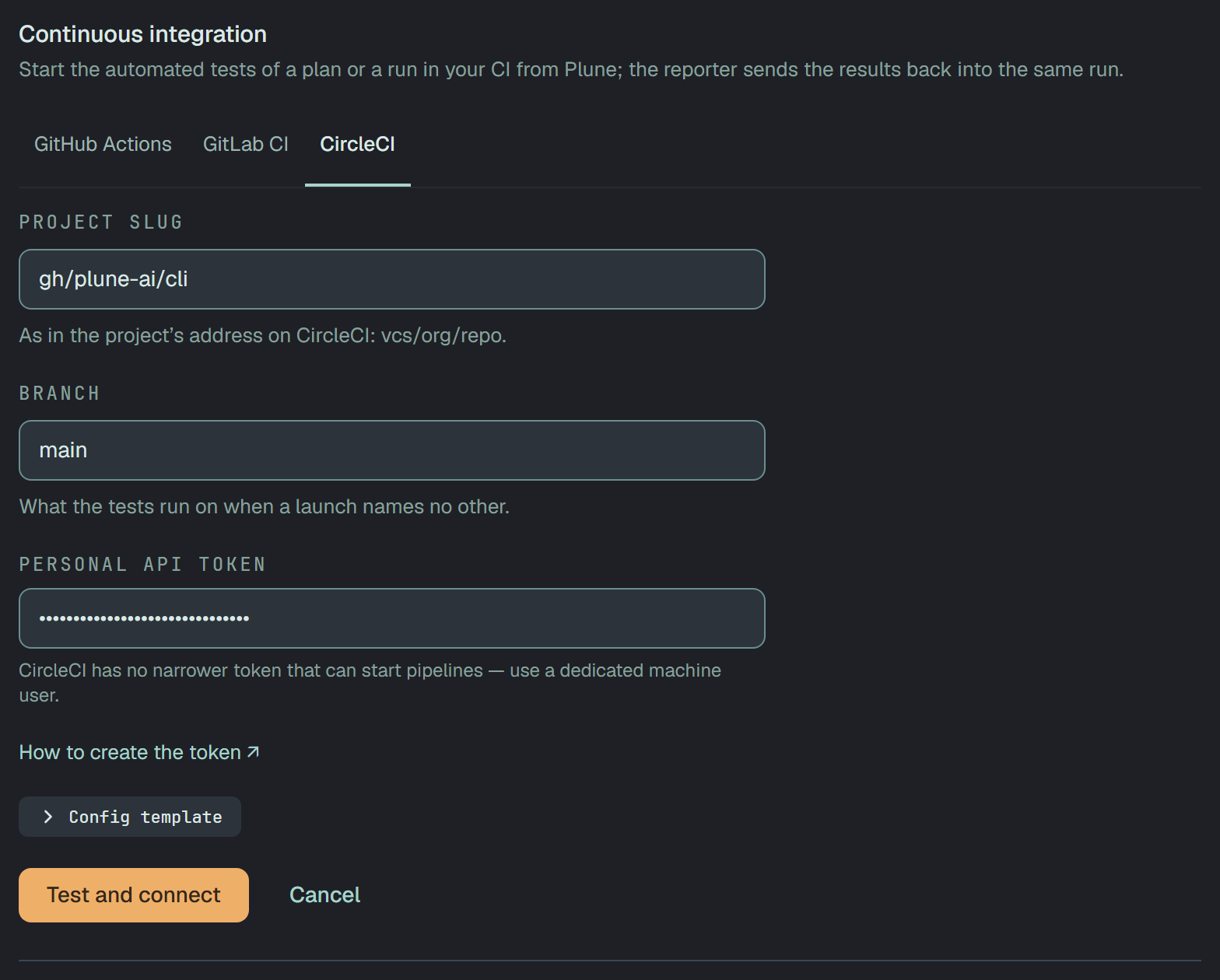
Section titled “Connect”CircleCI opens on its form when nothing is connected.
| Field | What to write |
|---|---|
| Project slug | as in the project’s address on CircleCI: gh/org/repo for GitHub, bb/org/repo for Bitbucket, circleci/<org id>/<project id> for a project of CircleCI’s own |
| Branch | what the tests run on when a launch names no other — main to start with |
| Personal API token | the machine user’s token, once; it is never shown again |
Test and connect runs the five checks, and saves the connection only when all pass.
The five checks
Section titled “The five checks”| Check | How Plune asks |
|---|---|
| CircleCI accepts the token | it reads the token’s user — the name Settings → Integrations shows |
| Its user sees the project | it reads the project |
| It may start pipelines | it triggers one pipeline on the branch |
| The config is on the branch | CircleCI found the branch and .circleci/config.yml on it |
It declares the parameters plune_run and grep | CircleCI’s answer names the parameters the config does not declare |
A personal token cannot read the repository, so the last three are asked of the pipeline itself. It
carries plune_run and grep empty and one more parameter that no config declares, so CircleCI creates
the pipeline and then refuses to compile it: nothing runs, and the refusal says what is missing. The
check waits a few seconds for it.
That pipeline stays in the project’s list on CircleCI, marked as errored — one for each check. A config that compiled it anyway would have its workflows cancelled at once, and the check would fail as Unexpected.
A launch
Section titled “A launch”Each launch triggers one pipeline on the branch, with plune_run and grep. CircleCI answers with the
pipeline’s number, so Open in CircleCI on the run’s page goes to it from the first minute.
While a launch is watched, Plune reads the pipeline’s workflows: none yet is waiting for a runner; one running, on hold or failing is running; all of them ended is the end, with the worst of their outcomes. A pipeline whose config did not compile has ended in error. When Plune cancels a launch, it cancels the workflows still going. What happens next is the same for every CI: What Plune watches.