

Result statuses
Every result in a run has one of five statuses. The difference that matters most is between two of
them: failed is the product answering wrongly, broken is the test unable to say. A morning when the
environment was down should not read as twelve failures of the product.
The five
Section titled “The five”| Status | What it says |
|---|---|
passed | The test ran, and every check held. |
failed | The test ran, and the product answered wrongly. |
broken | The test could not give an answer — a timeout, an error in the harness, a word nobody has mapped. A failure of the check, not of the product. |
blocked | Something outside the test stopped it — a dependency, the environment, a run cut short. Nobody learned anything about the product either way. |
skipped | The test did not run. |
A run reads them in two groups. failed and broken are failures: a run with one is red on the
Runs list, ✕ 3/120 failed, and the number counts both. blocked and skipped never ran the
check: a run where nothing failed but something did not run is
○ 116/120 passed · 3 skipped · 1 blocked, neither green nor red.
Broken, not invalid
Section titled “Broken, not invalid”Qase has Invalid — a result that tells you nothing. In Plune that is broken: the
same idea, already in the contract, in every stored result and in every project’s map. A second word for
it would split the contract in two. The Plune CLI says errored for the same thing.
A test that was never judged
Section titled “A test that was never judged”A runner can say that a row was never judged: "inconclusive": "blocked" or
"inconclusive": "skipped" on a row of the RunResult that plune sync sends (POST /v1/runs). The field is optional — a run
without it is read as before, and schemaVersion stays 1.
Such a row carries no runner’s word to map, so Plune decides its status from the row itself, in this order:
inconclusive— when the row saysblockedorskipped, that is its status. A passing assertion cannot make it a pass, and a harness error cannot make itbroken: both would be a verdict on a product the test did not judge.- An error — the row is
broken. - The assertions — all of them passed,
passed; any of them failed,failed. A row with no assertion and no error ispassed.
So a blocked row whose assertions failed is blocked, not failed.
plune run does not write inconclusive itself today; a runner that produces its own RunResult can.
From @plune-ai/cli 0.18.0 the CLI’s own summary counts these rows the same way — blocked and
skipped beside failed. See Reading reports & exit codes.
Your runner’s words: the status map
Section titled “Your runner’s words: the status map”A reporter sends the word its runner used — timedOut, failure, unknown — and Plune decides what it
means. The server maps, not the reporter, so a project can change what timedOut means without waiting
for a release of any reporter, and every screen gives the same answer.
A word is mapped in this order:
- the project’s own map, for that source;
- the defaults for that source;
- a word that already is one of the five, from a runner nobody has written defaults for;
- otherwise
broken— and the result is counted as unmapped.
The defaults every project starts from:
| Source | Its words |
|---|---|
playwright | passed → passed · failed → failed · timedOut → broken · interrupted → blocked · skipped → skipped |
junit | pass → passed · failure → failed · error → broken · skipped → skipped |
allure | passed, failed, broken and skipped as written · unknown → broken |
cairn | passed → passed · failed → failed |
A row from plune sync has no word, so the map does not apply to it: its status comes from the row,
above.
Change the map
Section titled “Change the map”The map is part of the project’s settings, { "<source>": { "<word>": "<status>" } }. The source is any
string, so a runner with no defaults here can be mapped too. There is no screen for it in the dashboard
yet; it goes through the API:
PATCH /v1/settings{ "statusMapping": { "playwright": { "timedOut": "failed" } } }- The body replaces the settings whole. A key left out is a key removed, so read them with
GET /v1/settings, change the map, and send everything back. - Only the five. A status outside them answers
400, and the message lists them:validation failed — …; statuses are passed, failed, broken, blocked, skipped. - From now on. A result gets its status when it arrives and keeps it; a change to the map acts on the results that come after it.
GET /v1/runs/{id}/summary answers unmapped: how many of the run’s broken results carry a word that
the map, as it is now, does not cover. It is the difference between «our tests are failing» and «our map
has a hole in it».
A muted case’s failure
Section titled “A muted case’s failure”A case can be muted: it still runs and its results are recorded, but its failures do not count against a run. Muted is a decision, not a status:
- A failure is counted as
muted. Afailedorbrokenresult of a muted case is counted undermuted— not underfailedorbroken— and stays in the run’s total, because it ran. A muted case’s pass, block or skip counts as it always does. - The result keeps what happened. Its status is still
failedorbroken, with the Muted mark after it, so a filter by status still finds it. - One rule for the counters. The Runs list, the run’s page and its summary, the summary kept when a run finishes, the Suites view of its report, Analytics and Re-run N failed all count it this way. A suite whose only failure is muted says «1 muted», not «1 failed», and is not sorted first.
- A release gate counts it this way too. With
--fail-on-failuresthe CLI exits on the platform’s verdict, so a muted case’s failure keeps the job green — see Run Plune in CI.
On the Runs list
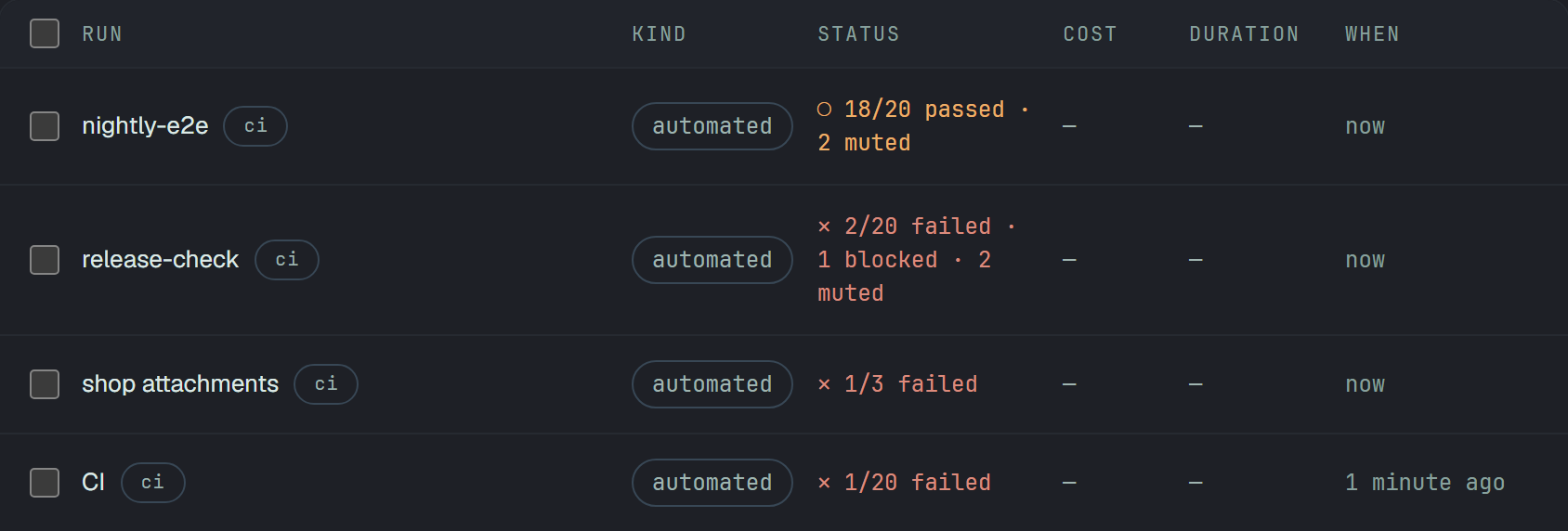
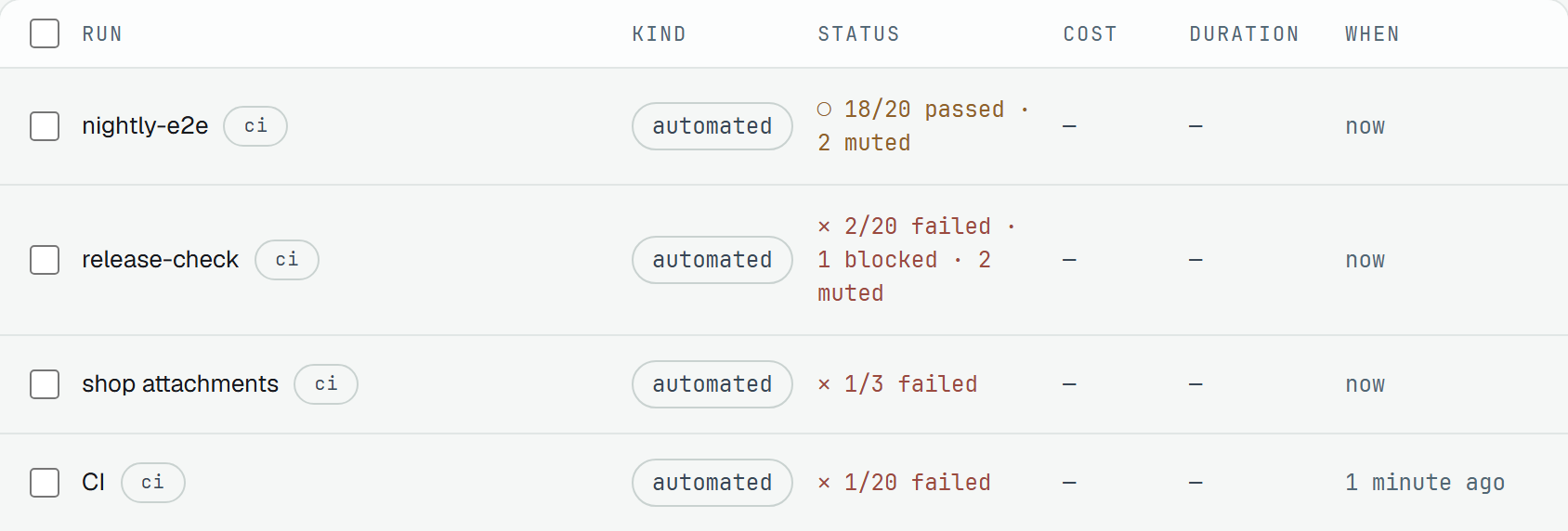
Section titled “On the Runs list”A run whose only failures are muted is not red. It is amber, as a run with skipped tests is, and names
them last: ○ 118/120 passed · 2 muted. A run with real failures stays red and still names them:
✕ 1/120 failed · 2 muted. Tests that did not run (skipped, blocked) are named before the muted ones:
✕ 2/20 failed · 1 blocked · 2 muted.
On the run’s page
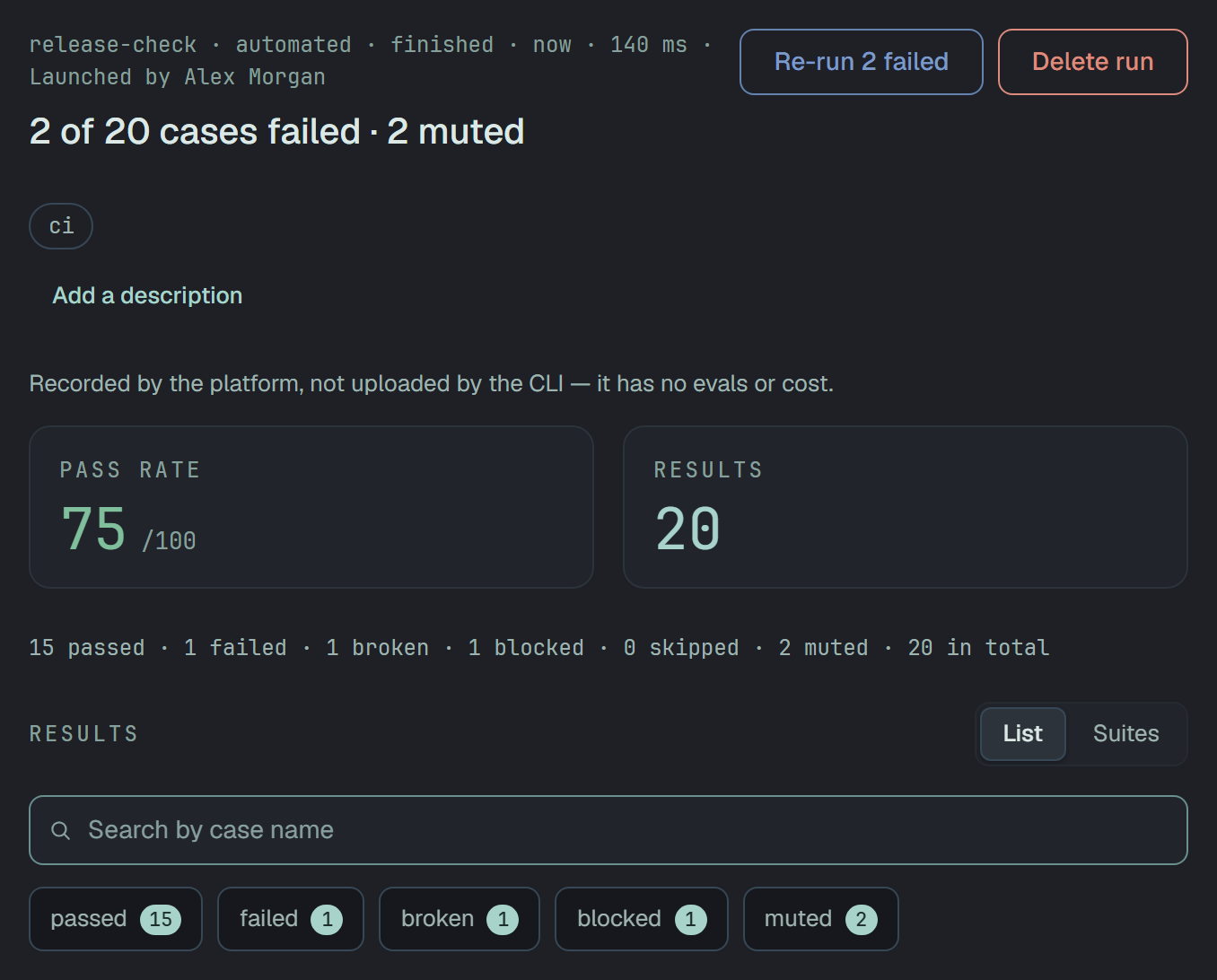
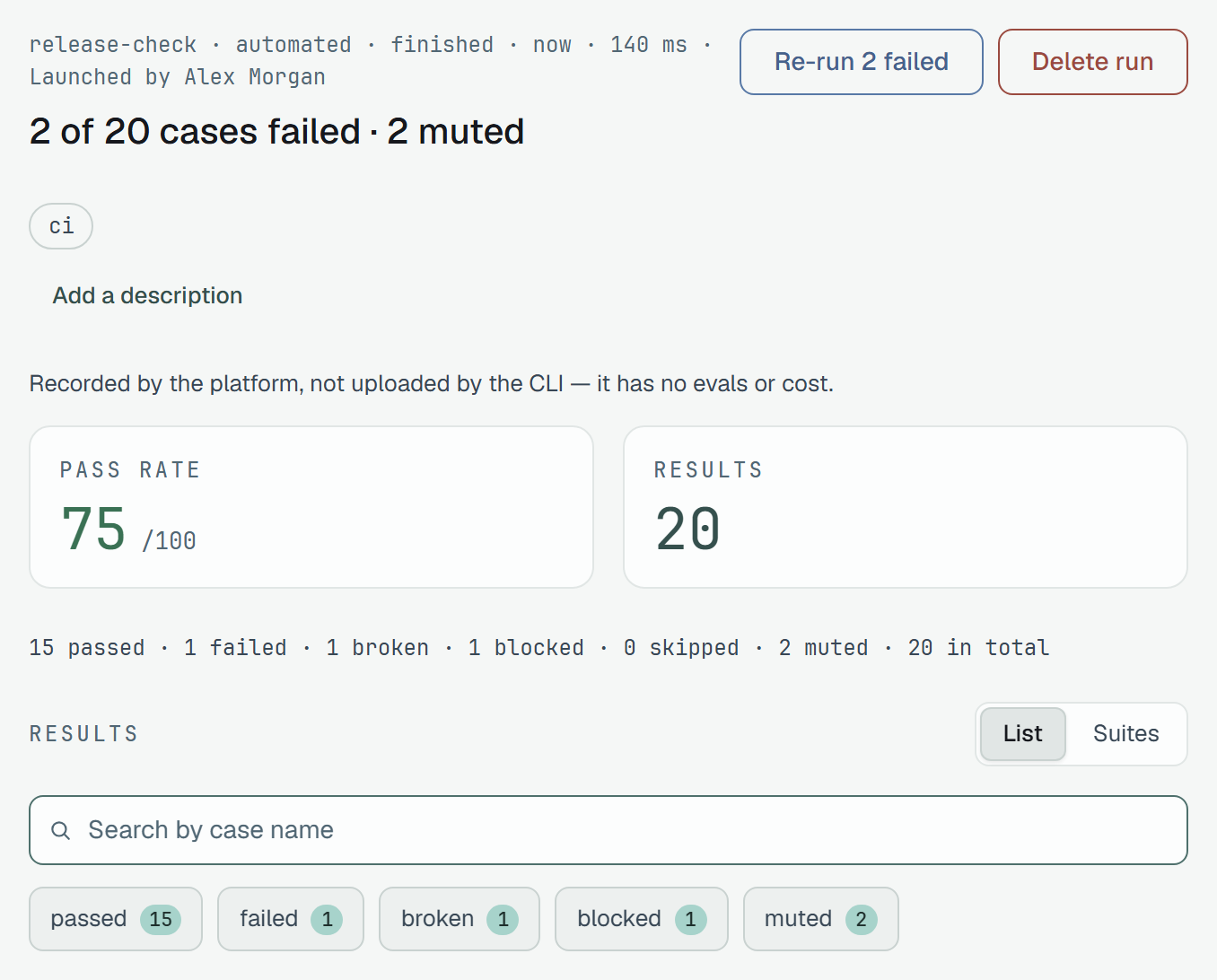
Section titled “On the run’s page”- The verdict names them last: «112 of 120 passed · 4 skipped · 4 muted», or «2 of 120 cases failed · 2 muted».
- The counter line has
4 mutedbefore the total: «112 passed · 0 failed · 0 broken · 0 blocked · 4 skipped · 4 muted · 120 in total». At zero it is not there. - The chips count what the counter line counts:
failedandbrokenleave muted failures out, and amutedchip lists them —?status=mutedin the page’s address (The run’s report). - Pass rate is passed ÷ the total, and a muted failure is in the total: it is not a pass.
A result
Section titled “A result”On its row and in its panel, a result of a muted case shows its real status — failed or broken —
followed by the Muted mark. A pass of a muted case carries the mark too; only a failure is counted
apart.
The panel has Mute… or Unmute beside Open the case. Mute… opens the case’s own dialog — «Mute the case»: It still runs and its results are recorded, but its failures no longer count toward a run’s result — and Mute applies it. Unmute applies at once. Both change the case, not this one result.


Open runs follow, finished runs keep
Section titled “Open runs follow, finished runs keep”- A run still open counts a mute at once. Muting a case, or unmuting it, changes its results in every run of the project that is still open, in the same write as the case.
- A finished run never changes. Its results keep the mark they had, and its numbers stay as they were.
- The next run takes the case as it stands when each result arrives.
So in a finished run the mark and the button can disagree: the mark is the result’s own, the button reads the case. After an unmute, a result can still show Muted while the panel offers Mute….
Re-run N failed
Section titled “Re-run N failed”Re-run N failed counts real failures only: N leaves out the muted ones, and a manual or mixed run’s re-run does not take a muted case’s failure along. See Launch it again.
What a mute does not reach
Section titled “What a mute does not reach”A muted case’s result is marked muted whichever way it arrives: from a reporter, in an eval run sent
with plune sync, or in a Cairn run. Only plune run on your machine stays outside: it reads only
failed and errored rows for its exit code, and a mute is the platform’s. The commands that report to
Plune read the platform’s verdict with --fail-on-failures.
Sub-statuses
Section titled “Sub-statuses”A status says what happened; a sub-status says why — failed because of a Product bug, or an
Environment issue; blocked, Waiting for a fix. It is one optional word under the result’s
status, given by the person who marks it in a manual run, and the
run’s report shows it after the badge and filters by it.
It changes no count: a failed result with a sub-status is still one of the failures.
Every project starts with four, the same everywhere:
| Status | Built in |
|---|---|
passed | Minor issue |
failed | Product bug · Environment issue |
blocked | Waiting for a fix |
broken, skipped | — |
The built-in ones cannot be renamed or removed, and they read in the app’s language — Product bug is «Баг продукту» in Ukrainian.
Your own, in Settings → Statuses
Section titled “Your own, in Settings → Statuses”Settings → Statuses, after Tags, has a group per status: the built-in ones first — «Built in · 9 results», nothing to press — then the project’s own, each with how many results carry it and Rename · Remove. Add opens a field under its group.
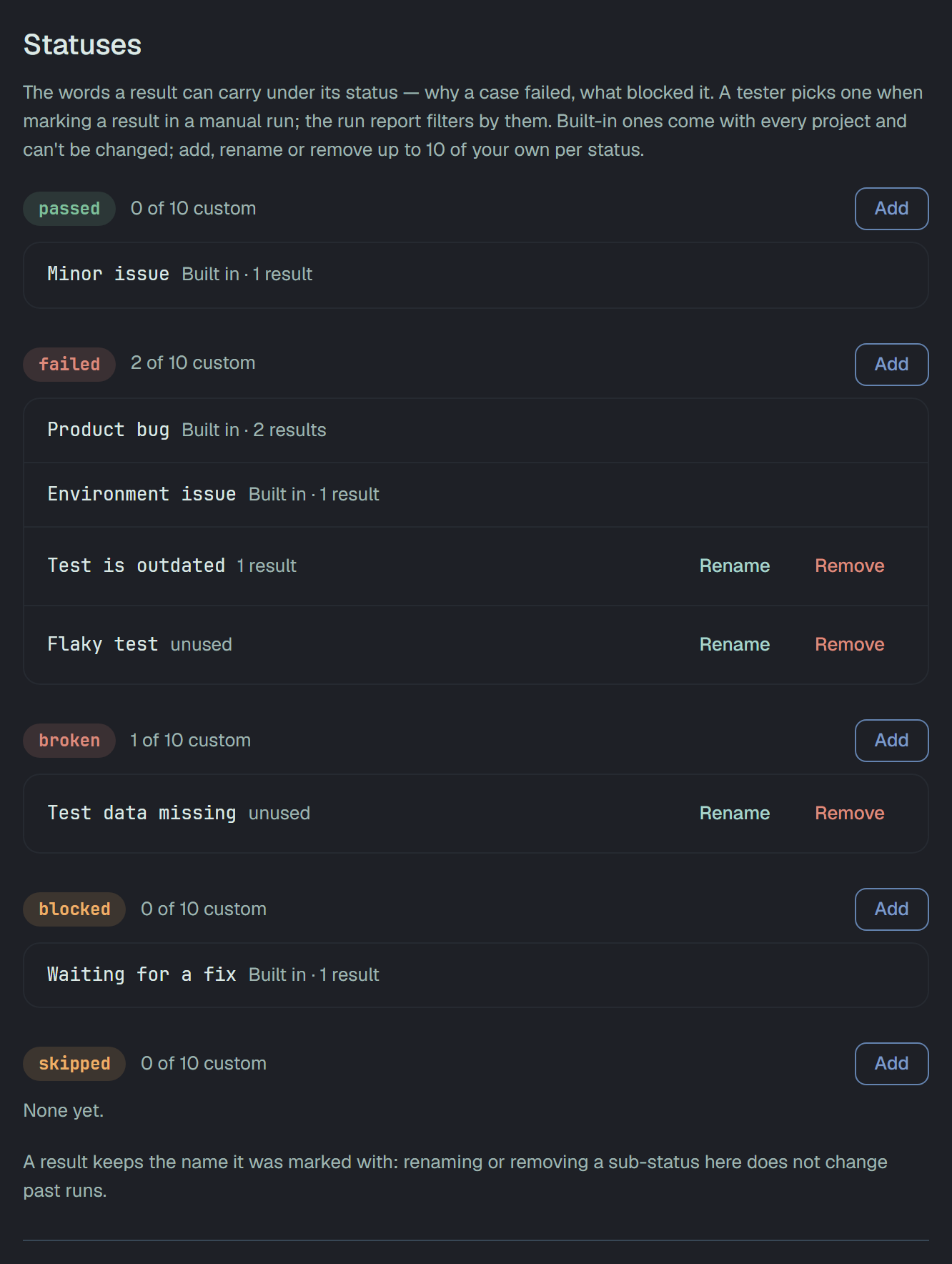
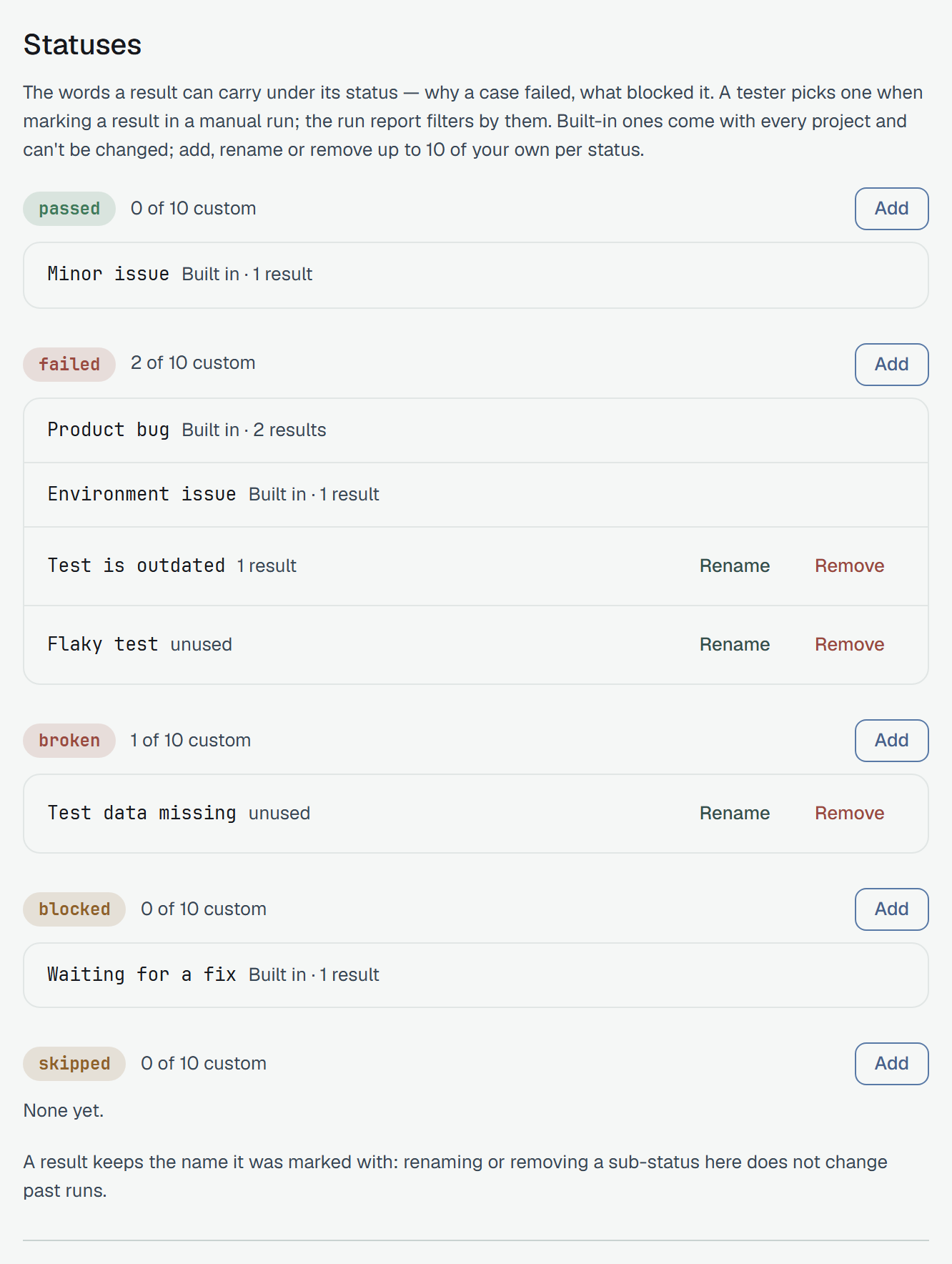
- Up to 10 of your own per status, each 1–40 characters. The built-in ones are not among the ten. At ten, Add is off and the group says «10 of 10 custom — remove one to add another.»
- One name once under a status, in any case. A name the status already has — built in or your
own,
product BUGbeside Product bug — is refused before it is sent: «Product bug is there already.» So is a name too long: «Up to 40 characters — this one has 46.» - A result keeps the name it was marked with. A rename or a removal acts on what is offered from now on; past results — in finished runs and open ones — keep the old name. When results carry the name, Save of a rename and Remove ask first and say how many keep it; an unused one changes at once.
- Only an owner of the project changes them. A member and a reader see the same list and counts, with one line: «Only an owner of the project can change these.»
What sets one
Section titled “What sets one”Only a person, on a manual mark. A reporter, plune sync and the CLI send no sub-status: a
subStatus in a result they post is dropped, not refused.
Who may do what
Section titled “Who may do what”| Owner, member | Reader | |
|---|---|---|
| See statuses, the Muted mark and the muted counts | yes | yes |
| Mute… / Unmute, on a result or on its case | yes | no — the buttons are not there, and the API answers 403 |
| Change the status map | yes | no — 403 |
| See the sub-statuses and their counts | yes | yes |
| Give a manual mark a sub-status | yes | no — the API answers 403 |
| Add, rename or remove the project’s own sub-statuses | an owner only — a member gets 403 | no — 403 |
An API token can mute a case too; the audit log names the token as the one who did.
The API
Section titled “The API”GET /v1/runs— each row carriesmutedbesidefailedandbroken.GET /v1/runs/{id}/summary—countsholds the five statuses andmuted, andunmappedthe results the map does not cover.GET /v1/runs/{id}/results— a result of a muted case carries"muted": true, and itsstatusis what happened.?status=failedfinds it by that status.?muted=truereads the statuses the way the counters count them and adds the muted failures — alone when no status is named;?muted=falseleaves them out. Any other value answers400.PATCH /v1/test-cases/{id}with{ "isMuted": true }mutes the case,falseunmutes it — Flaky and Muted.GET /v1/settingsandPATCH /v1/settings— the status map, above.PATCHkeeps the project’s own sub-statuses as they are stored, whatever it is sent: they change only through their own route.GET /v1/settings/sub-statuses— every sub-status the project offers, the built-in ones first, in the order of the statuses, each with how many results carry it:{ "subStatuses": [{ "status": "failed", "name": "Product bug", "builtIn": true, "results": 9 }, …] }.PUT /v1/settings/sub-statuses/{status}with{ "names": ["Test is outdated", "Flaky test"] }replaces the project’s own under that status — add, rename and remove are this one call;[]removes them all. It answers the whole list again. An owner only (403· project owner only), 60 calls a minute. A name twice, a built-in one, more than ten or one past 40 characters answers400—validation failed — failed.1: 'flaky' is there twice; a status outside the five answers400too. The change is in the project’s audit log, before and after.PATCH /v1/results/{id}takessubStatus— one of the names the result’s status offers now, ornullfor none (Manual runs). Every result the API hands out carriessubStatus,nullwhen it has none.GET /v1/runs/{id}/results?subStatus=Product%20bug— the results with that sub-status; the key repeated is any of them (The run’s report).