

Import and export cases
A team that moves to Plune has its cases somewhere else already — in another tool’s export, or in a sheet. This page is how they come in: a CSV or an Excel workbook (.xlsx), read with the columns the tool that wrote it uses, shown to you as a report of what it would create, update and refuse, and written only when you say so. And how they go out: the tree, one folder or a pick of cases as an .xlsx in the columns the import reads, so the sheet comes back as the same cases.
Where it is
Section titled “Where it is”Import / export ▾ over the tree holds both: Spreadsheet — Import CSV or XLSX… and Export XLSX with how many cases go — over Markdown — Import .md… and Export .md. Below 1024 px the same groups are in the head’s ⋯.
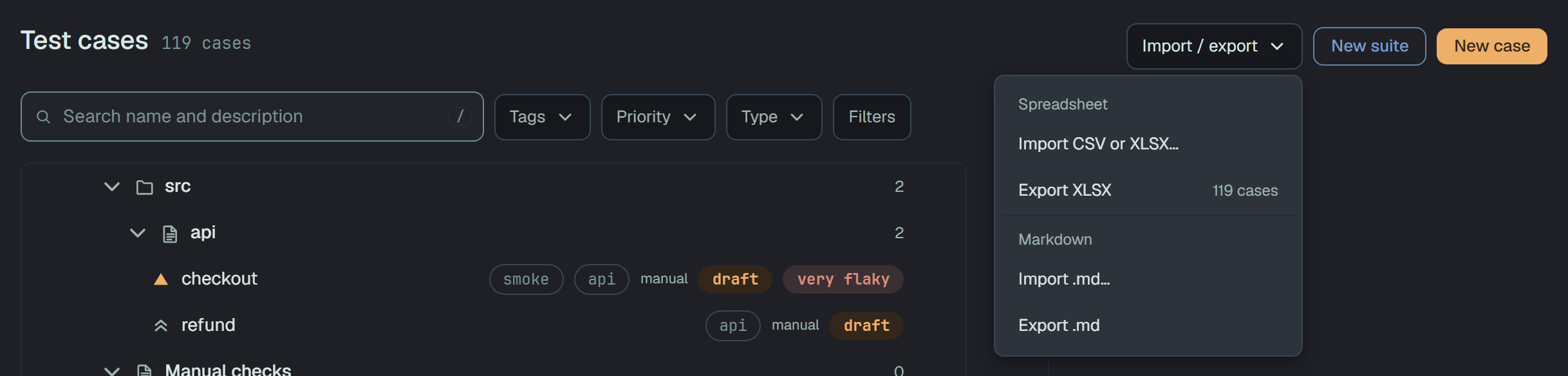
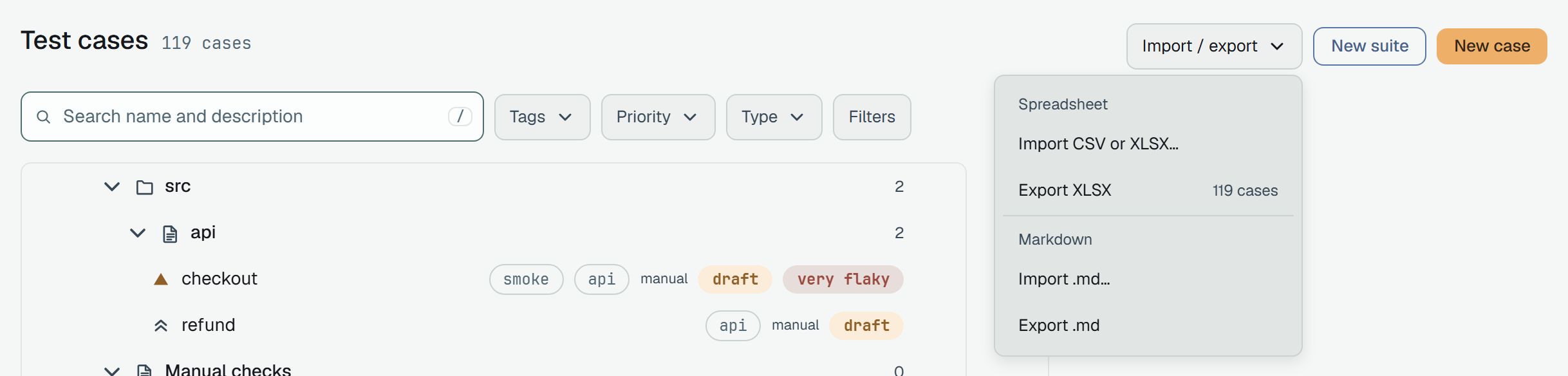
- A folder’s ⋯ has Import CSV or XLSX here…, which opens the dialog with that folder as the target, and Export XLSX for its subtree. A suite’s ⋯ has neither: a file brings suites of its own.
- The pick’s ⋯ (the bar at the bottom while cases are selected) ends with Export XLSX and the number of cases the pick holds — a selected suite or folder with everything under it.
- A reader of the project sees the exports only: Export XLSX and Export .md.
Importing a file
Section titled “Importing a file”The dialog, Import cases, is three steps — File › Columns › Check — and nothing reaches the project until the last button.
File. Drop a .csv or a .xlsx, or Choose a file…. The browser reads it first and says its
size, rows and columns (6 KB · 2 rows · 10 columns); the first row names the columns. Plune tells
the two kinds apart by what the file is, not by its name. A file that is neither, or is empty, says
so on the card and Next stays off.
Into decides where the cases go:
- A new folder, named after the file — the default:
testrail-cases.csvgoes into a foldertestrail-casesat the top of the tree (an existing folder of that name is used, not doubled); - any folder you pick.
The file’s own suite paths become folders and suites under it. Rows with no path go into a suite named after the file.
Columns. Source is the tool the file came from — Testomat, TestRail, Qase, Zephyr or Custom columns — picked for you when the header reads as one tool’s export (Detected from the header). Each column of the file gets a row: its name and first value, then what it becomes. The tool’s preset fills these in; a column the preset knows a case has no place for is Skip — not imported; a header no field is named after stays out until you pick one. One column must become the Title — without it the check stays off.
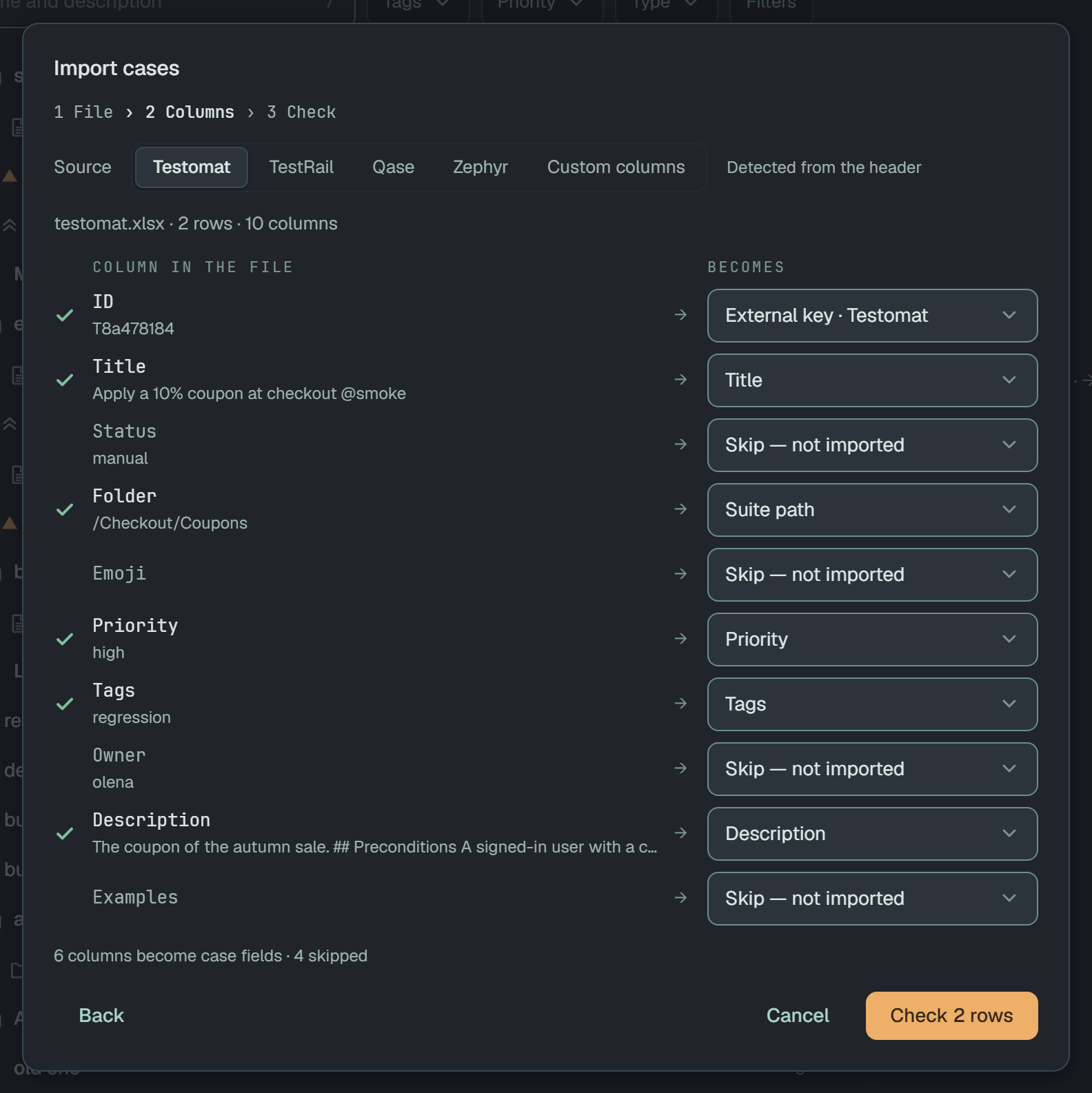
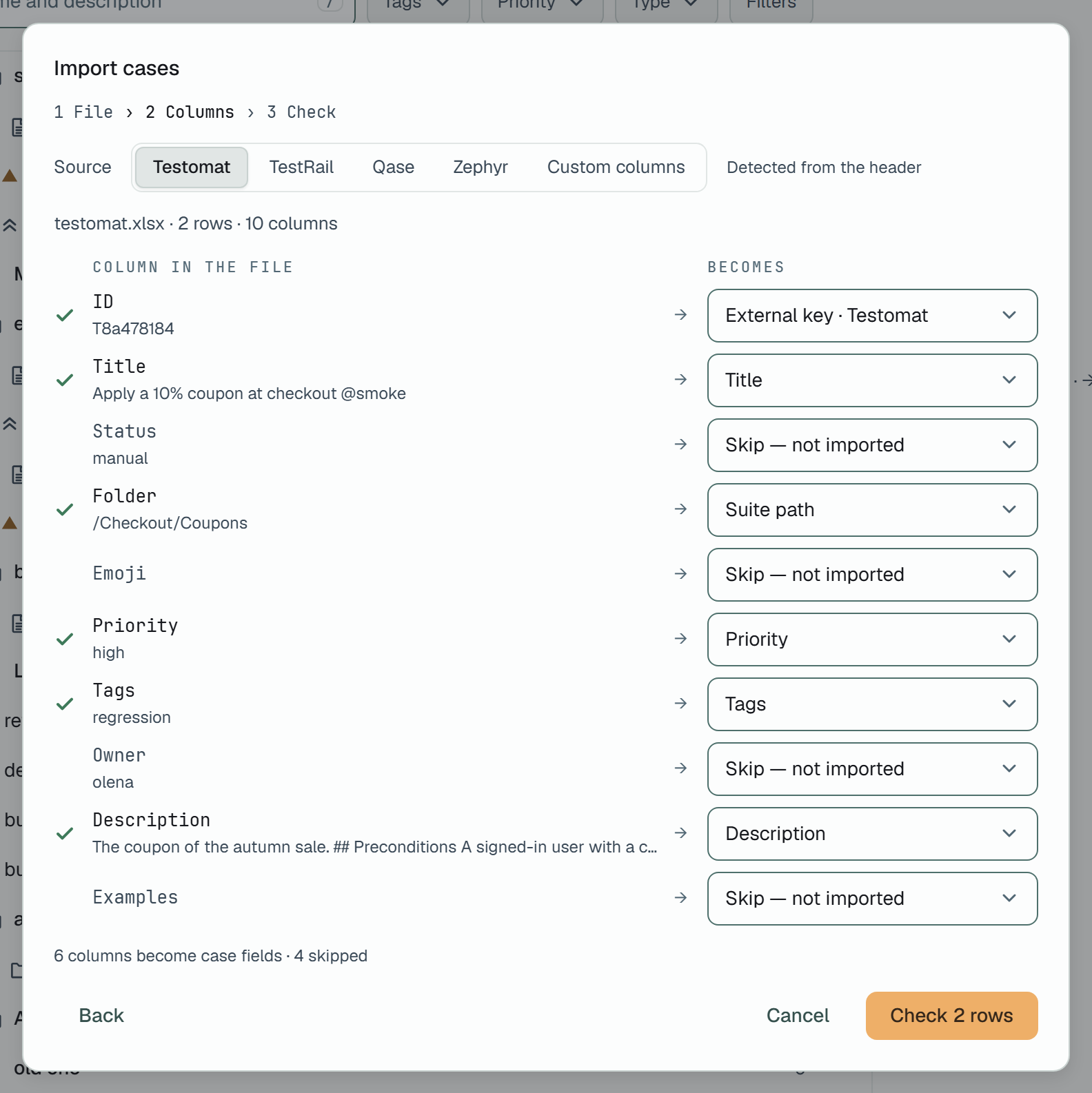
Check is a dry run on the server: the same plan the write would make, and nothing written.
The report groups the rows — to create, to update, unchanged, refused (open, each with its
row in the sheet and the reason) — then the folders and suites the file would make, and the project
against its limit: Shop web: 119 cases now · 121 after · the limit is 20,000.
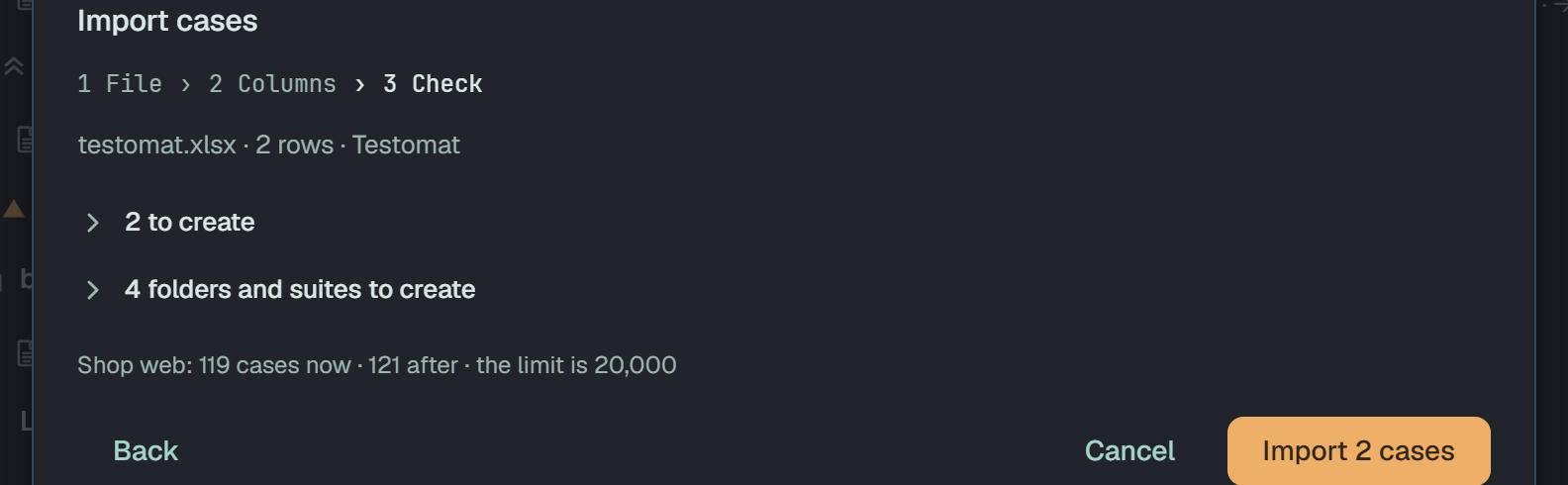
Import N cases writes it, with a bar of how far it got. Each case is its own write: if the import stops part-way, what was written stays; a file with a key column imported again adds the rest and updates the written cases by their key. At the end the dialog says how many went in and offers Open folder, which unfolds the tree to it.
What a file can say
Section titled “What a file can say”| A column becomes | What Plune does with it |
|---|---|
| Title | the case’s title — required; @tags in it are its tags |
| External key · tool | the case’s id in that tool (ID in Testomat, TestRail and Qase, Key in Zephyr) — how a second import finds the case |
| Suite path | A > B > suite (TestRail) or /A/B/suite (Testomat, Zephyr): folders, then the suite the case goes into |
| Suite ID, Parent suite ID | Qase’s suite ids, read only to nest its suites |
| Priority | low, normal (or medium), important, high, critical; none, not set and Qase’s undefined are none given. Any other word refuses the row |
| Description | the description — and when it is written in Testomat’s Markdown (## Preconditions, ## Steps with *Expected*:, ## Expected result), each section goes to its own field |
| Preconditions | the preconditions |
| Step, Expected result | the steps, each paired with its expected result: by number when both cells are numbered lists (1. Open the cart), else in order |
| Expected result of the case | the case’s own outcome, for a case that states one result |
| Tags | joined to the title as @tags; a word that is not a tag is left out with a warning |
| Flaky | yes, true or 1 marks the case flaky; nothing in a file clears the mark |
A row with a title (or a key) starts a case. A row with neither that has a step goes on with the case above it — TestRail and Zephyr write one step per row that way. Every case comes in as a manual case and a draft; a row with no step at all is refused (no step — a manual case needs at least one).
A case imported before is updated, not added twice. A key is matched in its tool’s namespace,
so the TestRail case C1 and the Testomat test C1 are two cases. A case whose fields already read
as the row says is unchanged and nothing is written for it — the same file twice changes nothing
the second time. A Custom columns file has no tool to key by: importing it again adds its cases
again. A key held by a case in the Bin refuses its row until that case is restored or deleted for
good. Nothing is deleted: a case the file does not name is not touched.
A workbook
Section titled “A workbook”An .xlsx is read from its first visible sheet, cell by cell, into the same header and rows a
CSV gives — from there it is the same import. Text is read as text, a number as the number Excel
stores (a date is its serial number), TRUE/FALSE as those words, and a formula as the value
Excel last saved for it: nothing in the file is ever calculated. An .xls (the old binary format)
or an .ods is not read — save it as .xlsx or .csv first.
Limits
Section titled “Limits”- 20,000 cases in a project. A file whose new cases would take the project past it is refused
whole — nothing is written — and the check says so first:
1,204 cases now and 19,180 new make 20,384 — over 20,000, the project's limit. Import a part of the file, or delete cases first. - A file of at most 10 MB, 20,000 rows and 200 columns; a workbook that unpacks past 100 MB is refused.
- 12 imports a minute a person — a check counts as one.
Exporting
Section titled “Exporting”Export XLSX — over the tree, in a folder’s ⋯ or in the pick’s ⋯ — says Preparing Shop web · 119 cases.xlsx — the download starts by itself. at the top of the page while the server makes the sheet, and the browser downloads it under that name: the project’s or the folder’s, and how many cases are in it. If it fails, the same place says why and offers Try again.
One sheet, Cases, its header row bold and frozen, in Testomat’s columns — the ones the import’s Testomat preset reads:
| Column | What is in it |
|---|---|
ID | the case’s Testomat id when it came from Testomat, so Testomat — or this import — updates it there; empty for every other case |
Title | the title with its @tags |
Status | the case’s type — manual, automated or eval |
Folder | /A/B/suite; A > B > suite when a name has a / in it |
Priority | the priority, when the case has one |
Description | the description, preconditions, steps and expected result as Testomat’s Markdown — the sections the import cuts back up |
Examples | the case’s parameters as their Markdown table |
Unfiled cases come first, then each suite in the tree’s order. Imported back, the sheet makes
the same manual cases — title, priority, description, preconditions, steps and expected result —
in a new folder named after the file. What does not come back: an automated or an eval case (it has
no steps, so its row is refused), the parameters (the preset skips Examples), and anything a case
has beyond the columns above. A case with an empty ID comes back as a new case, not as an update
of the one it was exported from.
The API
Section titled “The API”# check a file: the report, and nothing writtencurl -X POST -H "Authorization: Bearer $PLUNE_TOKEN" -H "content-type: text/csv" \ --data-binary @testrail-cases.csv \ "https://beta-api.plune.ai/v1/test-cases/import?dryRun=true&file=testrail-cases.csv"
# a workbook goes the same way, under its own typecurl -X POST -H "Authorization: Bearer $PLUNE_TOKEN" \ -H "content-type: application/vnd.openxmlformats-officedocument.spreadsheetml.sheet" \ --data-binary @cases.xlsx "https://beta-api.plune.ai/v1/test-cases/import?file=cases.xlsx"| Query | |
|---|---|
dryRun=true | report what the file would do, write nothing |
source | testomat, testrail, qase, zephyr or custom; absent, the header decides |
columns | the field of each column, comma-separated in the file’s order — skip, title, key, suitePath, suiteId, suiteParent, priority, description, precondition, step, stepExpected, expected, tags, isFlaky; absent, the source’s preset and the fields’ own names |
file | the file’s name — the default folder’s, and the suite’s for rows with no path |
folder | the name of the folder at the top of the tree to import into, made if there is none |
folderId | a folder to import into instead (not both) |
The answer is 200 with the report — created, updated, unchanged, refused (with row and
error), suites.created, warnings and ceiling (now, after, limit). With Accept: application/x-ndjson a write answers line by line, {"progress":{"done","total"}} as it goes and
the report last. 400 is a file that does not read, a columns that does not fit it, or no column
for the title; 404 a folderId that is not in the project; 413 a body over 10 MB; 415 a body
that is neither text/csv (or text/plain) nor a workbook; 429 a write past the project’s limit.
# the tree; a folder or a suite with everything under it; single cases — together for a pickcurl -H "Authorization: Bearer $PLUNE_TOKEN" -o cases.xlsx https://beta-api.plune.ai/v1/test-cases/exportcurl … "https://beta-api.plune.ai/v1/test-cases/export?suiteId=<id>"curl … "https://beta-api.plune.ai/v1/test-cases/export?suiteId=<id>&caseId=<id>&caseId=<id>"GET /v1/test-cases/export answers the workbook; X-Plune-Cases counts its rows. suiteId and
caseId repeat; one that is not in the project is 404. It is a read, so a reader of the project
may export too.