

Plans and limits
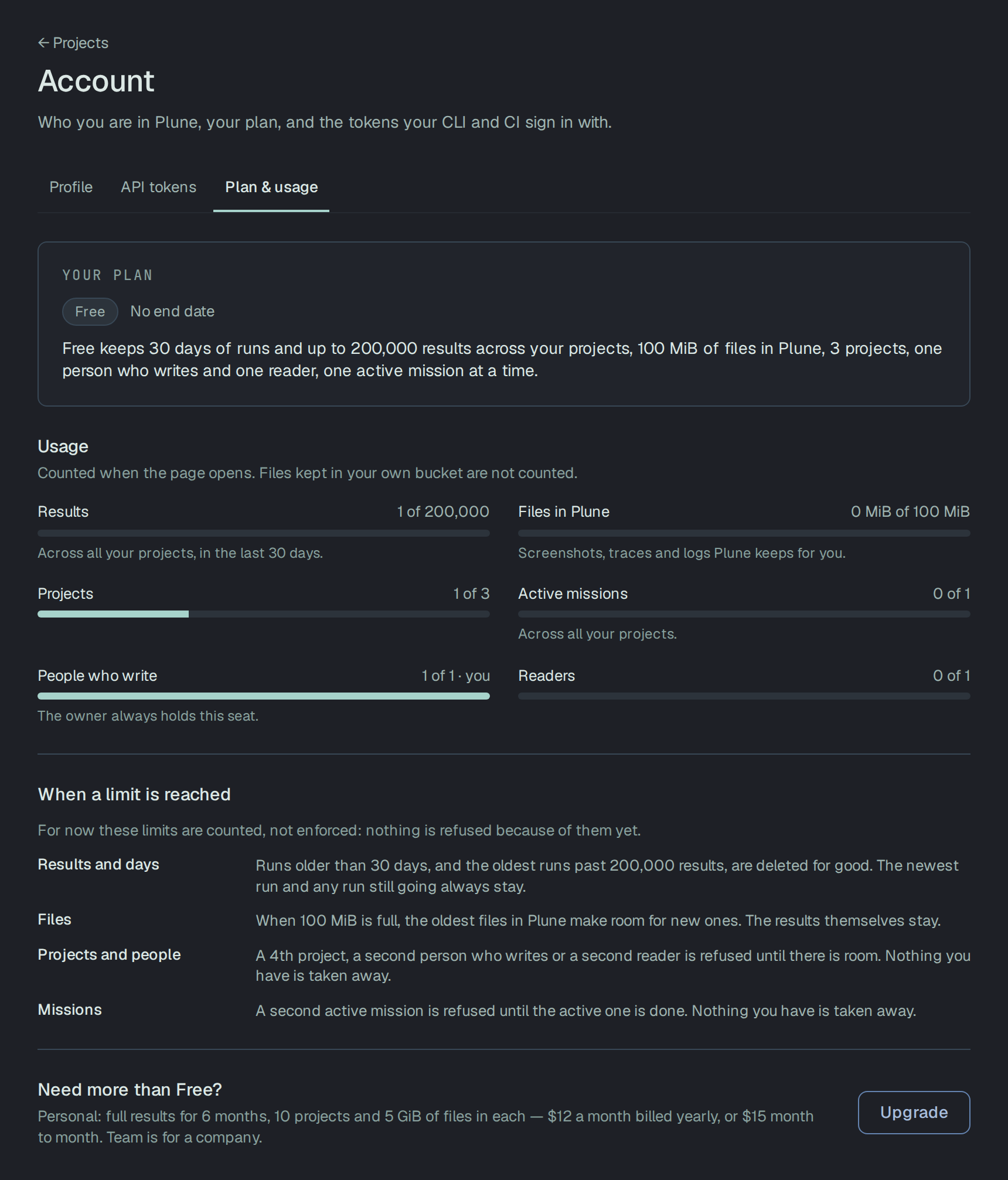
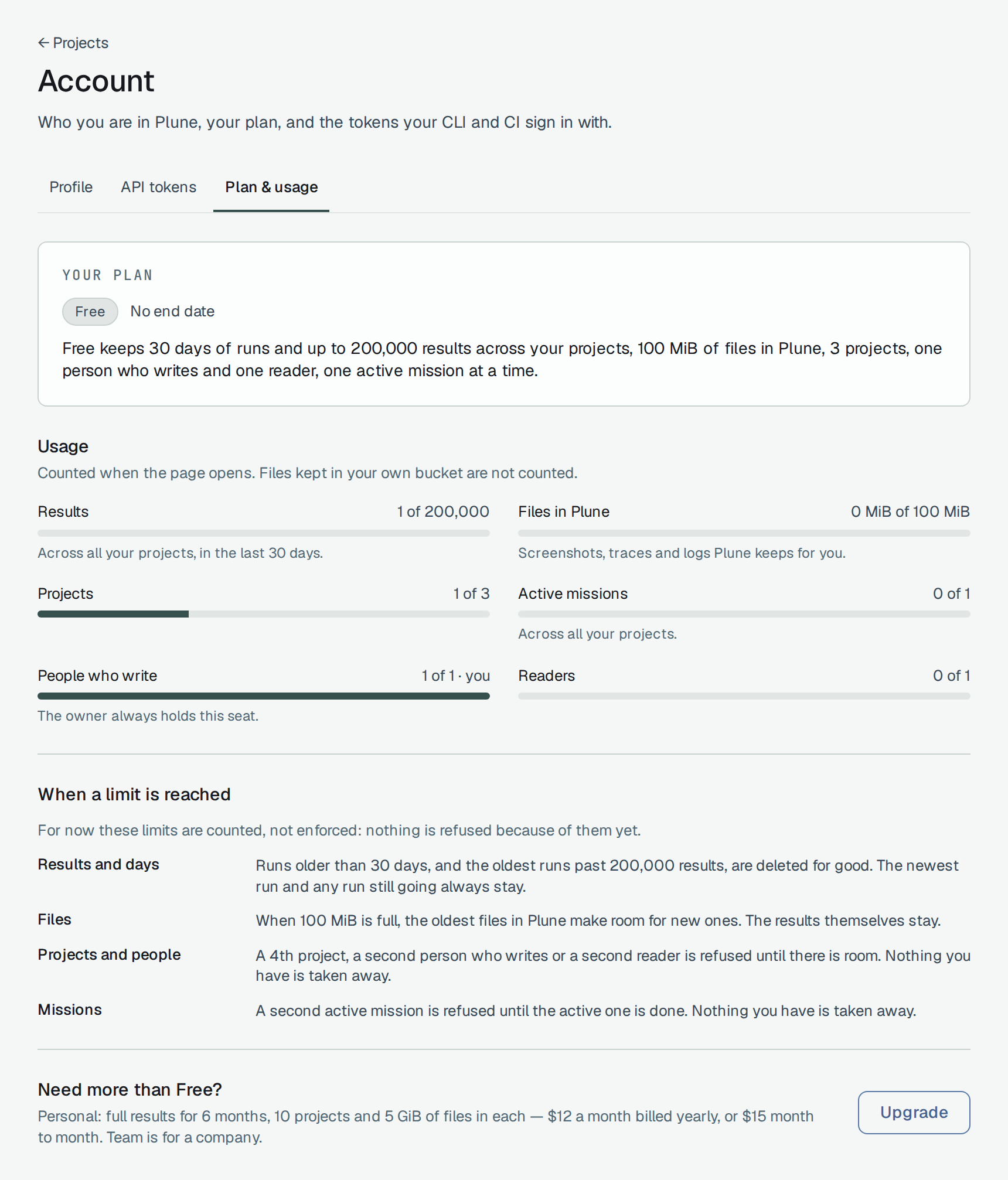
A new account is on Free, and so is a new company. Free and Personal belong to your account; Team and Enterprise belong to a company.
Your plan and what your projects use against it are on Account → Plan & usage; a company’s are on its Settings tab. The quotas — runs in 24 hours, test cases, bugs, the review queue — are a separate list, the same on every plan.
The plans
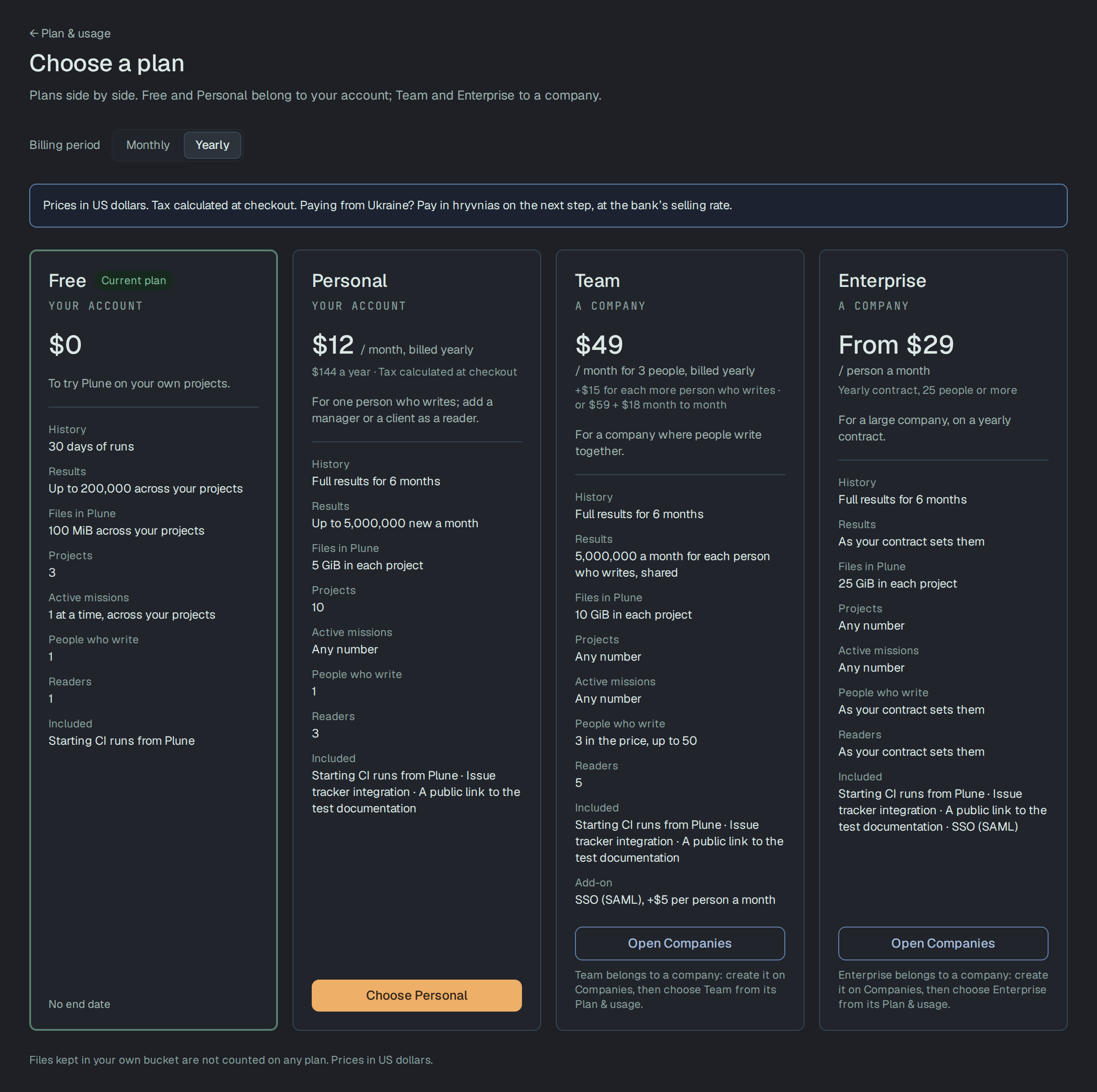
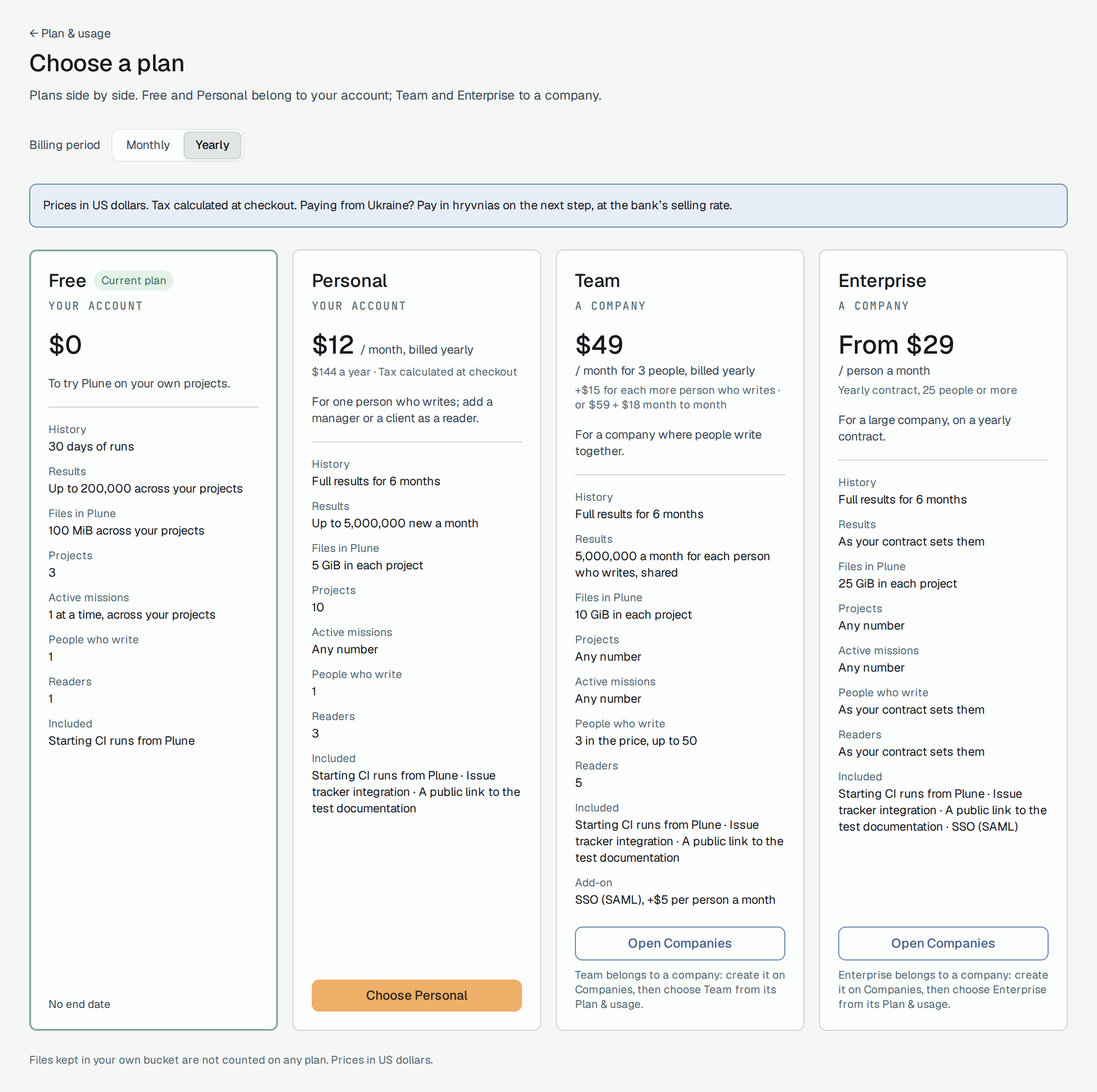
Section titled “The plans”Prices are in US dollars and do not include tax: where tax applies, it is added on top of the price and calculated at checkout. Choose a plan shows the rows from History to Readers, and under Included the issue tracker integration, the public link to the test documentation and single sign-on; the API requests and project memory rows are limits Plune keeps for each plan, not shown there.
| Free | Personal | Team | Enterprise | |
|---|---|---|---|---|
| Price | $0 | $15 a month, or $144 a year ($12 a month) | $59 a month for 3 people who write, or $588 a year ($49 a month); +$18 a month, or +$180 a year, for each more person who writes | From $29 a person a month, on a yearly contract for 25 people or more |
| History | 30 days of runs | Full results for 6 months | Full results for 6 months | Full results for 6 months |
| Results | Up to 200,000 across your projects | Up to 5,000,000 new a month | 5,000,000 a month for each person who writes, shared | As your contract sets them |
| Files in Plune | 100 MiB across your projects | 5 GiB in each project | 10 GiB in each project | 25 GiB in each project |
| Projects | 3 | 10 | Any number | Any number |
| Active missions | 1 at a time | Any number | Any number | Any number |
| People who write | 1 — the owner | 1 | 3 in the price, up to 50 | As your contract sets them |
| Readers | 1 | 3 | 5 | As your contract sets them |
| API requests | 80 a minute | 300 a minute | 600 a minute | No limit |
| Project memory | Not on Free | Yes | Yes | Yes |
| Issue trackers (Jira) | Not on Free | Yes | Yes | Yes |
| A public link to the test documentation | Not on Free | Yes | Yes | Yes |
| Single sign-on (SAML) | — | — | An add-on, +$5 a person a month | Included |
The 3 projects of Free are your own account’s: a company’s projects are not limited on any plan, and Choose a plan for a company says No limit for a company. Files in your own bucket are not counted on any plan. The API request limit is counted for each person, across their API tokens, by the plan of the token’s project; what CI sends is not counted in it.
The Free plan
Section titled “The Free plan”| Limit | On Free | Counted over |
|---|---|---|
| History | 30 days of runs, and up to 200,000 results | All your own projects together |
| Files in Plune | 100 MiB | All your own projects together. Files in your own bucket are not counted |
| Projects | 3 | The projects you own outside a company |
| People who write | 1 — the owner | |
| Readers | 1 | A person who writes is not counted as a reader |
| Active missions | 1 at a time | All your own projects together. A project in the Bin is not counted |
| API requests | 80 a minute with an API token, for reading and managing | Each person, across their API tokens, by the plan of the token’s project |
| Project memory | Not on Free | |
| Issue trackers (Jira) | Not on Free | |
| Public link to the test documentation | Not on Free. Export works on every plan |
A company on Free has the same limits over the company’s projects, apart from the number of projects: a company’s projects are not limited.
- CI is not slowed by the plan. What CI sends — runs, results and their files — is not counted in the 80 a minute, on any plan. Requests from the dashboard in your browser are not counted either.
- Project memory — the rules an agent works from — is kept in Plune on the paid plans. On Free a
project keeps no rules in Plune; keep them as a file in the repository,
plune/memory/rules.md. - Issue trackers — connecting Jira, importing bugs from it, making cases from a Jira ticket — are on the paid plans. Disconnecting Jira is never refused.
When a limit is reached
Section titled “When a limit is reached”The first four rows are what When a limit is reached on Plan & usage says, word for word.
| Limit | What happens |
|---|---|
| History | Runs older than 30 days, and the oldest runs past 200,000 results, are deleted for good. The newest run and any run still going always stay |
| Files in Plune | When 100 MiB is full, the oldest files in Plune make room for new ones. The results themselves stay |
| Projects and people | A 4th project, a second person who writes or a second reader is refused until there is room. Nothing you have is taken away |
| Active missions | A second active mission is refused until the active one is done. Nothing you have is taken away |
| API requests | A request over 80 in a minute is refused with 429 and a Retry-After header |
| Project memory, issue trackers, the public link to the test documentation | Refused, with a sentence that says it is part of the paid plans |
The history is cleaned once a night. A run it deletes does not go to the Bin and cannot be brought back; its results and their files go with it. Runs already in the Bin are not counted.
Files copied into a bug are never removed to make room. When only they fill the 100 MiB, a new file is refused instead.
Reading your usage through the API
Section titled “Reading your usage through the API”GET /v1/usage answers with what Plan & usage shows: your account and each company you own or
administer, the plan, its limits, and per project and in total what is used. It is read with your
signed-in session, as the dashboard reads it; an API token is answered 401:
curl -H "Authorization: Bearer $PLUNE_TOKEN" https://beta-api.plune.ai/v1/usage# {"error":"sign in required"}With the session, pass the value of the plune_session cookie of a browser signed in to
beta.plune.ai (see The session cookie):
curl -H "Cookie: plune_session=$PLUNE_SESSION" https://beta-api.plune.ai/v1/usageThe answer from the beta, trimmed: the account with the first of its three projects, and its
companies left out. companies lists each company you own or administer in the same shape as
account:
{ "account": { "subject": { "kind": "user", "id": "u-john-doe" }, "label": "user@plune.ai", "tier": { "tier": "personal", "tierState": "active", "options": { "seats": 1 }, "tierValidUntil": "2026-12-18T18:56:28.834Z", "tierGraceEndsAt": null }, "limits": { "projects": 10, "writeSeats": 1, "readerSeats": 3, "fileBytes": 5368709120, "fileBytesPer": "project", "results": 5000000, "resultsPer": "month", "historyDays": null, "resultsThisMonth": 5000000, "activeMissions": null }, "usage": { "members": 2, "cases": 573, "runs": 267, "results": 130138, "files": 30399, "fileBytes": 2630042860, "bucketFiles": 43835, "aiDraftsThisMonth": 1, "activeMissions": 0, "projects": 3, "writeSeats": 2, "readerSeats": 0, "resultsThisMonth": 10315 }, "nearLimit": [ "writeSeats" ], "onFree": null, "projects": [ { "projectId": "7d2e4f1a-9b3c-4e5d-8a6f-0c1b2d3e4f50", "name": "plune-test", "members": 2, "cases": 570, "runs": 267, "results": 79689, "files": 30313, "fileBytes": 2624561972, "bucketFiles": 43835, "aiDraftsThisMonth": 1, "activeMissions": 0 } ] }, "companies": [], "enforcement": "enforce", "note": "Rows are counted, not measured: results, cases and runs are numbers of rows, not the bytes they take in the database. Only files are in bytes, and only those kept in the database (a file in the customer’s bucket is counted, not measured). Cases and runs in the Bin are not counted; results and files are counted as long as they are stored."}limitsare the plan’s:nullmeans no limit.fileBytesPerandresultsPersay what a limit is counted over — a project, the account, a month.usageis counted, not measured: cases, runs and results are numbers of rows; only files are in bytes.nearLimitnames each limit used 80% or more of; here one person who writes is over the one seat Personal has.enforcementis"report"while the limits are only counted and"enforce"once they are refused, as on the beta now.
Paying for a plan
Section titled “Paying for a plan”Personal is bought for your own account; Team only by the owner of the company it is for. A manager reads the company’s plan with no button: Only the owner of the company manages and pays for its plan — ask them to change it.
-
On Plan & usage, Upgrade opens Choose a plan: the four plans side by side, your current one marked. For a company, its owner opens it from the company’s Plan & usage, and the page reads Choose a plan for the company’s name.
-
Pick Monthly or Yearly under Billing period; the page starts on Yearly. For Team, set how many people write: 3 are in the price, up to 50.
-
Choose Personal or Choose Team opens How do you pay? on the same page, with Your order beside it: the plan, the price, the Next payment and how it is Paid through.
-
Pick where your card is from, then Continue to the provider. You pay on the provider’s page: your card details never reach Plune.
| Way to pay | For | What you pay |
|---|---|---|
| plata by mono | In hryvnias · any bank card, Apple Pay, Google Pay | The dollar price in hryvnias at the bank’s selling rate of the day, rounded up to a whole hryvnia |
| Card in US dollars · Paddle | Any other country | The dollar price, with tax added on top where it applies |
The step opens on the hryvnia way to pay when the app is in Ukrainian, on Paddle otherwise; you can pick the other one before you continue.
When you come back, Plan & usage shows the plan once the provider confirms the payment: Payment received — you are on the plan until the end of the paid period. If you did not complete the payment, nothing was charged. For a plan paid through Paddle, View receipt beside that line opens the subscription’s page in Paddle’s customer portal, in a new tab.
- From your account, Team and Enterprise lead to Open Companies: they belong to a company, so you create one first and choose the plan from its Plan & usage.
- Enterprise is a contract, never a card payment: Contact us. Its price, renewal and refunds follow the contract.
- The single sign-on add-on of Team is not part of the card payment. The company’s Single sign-on section has Request a change for it — More people who write, or the SSO add-on on or off.
- When a way to pay is not switched on yet, the step says Payments through the provider are not switched on yet and offers the other way to pay or Send a request: Personal or Team is then switched on by hand within 1 working day, and nothing is charged.
A plan already paid for is not bought twice: the step says the plan is already paid for here. Nothing was charged — see it in Plan & usage.
Renewing, changing and cancelling
Section titled “Renewing, changing and cancelling”A paid plan renews for the period you chose until you cancel it.
- In US dollars (Paddle), the plan renews by itself at the end of each period.
- In hryvnias (monobank), the card is not charged by itself. Seven days before the paid period ends, a letter brings a link to pay for the next one — Plune: pay for the next period of your plan — and Plan & usage shows Pay for the next period. The amount is the dollar price at the bank’s selling rate of that day.
Manage on Plan & usage shows how you pay and when the plan renews. On Team it changes the number of people who write: more count from today, and their share of the paid period is added to the next payment; fewer count from the next period. A plan paid in hryvnias can also switch between monthly and yearly from the next period; a plan paid through Paddle keeps its period. For a plan paid through Paddle, Update payment under Manage opens Paddle’s customer portal in a new tab, where the card is changed.
Cancel subscription, under Manage, asks first: No more payments. The plan stays until the end of the period you paid for, keeps its limits 14 days more, and then the account or the company moves to Free. Nothing is deleted by cancelling. Until the period ends, Resume takes the cancellation back.
A renewal that is not paid leaves the plan to the end of the paid period, then its 14 days. For a plan paid in hryvnias, Plan & usage then says The payment for the plan did not go through and asks you to pay for the next period before the 14 days are over, or the account or the company moves to Free; a link that expired unpaid is sent again, at most once a day, until then. For a plan paid through Paddle, a renewal Paddle could not charge changes nothing in Plune until Paddle stops the subscription; Billing then says Stopped by Paddle — nothing more is charged, and the plan ends as below.
A refund is asked for, not clicked: the Refund Policy says who handles it and when — a full refund of the last payment, within 14 days of that payment. A full refund moves the account or the company to Free the same day, without the 14 days. Plan & usage says so: Free’s limits apply now, and what is above them is deleted 14 days after the refund — we write before that.
When a paid plan ends
Section titled “When a paid plan ends”A plan that ends — cancelled or not renewed — keeps its limits for 14 more days, and nothing is deleted in that time. A plan switched off moves to Free at once, but nothing is deleted for 14 days either. A notice at the top of Plan & usage says until when.
In those 14 days Plan & usage counts what Free will do on the day they end, and letters say it too — 14 days and 3 days before, and on the day:
- runs older than 30 days or past 200,000 results are deleted for good; the newest run stays;
- files in Plune past 100 MiB make room as new ones arrive;
- projects, people who write and readers over Free’s limits stay; a new one is refused while there are too many.
While the history cleanup only counts, Plan & usage says so: For now this is only counted: nothing is deleted yet.
Backups
Section titled “Backups”Plune copies its database every night, to restore Plune after a failure. The copy is for restoring the whole of Plune, not single runs on request: a run the cleanup deleted is not brought back from it.
| What is in the copy | Your projects, cases, runs and results, and the rest of what the database keeps. The files in Plune attached to results — screenshots and text — are not in it, and neither is your own bucket |
| Where | On Plune’s server, and a copy off it in Cloudflare R2, encrypted before it leaves the server |
| How long | On the server, 7 days. Off it, one copy for each of the last 7 days, the last 4 weeks and the last 3 months: the oldest point a restore can go back to is up to three months ago |
After a restore from the copy, results come back without the files attached to them; runs after the restore upload their own.
Questions
Section titled “Questions”Write to hello@plune.ai with the plan, the account or company, and what you need.