

Single sign-on
Single sign-on (SSO) is a section of a company’s Settings tab: People on your company’s email domains sign in to Plune through your identity provider (SAML). It works by email domain. Once the company has proved that a domain is its own, a person with an address on that domain signs in through the company’s identity provider, and the company’s owner can make that the only way in.
Single sign-on is an add-on of the Team plan and is included in Enterprise. A company without it reads not in your plan beside the section’s title, with Request a change. The add-on, +$5 a person a month, is not part of the card payment for Team: it is switched on by hand. Your company’s plan is on its Plan & usage; prices are on Plans and limits.
Who sees it
Section titled “Who sees it”| Company role | The section |
|---|---|
| Owner | sets it up: everything on this page |
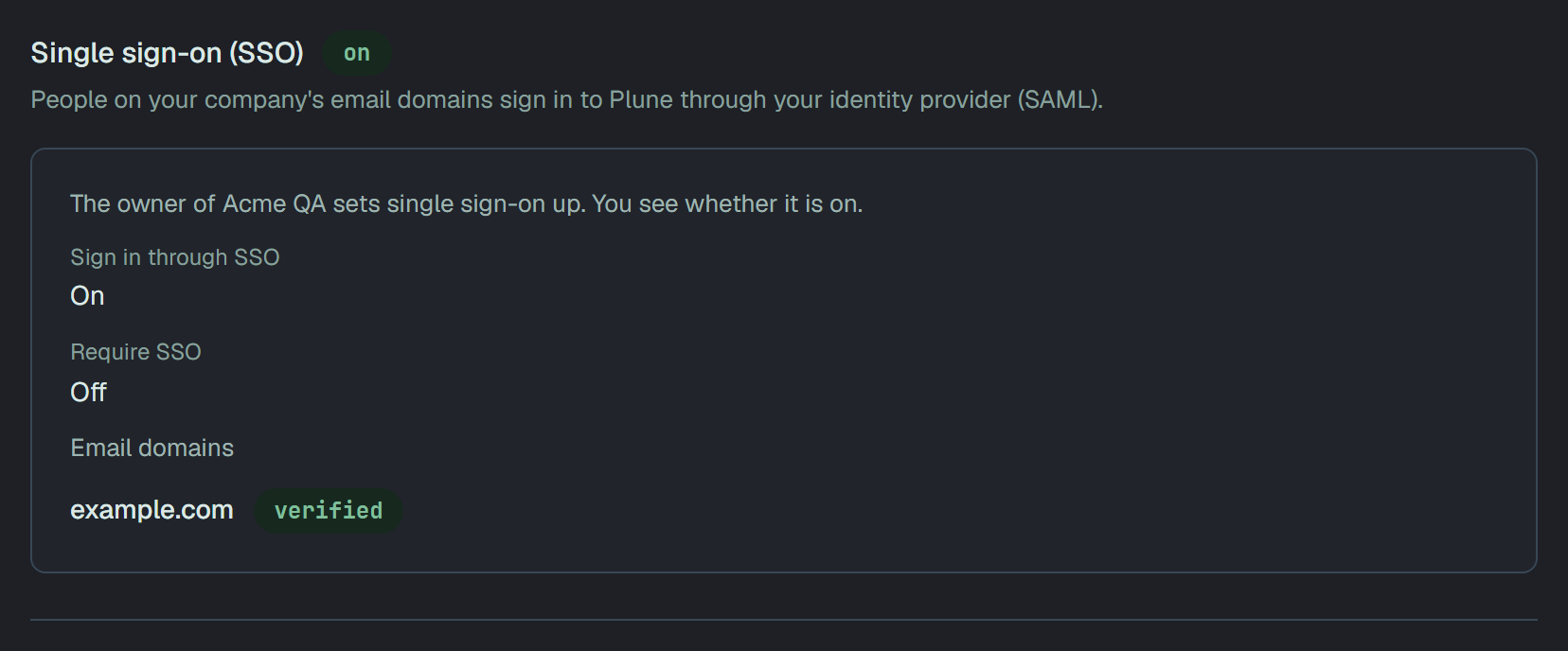
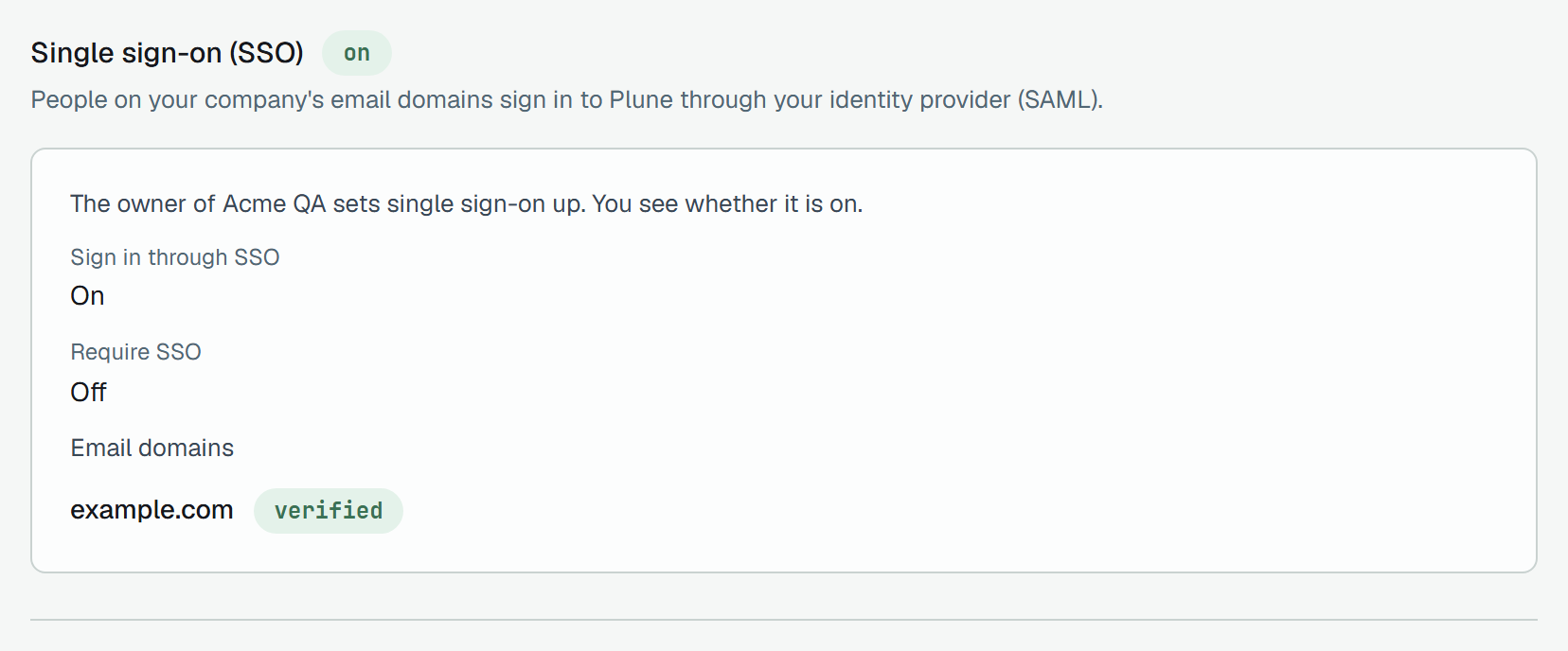
| Manager | reads it: whether Sign in through SSO and Require SSO are on, and the email domains, each verified or not verified. No field, switch or button |
| Member, Read-only | no Settings tab; its address opens the company’s Projects |
A manager reads The owner of Acme QA sets single sign-on up. You see whether it is on.
Before you start
Section titled “Before you start”Plune’s side of SAML asks four things of the identity provider:
- It signs its responses or its assertions, with SHA-256. An unsigned response is refused, and so is one signed with an algorithm Plune does not accept, such as SHA-1.
- It sends the person’s email address, as the NameID or as an attribute.
- The sign-in starts at Plune: Plune sends the request, and the provider answers it. A response that answers no request of Plune’s is refused, so a tile in the provider’s portal opens Plune’s start address (see How people sign in).
- It returns the RelayState that Plune sent, unchanged.
The domain is your company’s own: a mail provider’s domain, such as gmail.com, cannot be added.
Set it up
Section titled “Set it up”-
Open the company, then Settings. The section reads Single sign-on (SSO), marked not set up.
-
1 · Give these to your identity provider holds two addresses, each with copy: the Entity ID (Audience) — also the metadata address and the ACS URL (Reply URL). Make a SAML application for Plune in your identity provider with them. Plune makes both from its own address and the company’s id, so there is nothing to type; the entity ID is also where the provider can read Plune’s metadata.
-
In 2 · Your identity provider, paste the provider’s metadata into Metadata XML (optional): Paste it and Plune fills the three fields below. Plune keeps the fields, not the XML. The three are IdP entity ID (Issuer), IdP sign-in URL (an https address; from the metadata, the HTTP-Redirect sign-in address, else the first one listed) and IdP certificate. XML that Plune cannot read says Plune could not read this XML. Fill the three fields below by hand., and you fill them from the provider’s page.
-
Choose what a newcomer gets. New people join as is Member or Read-only, never Manager or Owner. Add people on first sign-in, off at first: Someone from a verified domain who is not in Acme QA yet joins it as Member the first time they sign in. Off: only people already in the company or invited get in.
-
In 3 · Email domains, type a Domain and press Add domain. A company holds up to 20.
-
Press Save.
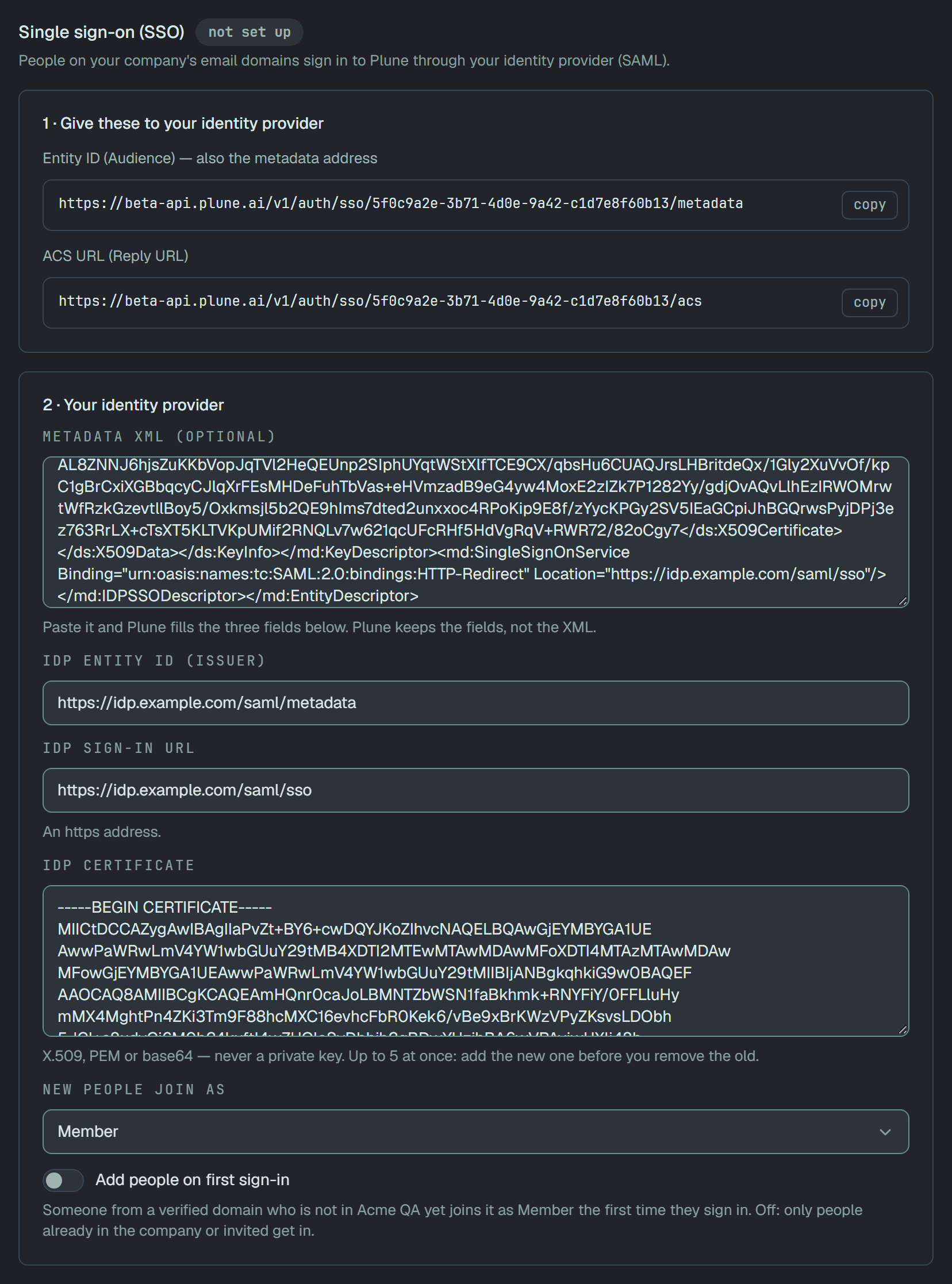
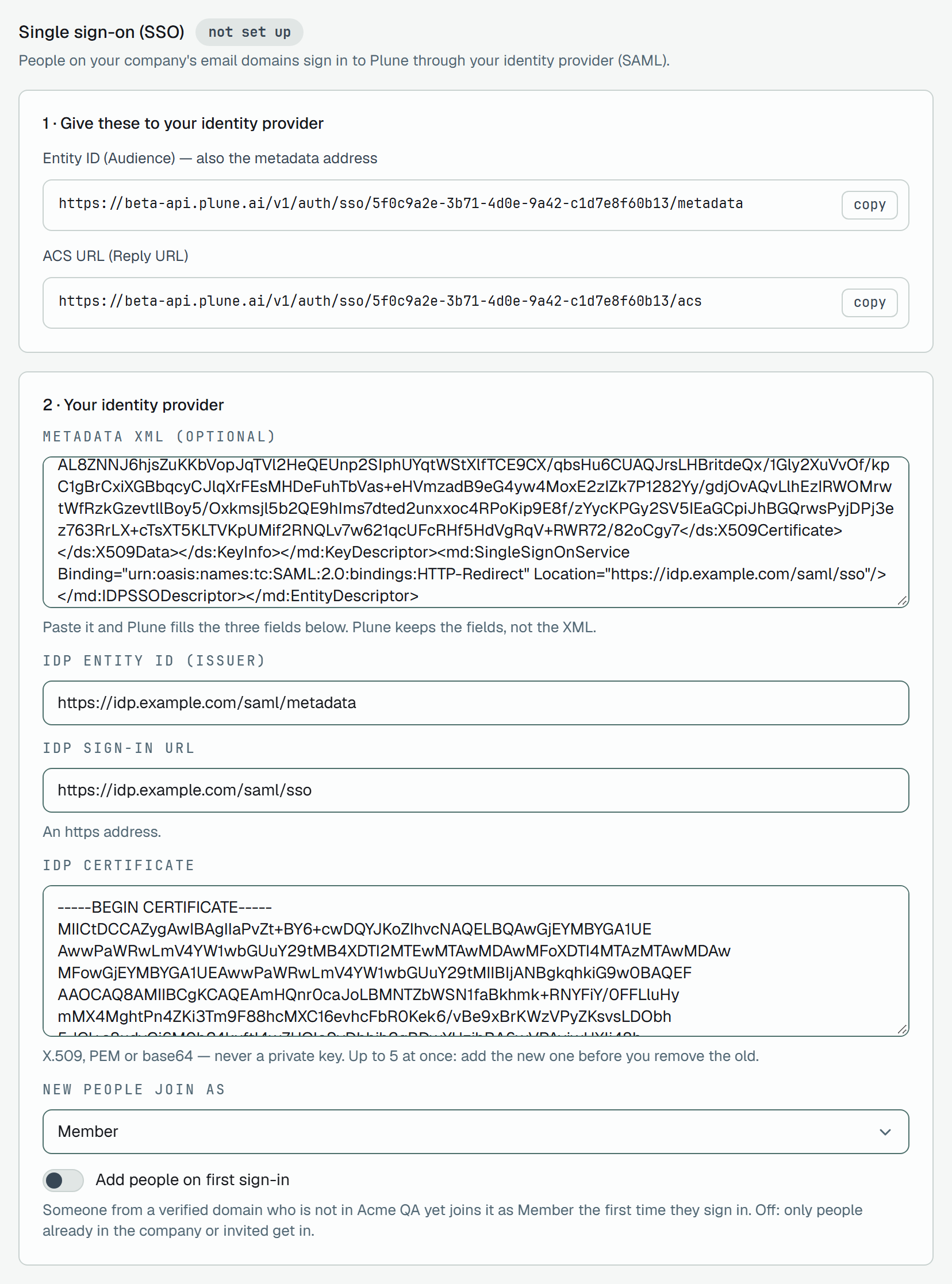
The certificate is the provider’s X.509 certificate, PEM or base64, never a private key. The field takes up to five at once, so a new certificate goes in next to the old one before the old one is removed. One Plune cannot read is refused under the field: This is not a certificate Plune can read. Paste the identity provider’s X.509 certificate (PEM or base64) — never a private key.
After Save the section shows the Identity provider card: the IdP entity ID, each Certificate with its subject and the day it is valid until, and what new people join as. Edit opens the fields again.
Prove a domain with a TXT record
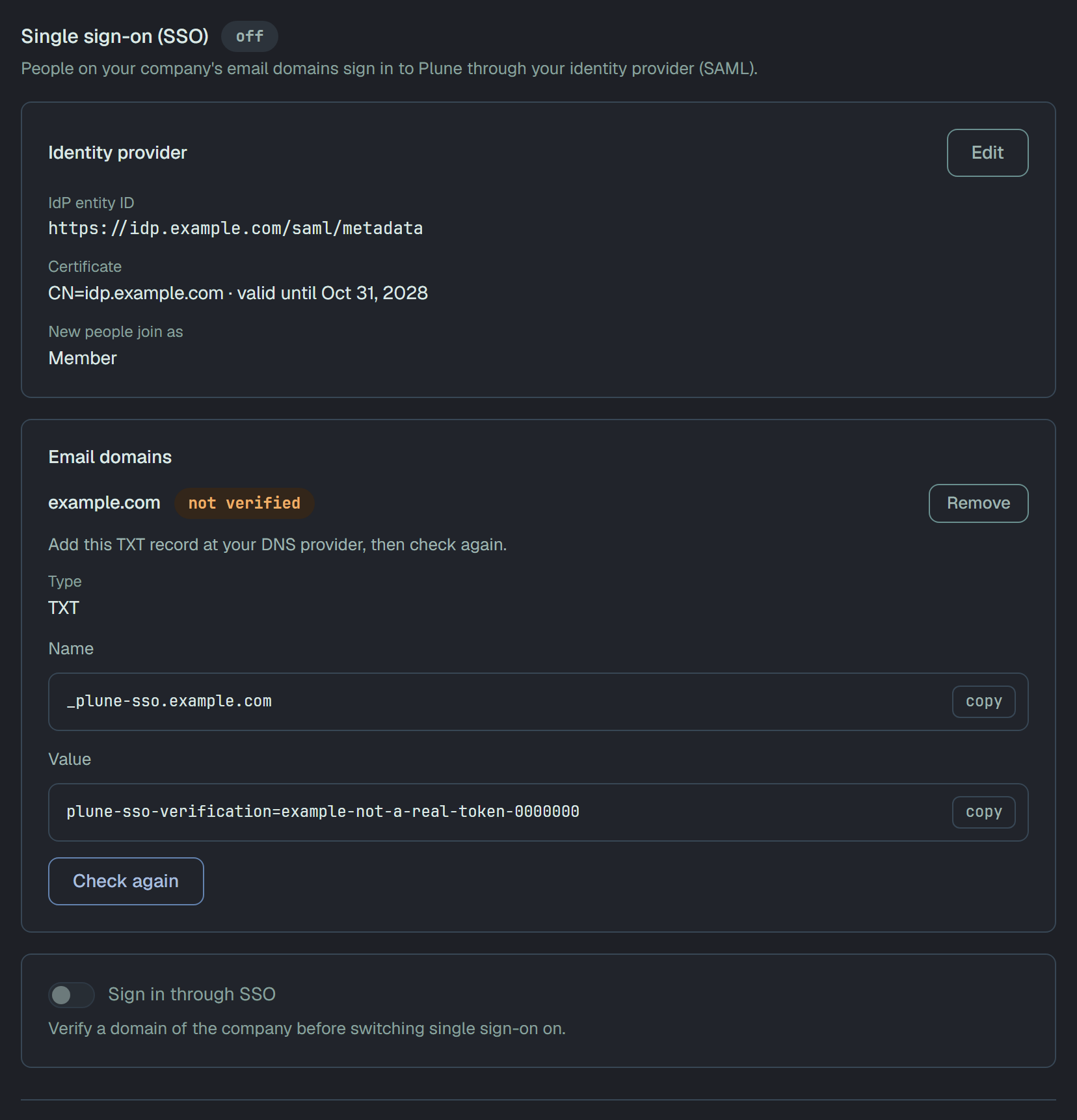
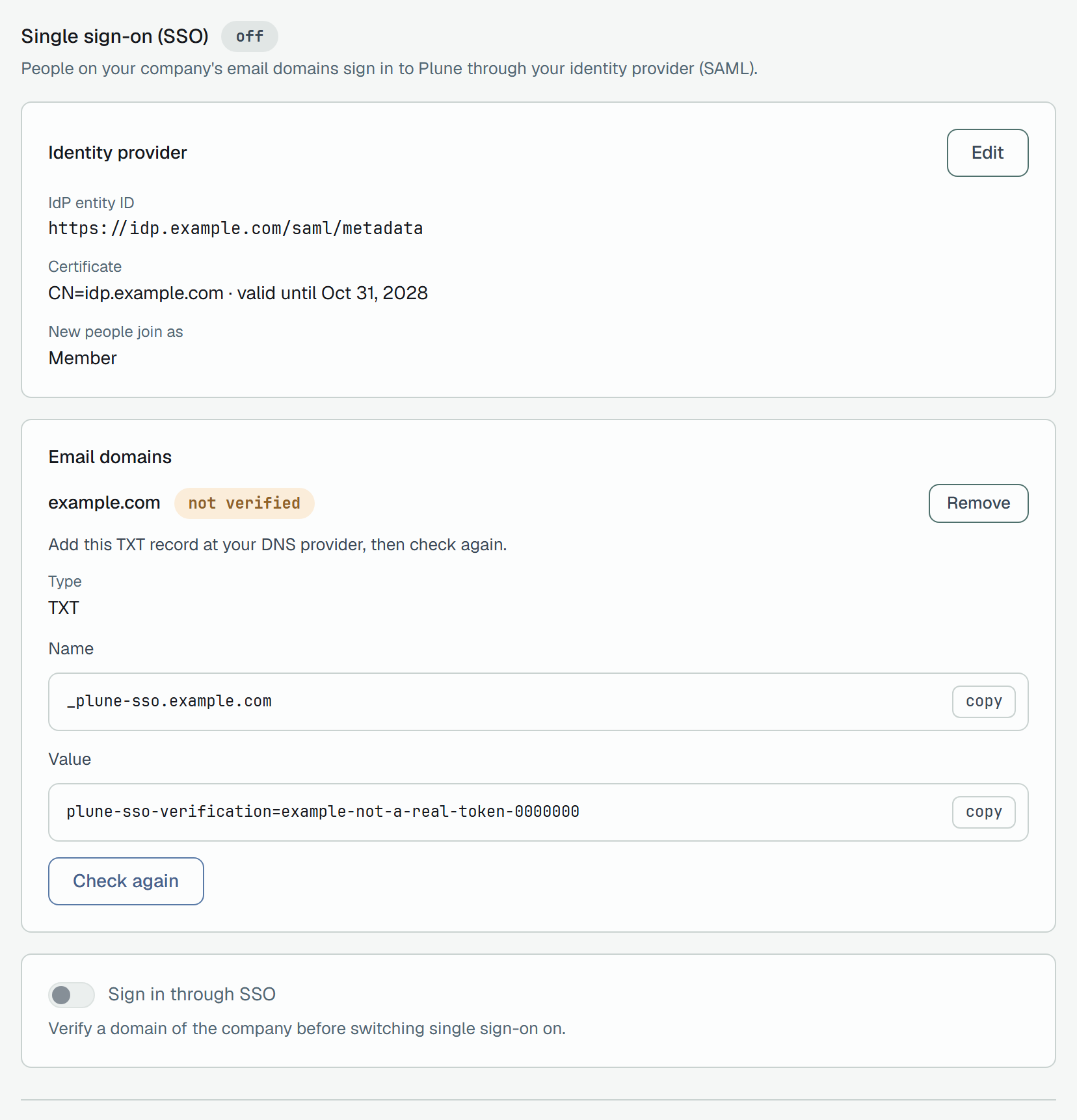
Section titled “Prove a domain with a TXT record”A domain that is not verified shows the DNS record that proves it is the company’s: Add this TXT record at your DNS provider, then check again.
| Type | TXT |
| Name | _plune-sso. and the domain — _plune-sso.example.com |
| Value | plune-sso-verification= and a token of that domain — copy it from the section |
Add the record at your DNS provider, then press Check again. While DNS has not got it yet, the section says The TXT record was not found yet. DNS can take a while to update — check again later.; when DNS cannot be asked, The DNS record could not be read. Try again later. A record that is found marks the domain verified.
- A domain another company has already verified cannot be verified again.
- Keep the record. About once an hour Plune asks DNS again about the domains verified more than a day ago. A domain whose record has gone loses its verification, and when the company has no verified domain left, Require SSO goes off.
- Remove takes a domain off the list. When it was the last verified one, single sign-on and Require SSO both go off.
Switch it on and test
Section titled “Switch it on and test”-
Turn on Sign in through SSO. Until a domain is verified the switch is grey: Verify a domain of the company before switching single sign-on on. Press Save.
-
Test sign-in appears under the switch. Press it: Plune sends you to your identity provider. Sign in there as yourself, with your own address on a verified domain.
-
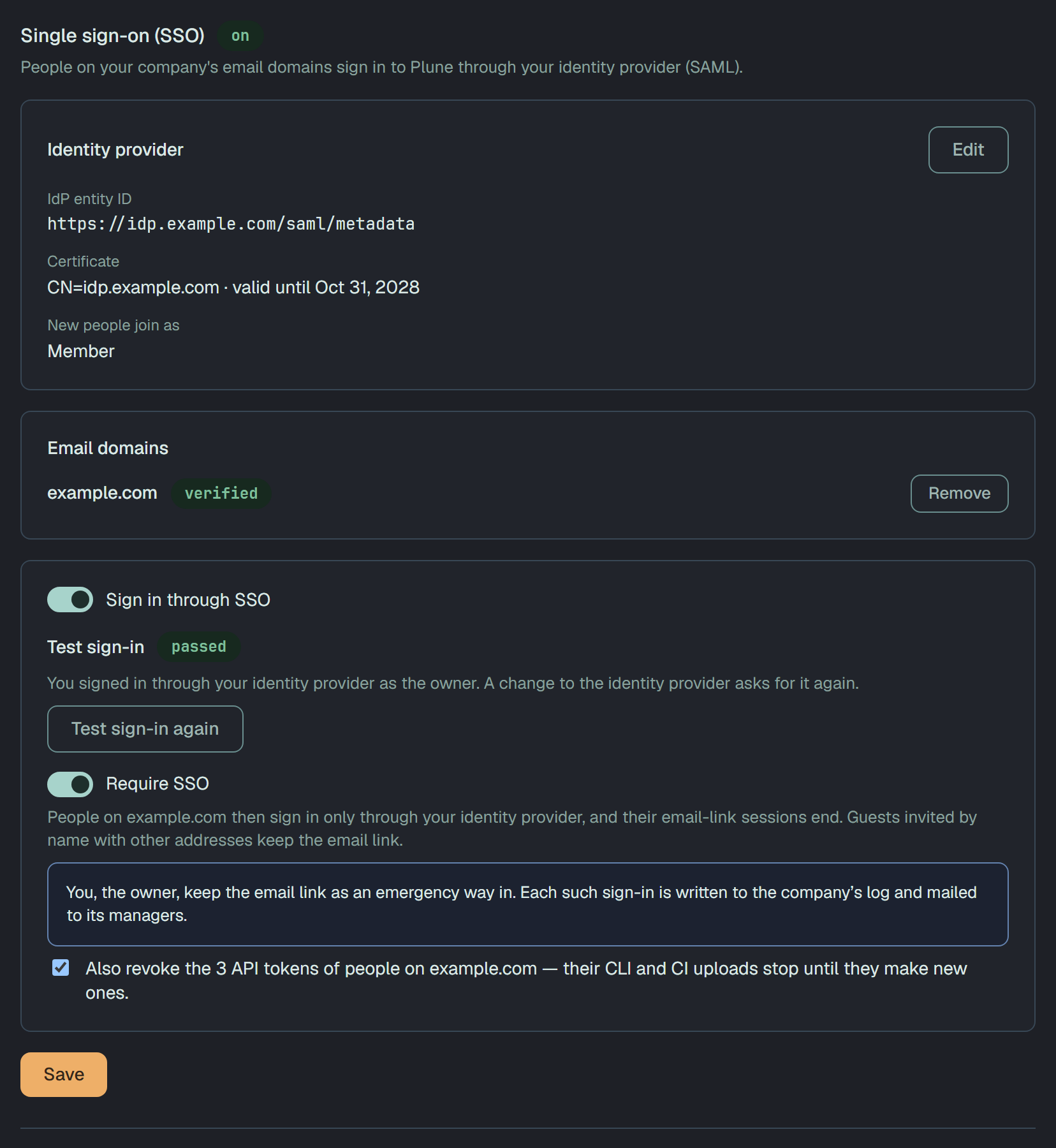
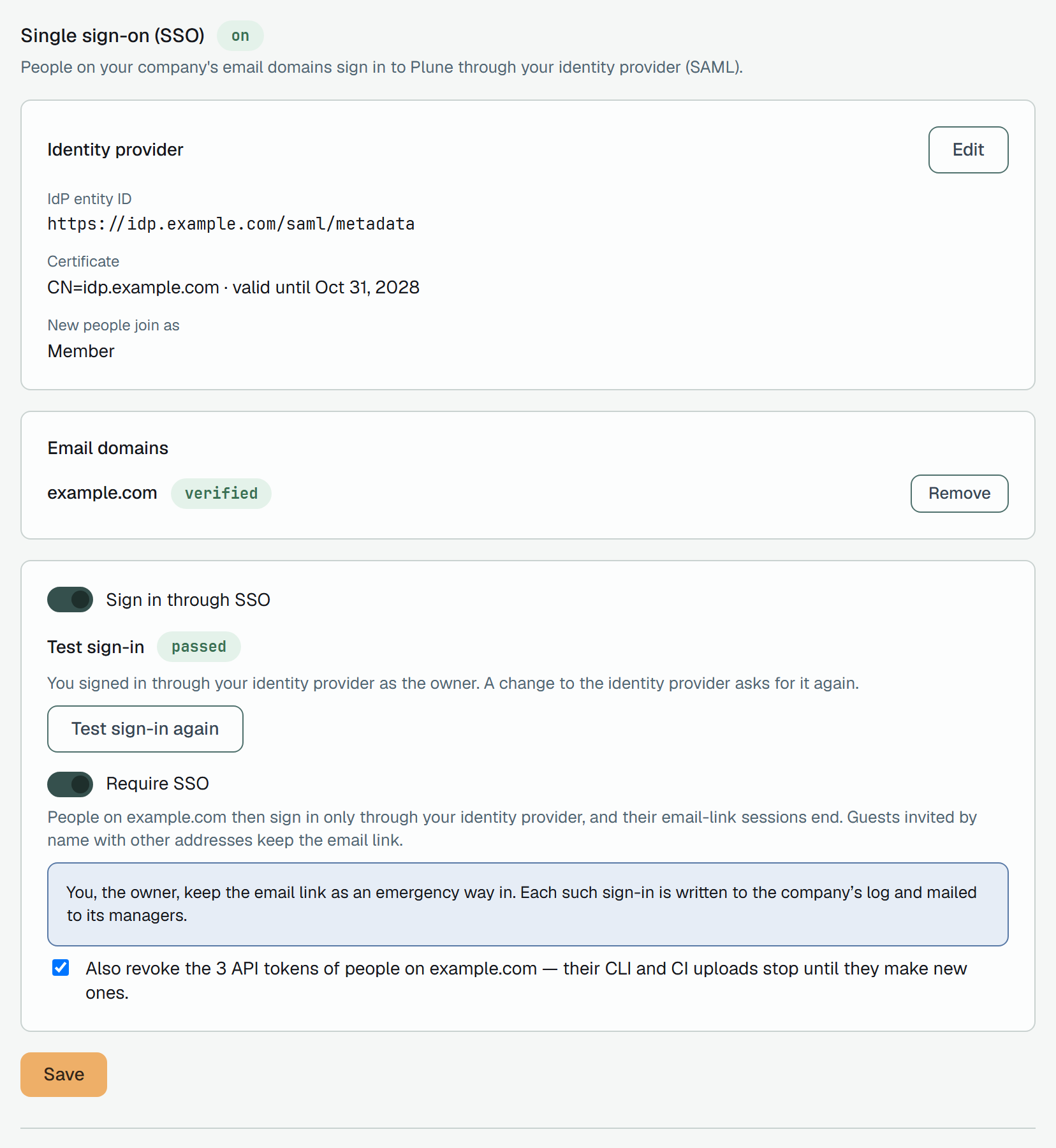
Back in Plune, Test sign-in reads passed: You signed in through your identity provider as the owner. A change to the identity provider asks for it again.
A refused test reads refused, with the reason in one sentence: Your test sign-in at the time was refused: and the reason from the table below. Until your own test passes, the section shows the last refused sign-in since the settings were saved.
A change to the IdP entity ID, the IdP sign-in URL or the certificates asks for the test again, and it switches Require SSO off until the test passes again.
Require SSO
Section titled “Require SSO”Require SSO turns on only after your test has passed: Sign in through the identity provider as the owner before requiring single sign-on. Turned on, it says what it does: People on example.com then sign in only through your identity provider, and their email-link sessions end. Guests invited by name with other addresses keep the email link. Like the other switch, it waits for Save.
Once it is saved, for a person with an address on a verified domain:
- The email link is not sent, and the sign-in form answers as it always does. The code from the mail does not open a session either, nor does sign-in with Google or GitHub where Plune offers it.
- Sessions that did not start through single sign-on end. A request with one is answered
401with the codesso_requiredand astartUrl, the address to sign in through the company. - API tokens keep working: a token is not a session. When the people of the domain hold tokens, a box under the switch offers to end them in the same save, ticked: Also revoke the N API tokens of people on the domain — their CLI and CI uploads stop until they make new ones. Untick it to keep them.
People invited with addresses on other domains keep the email link.
The owner’s emergency way in
Section titled “The owner’s emergency way in”The owner’s session from the email link survives Require SSO for as long as they are the owner. The same holds for the owner’s code from the mail, and for Google or GitHub sign-in where Plune offers it.
How people sign in
Section titled “How people sign in”Sign-in through the company starts at Plune’s start address for the domain, the one Test sign-in
opens: Plune’s API address followed by /v1/auth/sso/start?domain= and the domain (or ?email= and the
person’s address). It sends the browser to the identity provider; after the provider, the person lands in
Plune signed in. Give that address to the Plune tile in your provider’s portal.
- The session ends no later than the identity provider says the provider’s own session ends.
- A person whose name is empty in Plune takes the name the provider sends.
- Waiting invitations of the address are accepted at the first sign-in, as with an email link. With Add people on first sign-in on, somebody who is not in the company yet joins it with the role of New people join as.
- When the company has no free seat for that newcomer, the sign-in is refused, and the person reads Your company has no free seat for you in Plune, so you were not signed in. Ask the owner of your company in Plune for a seat.
- A browser still signed in to Plune as somebody else is refused too: This browser is still signed in to Plune as someone else. Choose Open Plune, then Sign out in Account (the avatar), and sign in through your company again.
Any other refusal reads the same for the person: Sign-in through your company was refused. The reason is not shown here: ask the owner of your company in Plune to check its single sign-on (SSO). The owner finds the reason under Test sign-in.
When a sign-in is refused
Section titled “When a sign-in is refused”What Test sign-in says after was refused:, by the reason Plune keeps in the company’s log:
| Reason | What the owner reads |
|---|---|
tier | the company’s plan no longer includes single sign-on. |
disabled | single sign-on was off when the response came. Switch it on, then test again. |
no_pending_request | Plune was not waiting for this sign-in. Start the test with the button below. |
relay_state | the response did not bring back the RelayState Plune sent. The identity provider must return it unchanged. |
login_binding | the response came to a browser that did not start the sign-in. Start the test with the button below, in this browser. |
session_conflict | this browser was signed in to Plune as someone else. Sign out, then test again. |
suppressed | many refused sign-ins came in a short time, and not every one was written down. Test again in a few minutes. |
signature | the response was not signed with a certificate Plune has. Add the identity provider’s current certificate, then test again. |
unsigned | the response was not signed. Make the identity provider sign its responses or assertions. |
weak_algorithm | the response was signed with an algorithm Plune does not accept, such as SHA-1. Switch the identity provider to SHA-256. |
issuer | the response came from an issuer other than the IdP entity ID saved here. Check the IdP entity ID. |
audience | the response was meant for another service. Give the identity provider the Entity ID (Audience) above. |
destination | the response was sent to another address. Give the identity provider the ACS URL above. |
recipient | the response named another recipient. Give the identity provider the ACS URL above. |
in_response_to | the response answered a request Plune did not send. Start the test with the button below. |
expired | the response, or the identity provider’s session, had expired. Check the identity provider’s clock, then test again. |
not_yet_valid | the response was dated in the future. Check the identity provider’s clock. |
too_old | the response was too old when it came. Check the identity provider’s clock, then test again. |
replay | the same response came twice. Test again. |
status | the identity provider refused the sign-in itself. Check that you are assigned to the Plune app there. |
no_email | the response carried no email address. Send the email as the NameID or as an attribute. |
unverified_domain | the email address is not on a verified domain of the company. Verify its domain above. |
public_domain | the email address is on a mail provider’s domain, such as gmail.com. Sign in with a work address. |
doctype | the response held a DOCTYPE, which Plune never accepts. Check the identity provider’s SAML settings. |
malformed | Plune could not read the response. Check the identity provider’s SAML settings. |
too_large | the response was larger than Plune accepts. Send fewer attributes. |
account_deleted | the account of that address is in the Bin. Restore it, then test again. |
no_seat | the company had no free seat for the person who signed in. Free a seat or change the plan, then test again. |
When the plan no longer includes it
Section titled “When the plan no longer includes it”Single sign-on works while the company’s plan includes it: an active plan, or the 14 days after a plan ends. When the plan no longer includes it, sign-in through the identity provider and Require SSO stop by themselves, so nobody is locked out: the people of the domain sign in with the email link again.
Through the API
Section titled “Through the API”The section’s routes take your signed-in session, not an API token: a token could otherwise point the
company’s sign-in at another identity provider. A request without a session is 401 sign in required.
| Route | Who | What |
|---|---|---|
GET /v1/companies/{id}/sso | owner, manager | the owner gets every value — the two addresses, the provider’s fields and certificates, the switches, the domains with their TXT records; a manager gets configured, enabled, enforced and the domains, each with verified |
PUT /v1/companies/{id}/sso | owner | saves the provider: idpEntityId, idpSsoUrl and idpCerts are sent whole every time; enabled, enforced, defaultRole (member or reader), jit, emailAttribute, nameAttribute and signRequests are kept as they are when left out; revokeTokens: true also revokes the domain’s API tokens when the call leaves Require SSO on |
POST /v1/companies/{id}/sso/domains | owner | { "domain": "example.com" } adds a domain → 201 with its record |
POST /v1/companies/{id}/sso/domains/verify | owner | { "domain": "example.com" } asks DNS → 200; 409 sso_record_not_found with the record; 424 sso_dns_error |
DELETE /v1/companies/{id}/sso/domains/{domain} | owner | removes a domain → 204 |
GET /v1/companies/{id}/sso/tokens | owner, manager | the API tokens of the people on the verified domains |
DELETE /v1/companies/{id}/sso/tokens | owner, manager | { "confirm": N } revokes them all, N being the number you were shown; a list that changed since is 409 sso_confirm_mismatch with the new count |
GET /v1/auth/sso/{companyId}/metadata | anyone | Plune’s SAML metadata for the company; 404 while its plan does not include single sign-on |
The refusals:
| Answer | When |
|---|---|
403 company owner only | a write by somebody who is not the owner |
403 company owner or manager only | a read by a member or a read-only person |
403 tier_option_required | the company’s plan does not include single sign-on |
400 sso_bad_certificate | a certificate Plune cannot read |
400 sso_public_mail_domain | a mail provider’s domain |
409 sso_domain_taken | a domain another company has verified |
409 sso_limit | a 21st domain |
409 sso_domain_required | enabled with no verified domain |
409 sso_enabled_required | enforced while single sign-on is off |
409 sso_test_login_required | enforced before the owner’s test sign-in has passed |
503 sso_signing_unavailable | signRequests on a server that cannot sign requests |