

Test documentation
Test documentation is a section of the project, in the panel after API catalog. It shows what the project holds as test documentation, in the order a tester writes it: the test plan, the coverage plan, the requirements with their acceptance criteria, and the cases. Each part opens where it lives.
The section reads what the project already has. Requirements, the traceability matrix, the API catalog and the cases stay on their own pages; the section links to them. The one new document is the project’s test plan. Every member of the project sees the section, read-only members too.
The section’s home
Section titled “The section’s home”A new project: the chain
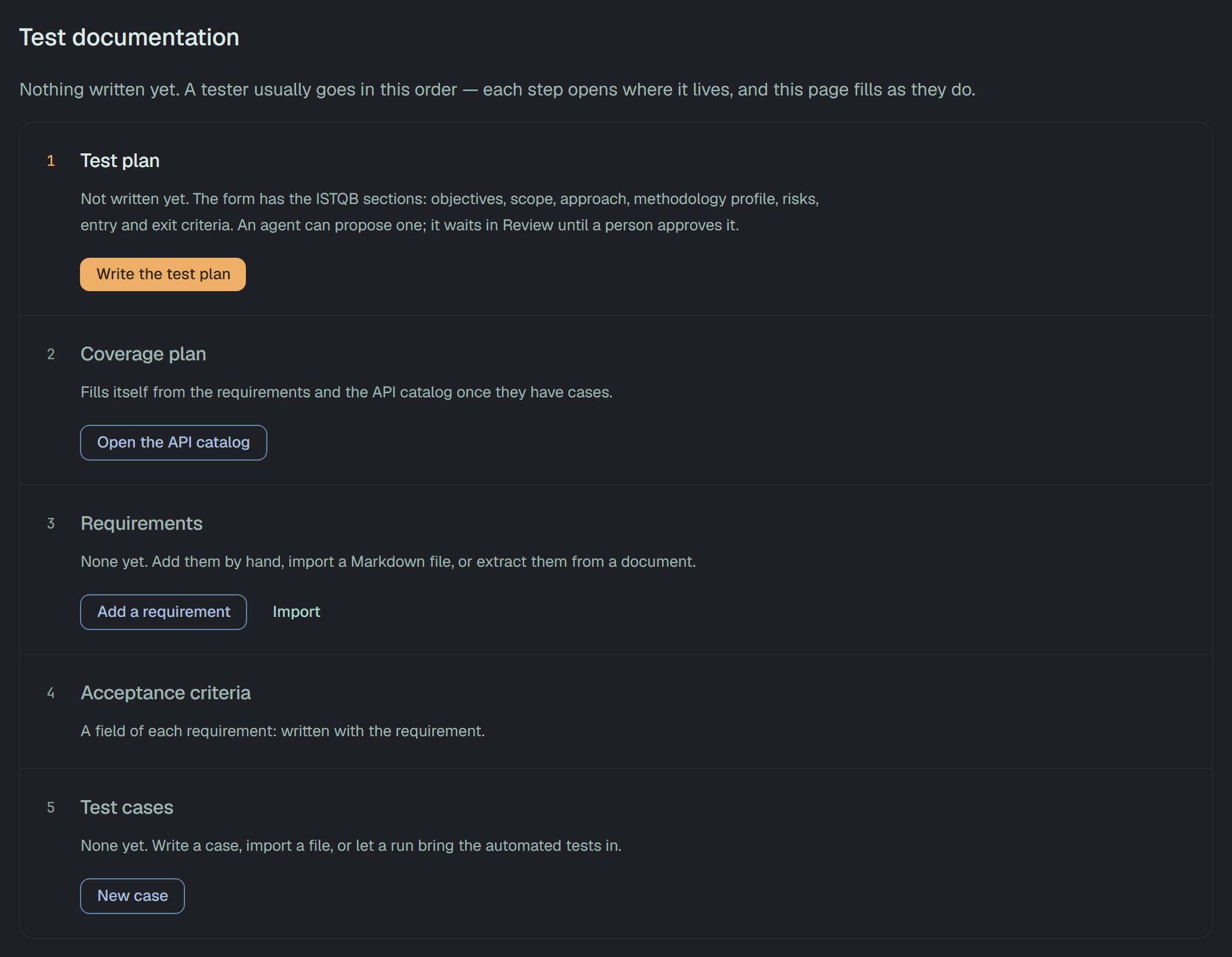
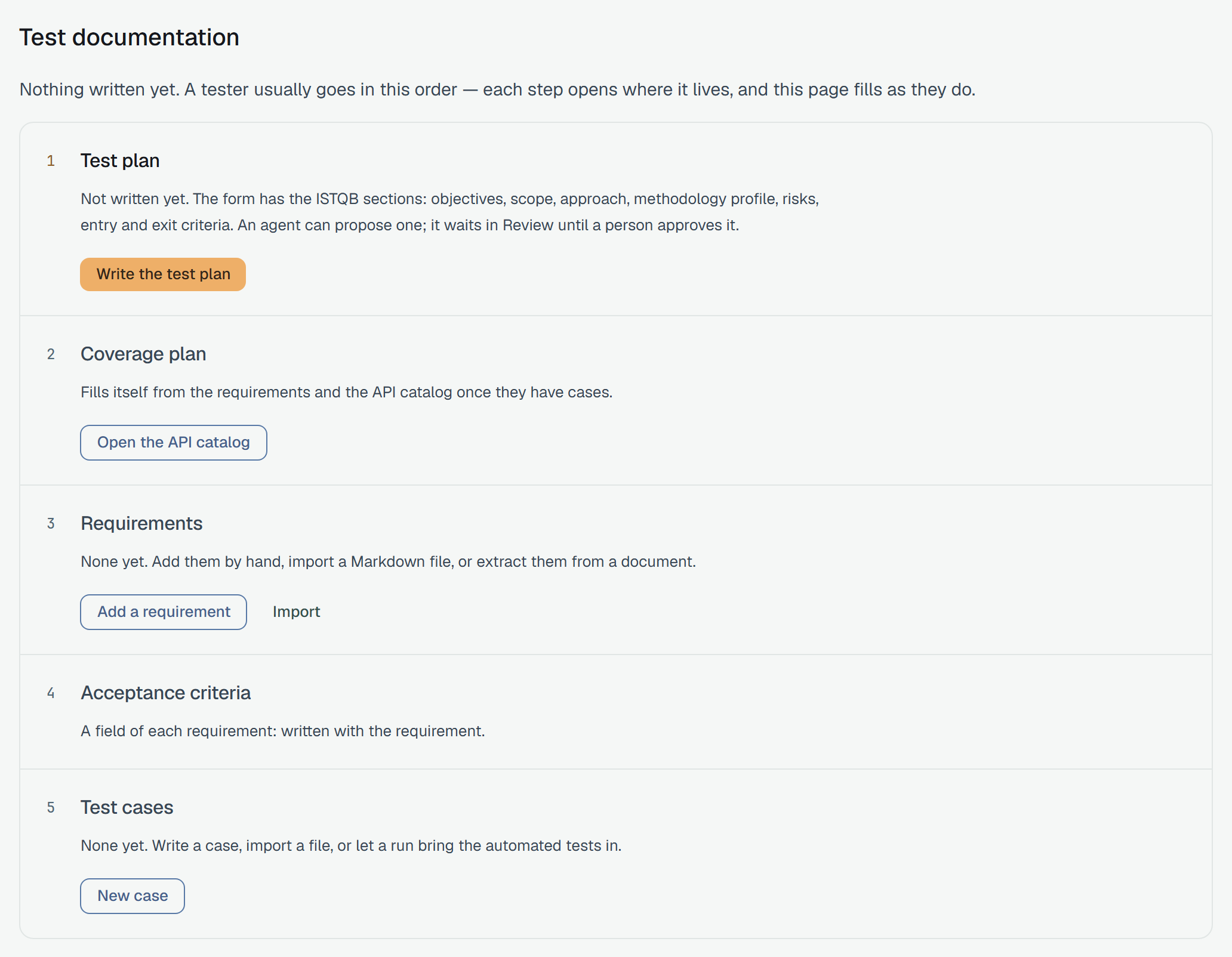
Section titled “A new project: the chain”Until a test plan is saved, the page starts with the chain, in five steps:
| Step | What it says | Button |
|---|---|---|
| Test plan | Not written yet. The form has the ISTQB sections: objectives, scope, approach, methodology profile, risks, entry and exit criteria. An agent can propose one; it waits in Review until a person approves it. | Write the test plan |
| Coverage plan | Fills itself from the requirements and the API catalog once they have cases. | Open the API catalog |
| Requirements | None yet. Add them by hand, import a Markdown file, or extract them from a document. | Add a requirement, Import |
| Acceptance criteria | A field of each requirement: written with the requirement. | — |
| Test cases | None yet. Write a case, import a file, or let a run bring the automated tests in. | New case |
A step that already has something — requirements, or cases — is ticked and says Started. Open it to go on. There is no wizard: each button opens the page where that part lives. A read-only member sees the steps without the buttons.
Once there is something to count
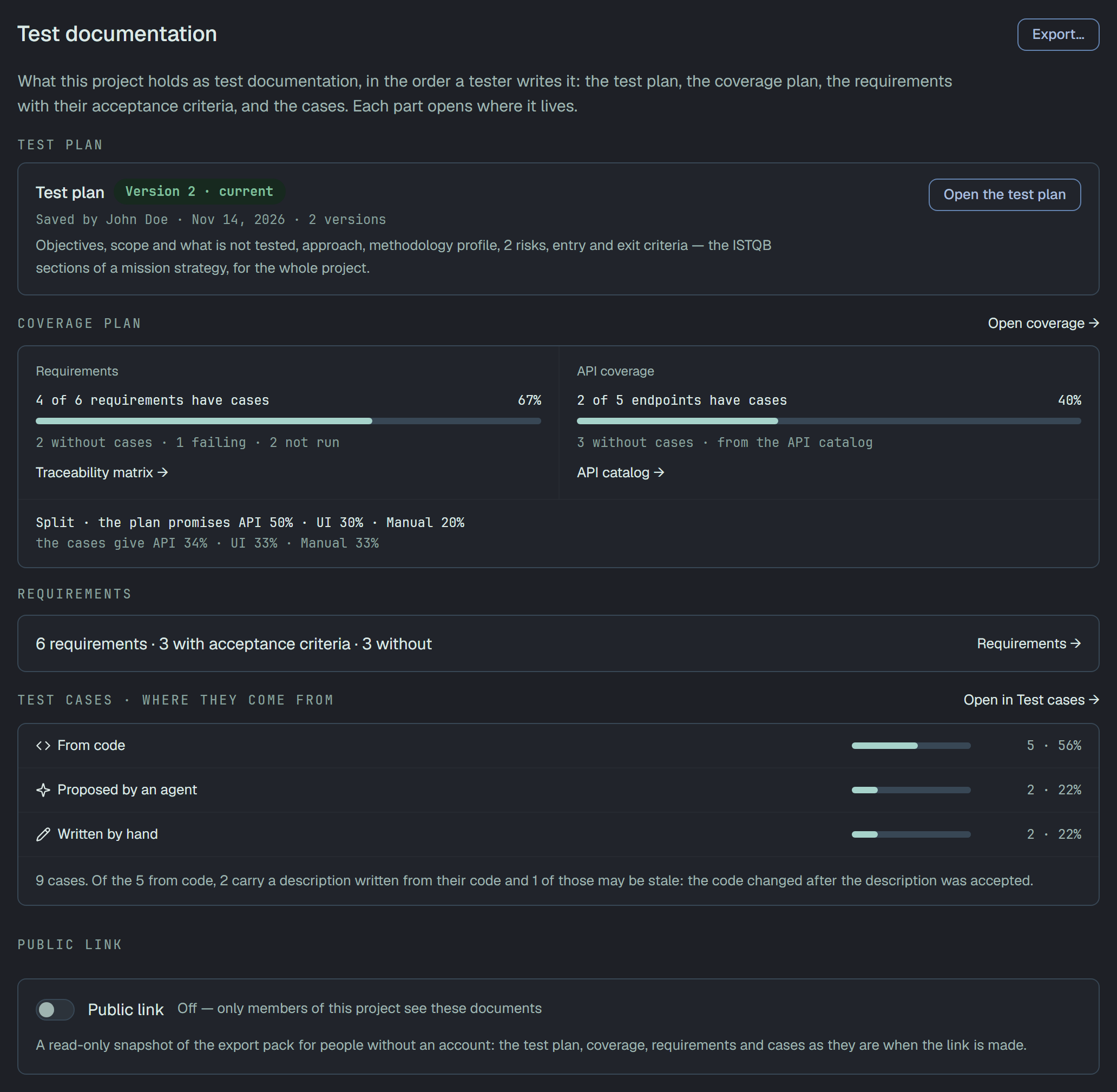
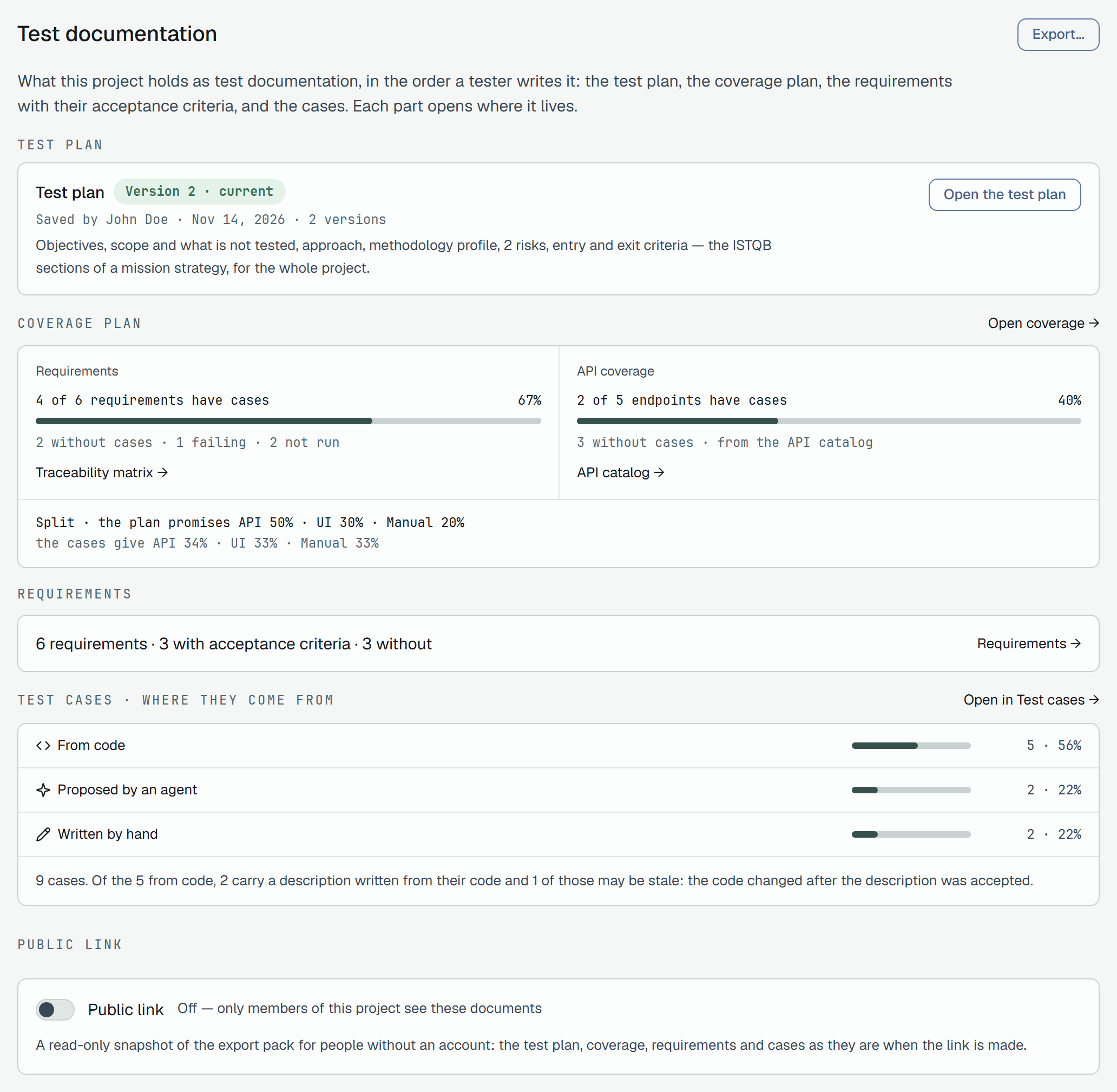
Section titled “Once there is something to count”When the project has a saved test plan, its card takes the chain’s place: Test plan with Version n · current, who saved it and when, how many versions there are, and Open the test plan. Once the project has requirements, cases or an API catalog, three blocks follow:
- Coverage plan — N of M requirements have cases, with how many are without cases, failing and not run, and Traceability matrix →; N of M endpoints have cases from the API catalog, and API catalog →. Under them the Split line: what the test plan promises and what the cases give, as API · UI · Manual. Open coverage → opens the coverage page.
- Requirements — how many there are, how many have acceptance criteria and how many do not, and Requirements →.
- Test cases · where they come from — From code, Proposed by an agent and Written by hand, each with its count and share, and Open in Test cases →. The three add up to all the cases. The line under them says how many of the cases from code carry a description written from their code, and how many of those may be stale: the code changed after the description was accepted.
Once the project has a test plan or anything to count, Export… at the top exports the whole pack, and the page ends with the public link panel.
The project test plan
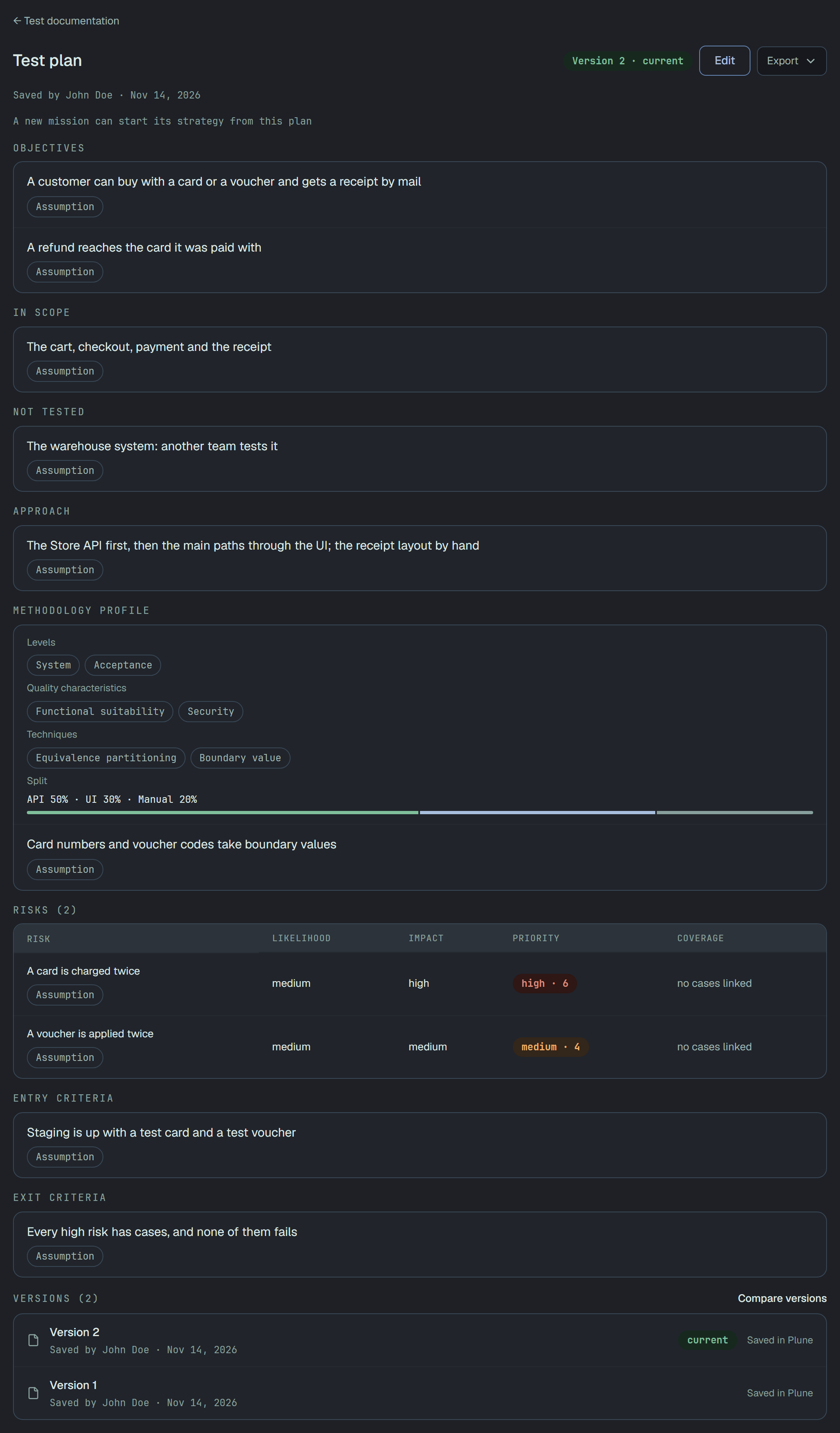
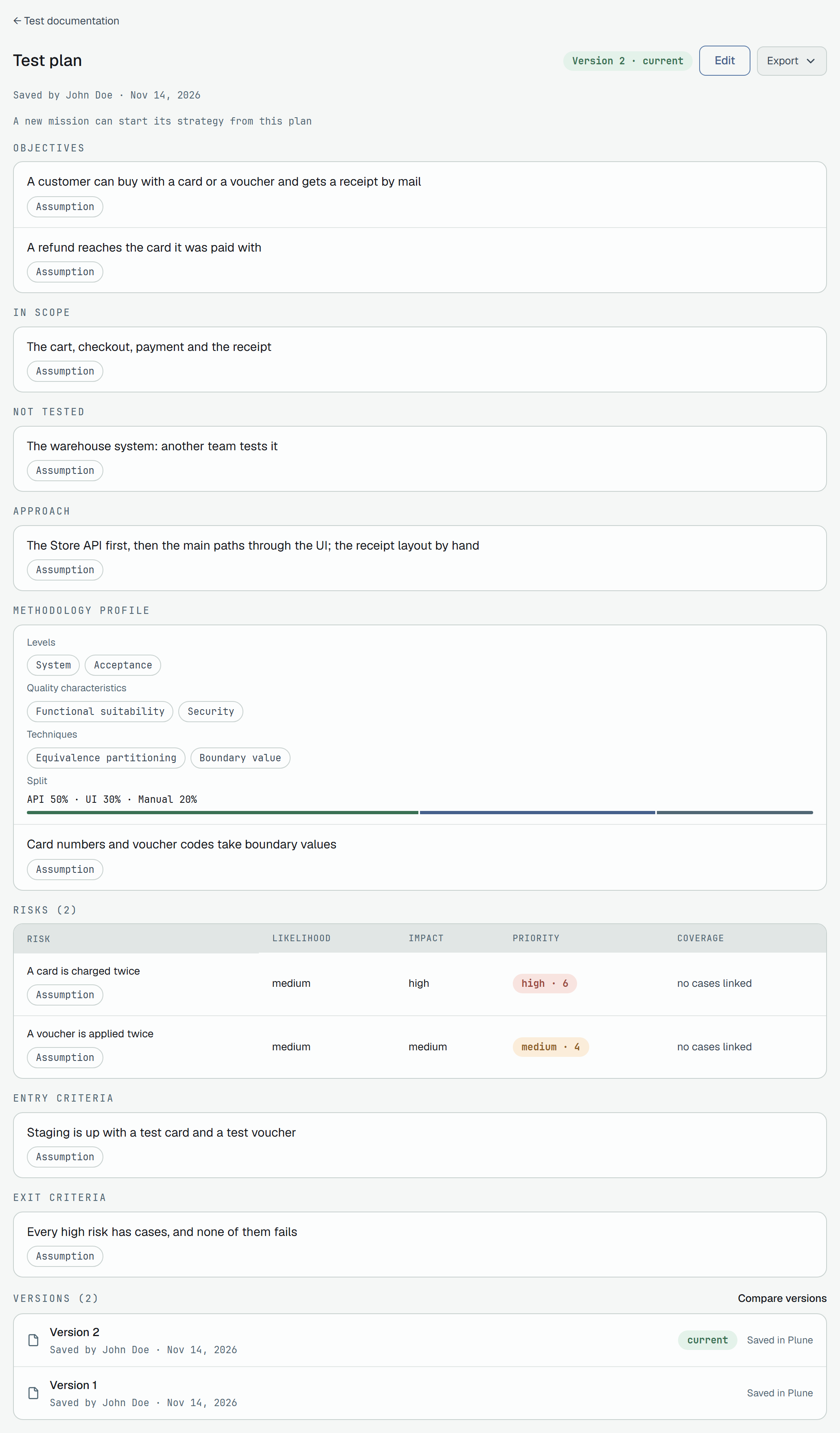
Section titled “The project test plan”A project has one test plan, kept as versions. It has the sections of a mission’s strategy: Objectives, In scope, Not tested, Approach, Methodology profile (levels, quality characteristics, techniques and the Split between API, UI and manual testing), Risks, Entry criteria and Exit criteria. Every item says what it rests on — a requirement, a document, an address — or is an assumption.
Write and save a version
Section titled “Write and save a version”Write the test plan (or Edit on the current version) opens the form. The line above it says Editing version n · Save makes version n+1, or No version yet · Save makes version 1, and the button reads Save as version n. A saved version does not change: each save makes a new one.
If someone else saved a version while you were editing, the save is refused: Someone saved a newer version of the test plan while you were editing. Your changes stay in this form until you leave it: copy what you need, then open the newest version and edit that. Open the newest version opens it.
Anyone on the project who is not read-only saves the test plan; a read-only member sees it without Edit.
Versions and comparing them
Section titled “Versions and comparing them”Under the plan, the versions are listed newest first, each with who saved it and when. An earlier version opens read-only, under This is an earlier version. Version n is the current one. and Open the current version.
With two versions or more, Compare versions shows what was added, removed and changed between any two of them, From one To another, and which sections are the same.
An agent’s proposal
Section titled “An agent’s proposal”An agent does not save the test plan. It proposes one, which waits in the review queue; only one proposal for the plan waits at a time. The test plan page shows it over the current version, and a person who is not read-only decides it there: Approve, Reject or Request changes. A plan proposed by your own agent is decided by another person on the project. Approved. The proposal is the current version of the test plan now. A rejected proposal, or one sent back for changes, leaves the test plan as it was. A version that came from an agent shows who proposed it and who approved it.
Export the test plan
Section titled “Export the test plan”Export on the current version saves the test plan alone as Markdown (.md) or PDF. To export it with everything else, use the section’s Export….
Coverage
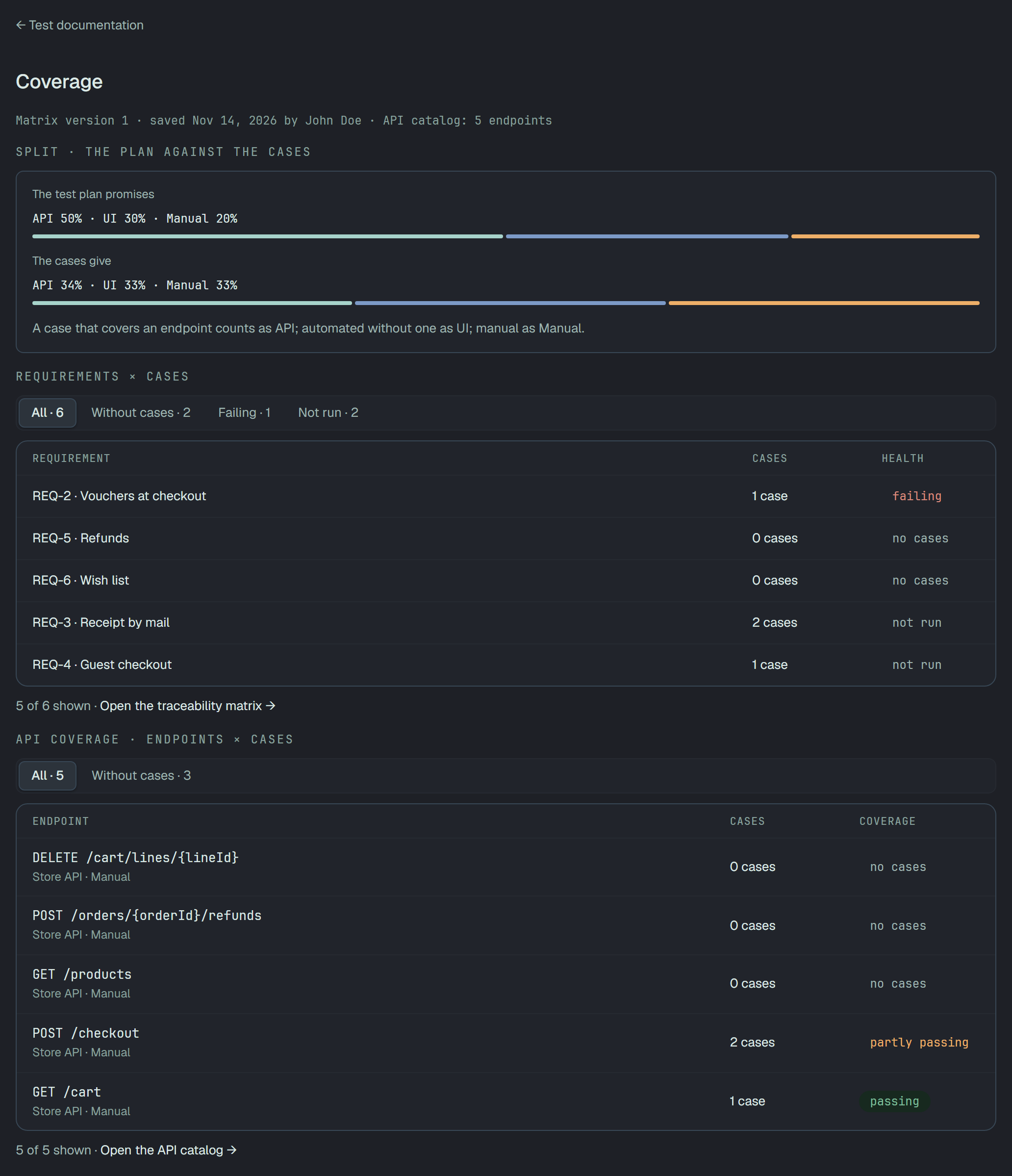
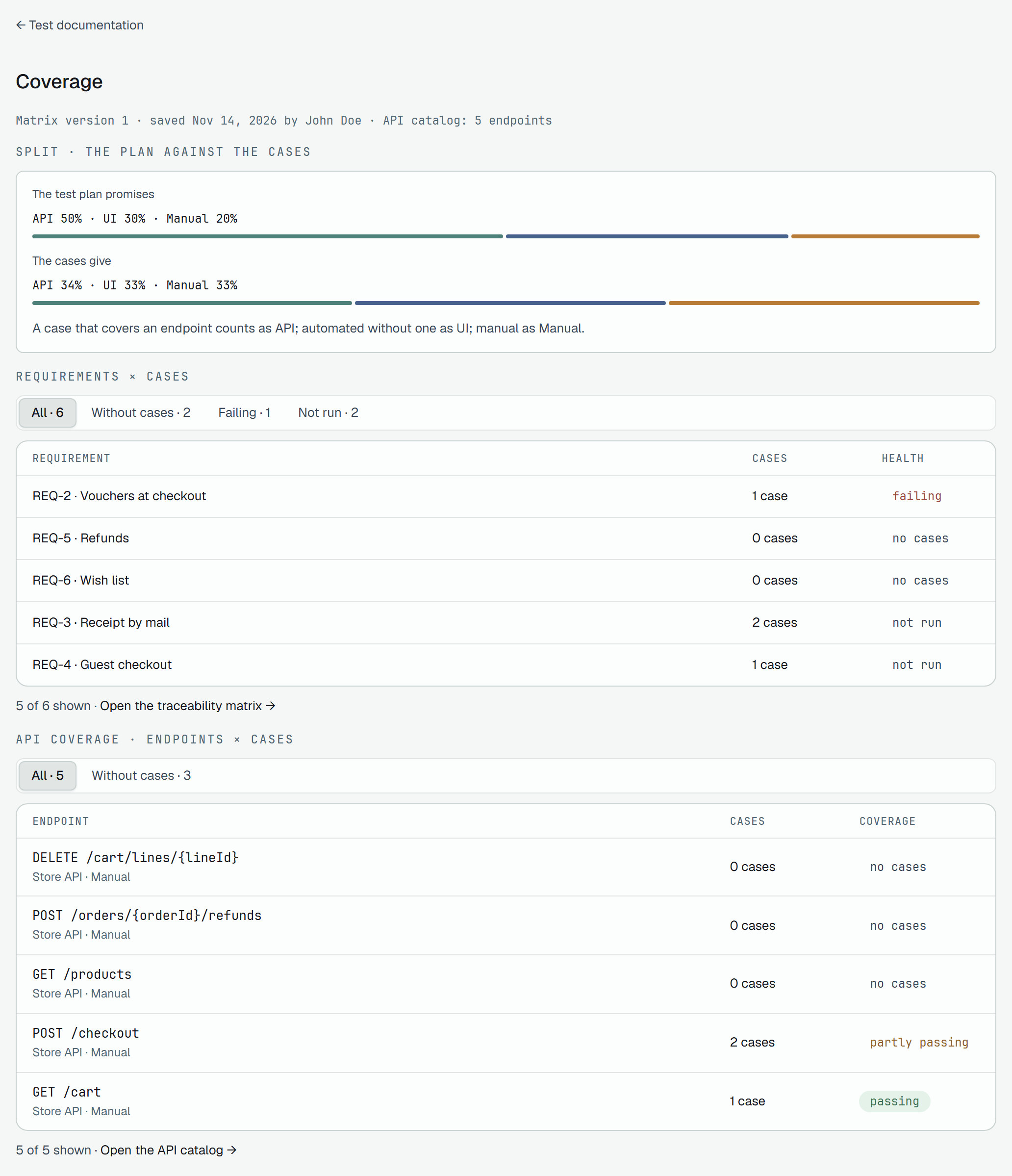
Section titled “Coverage”Open coverage → on the home opens Coverage. The line under the title names the matrix version it reads — Matrix version n · saved … by … — and how many endpoints the API catalog has.
Split · the plan against the cases
Section titled “Split · the plan against the cases”The test plan promises the split set in the plan’s methodology profile; The cases give the split
the project’s cases make: A case that covers an endpoint counts as API; automated without one as UI;
manual as Manual. Without a test plan the first line says Nothing yet: the test plan sets the split it
promises. Without an API catalog, API reads —, never 0%: No API catalog: no case counts as API until
endpoints exist and cases cover them.
Requirements × cases
Section titled “Requirements × cases”A table of requirements, the ones that need work first: failing, then without cases, then not run. The tabs All, Without cases, Failing and Not run carry their counts. Each tab shows up to five rows, each with the requirement, its number of cases and its health, and ends with n of N shown · Open the traceability matrix →. A requirement opens its own page. How a requirement’s health is counted is on The traceability matrix.
A project without requirements says Nothing to trace yet.
API coverage · endpoints × cases
Section titled “API coverage · endpoints × cases”The same for the API catalog’s endpoints, with the tabs All and Without cases: the method and path, the API it belongs to and where the endpoint came from, its number of cases, and the health of its cases’ newest results. An endpoint opens in the API catalog. A project without an API catalog says No endpoints to cover.
Where a case comes from
Section titled “Where a case comes from”Beside its origin — written by hand, or proposed by an agent — a case can carry a mark that says where its text comes from:
| Mark | When |
|---|---|
| From code | An automated case with the path of its test in the repository. |
| Description from code | Its description or precondition was accepted from Draft from code. |
| Description may be stale | One of those whose code changed after the description was accepted. |
A case carries one mark, the most telling one: Description may be stale before Description from code, before From code. A case not from code carries none. In the list of cases the mark is an icon after the origin icon, with its word as its name; in the case’s head it is the icon and the word. At 375 px a row that already shows a state leaves the mark out.
The list of cases has a Source filter, right after Origin, with the values From code,
Description from code, Description may be stale and Not from code. Through the API it is
source= on the list of cases, with code, described, stale and not-code; see
Finding cases.
Export
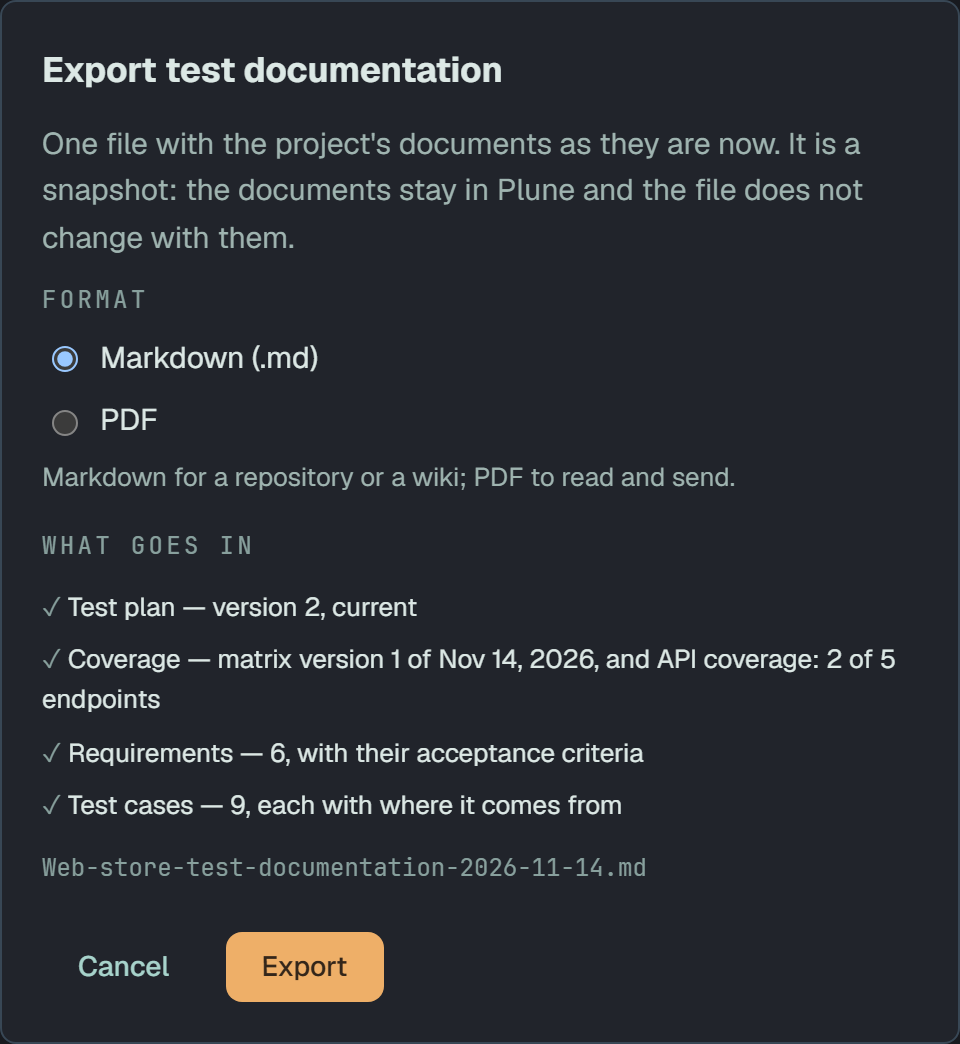
Section titled “Export”Export… at the top of the section exports the project’s documents as one file. It is a snapshot: the documents stay in Plune and the file does not change with them. The dialog asks only for the format — Markdown (.md), for a repository or a wiki, or PDF, to read and send — and lists What goes in; the parts are fixed:
- Test plan — the current version, or not written yet;
- Coverage — the latest saved matrix version and the API coverage, N of M endpoints;
- Requirements — with their acceptance criteria;
- Test cases — each with where it comes from.
Export builds the file and saves it, named after the project, test-documentation and the date.
- Every member exports, read-only members too, on every plan.
- The lists stop at 200 requirements and 200 cases; the rest is a number. A requirement’s acceptance criteria are cut at 2,000 characters, ending in … (truncated).
- One person exports up to 12 files a minute.
Public link
Section titled “Public link”The Public link panel at the end of the section shares the documents with people who have no account — a client, an auditor. A read-only snapshot of the export pack for people without an account: the test plan, coverage, requirements and cases as they are when the link is made.
Only the project’s owner and its managers turn the link on and off; every member sees whether it is on.
- Turn Public link on. The first link expires after 7 days and has no password.
- The link is shown once: Copy it now — you will not see it again. The panel then says Anyone with the link sees the test plan, coverage, requirements and cases as they were on … without an account. They cannot change anything.
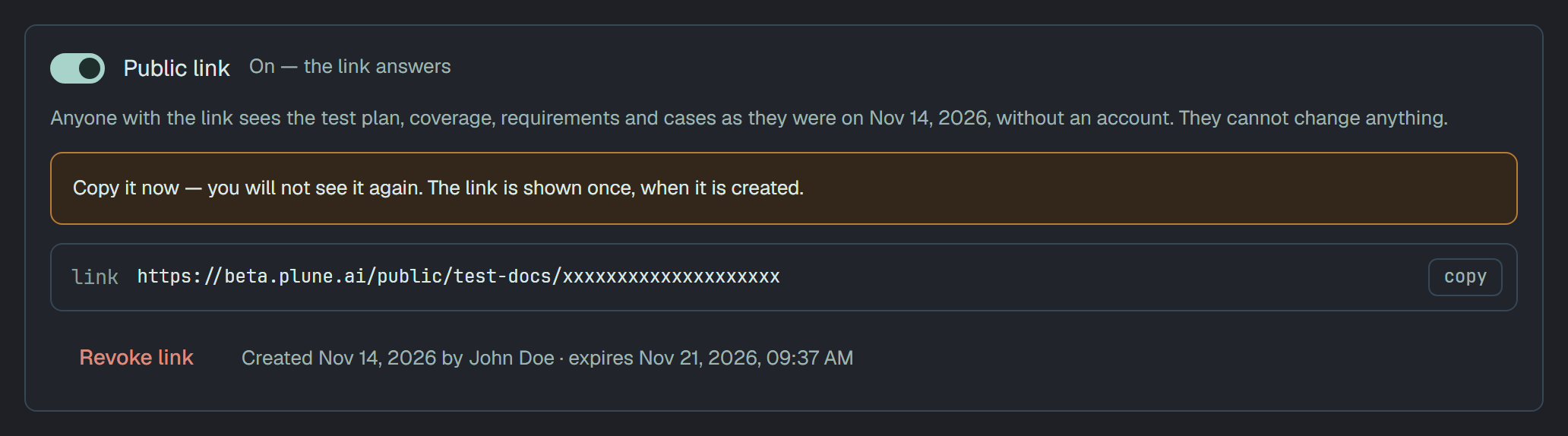
The link shows the documents as they were when it was made; a change in the project afterwards does not reach it. While a link is on, the panel offers the settings of the next one — These settings apply to the next link you create.:
- Link expires after: 1 hour, 1 day, 7 days, 14 days or 30 days;
- Require a password: 8 to 128 characters, stored hashed.
Create a new link makes a link with them and a new snapshot: The old address stops working at once for everyone who has it. Revoke link stops the address at once: Link revoked. The old address now answers 404.
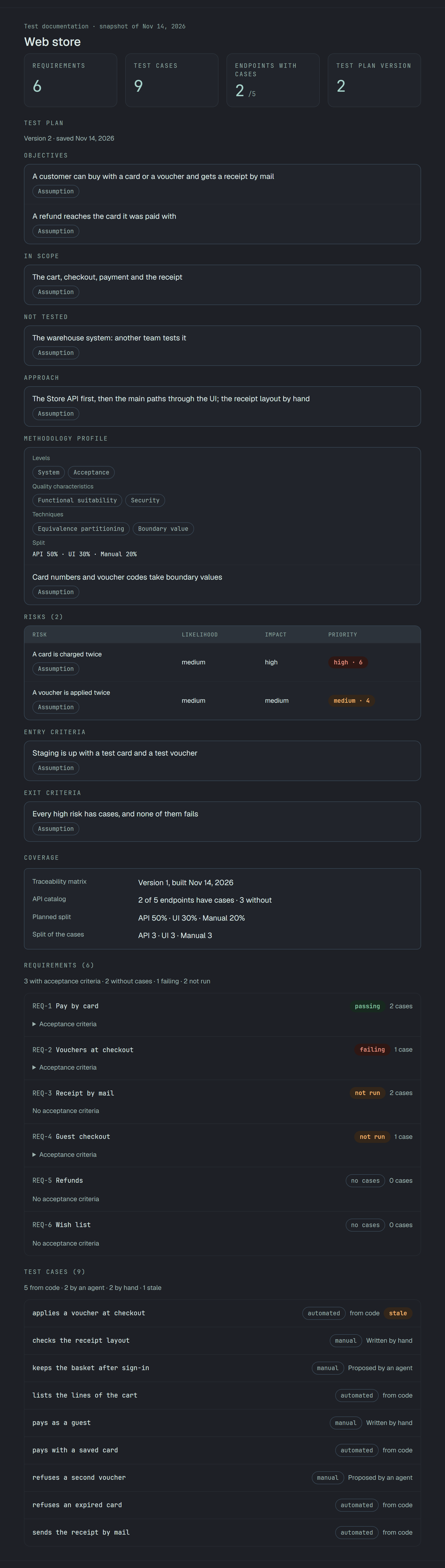
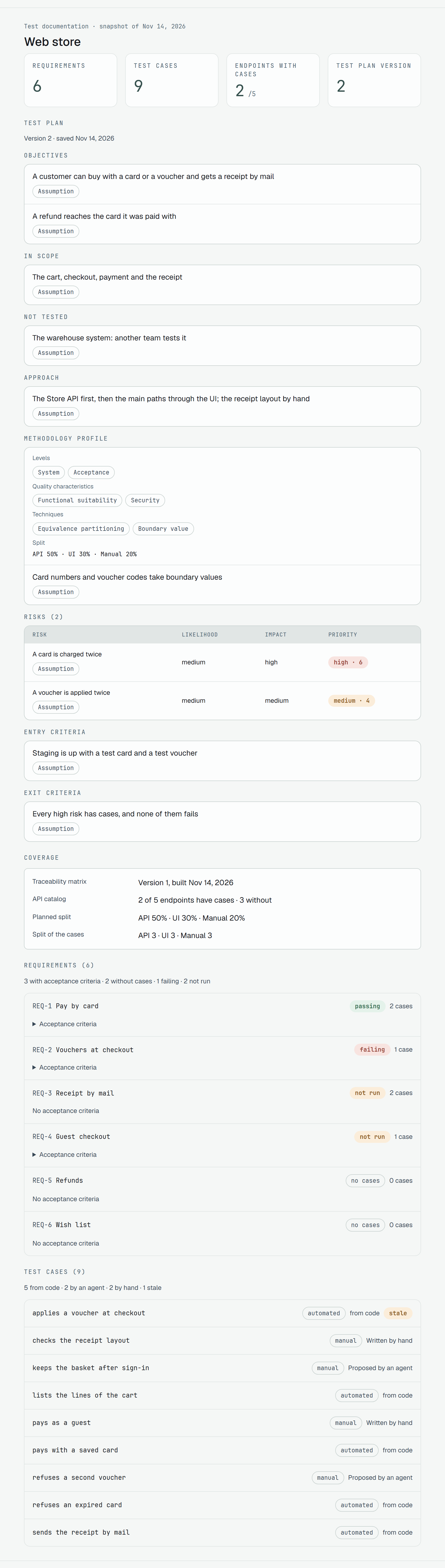
What a visitor sees:
- the test plan, the coverage, the requirements with their acceptance criteria and the cases, under Test documentation · snapshot of …; past 200 requirements or cases, Showing n of N. The rest are in Plune.;
- with a password, This test documentation is protected. and Open documentation;
- once the link has expired, This link has expired.; once it is revoked, Page not found.
A project whose documents are too large to share as one snapshot (8 MiB) gets The test documentation is too large to share as a link. Export it as a file instead — Export… at the top of the page.
On which plans
Section titled “On which plans”The public link is part of the paid plans — Personal, Team and Enterprise — and not of Free. On Free the panel says On paid plans with Upgrade for an owner or a manager; export works on every plan. While plan limits are only counted and not enforced (see Plans and limits), Free is not refused.
A plan that stops including the link leaves a live link working until it expires or is revoked: This project’s plan no longer includes public links. The link answers until it expires or you revoke it; a new one needs a paid plan.