

Widgets and public dashboards
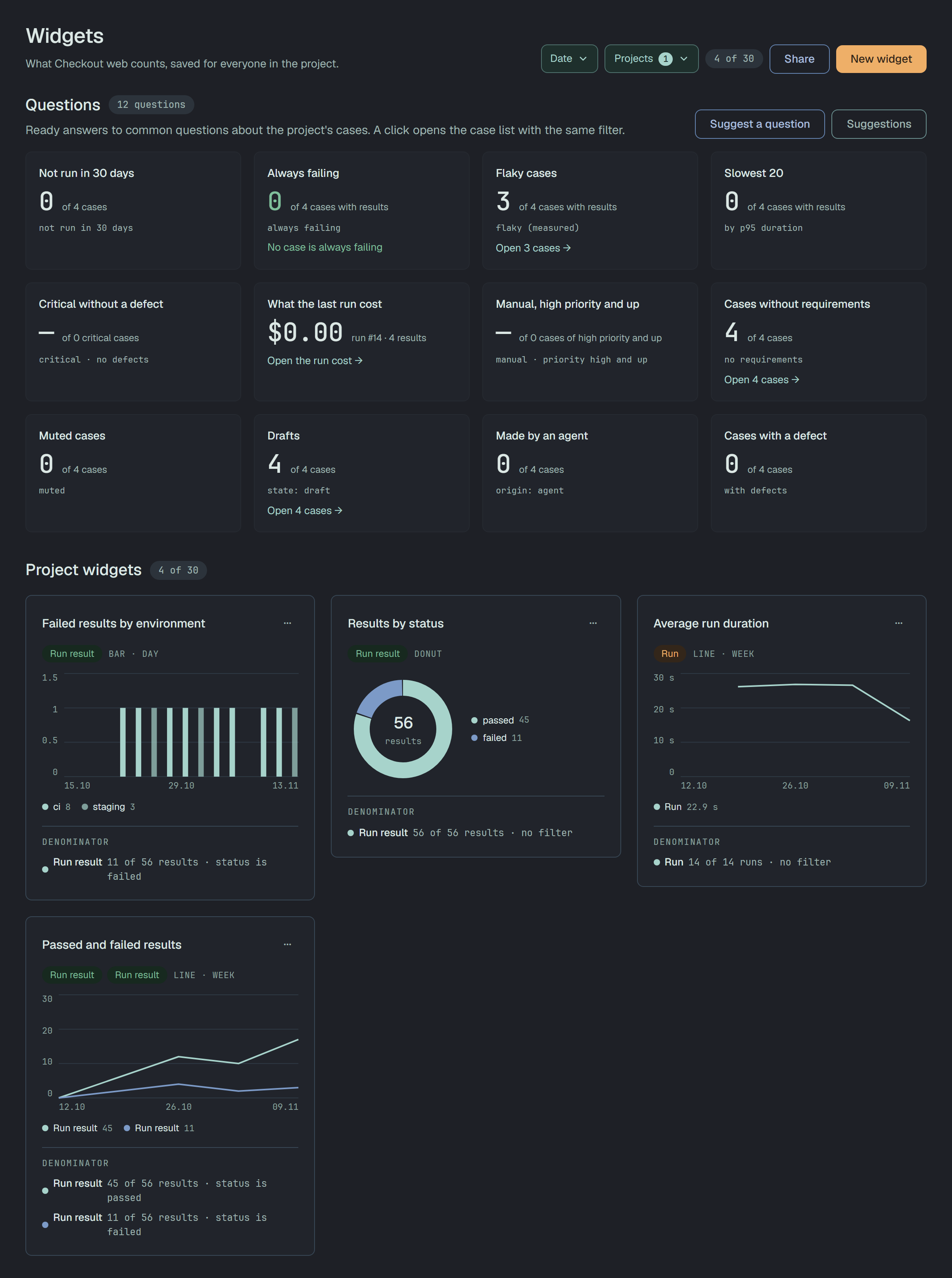
A widget is a chart of one project that somebody built and saved: What Checkout web counts, saved
for everyone in the project. Open the widgets with Analytics → Widgets in the bar outside a
project (Navigation), at /analytics/widgets.
Everyone in the project sees its widgets and their numbers. Anyone who is not a read-only member builds, edits, copies and archives them; a read-only member sees read-only · reader in the head and You can read this dashboard and its numbers. Building widgets needs the member or owner role.
The page
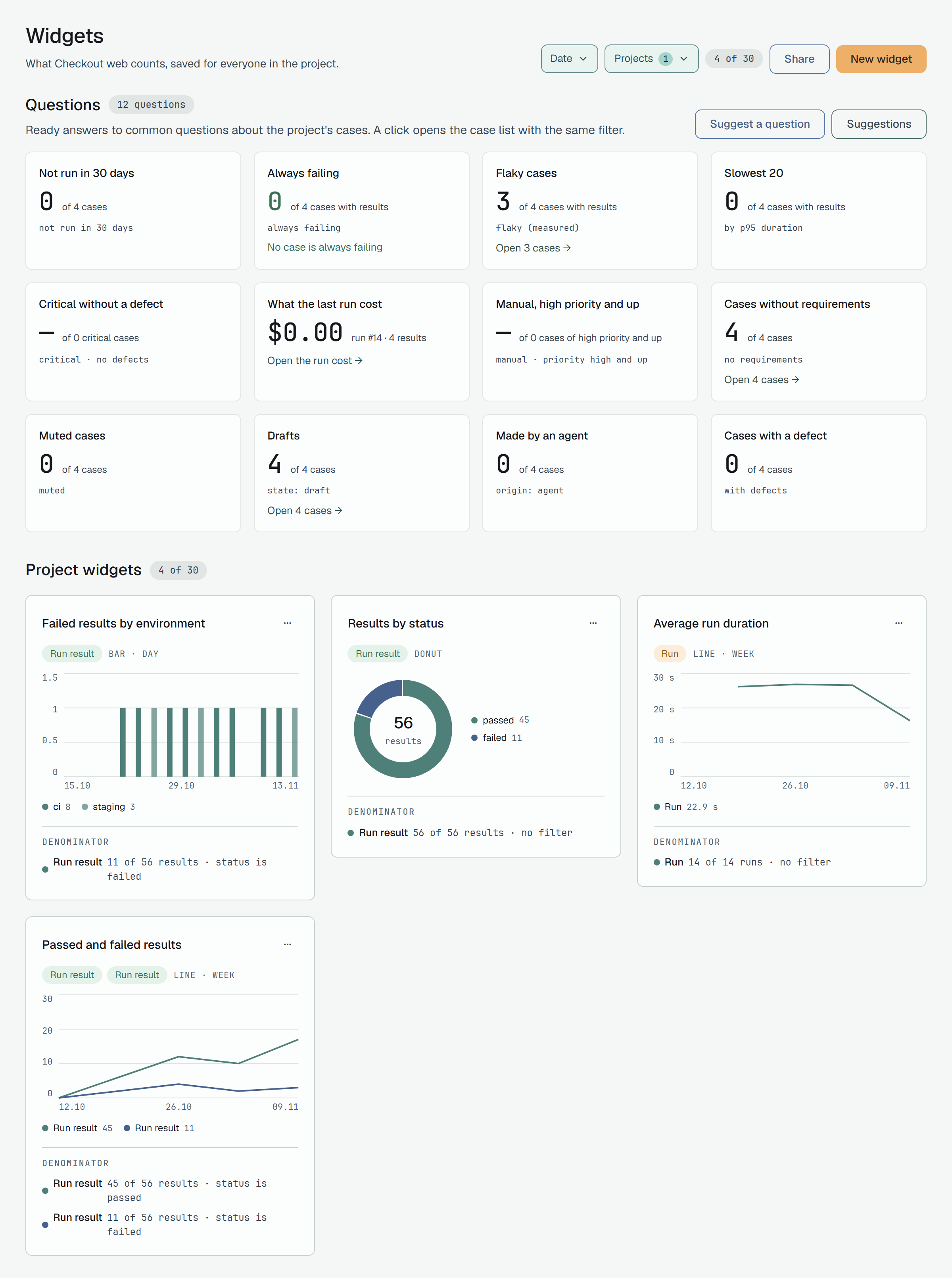
Section titled “The page”- Projects names one project: widgets belong to a project. With none picked, the page takes the last project you worked in; with several, it says Pick one project — Widgets belong to one project. Pick it in Projects to see its dashboard.
- Date is the period of every widget’s numbers: the last 7, 30 or 90 days, or a range of dates. A widget has no All time, and the period is not saved in the widget.
- The project’s widgets are under Project widgets, in their saved order. The head counts them, 12 of 30: a project holds up to 30 active widgets. At 30, New widget is greyed and the page says This project has 30 active widgets, the most it can hold. Archive one to free a place for a new widget.
Build a widget
Section titled “Build a widget”New widget opens the builder: Pick what to count. The result beside it is drawn from your data as you change it. The settings are on the left, and the Preview on the right is counted from the project’s data over the page’s period as you change them.
- Title, up to 120 characters.
- Step: Day, Week or Month, the width of one point of a chart.
- Blocks: each block counts one entity. A widget has up to 5; Add entity adds one, and
Remove takes one away. In a block:
- Entity: Case, Run result, Run or Requirement.
- + Filter by: a property and one or more of its values. Up to 10 filters a block, up to 50 values a filter. Two filters of a block both have to hold.
- Group by: one property, which splits the block into a series per value. None keeps it whole.
- Metric: Count; for a run result or a run also Duration sum and Duration avg.
- Segment by, optional: Cuts every block by one property; up to 10 values. With one entity, any property it can be grouped by, and its tag or label. With several entities, only a property all of them share: Label, which run results and runs both have. A case or a requirement in a widget with other entities leaves no property to cut by.
- Render as: Bar, Line, Donut or Table. A donut draws one block, so it is off while the widget has more. Accumulated total is for a line that counts run results or runs: On: how many there are at each moment. Off: activity in the period.
- Save widget, or Save changes on a widget you opened with Edit: Saved to Checkout web · every member of the project sees it.
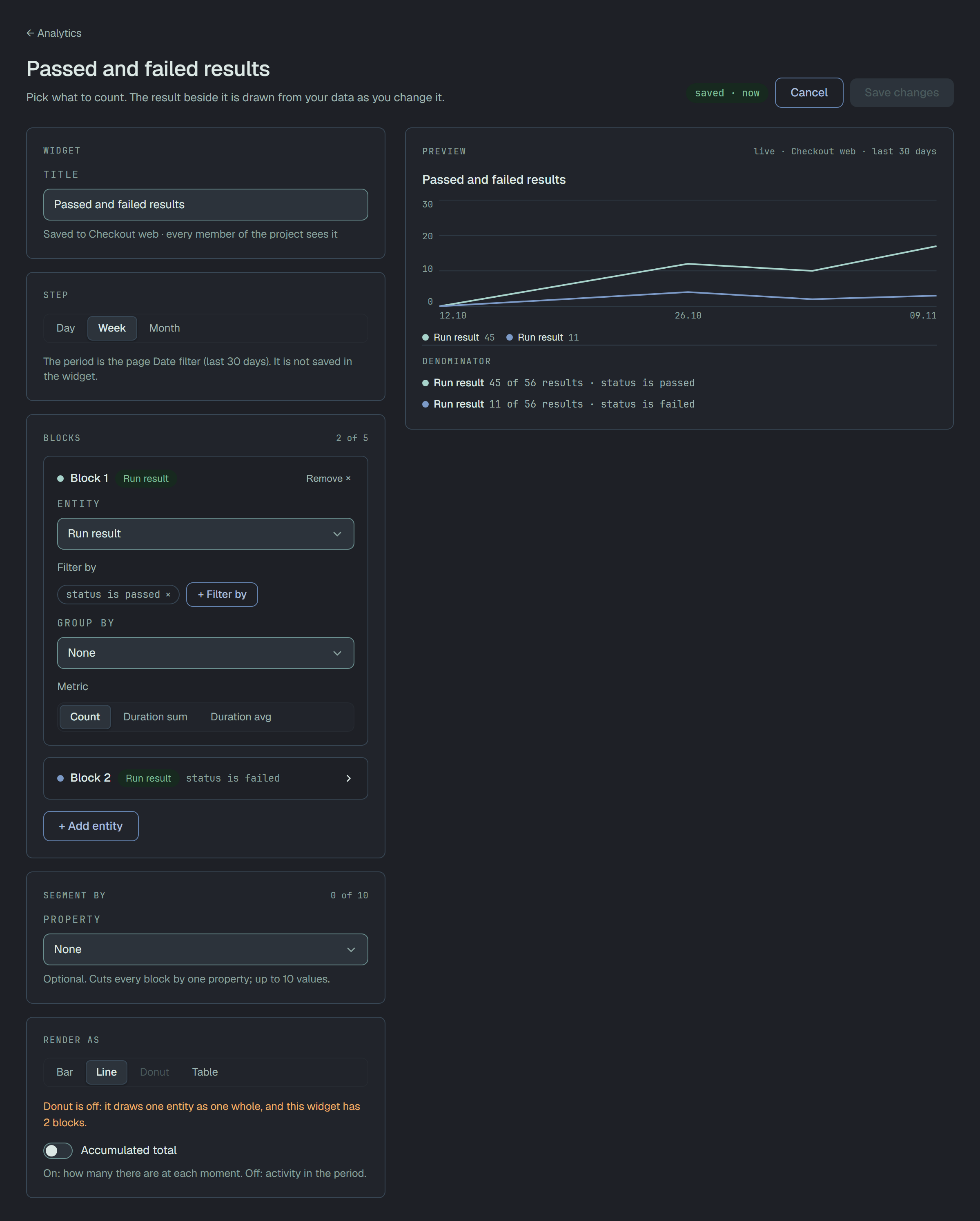
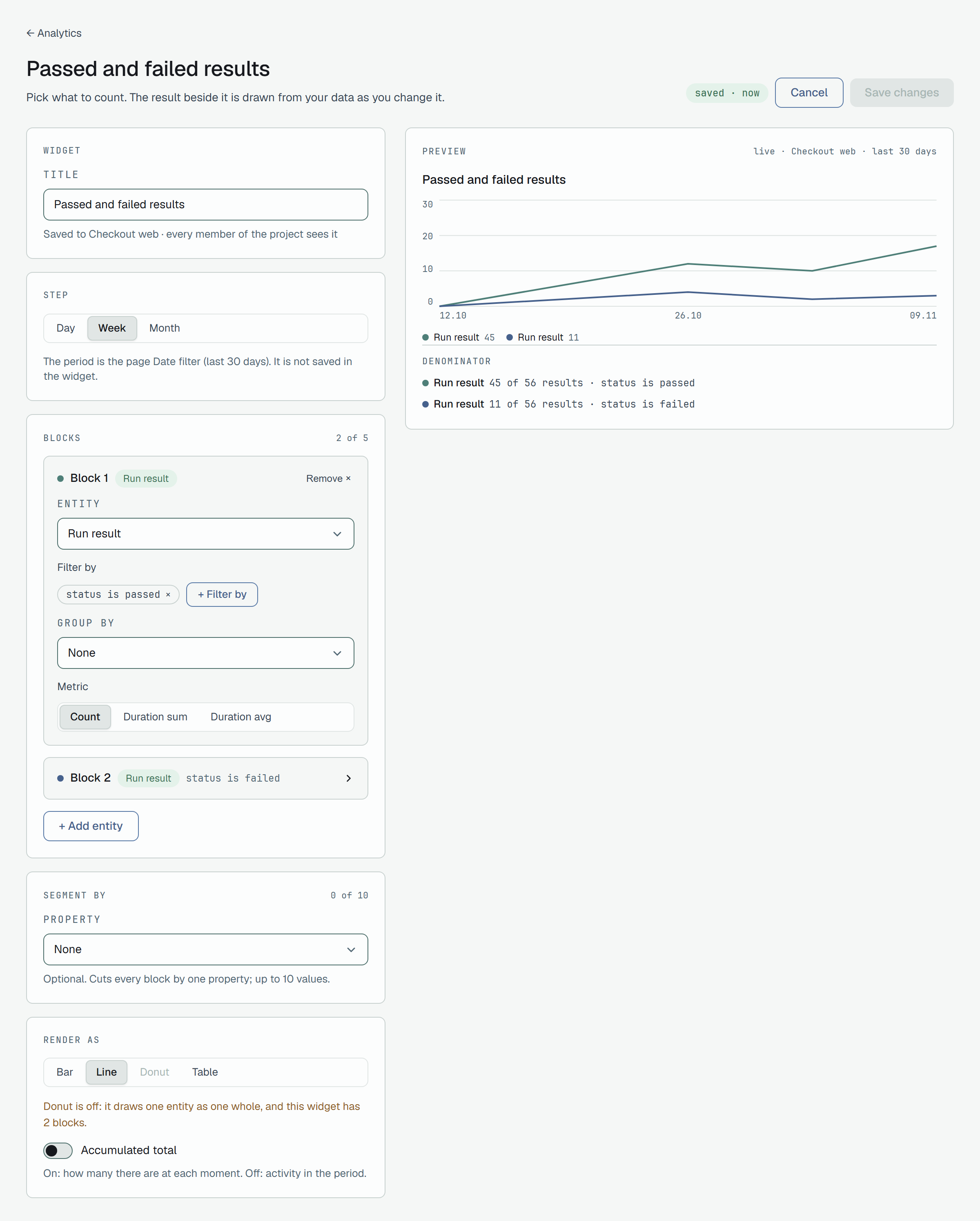
The line beside the title says where the widget stands: draft · not saved, changes not saved, saved and when, or not saved with the number of problems. A problem is listed under To fix; the preview comes back by itself once it is fixed. Nothing is saved until you press the button.
What a widget can count
Section titled “What a widget can count”| Entity | Filter and Group by | Filter and Segment by only | Metrics |
|---|---|---|---|
| Case | Type, State, Priority, Suite, Flaky, Muted | Tag | Count |
| Run result | Status, Sub-status, Source, Muted, Case priority, Environment | Label | Count, Duration sum, Duration avg |
| Run | Kind, Environment, Status event | Label | Count, Duration sum, Duration avg |
| Requirement | Type, Status, Priority, Category | Count |
A tag or a label can be many on one row, so it filters and segments but never groups: a row would be counted twice. Free text (titles, descriptions, error messages), custom fields and the assignee are not offered.
What a card says
Section titled “What a card says”Each card draws its chart with its Series legend. Blocks of different entities add Scale of different entities is not comparable.
Under the chart, Denominator says, for each block, how many were counted out of all of the entity in the period, and by which filter: 42 of 310 results · Status is failed. Under Not measured, the card names what it could not count:
- block 2 · timed out after 5 s — a block’s count stops after 5 seconds;
- block 1 · 3 groups folded into Other — a block keeps its 20 largest groups and adds the rest up as Other;
- 50 largest series kept · N dropped — a widget draws at most 50 series (blocks × groups × segment values);
- rows cut at 500 · N dropped — a table holds up to 500 rows.
A widget can cost more than Plune draws. The builder says This widget is too expensive to draw. — Nothing was run. — with the cost of each block and the ways back: Use last 90 days, Keep N blocks, or Narrow the period, use a wider step or remove a block. A saved card that costs too much over the page’s period says This widget costs more than the budget allows over this period. Pick a shorter period or edit the widget.
A widget that filters, groups or cuts by a property Plune no longer offers is kept: This widget names a property that no longer exists. The widget is kept: edit it and pick another property. It draws nothing until it is edited.
Edit, duplicate, archive
Section titled “Edit, duplicate, archive”Each card’s ⋯ menu, for anyone who is not read-only:
- Edit opens the builder over the widget.
- Duplicate makes an independent copy, Copy of and the title, right after the original: Duplicated as «Copy of Failed results by environment». with Edit. Changing the copy leaves the original as it is. At 30 widgets Duplicate is greyed.
- Archive asks first: It leaves the dashboard and frees a place: 11 of 30 active widgets afterwards. It is archived, not deleted.
Share a dashboard
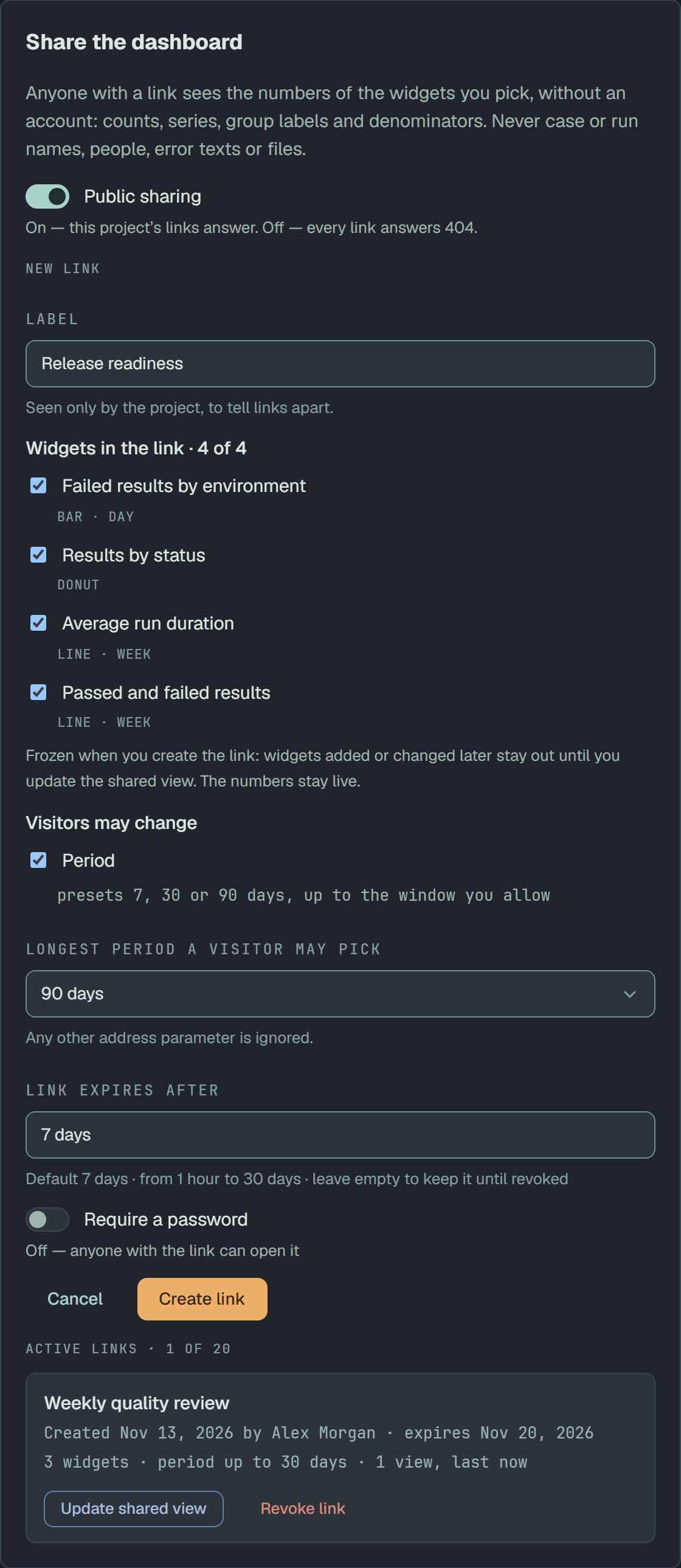
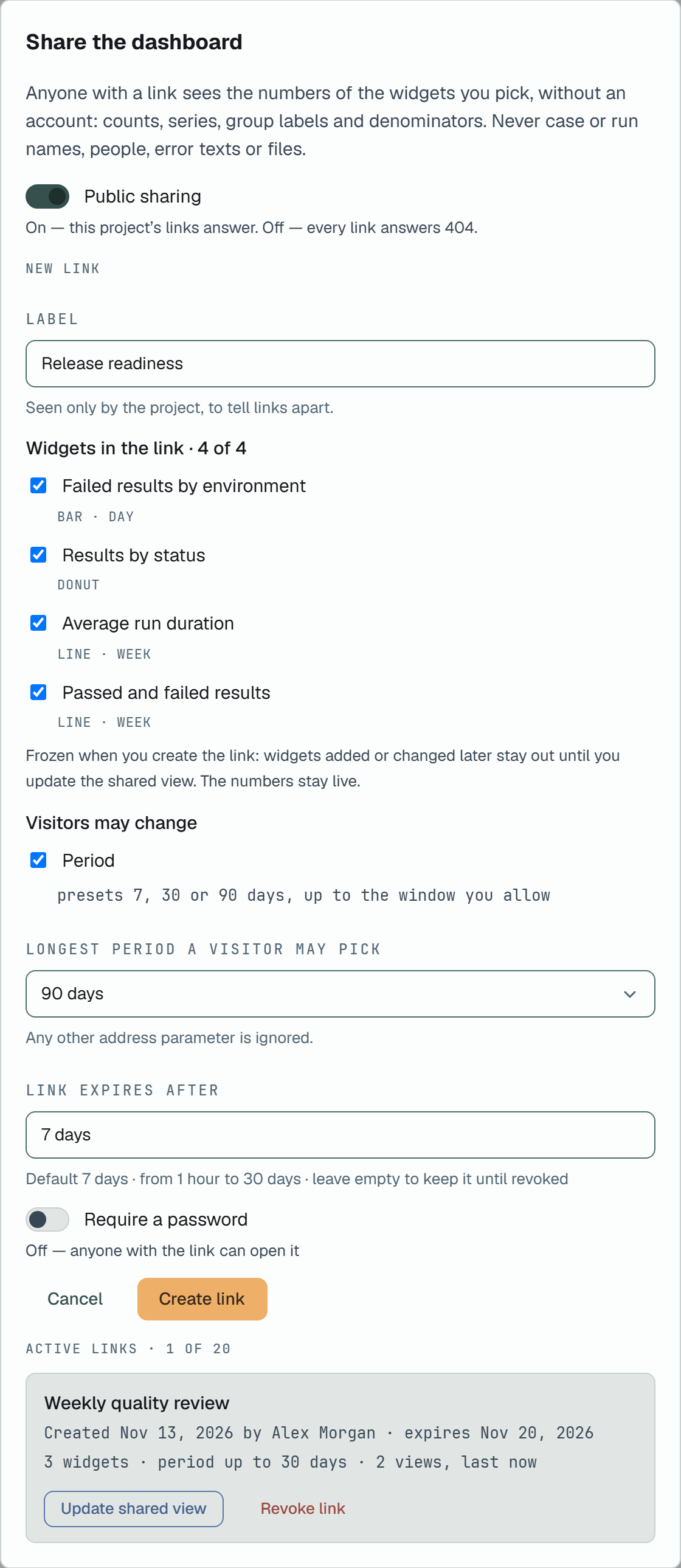
Section titled “Share a dashboard”Share in the head opens Share the dashboard: Anyone with a link sees the numbers of the widgets you pick, without an account: counts, series, group labels and denominators. Never case or run names, people, error texts or files.
Everyone in the project opens it. Only the project’s owner turns sharing on, makes links, updates
them and revokes them; anyone else reads Only the project owner creates, updates and revokes links. You
can see which links are active., and the API answers 403 · project owner only.
Public sharing
Section titled “Public sharing”Public sharing is the project’s switch, off until the owner turns it on: On — this project’s links answer. Off — every link answers 404. Turning it off asks first: Every link of this project answers 404 until public sharing is on again. The links are not revoked.
A new link
Section titled “A new link”With sharing on, the owner fills New link:
- Label, optional: Seen only by the project, to tell links apart.
- Widgets in the link: every widget that can be shared is ticked. One whose property no longer exists cannot be shared, and neither can one that filters, groups or cuts by Suite: cannot be shared: it names suites by their ids. A table is marked groups and counts only. Frozen when you create the link: widgets added or changed later stay out until you update the shared view. The numbers stay live.
- Visitors may change → Period, on at first: the visitor picks 7, 30 or 90 days, up to the Longest period a visitor may pick. Off, the link shows one Period of the link. Either is 7, 30 or 90 days. Any other address parameter is ignored.
- Link expires after: Default 7 days · from 1 hour to 30 days · leave empty to keep it until revoked.
- Require a password: 8 to 128 characters (letters, digits, punctuation, spaces), stored hashed.
Create link shows the address once, under Copy it now — you will not see it again. The link is shown once, when it is created. Plune keeps it only hashed. A project has up to 20 active links: Revoke one to create a new link; an expired link no longer counts.
Active links
Section titled “Active links”Active links lists each link with its label (or Link of and the date), who made it and when, its expiry or no end date, password required when it has one, how many widgets it holds, its period (period up to 90 days or period fixed) and its views (no views yet, or how many and the last one).
- Update shared view freezes the link’s widgets again, as they are now. The address stays.
- Revoke: The link stops working at once for everyone who has it, and it cannot be restored. Revoking is written to the audit log.
What a visitor sees
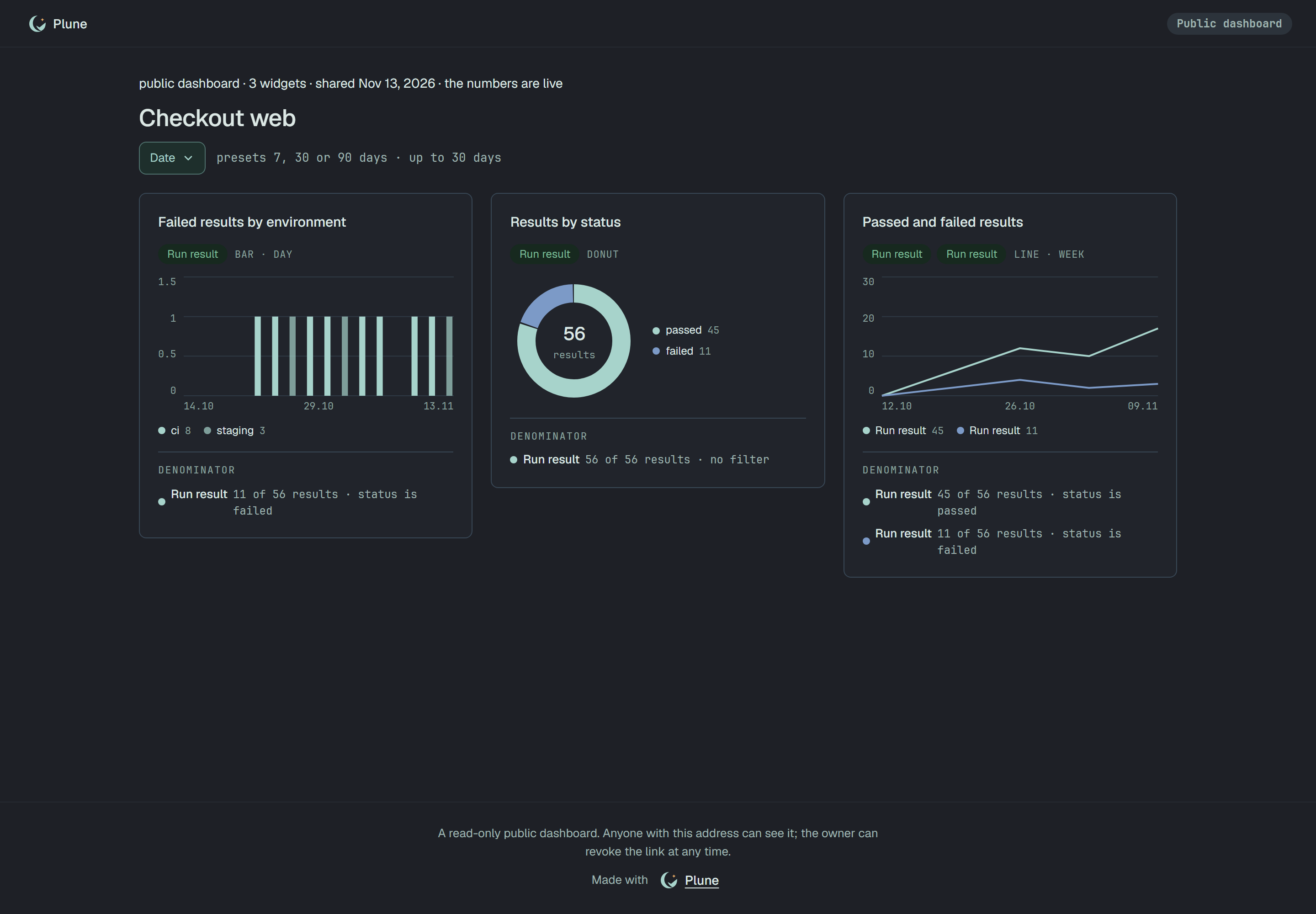
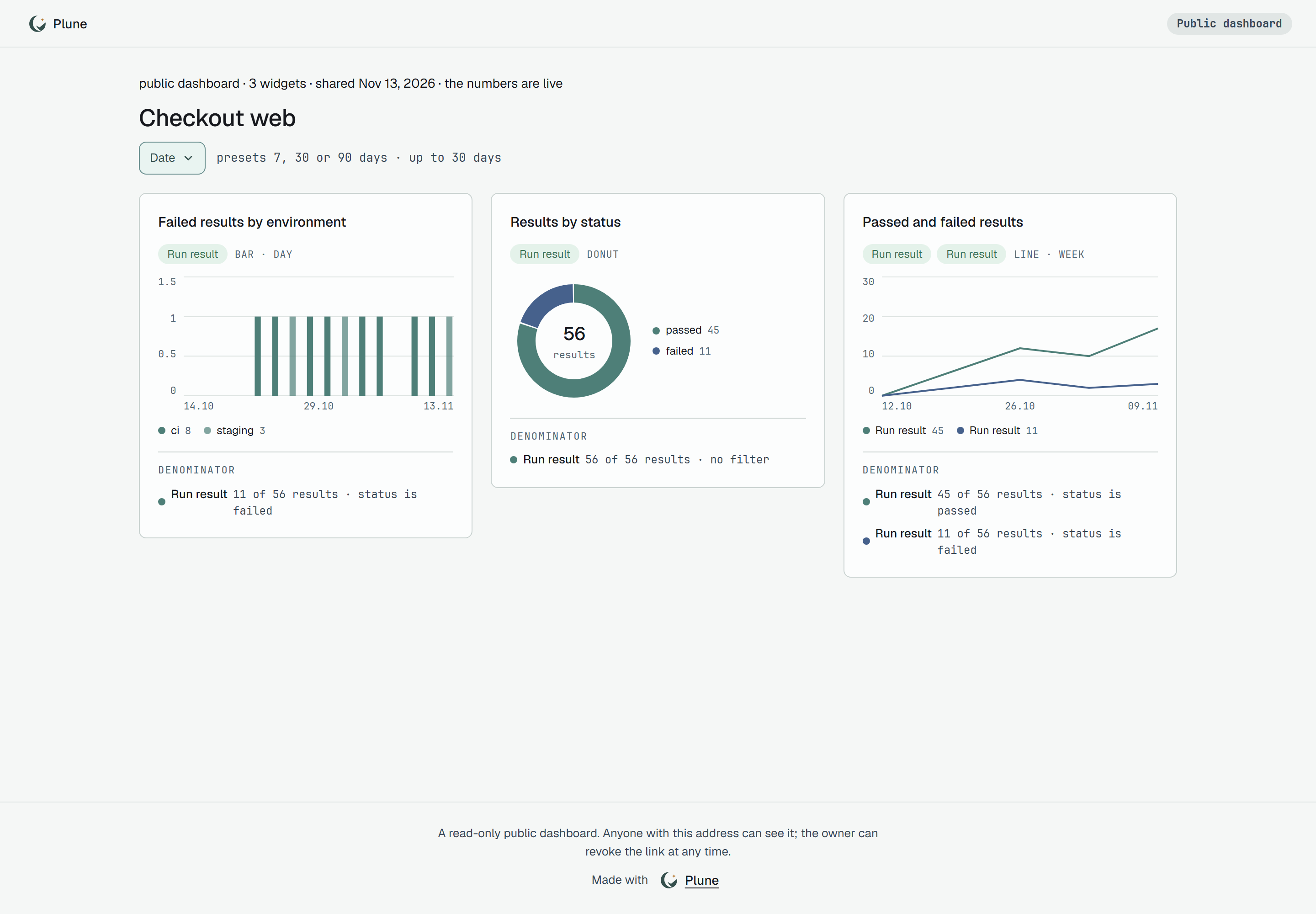
Section titled “What a visitor sees”The link opens https://beta.plune.ai/d/<token>, without an account. The page shows the project’s
name, the Public dashboard badge, a line such as public dashboard · 3 widgets · shared with the
date and · the numbers are live, the period, and the shared widgets with their numbers over it. With the period
open the visitor picks one of the presets; fixed, the page says the last 30 days · set by the owner.
At the bottom: A read-only public dashboard. Anyone with this address can see it; the owner can revoke the link at any time. and Made with Plune, which no setting removes. A widget that cannot be drawn at that moment says This widget cannot be drawn now.
| What the visitor gets | Why |
|---|---|
| Page not found. | No such link, a revoked one, or the project’s public sharing is off. The address answers 404 in each case. |
| This link has expired. — Ask the person who shared it to send you a new one. | The link is past its expiry: 410. |
| This dashboard is protected. with a password field and Open dashboard | The link has a password. After too many wrong ones, the link stays locked for a while. |
The API
Section titled “The API”Widgets, for the project:
GET /v1/widgets,POST /v1/widgets,GET /v1/widgets/{id},PATCH /v1/widgets/{id};DELETE /v1/widgets/{id}archives the widget;POST /v1/widgets/{id}/duplicate— the copy,201;GET /v1/widgets/{id}/data— a saved widget’s numbers, andPOST /v1/widgets/data— a draft’s.
A read-only member’s write answers 403. A new widget or a copy over 30 answers 409 · a project has at most 30 widgets: archive one first.
Links, for the project:
GET /v1/dashboard-links— every member: the switch, the active links and the limit, never an address;PUT /v1/dashboard-links/sharingwith{ "enabled": true }— the owner’s switch;POST /v1/dashboard-links— the owner’s new link,201with its address, once.409withsharing_offwhile sharing is off,link_limitat 20 links;400for a widget it cannot share;POST /v1/dashboard-links/{id}/refresh— Update shared view;DELETE /v1/dashboard-links/{id}— revoke,204.